
Introduction
Modern professionals spend a significant amount of time on repetitive tasks such as writing emails, creating documents, researching information, preparing content, organizing ideas, and rewriting existing material. While these activities are important, they can consume hours that could otherwise be spent on strategy, problem-solving, and higher-value work.
MagicAI can help make many of these everyday activities faster and more structured by assisting with writing, brainstorming, research, content creation, editing, and other productivity-focused tasks.
The key is not to use AI for everything without review. Instead, the most effective approach is to use MagicAI as an intelligent assistant that helps you move from an idea or task to a useful first draft or structured result more efficiently.
In this guide, we will explore 10 practical ways to use MagicAI for everyday work, along with examples and prompts you can adapt to your own workflow.
What Makes MagicAI Useful for Everyday Work?
Everyday work often consists of many small tasks rather than one large project. A typical workday may involve answering messages, writing reports, researching a topic, preparing social media posts, editing documents, generating ideas, and organizing information.
AI can be particularly useful in these situations because it can help with the first stage of many knowledge-work tasks.
Instead of starting with a blank page, you can provide MagicAI with:
- A topic
- A rough idea
- Existing text
- A set of instructions
- A target audience
- A desired tone
- A specific output format
MagicAI can then help transform that input into a more organized and usable result.
The final output should still be reviewed by a human, especially when the work involves sensitive information, important decisions, factual claims, or external communication.
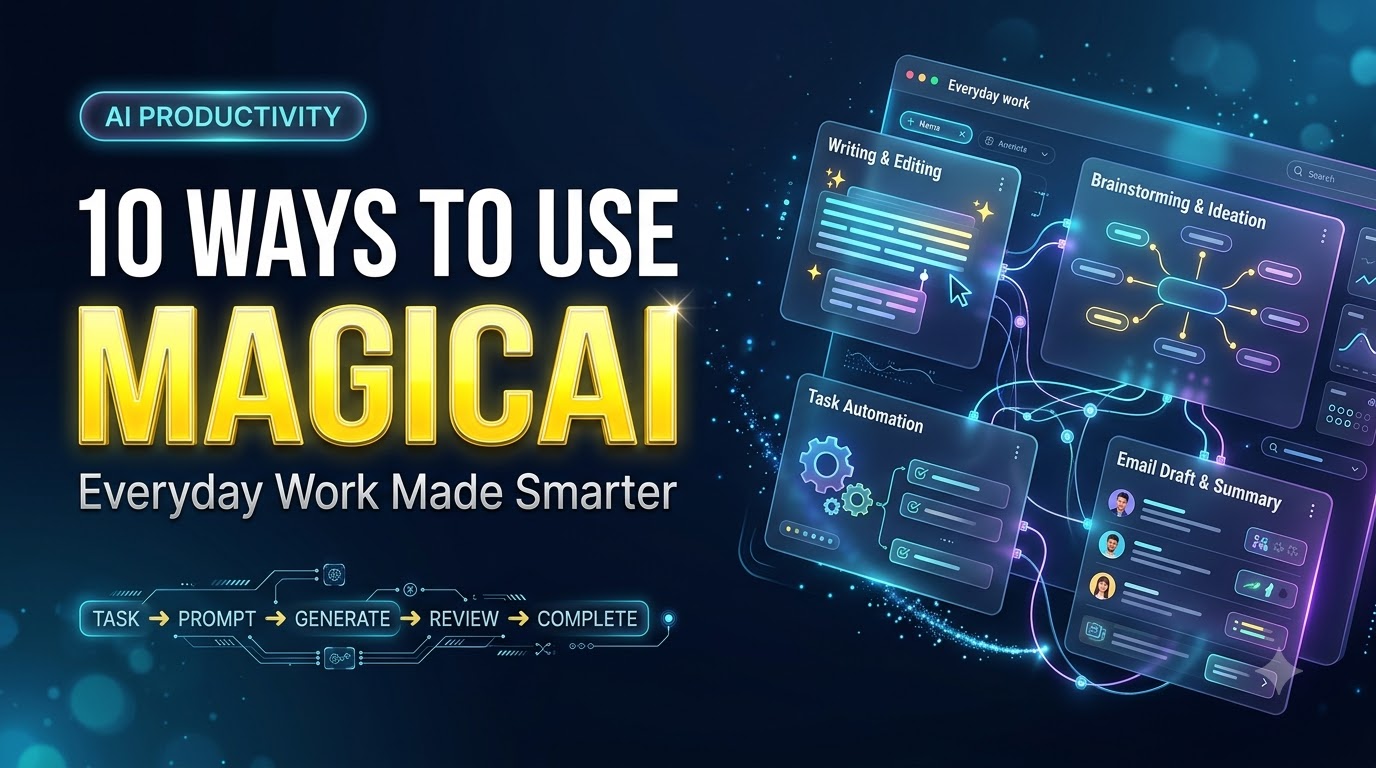
10 Ways to Use MagicAI for Everyday Work
1. Write and Improve Emails
Email is one of the most common forms of workplace communication. Writing a professional email can sometimes take longer than expected, especially when you need to communicate a complicated idea clearly and politely.
MagicAI can help create an initial email draft or improve an existing message.
You can use it to:
- Draft professional emails
- Make an email shorter
- Improve grammar
- Adjust the tone
- Make a message more polite
- Turn notes into a complete email
- Create follow-up messages
- Rewrite confusing communication
Example MagicAI Prompt
Write a professional email to a client explaining that the project deadline needs to be extended by three business days. Keep the tone polite, transparent, and solution-oriented. Clearly explain the next steps without sounding overly formal.The important advantage is that you do not have to start from an empty document.
2. Create Reports and Business Documents
Reports can require significant time because they need a logical structure, clear language, and consistent formatting.
MagicAI can help turn rough notes or information into a structured document.
For example, you can ask it to create:
- Project summaries
- Meeting reports
- Business reports
- Executive summaries
- Proposals
- Internal documentation
- Briefing documents
- Project updates
Example Workflow
NOTES → STRUCTURE → DRAFT → REVIEW → FINAL DOCUMENT
You can first provide your key information and ask MagicAI to organize it into sections. After that, review the generated draft and add any company-specific information.
Example Prompt
Turn the following project notes into a professional project status report.

Include:
1. Project overview
2. Completed work
3. Current progress
4. Challenges
5. Upcoming tasks
6. Risks
7. Next steps

Use clear business language and keep the report easy to scan.
3. Brainstorm Ideas Faster
Starting a project from scratch can be difficult because the biggest obstacle is often not writing but knowing what to write.
MagicAI can act as a brainstorming partner.
You can ask it to generate ideas for:
- Blog topics
- Marketing campaigns
- Business names
- Content themes
- Product ideas
- Social media concepts
- Presentation topics
- Video ideas
- Customer engagement ideas
Instead of accepting the first idea, use AI to generate a broad list and then apply your own judgment.
Example Prompt
Generate 20 practical content ideas for a small business that wants to attract more customers through educational content. Group the ideas into beginner, intermediate, and advanced topics.This approach can help overcome the blank-page problem.
4. Summarize Long Information
Professionals often need to process large amounts of information quickly.
When appropriate and when the relevant information can be safely provided, MagicAI can help turn lengthy material into concise summaries.
You can use summarization for:
- Meeting notes
- Internal documents
- Research material
- Project updates
- Articles
- Business information
- Customer feedback
- Technical explanations
A useful summary prompt should specify what you actually need.
Example Prompt
Summarize the following document for a busy manager.

Provide:
- A 5-point executive summary
- Key decisions
- Important deadlines
- Main risks
- Required actions

Do not add information that is not present in the source material.
This produces a more useful result than simply asking for a generic summary.
5. Research and Organize Information
Research is another everyday task where AI assistance can save time.
MagicAI can help you organize research questions, create topic outlines, identify areas that require investigation, and structure information into categories.
For example, if you are researching a new market, you might ask MagicAI to create a research framework covering:
- Target customers
- Competitors
- Product categories
- Customer problems
- Pricing considerations
- Marketing channels
- Key questions to investigate
Important Consideration
AI-generated information should not automatically be treated as verified fact.
For important business, financial, legal, technical, or current information, verify critical claims using reliable primary or authoritative sources.
The best workflow is:
RESEARCH QUESTION → AI STRUCTURE → SOURCE RESEARCH → FACT CHECK → FINAL ANALYSIS
6. Create and Repurpose Content
Content teams often need to create multiple pieces of content from the same idea.
For example, one detailed article can become:
- Social media posts
- Short-form content
- Email copy
- Video ideas
- Promotional text
- FAQs
- Content summaries
MagicAI can help with this repurposing process.
Example Workflow
LONG-FORM ARTICLE → KEY IDEAS → SOCIAL POSTS → EMAIL → SHORT CONTENT
Example Prompt
Take the following article and repurpose it into:
- 5 LinkedIn post ideas
- 5 short social media posts
- 3 email subject lines
- 5 FAQ questions
- 3 short video concepts

Keep the original message consistent while adapting the format for each channel.
This can reduce repetitive rewriting work while maintaining a consistent core message.
7. Improve Grammar, Clarity, and Tone
Not every AI task needs to involve creating something from scratch.
Sometimes the most useful application is simply improving text you have already written.
MagicAI can help you:
- Correct grammar
- Improve sentence structure
- Remove unnecessary words
- Make writing more concise
- Improve readability
- Adjust tone
- Make technical writing easier to understand
- Rewrite text for a specific audience
Example Prompt
Rewrite the following paragraph to make it clearer and more professional.

Keep the original meaning.
Remove unnecessary repetition.
Use simple language.
Do not introduce new claims or information.
This makes AI useful as an editing assistant rather than simply a content generator.
8. Create Product Descriptions and Marketing Copy
Businesses frequently need descriptions for products, services, campaigns, websites, and advertisements.
MagicAI can help create a first draft based on product information.
You can provide:
- Product name
- Main features
- Benefits
- Target audience
- Technical specifications
- Brand tone
- Key selling points
Example Prompt
Write an SEO-friendly product description for a professional business website.

Product: [PRODUCT NAME]

Include:
- A concise product overview
- Key features
- Customer benefits
- Practical applications
- A clear call to action

Use natural language and avoid exaggerated claims.
The generated content should then be checked against the actual product specifications.
9. Prepare Presentations, Meetings, and Talking Points
Preparing for a meeting can involve more work than the meeting itself.
MagicAI can help organize information into a clear structure before you enter the meeting.
You can use it to create:
- Meeting agendas
- Discussion points
- Presentation outlines
- Speaker notes
- Questions to ask
- Follow-up action lists
- Executive summaries
Example Prompt
Create a 30-minute meeting agenda for a project review.

Include:
- Opening
- Project progress
- Key achievements
- Current problems
- Decisions required
- Next steps
- Action items

Assign an approximate amount of time to each section.
This helps turn an unstructured meeting into a more focused conversation.
10. Build Repeatable Workflows
One of the most valuable ways to use AI is to turn repetitive tasks into repeatable workflows.
Instead of writing a new instruction every time, create a reusable prompt or process.
For example, a content workflow could be:
TOPIC → RESEARCH → OUTLINE → DRAFT → SEO → EDIT → REVIEW → PUBLISH
A product-content workflow could be:
PRODUCT DATA → DESCRIPTION → FEATURES → BENEFITS → SEO → REVIEW → PUBLISH
A communication workflow could be:
ROUGH NOTES → AI DRAFT → TONE CHECK → HUMAN REVIEW → SEND
The objective is not simply to generate more content. It is to create a consistent process that saves time.
MagicAI Everyday Work Cheat Sheet
| Everyday Task | How MagicAI Can Help | Human Review |
|---|---|---|
| Emails | Draft and rewrite messages | Yes |
| Reports | Structure and draft documents | Yes |
| Brainstorming | Generate ideas and angles | Yes |
| Summaries | Condense information | Yes |
| Research | Organize research questions | Yes |
| Content | Create and repurpose drafts | Yes |
| Editing | Improve grammar and clarity | Yes |
| Product Copy | Draft descriptions and marketing text | Yes |
| Meetings | Create agendas and talking points | Yes |
| Workflows | Build reusable processes and prompts | Yes |
The pattern is important: MagicAI can accelerate the work, but human judgment remains part of the process.
How to Get Better Results from MagicAI
The quality of AI output depends heavily on the quality of the instructions.
A vague prompt such as:
Write an email.provides very little useful context.
A stronger prompt includes:
- The task
- The audience
- Context
- Tone
- Desired format
- Important information
- Restrictions
- Expected outcome
A Simple Prompt Formula
TASK + CONTEXT + AUDIENCE + TONE + FORMAT + REQUIREMENTS
For example:
Write a professional follow-up email to a potential client who received our proposal last week.

Audience: Business decision-maker
Tone: Professional, friendly, and concise
Goal: Encourage a response without sounding pushy
Format: Subject line + email body
Length: Under 150 words
This gives MagicAI much more direction.
A Practical Everyday MagicAI Workflow
A simple daily workflow can look like this:
Step 1: Identify the Task
Ask yourself what is actually consuming your time.
Step 2: Define the Desired Result
Decide exactly what you want the finished output to look like.
Step 3: Give MagicAI Context
Provide the necessary background, audience, tone, and constraints.
Step 4: Generate the First Draft
Use MagicAI to produce a starting point.
Step 5: Review the Output
Check:
- Accuracy
- Relevance
- Tone
- Brand voice
- Completeness
- Formatting
Step 6: Refine
Ask MagicAI to improve specific weaknesses instead of regenerating everything.
Step 7: Finalize
Apply human judgment and make the final edits before using the output.
Common Mistakes When Using MagicAI at Work
1. Using Extremely Short Prompts
Short prompts can produce generic results because the AI has insufficient context.
2. Publishing AI Output Without Review
AI-generated content may contain errors, missing context, or unsuitable wording.
3. Sharing Sensitive Information
Do not provide confidential, private, or sensitive business information unless you are authorized to do so and the applicable platform and organizational policies allow it.
4. Expecting AI to Understand Your Business Automatically
Provide relevant background information instead of assuming the AI already knows your internal processes.
5. Focusing Only on Speed
The goal should be better productivity, not simply generating the largest possible amount of content.
6. Ignoring Brand Voice
AI output should be adapted to the organization’s preferred style and communication standards.
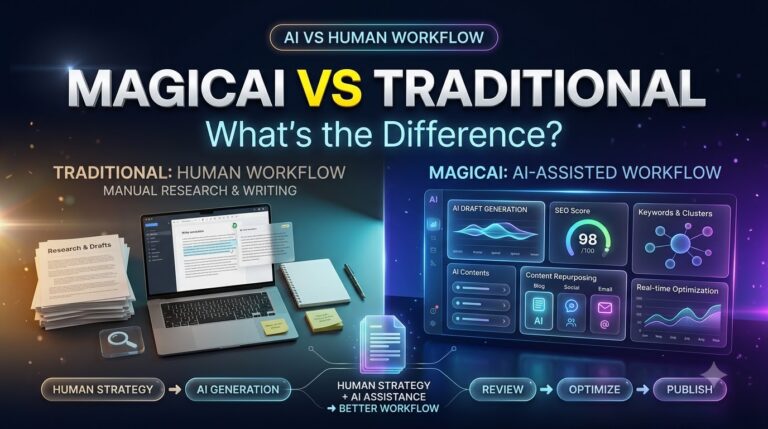
MagicAI vs Starting From Scratch
The biggest productivity difference is often the starting point.
| Workflow | Starting From Scratch | Using MagicAI |
|---|---|---|
| Idea generation | Manual brainstorming | AI-assisted brainstorming |
| First draft | Starts from blank page | AI creates starting draft |
| Editing | Entirely manual | AI + human editing |
| Repurposing | Repeated manual work | AI-assisted transformation |
| Formatting | Manual | Can be requested in prompt |
| Final review | Human | Human |
MagicAI does not eliminate the need for expertise. Instead, it can reduce the amount of repetitive work required to reach a useful first draft.
How to Use MagicAI Responsibly
AI productivity works best when users understand its limitations.
For important work:
- Verify factual claims.
- Review calculations.
- Check dates and names.
- Protect confidential information.
- Review generated recommendations.
- Maintain human accountability.
- Follow company policies.
- Check the final content before publishing or sending.
The goal should be responsible acceleration, not blind automation.
A Reusable Master Prompt for Everyday Work
You can adapt the following prompt for many common workplace tasks:
Help me complete the following work task.

TASK:
[Describe the task]

CONTEXT:
[Provide relevant background information]

AUDIENCE:
[Who will read or use the output?]

GOAL:
[What should the final result achieve?]

TONE:
[Professional / Friendly / Formal / Concise / Persuasive]

FORMAT:
[Email / Report / Bullet points / Table / Article / Checklist]

REQUIREMENTS:
[List important instructions]

CONSTRAINTS:
[List anything that must be avoided]

Before finalizing, make sure the output is clear, accurate based only on the information provided, logically organized, and easy to use.
This template can be adapted to emails, reports, content, summaries, marketing copy, and many other everyday tasks.
Frequently Asked Questions
Is MagicAI useful for everyday office work?
Yes. AI assistance can be useful for many common knowledge-work tasks, including drafting, rewriting, brainstorming, summarization, content creation, research organization, and document preparation.
Can MagicAI help write professional emails?
Yes. You can provide the situation, recipient type, desired tone, and objective to create a more relevant email draft.
Can MagicAI save time at work?
It can reduce the time spent on repetitive drafting, rewriting, formatting, brainstorming, and other tasks. The actual time savings depend on the task and how effectively the tool is used.
Should I review MagicAI-generated work?
Yes. Human review is especially important for factual accuracy, business-critical information, sensitive communication, and published content.
Can MagicAI be used for content creation?
Yes. It can assist with tasks such as article drafting, product descriptions, marketing copy, social media content, and content repurposing.
What is the best way to prompt MagicAI?
Provide clear instructions, relevant context, the intended audience, tone, format, requirements, and desired outcome.
Can MagicAI replace employees?
AI is better viewed as an assistance and productivity tool rather than an automatic replacement for human expertise. Human judgment remains important for strategy, accuracy, creativity, accountability, and decision-making.
How can beginners start using MagicAI?
Start with simple, low-risk tasks such as rewriting an email, brainstorming ideas, creating an outline, or summarizing information. Gradually develop reusable prompts for repetitive workflows.
Final Verdict
MagicAI can become a practical everyday work assistant when it is used for the right tasks.
From drafting emails and reports to brainstorming ideas, summarizing information, improving writing, creating marketing content, preparing meetings, and building repeatable workflows, AI assistance can reduce the amount of repetitive work involved in many professional activities.
The most effective approach is not to hand every task over to AI. Instead, use MagicAI to accelerate the parts of the workflow where it provides genuine value, then apply human expertise to review, refine, fact-check, and finalize the result.
A simple principle is worth remembering:
Human Strategy → MagicAI Assistance → Human Review → Better Output
Used this way, MagicAI can help professionals spend less time starting from a blank page and more time focusing on meaningful work.