
Introduction
AI tools have moved beyond simple chatbots. Modern AI platforms can help users write content, analyze files, generate images, create code, produce audio, develop marketing materials, and automate parts of repetitive workflows.
That makes an important question increasingly relevant: Is MagicAI worth using?
The answer depends on what you need from an AI platform.
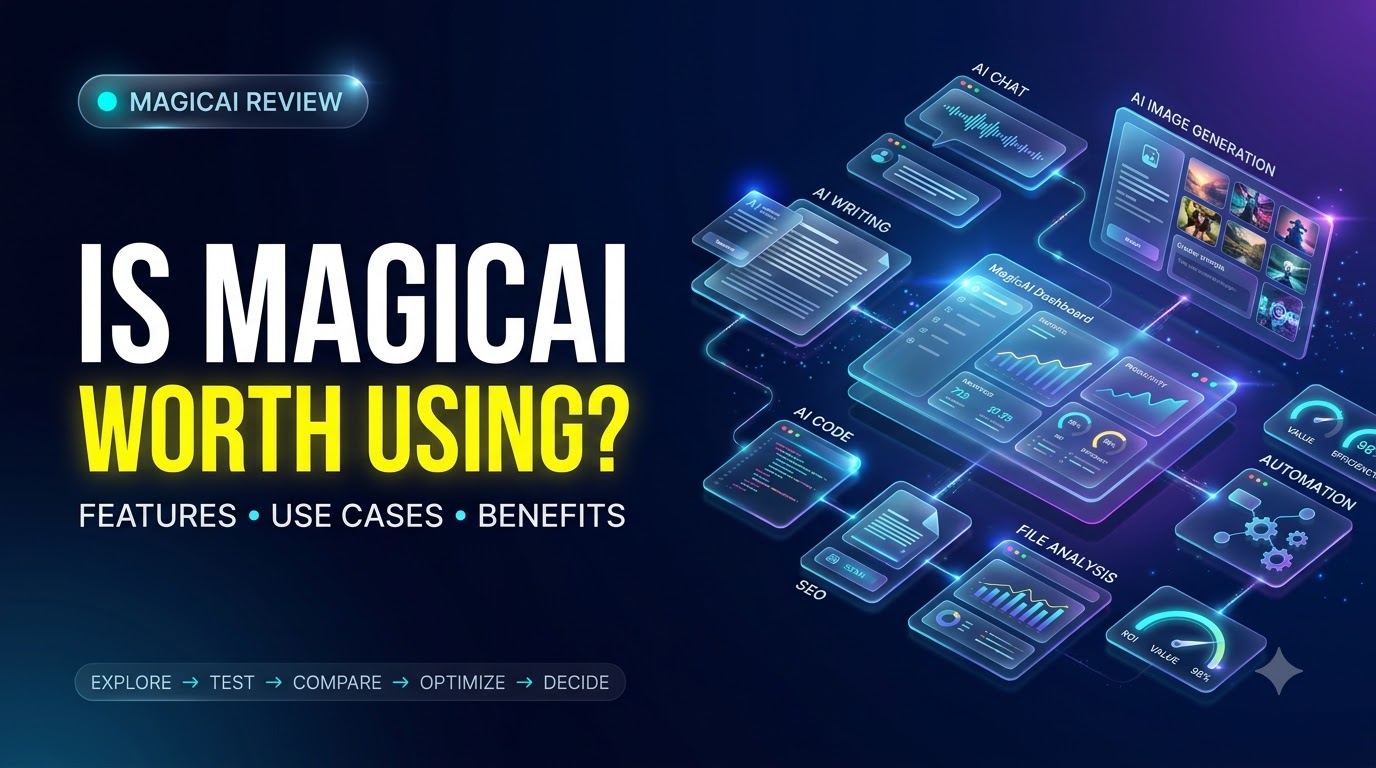
MagicAI is positioned as a broad AI workspace rather than a tool designed around only one task. Its current documentation and product pages describe capabilities across AI writing, chat, image generation, coding, file analysis, speech, voice, content templates, and other AI-powered tools. Its newer product materials also describe expanded capabilities such as AI agents and video workflows.
For someone who needs several AI capabilities in one environment, that breadth can be valuable. However, users should also consider output quality, workflow fit, learning curve, usage limits, integrations, and pricing before deciding whether it is the right platform.
This guide examines MagicAI features, use cases, benefits, limitations, and practical situations where MagicAI may or may not be worth using.
What Is MagicAI?
MagicAI is an AI-powered SaaS platform that brings multiple AI capabilities into a single environment.
Its documented tools include AI Chat, AI Writer, AI ReWriter, AI Code, AI Image, AI Vision, AI File Chat, AI Voiceover, Speech to Text, Article Wizard, and other specialized tools. The platform can also integrate different underlying AI providers and models depending on the specific tool.
Instead of switching between separate applications for every task, users can potentially use one platform for several parts of their workflow.
For example:
IDEA → AI CHAT → CONTENT → IMAGE → REVIEW → PUBLISH
Or for a business workflow:
DATA → ANALYSIS → AI GENERATION → HUMAN REVIEW → DELIVERY
The value of this approach depends heavily on how many of these capabilities you actually need.
Is MagicAI Worth Using?
For many users, MagicAI can be worth using if they need a broad collection of AI tools rather than a single specialized function.
It can be particularly useful for:
- Content creators
- Bloggers
- Digital marketers
- Entrepreneurs
- Agencies
- Developers
- E-commerce businesses
- Website owners
- Product teams
- Customer-support teams
- Businesses experimenting with AI workflows
MagicAI’s product pages currently highlight a large collection of templates and tools spanning blogging, e-commerce, development, advertising, social media, websites, languages, writing, and other categories.
However, “worth it” is not universal.
If you only need one highly specialized function, a dedicated tool may be a better fit. If you need multiple AI capabilities regularly, a multi-purpose platform can become more attractive.
MagicAI Features That Matter Most
1. AI Chat
AI Chat is one of the most flexible features because it can support a wide range of everyday tasks.
You can use conversational AI to:
- Brainstorm ideas
- Ask questions
- Explain concepts
- Draft content
- Plan projects
- Rewrite information
- Create outlines
- Analyze provided information
MagicAI’s documentation also describes AI Chat Pro features such as highlighted-content handling, smart image display, and navigation for longer conversations.
Example
Act as a content strategist.

I am creating a blog for a small technology business.

Give me:
1. Five topic ideas
2. The search intent for each
3. A recommended primary keyword
4. A suggested article structure
5. One unique angle that could make each article more useful.
2. AI Writing and Rewriting
Writing is one of the most practical areas where MagicAI can provide value.
Current MagicAI materials list tools for article generation, summaries, blog sections, introductions, conclusions, grammar correction, rewriting, content improvement, and other writing tasks.
These tools can help with:
- Blog posts
- Website copy
- Product descriptions
- Emails
- Marketing copy
- Social media content
- Summaries
- Rewriting
- Editing
- SEO content
The main advantage is not simply generating text. It is reducing the amount of repetitive drafting and editing required.
3. AI Image Generation
Visual content is another major MagicAI use case.
MagicAI provides AI image-generation capabilities and supports multiple image-generation technologies depending on the platform configuration. Its documentation lists providers and models used by AI Image tools, including OpenAI image technologies, Stable Diffusion, Flux, Ideogram, Imagen, and others.
This can be useful for:
- Blog featured images
- Marketing visuals
- Social media graphics
- Creative concepts
- Product imagery
- Website visuals
- Advertising concepts
For teams creating both written and visual content, having these capabilities within the same broader AI ecosystem can simplify the workflow.
4. AI Code Generation
Developers can use MagicAI for programming assistance.
The platform describes AI Code capabilities for generating, fixing, explaining, and improving code.
Potential use cases include:
- Code generation
- Debugging
- Code explanations
- Learning programming
- Refactoring
- Documentation
- Creating small functions
- Understanding unfamiliar code
Example Prompt
Review this Python function.

1. Explain what it does.
2. Identify potential problems.
3. Suggest a cleaner version.
4. Explain the changes for a beginner developer.

Do not change the intended functionality.
AI-generated code should always be tested and reviewed before being used in production.
5. File Analysis and AI File Chat
Working with documents is another practical use case.
MagicAI documentation describes AI File Chat and file-analysis functionality for supported files such as PDFs, DOCs, and CSVs.
You can use document-oriented AI to:
- Summarize files
- Extract important information
- Ask questions about a document
- Find relevant information
- Analyze structured data
- Create action lists
Example Workflow
UPLOAD → ANALYZE → ASK → EXTRACT → REVIEW
This can be especially useful when the alternative is manually reading large amounts of material.
6. Article Wizard and Content Templates
MagicAI also provides specialized content-generation tools rather than requiring users to create every prompt from scratch.
Its product pages list an AI Article Wizard along with many templates covering areas such as blogs, e-commerce, advertising, social media, websites, business, customer service, and other categories.
Templates can be useful for beginners because they reduce the amount of prompt engineering required.
Instead of starting with:
“What should I ask?”
you can begin with:
“What type of content am I trying to create?”
Then customize the generated result.
7. Speech-to-Text and Voice Tools
MagicAI includes speech and voice-related capabilities.
Its product documentation and platform pages describe Speech to Text and AI Voiceover tools for converting spoken information into text or creating spoken output.
Possible applications include:
- Meeting transcription
- Voice notes
- Video narration
- Educational content
- Marketing videos
- Audio-based content workflows
These capabilities can be particularly valuable for creators who work across text, audio, and video.
8. AI Agents and Workflow Automation
More advanced MagicAI functionality goes beyond one-off prompts.
The current AI Agent documentation describes agents that can turn instructions into automated workflows, run on schedules or in response to channel messages, and connect actions across email, chat, reports, and other MagicAI tools.
This changes the potential use case from:
“Ask AI to do something.”
to:
“Set up a workflow that performs a series of actions.”
For businesses with repetitive processes, this can potentially provide greater value than simple text generation.
MagicAI Use Cases
Content Creation
MagicAI can support an end-to-end content workflow:
IDEA → OUTLINE → DRAFT → EDIT → SEO → IMAGE → PUBLISH
A content team can use AI for initial drafts while keeping humans responsible for strategy, fact checking, originality, and final editing.
E-Commerce
MagicAI’s template categories include e-commerce-oriented tools such as product descriptions, product-name generation, features, reviews, and other product-related content.
Potential workflow:
PRODUCT DATA → DESCRIPTION → BENEFITS → SEO → REVIEW → PUBLISH
This can be useful when a store has many products that require consistent descriptions.
Digital Marketing
Marketing teams can use AI assistance for:
- Ad copy
- Social posts
- Campaign ideas
- Landing-page content
- Email content
- Calls to action
- Marketing plans
MagicAI’s current product materials list advertising and social-media templates among its available capabilities.
Website Content
Website owners can use MagicAI for:
- Homepage copy
- Service descriptions
- FAQs
- Feature sections
- Calls to action
- SEO content
- Website structure ideas
This can reduce the time required to create a first version of website copy.
Development
Developers can use MagicAI for coding support, explanations, debugging, and development-related content.
A practical workflow could be:
REQUIREMENT → AI CODE DRAFT → TEST → DEBUG → HUMAN REVIEW
The testing stage remains essential.
Research and Document Work
When suitable documents are available, AI file tools can help users move quickly from a large source file to a structured summary or set of questions.
For example:
DOCUMENT → SUMMARY → KEY DATA → QUESTIONS → ACTION ITEMS
This is useful for internal reports, research material, business documents, and other information-heavy workflows.
Benefits of Using MagicAI
1. Multiple AI Capabilities in One Platform
One of MagicAI’s strongest advantages is breadth.
The platform combines writing, chat, image, code, document, audio, and other AI capabilities rather than focusing exclusively on one content type.
For users who regularly switch between these tasks, that can simplify their workflow.
2. Faster First Drafts
Starting from a blank page is often one of the slowest parts of creative work.
AI can provide:
- Initial outlines
- Drafts
- Ideas
- Variations
- Summaries
- Templates
That gives users something to review instead of starting from zero.
3. Reduced Repetitive Work
AI is particularly useful for repetitive tasks.
Examples include:
- Rewriting similar descriptions
- Generating multiple variations
- Summarizing documents
- Creating content outlines
- Formatting information
- Producing common marketing copy
This can allow people to spend more time on strategy and judgment.
4. Easier Content Repurposing
A single source can potentially become several content formats.
For example:
ARTICLE → SOCIAL POSTS → EMAIL → VIDEO SCRIPT → FAQ
This is especially valuable for content teams that need to maintain an active presence across multiple channels.
5. Useful for Different Skill Levels
MagicAI is not limited to one type of user.
Beginners can use templates and simple prompts, while experienced users can create more advanced workflows and customized instructions.
Developers can use code tools, marketers can use advertising and content tools, and businesses can explore automation and agent-based workflows.
Potential Limitations
A balanced evaluation also needs to consider what MagicAI cannot solve automatically.
AI Output Still Requires Review
AI can generate incorrect, incomplete, outdated, or unsuitable information.
Always review important output.
Quality Depends on the Task
A platform may be excellent for brainstorming but less suitable for a highly specialized professional task requiring deep domain expertise.
Feature Availability Can Vary
MagicAI has multiple versions, deployments, integrations, and configurations. The available tools and underlying models can therefore vary. Its documentation specifically lists different providers for different AI functions.
Learning Curve
A large number of tools can initially feel overwhelming.
The solution is to start with a small set of features and expand gradually.
Pricing and Usage Limits
The value of a platform depends on how much you use it and what capabilities your plan includes.
MagicAI’s documentation also shows that platform administrators can configure plans, features, templates, tools, and credit limits, meaning pricing and available functionality can vary by deployment.
Always check the current plan, included features, usage limits, and pricing before purchasing.
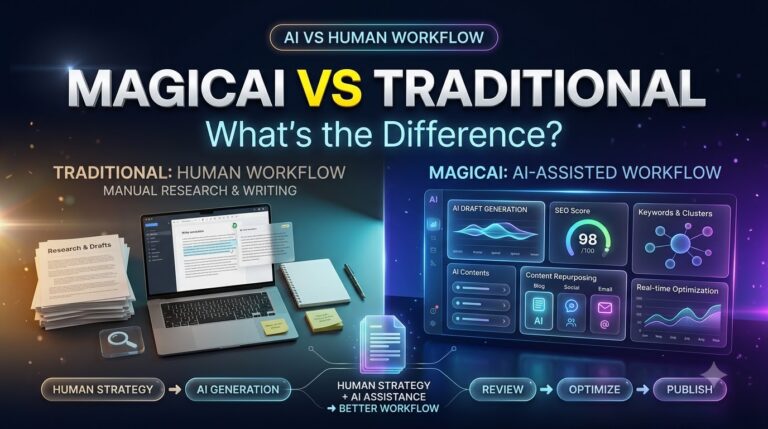
MagicAI vs Using Multiple Separate AI Tools
One important question is whether a broad platform is better than using several specialized tools.
| Factor | MagicAI Multi-Tool Approach | Multiple Specialized Tools |
|---|---|---|
| Number of capabilities | Broad | Depends on subscriptions |
| Workflow switching | Potentially lower | Often higher |
| Specialized depth | Varies by tool | Can be very strong |
| Learning | One broader ecosystem | Multiple interfaces |
| Content workflow | Can be centralized | Often distributed |
| Flexibility | High | High |
| Best for | Multi-purpose AI users | Highly specialized workflows |
There is no universal winner.
If your work involves many different AI tasks, a broader platform can be convenient.
If you need one extremely specialized capability, a dedicated solution may make more sense.
Who Should Consider Using MagicAI?
Bloggers and Content Creators
Useful for:
- Ideation
- Outlines
- Drafts
- Rewriting
- Images
- Content repurposing
Digital Marketers
Useful for:
- Ad copy
- Social content
- Website copy
- Campaign ideas
- SEO content
E-Commerce Businesses
Useful for:
- Product descriptions
- Product features
- Marketing copy
- Reviews
- Product content at scale
Developers
Useful for:
- Code generation
- Debugging
- Code explanation
- Documentation
Agencies
Agencies can benefit from a broad AI toolkit because they often manage different content and marketing requirements for multiple clients.
Small Businesses
Small teams may benefit from using AI to handle repetitive content and communication tasks without requiring a separate tool for every individual workflow.
Who May Not Need MagicAI?
MagicAI may not be necessary if:
- You rarely use AI.
- You only need one very specialized AI feature.
- Your existing AI tools already cover all your needs.
- Your organization requires tools that meet specific compliance or integration requirements not supported by your chosen MagicAI deployment.
- You are unwilling to review AI-generated output.
The right question is not:
“Is MagicAI the best AI platform?”
A better question is:
“Does MagicAI solve enough of my recurring problems to justify using it?”
How to Decide If MagicAI Is Worth It
Use this simple five-question test.
1. How Often Will You Use AI?
Daily users are more likely to benefit from a broad AI platform.
2. How Many AI Tasks Do You Need?
If you need writing, images, documents, coding, and other capabilities, consolidation becomes more valuable.
3. Does It Fit Your Workflow?
A powerful feature is not useful if it creates more work than it removes.
4. Does the Output Meet Your Quality Requirements?
Test realistic tasks rather than judging the platform only from demonstrations.
5. Does the Pricing Match Your Usage?
Compare your expected usage with the current plan’s features, credits, limits, and other restrictions.
A Practical MagicAI Evaluation Workflow
Before committing to a paid plan, test the platform with real tasks.
Step 1: Choose Five Real Tasks
For example:
- Write an article outline
- Create a product description
- Summarize a document
- Generate an image
- Explain or fix code
Step 2: Measure the Results
Look at:
- Time saved
- Output quality
- Editing required
- Ease of use
- Consistency
Step 3: Compare Your Current Workflow
Ask:
Did MagicAI actually make the process easier?
Step 4: Calculate Value
Consider:
Time Saved + Number of Tasks + Output Quality − Cost − Editing Time
This does not need to be a precise financial calculation. It is simply a useful way to think about practical value.
How to Get More Value from MagicAI
Create Reusable Prompts
If you perform the same task repeatedly, create a reusable prompt.
Build Standard Workflows
Turn repetitive tasks into repeatable processes.
Give Better Context
Explain the audience, objective, tone, and requirements.
Use AI for First Drafts
Let AI handle repetitive starting work while humans handle judgment and refinement.
Review Before Publishing
Always perform a final quality check.
Combine Multiple Tools
The strongest workflows can connect multiple AI capabilities.
For example:
AI CHAT → ARTICLE → IMAGE → SEO → REVIEW → PUBLISH
Example: A Small Business MagicAI Workflow
Imagine a small business launching a new service.
The team could use MagicAI to assist with:
Step 1 — Brainstorming
Generate campaign ideas.
Step 2 — Website Copy
Create an initial service-page draft.
Step 3 — Marketing Content
Create social media and advertising variations.
Step 4 — Visuals
Generate creative concepts for campaign imagery.
Step 5 — SEO
Review the page structure and identify optimization opportunities.
Step 6 — Repurposing
Turn the campaign into email and social content.
Step 7 — Review
A human checks facts, messaging, brand voice, and final quality.
This illustrates where a multi-tool AI platform can become more valuable than a single-purpose writing assistant.
A Better Way to Think About MagicAI
The biggest benefit of MagicAI is not necessarily any single feature.
It is the ability to create a broader workflow around AI.
Instead of:
“I need an AI writer.”
you can think:
“I need an AI-assisted content workflow.”
That workflow might include:
RESEARCH → WRITING → EDITING → IMAGE → SEO → REPURPOSING → PUBLISHING
Similarly, a business workflow might become:
INPUT → ANALYSIS → GENERATION → AUTOMATION → REVIEW → DELIVERY
This broader perspective makes it easier to evaluate whether a multi-purpose AI platform is actually useful.
Frequently Asked Questions
Is MagicAI worth using?
MagicAI can be worth using for people who need several AI capabilities in one platform, especially writing, chat, images, coding, document analysis, and related workflows. Whether it is worth the cost depends on usage, output quality, available features, limits, and your existing tools.
Is MagicAI good for beginners?
Yes. Beginners can start with simple chat, writing, rewriting, and content-generation tools before moving into more advanced features.
What is MagicAI best used for?
Its broad toolset makes it suitable for content creation, marketing, e-commerce, development, document analysis, creative work, and AI-assisted productivity. The best use depends on the user’s workflow.
Can MagicAI generate images?
Yes. MagicAI provides AI image-generation capabilities, with available models and providers depending on the platform configuration.
Can MagicAI help with coding?
Yes. MagicAI includes AI coding capabilities for generating, explaining, debugging, and improving code.
Can MagicAI analyze documents?
Yes. Its documented file-analysis tools support working with files such as PDFs, DOCs, and CSVs in suitable configurations.
Is MagicAI only for content creators?
No. Its current tool categories extend into e-commerce, development, advertising, social media, business, customer service, websites, and other areas.
Does MagicAI replace human work?
It can automate or accelerate parts of a workflow, but human review remains important for accuracy, strategy, originality, context, and accountability.
Does MagicAI have AI automation?
Current MagicAI documentation describes AI Agents that can turn instructions into automated workflows and run them on schedules or in response to messages, subject to the required setup and configuration.
Should I pay for MagicAI?
That depends on your usage. Test the features you actually need, compare the current plan’s limits and capabilities, and determine whether the time and workflow improvements justify the cost.
Final Verdict
Is MagicAI worth using?
For users who want a broad AI toolkit rather than a single-purpose application, MagicAI can be a practical and flexible option.
Its strongest advantage is breadth. The platform brings together AI chat, writing, rewriting, image generation, coding, document analysis, speech, voice, content templates, and increasingly advanced workflow capabilities.
That makes it particularly interesting for creators, marketers, businesses, developers, agencies, and teams that regularly move between different types of AI-assisted work.
However, a large feature list alone does not make a platform worth paying for. The real test is whether the tools you actually use save time, improve your workflow, and produce results that meet your quality requirements.
The best approach is therefore:
TEST → MEASURE → COMPARE → OPTIMIZE → DECIDE
If MagicAI consistently helps you complete multiple recurring tasks faster and with acceptable quality, it can justify its place in your workflow. If you only need one specialized capability, a dedicated tool may be the better choice.
Ultimately, MagicAI is most valuable when it is treated not simply as an AI generator, but as a flexible AI workspace that supports an entire workflow.