
Introduction
Creating social media content consistently can be challenging. Businesses, creators, marketers, and individuals often need fresh captions, post ideas, promotional messages, educational content, and calls to action across multiple platforms.
MagicAI can help simplify this process by generating social media ideas, captions, hooks, post variations, promotional copy, and platform-specific content.
However, effective social media content requires more than simply asking an AI tool to “write a post.” The quality of the result depends heavily on the audience, platform, objective, tone, topic, and instructions provided in the prompt.
This guide explains how to use MagicAI to create useful and engaging social media posts while maintaining a consistent brand voice and adapting content to different platforms.
What Are Social Media Posts?
Social media posts are pieces of content created for platforms such as:
- X
- Other social platforms
Posts can include:
- Short captions
- Educational tips
- Promotional messages
- Product announcements
- Questions
- Poll ideas
- Industry insights
- Customer-focused content
- Brand updates
- Storytelling posts
- Calls to action
Different platforms have different audiences and content expectations, so the same message should not always be copied everywhere without modification.
Can MagicAI Create Social Media Posts?
Yes. MagicAI can assist with different parts of social media content creation.
You can use it to generate:
- Post ideas
- Captions
- Headlines
- Hooks
- Promotional posts
- Educational posts
- Product announcements
- Engagement questions
- Calls to action
- Hashtag suggestions
- Content variations
- Social media calendars
- Platform-specific versions
The strongest results come from giving MagicAI enough context about the post and its purpose.
Why Use MagicAI for Social Media Content?
Generate Ideas Faster
Coming up with new social media topics every day can be difficult. MagicAI can help generate a list of relevant ideas based on your industry and audience.
Create Multiple Variations
You can ask MagicAI to create several versions of the same post with different hooks, tones, or calls to action.
Save Writing Time
Instead of starting every caption from a blank page, you can use AI-generated drafts as a starting point.
Maintain Consistent Messaging
A detailed brand-voice prompt can help keep posts consistent across campaigns.
Adapt Content for Different Platforms
A single topic can be transformed into different versions for Instagram, Facebook, LinkedIn, or X.
Support Content Planning
MagicAI can also help organize social media ideas into weekly or monthly content calendars.
Step 1: Define Your Social Media Goal
Before creating a post, determine what you want the post to accomplish.
Common goals include:
- Increase awareness
- Educate the audience
- Generate engagement
- Promote a product
- Announce an update
- Generate leads
- Drive website traffic
- Build trust
- Encourage discussion
- Support a campaign
Goal Prompt
Create a social media post for the following goal:

GOAL:
[DESCRIBE GOAL]

AUDIENCE:
[DESCRIBE AUDIENCE]

TOPIC:
[TOPIC]

PLATFORM:
[PLATFORM]

Create a clear and engaging post that supports the stated goal.
Step 2: Identify Your Target Audience
The same topic can require completely different wording depending on the audience.
For example:
Beginners: Use simple explanations.
Professionals: Use industry-specific language.
Customers: Focus on benefits and practical outcomes.
Business owners: Focus on efficiency, value, and results.
Tell MagicAI who the post is intended for before generating the content.
Step 3: Choose the Platform
Platform selection affects the structure and tone of the post.
| Platform | Useful Content Style |
|---|---|
| Visual captions, hooks, short educational content | |
| Community-focused and conversational posts | |
| Professional insights, business lessons, educational content | |
| X | Concise ideas, opinions, updates, and discussions |
| Search-friendly descriptions and useful visual content |
MagicAI should be instructed to adapt the post to the specific platform rather than simply copying the same text everywhere.
Step 4: Generate Social Media Ideas
If you do not know what to post, start with ideas instead of captions.
MagicAI Idea Prompt
Generate 20 social media post ideas for:

Business/Industry:
[INDUSTRY]

Target audience:
[AUDIENCE]

Main topics:
[TOPICS]

Goals:
[GOALS]

Create a balanced mix of:

- Educational posts
- Engagement posts
- Promotional posts
- Tips
- Questions
- Industry insights
- Problem-solving posts

Avoid repetitive ideas.
This creates a content pool that can be developed into individual posts later.
Step 5: Create Strong Hooks
The first line of a social media post needs to give the reader a reason to continue.
Examples of useful hook approaches include:
- Ask a relevant question
- Present a common problem
- Share a useful tip
- Introduce a surprising insight
- Highlight a common mistake
- Create curiosity
- Address a specific audience problem
Hook Prompt
Create 10 different hooks for a social media post about:

[TOPIC]

Target audience:
[AUDIENCE]

Make each hook:
- Clear
- Specific
- Natural
- Relevant
- Attention-grabbing without clickbait

Use different hook styles.
Step 6: Write the Main Caption
Once you have a strong hook, ask MagicAI to develop the complete post.
Caption Prompt
Write a social media post about:

TOPIC:
[TOPIC]

PLATFORM:
[PLATFORM]

AUDIENCE:
[AUDIENCE]

GOAL:
[GOAL]

TONE:
[TONE]

Structure the post with:

1. Strong opening hook
2. Useful main message
3. Supporting explanation or example
4. Clear call to action

Keep the content natural and easy to read.
Avoid generic filler.
Step 7: Add a Clear Call to Action
A call to action tells readers what to do next.
Examples include:
- Learn more
- Visit the website
- Read the full guide
- Share your opinion
- Save this post
- Follow for more tips
- Contact us
- Try the product
- Ask a question
- Download the guide
CTA Prompt
Create 10 relevant calls to action for this social media post.

Goal:
[GOAL]

Audience:
[AUDIENCE]

Keep the CTAs natural and useful.

Avoid aggressive or overly promotional language.
Step 8: Create Educational Posts
Educational content can help build authority and provide value to followers.
For example:
Topic: SEO content writing
Possible post:
Creating more content is not always the answer. Creating content that matches what your audience is actually searching for is often more useful.
Then expand the idea with practical tips.
Educational Post Prompt
Create an educational social media post about [TOPIC].

Audience:
[AUDIENCE]

Explain one useful concept clearly.

Include:
- A strong hook
- 2–3 practical insights
- One simple example
- A useful CTA

Keep the tone informative and approachable.
Step 9: Create Promotional Posts
Promotional content should communicate value instead of simply telling people to buy something.
Include:
- Problem
- Solution
- Main benefit
- Relevant feature
- Supporting information
- CTA
Promotional Prompt
Create a promotional social media post for:

PRODUCT/SERVICE:
[PRODUCT OR SERVICE]

TARGET AUDIENCE:
[AUDIENCE]

MAIN BENEFIT:
[BENEFIT]

KEY FEATURES:
[FEATURES]

Create a persuasive but natural post.

Avoid exaggerated claims, unsupported statistics, and aggressive sales language.
End with a clear CTA.
Step 10: Create Engagement Posts
Engagement-focused posts encourage people to respond.
You can ask:
- What do you think?
- Which option would you choose?
- What is your biggest challenge?
- What would you add?
- Have you experienced this?
- Which tip is most useful?
Engagement Prompt
Create 10 engagement-focused social media posts about [TOPIC].

Each post should encourage genuine discussion.

Use a mixture of:
- Questions
- Opinions
- This-or-that choices
- Experiences
- Practical discussions

Avoid engagement bait.
Step 11: Create Product Posts
MagicAI can help turn product information into social media-friendly content.
Provide:
- Product name
- Main features
- Benefits
- Target customer
- Use case
- CTA
Product Post Prompt
Create a social media post for:

PRODUCT:
[PRODUCT]

FEATURES:
[FEATURES]

BENEFITS:
[BENEFITS]

TARGET CUSTOMER:
[TARGET CUSTOMER]

USE CASE:
[USE CASE]

Create a concise, benefit-focused post with a strong opening and clear CTA.

Do not invent product specifications or performance claims.
Step 12: Adapt One Idea for Multiple Platforms
Instead of creating completely separate content strategies for every platform, start with one core idea and adapt it.
For example:
Core topic: How AI can save time during content creation.
Then create:
- Instagram caption
- LinkedIn post
- Facebook post
- X post
Multi-Platform Prompt
Take this core idea:

[CORE IDEA]

Create platform-specific versions for:

1. Instagram
2. Facebook
3. LinkedIn
4. X

Adapt the tone, length, structure, and CTA for each platform.

Do not simply copy the same post across every platform.
Keep the core message consistent.
Step 13: Create Social Media Captions
Captions should complement the visual content rather than repeating everything shown in an image or video.
Caption Improvement Prompt
Rewrite this social media caption:

[CAPTION]

Make it:
- More natural
- Easier to read
- More engaging
- More concise
- Appropriate for [PLATFORM]

Preserve the original message and avoid unnecessary promotional language.
Step 14: Generate Hashtag Ideas
MagicAI can help brainstorm potentially relevant hashtags.
However, hashtags should be selected based on relevance rather than simply adding a large number of them.
Hashtag Prompt
Suggest relevant hashtags for:

TOPIC:
[TOPIC]

INDUSTRY:
[INDUSTRY]

AUDIENCE:
[AUDIENCE]

Create a balanced list of broad, niche, and topic-specific hashtags.

Avoid irrelevant or overly generic hashtags.
Always review suggested hashtags before using them.
Step 15: Create a Social Media Content Calendar
One of the most useful applications of MagicAI is turning individual post ideas into a structured content plan.
Content Calendar Prompt
Create a 30-day social media content calendar for:

BUSINESS:
[BUSINESS]

INDUSTRY:
[INDUSTRY]

TARGET AUDIENCE:
[AUDIENCE]

MAIN GOALS:
[GOALS]

Include columns for:

- Day
- Topic
- Platform
- Content Type
- Hook
- Main Idea
- CTA

Create a balanced mix of educational, engagement, promotional, and brand content.

Avoid repeating the same topic too frequently.
Step 16: Maintain Your Brand Voice
AI-generated posts can feel generic if the brand voice is not clearly defined.
Tell MagicAI how your brand communicates.
For example:
Use this brand voice:

- Professional
- Helpful
- Confident
- Clear
- Friendly
- Practical

Avoid:

- Excessive emojis
- Generic AI phrases
- Aggressive sales language
- Overly dramatic claims
- Unnecessary jargon
You can also provide examples of existing brand content to demonstrate the preferred style.
Step 17: Add Storytelling
Storytelling can make social media posts more memorable.
A simple structure is:
Situation → Problem → Insight → Solution → Takeaway
Storytelling Prompt
Create a short social media story about [TOPIC].

Structure it as:

1. Situation
2. Problem
3. Turning point
4. Solution or lesson
5. Takeaway

Keep the story realistic and relevant to the audience.

Do not invent customer results, testimonials, or factual claims.
Step 18: Repurpose Existing Content
You do not always need to create every social media post from scratch.
An existing blog article can become:
- Multiple social posts
- Short tips
- Quotes
- Questions
- LinkedIn posts
- Educational carousels
- Discussion topics
- Promotional snippets
Repurposing Prompt
Turn the following article into 10 social media post ideas.

For each idea, provide:

- Hook
- Main message
- Platform suggestion
- CTA

Use different angles rather than repeating the same information.

ARTICLE:
[PASTE ARTICLE]
Step 19: Review AI-Generated Social Posts
Before publishing, check:
- Is the information accurate?
- Does the post match the platform?
- Is the hook relevant?
- Does the CTA make sense?
- Does it sound like the brand?
- Are claims supported?
- Is the wording natural?
- Is there unnecessary repetition?
- Are hashtags relevant?
- Does the post provide actual value?
Human review is especially important for promotional, technical, financial, medical, legal, or otherwise sensitive content.
MagicAI Master Prompt for Social Media Posts
Act as an expert social media content strategist and copywriter.

Create a social media post using the following information:

BUSINESS/BRAND:
[BRAND]

PLATFORM:
[PLATFORM]

TARGET AUDIENCE:
[AUDIENCE]

TOPIC:
[TOPIC]

CONTENT GOAL:
[GOAL]

KEY MESSAGE:
[KEY MESSAGE]

BRAND VOICE:
[BRAND VOICE]

KEY DETAILS:
[DETAILS]

Create:

1. A strong opening hook
2. The main social media post
3. A natural call to action
4. Relevant hashtag suggestions

Requirements:

- Match the platform and audience.
- Keep the message clear and useful.
- Use natural language.
- Avoid generic filler.
- Avoid exaggerated or unsupported claims.
- Do not invent statistics, testimonials, or product information.
- Keep the brand voice consistent.
- Make the CTA relevant to the goal.

Also provide 3 alternative hooks and 3 alternative CTAs.
A Practical Social Media Workflow
Use this repeatable process:
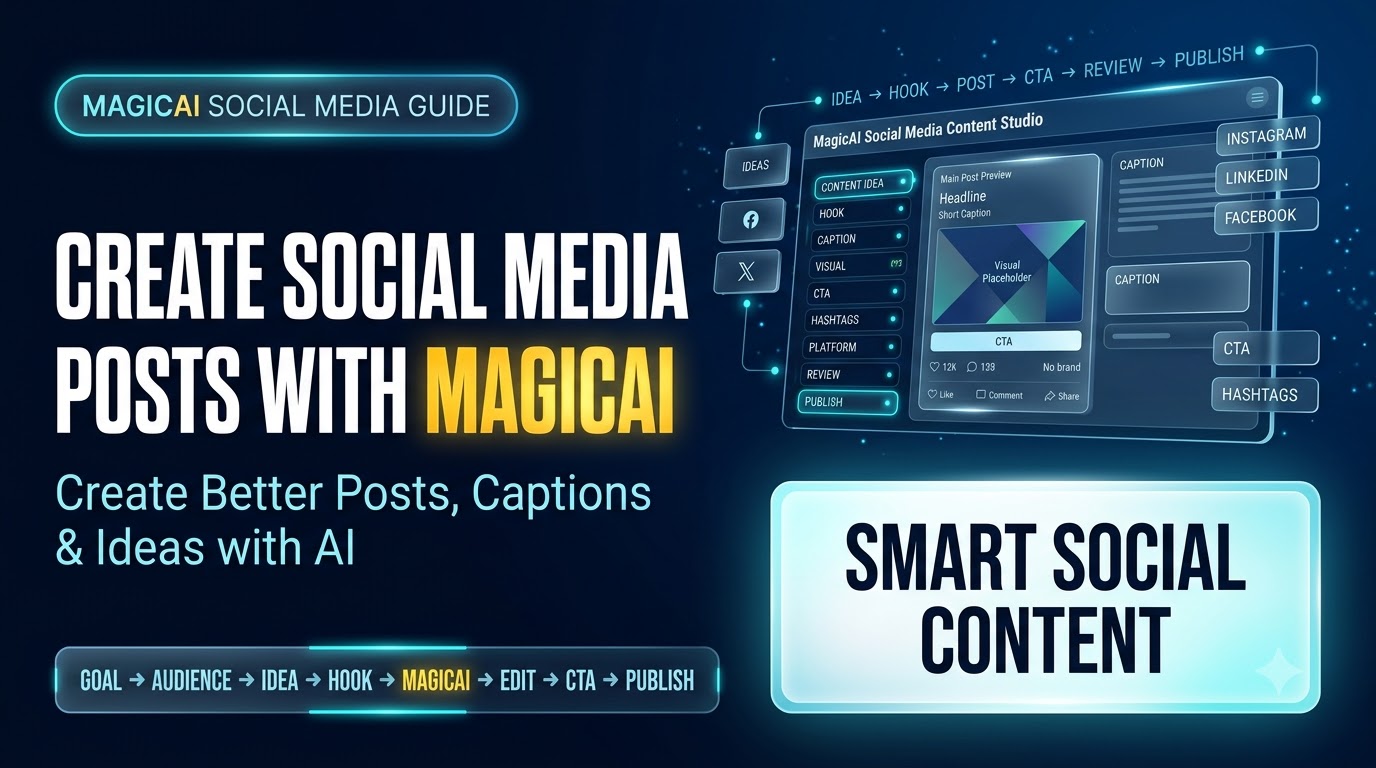
GOAL → AUDIENCE → PLATFORM → TOPIC → IDEA → HOOK → MAGICAI → EDIT → FACT-CHECK → CTA → REVIEW → PUBLISH
For larger campaigns, expand the process:
CAMPAIGN GOAL → CONTENT PILLARS → CALENDAR → POST IDEAS → MAGICAI → PLATFORM ADAPTATION → HUMAN EDITING → REVIEW → PUBLISH → ANALYZE
Common Mistakes When Creating Social Media Posts With MagicAI
Using the Same Post Everywhere
Different platforms have different audiences and content formats.
Better: Adapt each version to the platform.
Writing Without a Goal
A post without a clear objective can become vague.
Better: Define whether the post is educational, promotional, conversational, or designed for another purpose.
Weak Hooks
The first line may not give readers a reason to continue.
Better: Generate several hooks and select the most relevant one.
Too Much Promotional Language
Constant selling can reduce audience interest.
Better: Balance promotional posts with educational and engaging content.
Overusing Hashtags
More hashtags do not automatically mean better content.
Better: Use relevant hashtags that fit the topic and platform.
Publishing AI Output Without Editing
AI-generated content may sound generic or miss important context.
Better: Review and personalize every important post.
Inventing Claims
AI may produce unsupported statistics or claims if the prompt is vague.
Better: Tell MagicAI not to invent factual information and verify important claims.
Benefits of Creating Social Media Posts With MagicAI
MagicAI can help with:
- Faster post ideation
- Caption generation
- Hook creation
- CTA generation
- Content calendars
- Product promotion
- Educational content
- Engagement posts
- Platform adaptation
- Content repurposing
- Brand-voice consistency
- Social media campaign planning
The biggest advantage is that MagicAI can reduce repetitive writing work while allowing you to spend more time on strategy, creativity, and audience engagement.
MagicAI-Assisted Social Media Content vs Manual Creation
| Factor | MagicAI-Assisted | Manual |
|---|---|---|
| Idea generation | Fast | Depends on brainstorming |
| Caption drafting | Fast | Slower |
| Content variations | Easy | Time-consuming |
| Platform adaptation | Prompt-dependent | Writer-controlled |
| Brand voice | Requires guidance | Directly controlled |
| Strategy | Requires human input | Human-controlled |
| Fact-checking | Required | Required |
| Final editing | Necessary | Necessary |
The strongest approach is to combine MagicAI’s speed with human strategy, creativity, and editorial judgment.
FAQs
Can MagicAI create social media posts?
Yes. MagicAI can help generate post ideas, captions, hooks, CTAs, promotional content, educational posts, and other social media copy.
Can MagicAI create posts for different social media platforms?
Yes. You can ask MagicAI to adapt the same core idea for platforms such as Instagram, Facebook, LinkedIn, and X while changing the format and tone appropriately.
Can MagicAI create social media captions?
Yes. You can provide the topic, platform, audience, tone, and goal and ask MagicAI to create caption options.
Can MagicAI create a social media content calendar?
Yes. You can use it to organize post ideas into daily or weekly calendars containing topics, content types, hooks, platforms, and CTAs.
Can MagicAI generate hashtags?
Yes. MagicAI can suggest potentially relevant hashtags, but you should review them for relevance and platform suitability before publishing.
Can MagicAI write promotional social media posts?
Yes. Provide accurate product or service information and specify the target audience and campaign objective. Review promotional claims before publishing.
Should I edit MagicAI social media posts?
Yes. Human editing helps ensure that posts match your brand voice, audience, platform, and factual requirements.
Can I turn a blog article into social media posts with MagicAI?
Yes. You can provide an existing article and ask MagicAI to extract different ideas, hooks, tips, questions, and key takeaways for social media.
Final Verdict
MagicAI can make social media content creation faster by helping with ideas, hooks, captions, CTAs, hashtags, content calendars, and platform-specific variations.
The best results come from treating MagicAI as a content assistant rather than an automatic publishing system.
Start with a clear goal, define your audience, choose the platform, provide useful context, generate several options, and then edit the result to match your brand.
A practical workflow is:
GOAL → AUDIENCE → PLATFORM → IDEA → MAGICAI → EDIT → FACT-CHECK → CTA → REVIEW → PUBLISH
With this approach, MagicAI can help businesses, creators, and marketers maintain a more consistent social media presence while keeping human strategy and creativity at the center.