
Introduction
Writing effective email content can take more time than expected. Whether you are creating a business email, promotional campaign, welcome message, newsletter, follow-up, or customer communication, the content needs to be clear, relevant, and appropriate for the recipient.
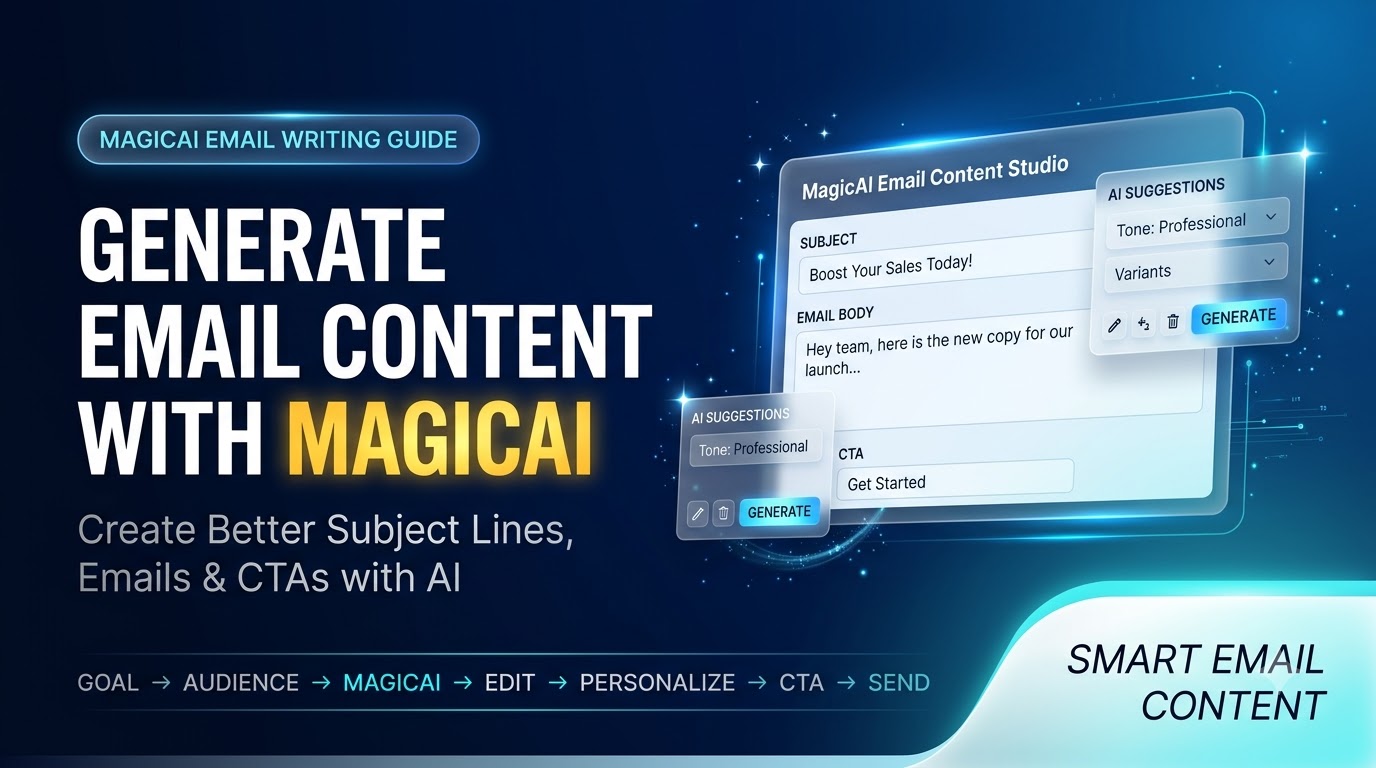
MagicAI can help simplify the process by generating email ideas, subject lines, introductions, body copy, calls to action, follow-up messages, and complete email drafts.
However, getting useful results depends on giving MagicAI the right information. A detailed prompt that explains the purpose, audience, tone, offer, and desired action can produce much stronger email content than a short instruction such as “write an email.”
This guide explains how to generate email content with MagicAI and how to turn AI-generated drafts into professional, useful, and audience-focused emails.
What Is AI-Generated Email Content?
AI-generated email content is written or assisted by an artificial intelligence writing tool based on instructions provided by the user.
Email content may include:
- Subject lines
- Preview text
- Introductions
- Promotional emails
- Business emails
- Welcome emails
- Follow-up emails
- Product announcements
- Newsletters
- Customer support responses
- Lead nurturing emails
- Event invitations
- Sales outreach
- Calls to action
MagicAI can help create the initial version of these messages while allowing the user to review and customize the final content.
Can MagicAI Generate Email Content?
Yes. MagicAI can be used to generate different types of email content based on your specific requirements.
You can provide details such as:
- Email purpose
- Target audience
- Product or service
- Main message
- Desired tone
- Important information
- Call to action
- Email length
- Brand voice
For example:
Write a professional follow-up email for a potential customer who requested information about our software. Keep the tone helpful and concise and encourage the recipient to schedule a demonstration.
This gives MagicAI enough context to create a more relevant draft.
Why Use MagicAI for Email Writing?
Faster Email Creation
MagicAI can create a first draft quickly, reducing the time required to start writing from scratch.
Generate Multiple Versions
You can create several subject lines, introductions, CTAs, or complete email variations and choose the most suitable option.
Improve Existing Emails
You can provide an existing email and ask MagicAI to make it clearer, shorter, more professional, or more engaging.
Maintain a Consistent Tone
By specifying a brand voice, MagicAI can help create emails with a more consistent communication style.
Simplify Complex Messages
Long or complicated information can be transformed into easier-to-read email content.
Define the Purpose of the Email
Before generating content, identify exactly what the email should accomplish.
Common email objectives include:
- Introduce a product
- Generate sales
- Follow up with a lead
- Welcome a new customer
- Confirm an action
- Share company news
- Promote an offer
- Invite users to an event
- Educate subscribers
- Request information
- Re-engage inactive customers
A single email should generally have a clear primary objective.
Example
Instead of:
Write a marketing email.
Use:
Write a promotional email introducing a new project management feature to existing software users. Explain the main benefit and encourage users to try the feature.
The second prompt gives MagicAI a much clearer direction.
Identify the Target Audience
Email content should match the person receiving it.
Consider:
- Age or professional level
- Industry
- Customer type
- Relationship with the company
- Existing knowledge
- Main problems
- Interests
- Buying stage
For example, an email written for existing customers should usually be different from an email written for completely new leads.
MagicAI Prompt
Write an email for existing small-business customers who already use our project management software. Introduce a new collaboration feature and explain how it can simplify team communication. Use a professional and friendly tone.
Create Effective Email Subject Lines
The subject line influences whether the recipient opens the email.
MagicAI can generate multiple subject-line options for different approaches.
Benefit-Focused
Make Team Collaboration Easier
Direct
A New Way to Manage Team Communication
Curiosity-Based
See What’s New in Your Workspace
Announcement-Based
Introducing Our New Collaboration Feature
Subject Line Prompt
Generate 15 professional subject lines for an email announcing a new collaboration feature in project management software. Keep them concise, natural, specific, and relevant to existing customers. Avoid misleading clickbait.
Write Preview Text
Preview text gives recipients additional context after the subject line.
For example:
Subject: Make Team Collaboration Easier
Preview: Discover a simpler way to keep project conversations organized.
Ask MagicAI to create several preview-text variations that complement the subject line rather than repeating it.
Create a Strong Email Opening
The opening should quickly establish why the recipient should continue reading.
Avoid unnecessary introductions when a direct opening would be more effective.
Weak
We hope this email finds you well. We are writing to inform you about an exciting development.
Stronger
Managing project conversations across multiple channels can slow your team down. Our new collaboration feature brings those conversations into one workspace.
MagicAI can help rewrite generic openings into clearer introductions.
Structure the Main Email Body
A simple email structure can make content easier to read:
Opening → Context → Value → Details → CTA
For example:
Opening
Identify the reason for the email.
Context
Explain the situation or announcement.
Value
Show why it matters to the recipient.
Details
Provide the most important supporting information.
CTA
Tell the recipient what to do next.
This structure works for many business and marketing emails.
Focus on Benefits
Just like landing page copy, email content should not focus entirely on features.
Feature
Automated reporting dashboard.
Benefit
Get a quick overview of project performance without manually compiling reports.
MagicAI can convert feature-heavy descriptions into customer-focused email copy.
Prompt Example
Rewrite these product features as customer benefits for an email campaign. Keep the language concise and explain the practical value of each feature. Do not invent claims.
Generate Promotional Emails
MagicAI can help create promotional email drafts for:
- New products
- Special offers
- Seasonal campaigns
- Product upgrades
- Limited promotions
- Service launches
- Discounts
Provide the actual offer details and restrictions so the generated copy remains accurate.
Prompt
Write a promotional email for [PRODUCT]. The offer is [OFFER DETAILS]. Target audience: [AUDIENCE]. Tone: professional and persuasive. Include a concise subject line, preview text, short body copy, benefits, and a clear CTA. Do not create urgency or claims that are not supported by the information provided.
Create Welcome Emails
Welcome emails are useful when someone:
- Creates an account
- Subscribes to a newsletter
- Starts a trial
- Purchases a product
- Joins a community
A basic welcome email can include:
- Welcome message
- Confirmation
- What happens next
- Important resources
- Recommended first step
- CTA
MagicAI Prompt
Create a friendly welcome email for new users who have signed up for our software. Explain what they can do first, provide three useful starting steps, and end with a clear CTA to begin using the platform.
Generate Follow-Up Emails
Follow-up emails can be useful after:
- Sales conversations
- Product demonstrations
- Quote requests
- Meetings
- Downloads
- Trial signups
- Customer inquiries
The message should provide context so the recipient understands why they are receiving it.
Example Prompt
Write a concise follow-up email after a product demonstration. Thank the prospect for their time, summarize the main benefit discussed, provide the next step, and invite them to ask questions. Keep the tone professional and helpful.
Create Newsletter Content
MagicAI can help structure newsletters containing:
- Main announcement
- Educational content
- Product updates
- Industry information
- Helpful resources
- Customer stories
- CTA
Instead of generating an extremely long newsletter, ask MagicAI to prioritize the most important information.
Personalize Email Content
Personalization can make email content more relevant.
Depending on your actual data and email platform, personalization may include:
- Recipient name
- Company name
- Product interest
- Previous interaction
- Customer type
- Industry
- Recent activity
Never invent personal information.
Prompt Example
Create a professional customer follow-up email using the personalization fields [FIRST_NAME] and [PRODUCT]. Keep the placeholders unchanged and do not invent customer information.
Match the Brand Voice
Provide MagicAI with clear instructions about how the business communicates.
Possible characteristics include:
- Professional
- Friendly
- Concise
- Premium
- Conversational
- Technical
- Helpful
- Direct
Prompt
Write this email in a professional, friendly, and concise brand voice. Use simple language, short paragraphs, and a confident but non-aggressive tone. Avoid clichés and exaggerated claims.
Generate Different Email Lengths
Different situations require different levels of detail.
You can ask MagicAI for:
- Short emails
- Medium-length emails
- Detailed emails
- Mobile-friendly emails
- Executive summaries
- Concise follow-ups
Example
Rewrite this email to approximately 100 words while preserving the main message, key benefit, and CTA.
Improve Existing Email Content
MagicAI can also act as an editing assistant.
You can ask it to:
- Fix grammar
- Improve clarity
- Reduce repetition
- Shorten the email
- Make the tone more professional
- Make the message friendlier
- Improve the CTA
- Rewrite the subject line
- Simplify complex language
Editing Prompt
Rewrite this email to make it clearer, more concise, and professional. Preserve all factual information and the original intent. Do not add new claims.
Create Strong Calls to Action
The CTA should communicate the next step clearly.
Examples include:
- Start Your Free Trial
- Book a Demo
- View the New Feature
- Download the Guide
- Request a Quote
- Learn More
- Schedule a Consultation
- Get Started
Avoid vague CTAs when a specific action is available.
Optimize Email Content for Mobile Reading
Many people read emails on mobile devices, so copy should be easy to scan.
Ask MagicAI to use:
- Short paragraphs
- Clear headings
- Simple sentences
- Relevant bullets
- One primary CTA
- Minimal unnecessary text
Prompt
Rewrite this email for mobile readability. Use short paragraphs, concise sentences, clear spacing, and one prominent CTA while preserving the original meaning.
Create Email Sequences With MagicAI
Instead of creating one email, you can use MagicAI to develop a sequence.
For example:
Email 1: Introduction
Introduce the product or topic.
Email 2: Education
Explain the problem and provide useful information.
Email 3: Benefits
Show how the product or service can help.
Email 4: Objection Handling
Address common questions or concerns.
Email 5: CTA
Encourage the desired action.
A sequence should have logical progression rather than repeating the same message.
Use MagicAI for Different Email Types
MagicAI can help generate content for many communication scenarios.
| Email Type | Main Purpose |
|---|---|
| Welcome Email | Introduce and guide new users |
| Promotional Email | Promote an offer |
| Follow-Up Email | Continue an existing conversation |
| Newsletter | Share useful updates and content |
| Product Announcement | Introduce something new |
| Sales Email | Generate interest or action |
| Event Invitation | Encourage registrations |
| Re-Engagement Email | Reconnect with inactive users |
| Customer Email | Communicate important information |
| Internal Email | Share information with a team |
Master MagicAI Prompt for Email Content
Use the following prompt when you want MagicAI to create a complete email:
Create a professional email for the following purpose:
Email Type: [EMAIL TYPE]
Primary Goal: [GOAL]
Target Audience: [AUDIENCE]
Product/Service: [PRODUCT OR SERVICE]
Main Problem: [PROBLEM]
Key Benefits: [BENEFITS]
Important Information: [DETAILS]
Offer: [OFFER, IF APPLICABLE]
Brand Voice: [TONE]
Desired CTA: [CTA]Generate:
- Five subject line options
- Three preview-text options
- Complete email body
- One primary CTA
- Two alternative CTA options
Keep the email clear, concise, natural, professional, and audience-focused. Use short paragraphs and make the message easy to read on mobile devices. Do not invent statistics, testimonials, product capabilities, customer information, or other unsupported claims.
Review AI-Generated Email Content
Never assume the first AI-generated draft is ready to send.
Review it for:
- Accuracy
- Grammar
- Brand voice
- Personalization
- Subject-line relevance
- CTA clarity
- Factual claims
- Pricing information
- Links
- Names
- Dates
- Promotional conditions
Human review is especially important for customer-facing business communication.
Common Mistakes When Generating Email Content With MagicAI
1. Giving Too Little Context
A vague prompt usually produces generic email content.
2. Using Generic Subject Lines
Subject lines should reflect the actual email content.
3. Writing Excessively Long Emails
Remove information that does not support the main objective.
4. Using Too Many CTAs
Too many competing actions can reduce clarity.
5. Overusing Promotional Language
Professional emails should communicate value without sounding exaggerated.
6. Ignoring the Recipient
An email should be written around the recipient’s needs, not only the company’s message.
7. Publishing Without Review
AI-generated content should always be checked before sending.
Practical MagicAI Email Workflow
Use this workflow for a repeatable process:
GOAL → AUDIENCE → EMAIL TYPE → MESSAGE → BENEFITS → MAGICAI → EDIT → PERSONALIZE → FACT-CHECK → CTA → REVIEW → SEND
Step 1: Define the Goal
Determine exactly what the email should accomplish.
Step 2: Define the Audience
Understand who will receive the message.
Step 3: Choose the Email Type
Decide whether it is promotional, informational, transactional, follow-up, welcome, or another type.
Step 4: Prepare the Information
Collect the actual product, offer, event, or business details.
Step 5: Generate With MagicAI
Use a detailed prompt to create the first draft.
Step 6: Edit the Content
Remove unnecessary language and improve clarity.
Step 7: Personalize
Add accurate recipient or customer information where appropriate.
Step 8: Fact-Check
Verify all important details and claims.
Step 9: Improve the CTA
Make the desired action obvious.
Step 10: Review the Complete Email
Check the subject, preview text, body, links, formatting, and CTA.
Step 11: Send or Schedule
Use your email platform to deliver the finalized message.
AI-Assisted vs Manual Email Writing
| Factor | Manual Writing | MagicAI-Assisted Writing |
|---|---|---|
| Subject ideas | Created manually | Multiple ideas quickly |
| First draft | Takes more time | Faster |
| Email variations | Manual | Easy to generate |
| Rewriting | Time-consuming | Rapid |
| Personalization | Manual | AI-assisted |
| Brand voice | Direct control | Requires clear prompts |
| Accuracy | Human responsibility | Human verification required |
| Final review | Required | Required |
MagicAI can reduce the time spent on drafting and rewriting, while the user remains responsible for strategy, accuracy, personalization, and final approval.
Frequently Asked Questions
Can MagicAI write professional emails?
Yes. MagicAI can create professional emails when you provide the purpose, audience, tone, key information, and desired CTA.
Can MagicAI create email subject lines?
Yes. You can ask MagicAI to generate multiple subject lines based on different approaches such as benefits, announcements, curiosity, or direct messaging.
Can MagicAI write promotional emails?
Yes. It can create promotional email drafts using the offer details and audience information you provide.
Can MagicAI personalize emails?
Yes. MagicAI can help structure personalized content using accurate information and placeholders supplied by you.
Can MagicAI improve an existing email?
Yes. You can paste an existing email and ask MagicAI to improve clarity, tone, grammar, structure, or conciseness while preserving the original meaning.
Should AI-generated emails be reviewed before sending?
Yes. Always review AI-generated emails for accuracy, tone, personalization, links, claims, and other important details before sending.
Can MagicAI create an entire email sequence?
Yes. You can provide the campaign goal and ask MagicAI to create a structured sequence with different messages for each stage.
Final Verdict
Learning how to generate email content with MagicAI can make email writing faster, more structured, and easier to manage. MagicAI can help with subject lines, introductions, email bodies, benefits, CTAs, follow-ups, newsletters, promotional messages, and complete email sequences.
The most important factor is the quality of your instructions. Define the email goal, understand the audience, provide accurate information, specify the brand voice, and explain the desired action before generating content.
A reliable workflow is:
Define the goal → identify the audience → choose the email type → provide information → generate with MagicAI → edit → personalize → fact-check → strengthen the CTA → review → send.
When used as an AI writing assistant rather than an automatic replacement for human review, MagicAI can help create clearer and more effective email content while significantly reducing the time spent on drafting and rewriting.