
Introduction
A landing page has one primary job: move visitors toward a specific action. That action might be purchasing a product, booking a consultation, signing up for a service, downloading a resource, or submitting a form.
Writing effective landing page copy can be challenging because every section needs to support the same conversion goal. The headline must attract attention, the introduction must create interest, the benefits must communicate value, and the call to action must make the next step clear.
MagicAI can help simplify this process by generating landing page ideas, headlines, value propositions, benefit-focused sections, FAQs, CTAs, and complete first drafts. However, the quality of the final copy depends heavily on the information and instructions provided in the prompt.
This guide explains how to create landing page copy using MagicAI, how to structure your prompts, what sections to generate, common mistakes to avoid, and how to turn an AI-generated draft into professional conversion-focused copy.
What Is Landing Page Copy?
Landing page copy is the written content used on a dedicated webpage designed to encourage visitors to take a specific action.
Unlike a general website page, a landing page usually has a focused objective. It may promote:
- A product
- A service
- A software platform
- A special offer
- A lead magnet
- An online course
- A webinar
- A consultation
- A free trial
- A newsletter
- A downloadable resource
Effective landing page copy answers the visitor’s most important questions:
- What is this?
- Who is it for?
- What problem does it solve?
- Why should I care?
- What makes it different?
- What benefits will I receive?
- Why should I trust it?
- What should I do next?
MagicAI can help organize these answers into a logical page structure.
Can MagicAI Create Landing Page Copy?
Yes. MagicAI can be used to generate different components of landing page copy or create a complete first draft.
For example, you can use MagicAI to generate:
- Landing page headlines
- Subheadlines
- Value propositions
- Product introductions
- Service descriptions
- Benefit sections
- Feature explanations
- Social proof ideas
- Testimonial structures
- CTA variations
- FAQ sections
- Objection-handling copy
- Promotional copy
- SEO-focused supporting content
The best approach is not simply to ask MagicAI to “write a landing page.” Instead, provide information about the business, audience, offer, tone, objective, and desired action.
Why Use MagicAI for Landing Page Copy?
Creating landing page copy with MagicAI can make the initial writing process faster and more organized.
Faster Content Ideation
You can generate multiple headline, benefit, CTA, and section ideas instead of starting with a blank page.
Multiple Copy Variations
A single prompt can produce different versions of a headline or CTA so you can compare approaches.
Better Content Structure
MagicAI can organize information into sections that follow a logical visitor journey.
Consistent Brand Voice
When you provide clear tone and brand guidelines, MagicAI can help maintain a consistent writing style across the page.
Easier Rewriting
Existing copy can be rewritten to make it clearer, shorter, more persuasive, or more audience-focused.
Improved Workflow
Instead of writing everything manually, you can use MagicAI for ideation and drafting while keeping human review as the final quality-control step.
Start With the Landing Page Goal
Before generating copy, define the primary conversion goal.
For example:
- Get visitors to buy a product
- Generate qualified leads
- Encourage free-trial registrations
- Book sales calls
- Download an ebook
- Register for an event
- Request a quotation
A focused goal helps prevent the landing page from trying to accomplish too many things at once.
Example
Instead of:
Write a landing page for my business.
Use:
Create landing page copy for a project management software designed for small businesses. The primary goal is to encourage visitors to start a free trial. Focus on saving time, improving team collaboration, and simplifying project tracking.
The second prompt gives MagicAI much more useful direction.
Define Your Target Audience
Landing page copy becomes stronger when it speaks directly to a specific audience.
Tell MagicAI:
- Who the audience is
- Their experience level
- Their main problems
- Their goals
- Their concerns
- Their buying motivations
- Their industry or role
Example Prompt
Write landing page copy for small-business owners who struggle with scattered project information, missed deadlines, and inefficient team communication. Use clear professional language and focus on practical business outcomes.
This helps create audience-specific messaging instead of generic marketing copy.
Create a Strong Landing Page Headline
The headline is one of the most important parts of a landing page.
A good headline should quickly communicate the primary value of the offer.
Common headline approaches include:
Problem-Focused
Stop Losing Time to Disorganized Project Management
Benefit-Focused
Manage Your Projects Faster and Keep Your Team on Track
Outcome-Focused
Complete More Projects With Less Administrative Work
Solution-Focused
One Simple Platform for Smarter Project Management
You can ask MagicAI to generate several options.
MagicAI Prompt
Generate 15 landing page headlines for a project management platform for small businesses. Keep each headline concise, benefit-focused, specific, and conversion-oriented. Avoid exaggerated claims and generic phrases.
Write a Clear Subheadline
The subheadline should support the headline by adding context.
For example:
Organize tasks, collaborate with your team, and track project progress from one simple workspace.
The subheadline should help visitors understand what the offer does without overwhelming them with information.
Build a Strong Value Proposition
Your value proposition explains why visitors should consider the product or service.
A useful value proposition typically connects:
Audience + Problem + Solution + Benefit
For example:
Built for growing teams, our project management platform brings tasks, deadlines, communication, and progress tracking into one easy-to-use workspace.
Ask MagicAI to create several versions and select the one that best represents the actual offer.
Focus on Benefits, Not Just Features
One of the most common landing page mistakes is listing features without explaining why they matter.
Feature
Automated task reminders.
Benefit
Keep important deadlines visible and reduce the risk of missed tasks.
Feature
Team collaboration dashboard.
Benefit
Give everyone a shared view of project progress and responsibilities.
MagicAI can help convert technical features into customer-focused benefits.
Useful Prompt
Convert the following product features into clear customer benefits. Explain the practical outcome of each feature and write for non-technical business owners. Avoid unsupported claims.
Create the Main Landing Page Structure
A typical landing page can follow this structure:
- Headline
- Subheadline
- Primary CTA
- Problem statement
- Solution introduction
- Key benefits
- Features
- How it works
- Social proof
- Objection handling
- FAQs
- Final CTA
The exact structure should change according to the offer and audience.
Write the Problem Section
The problem section should demonstrate that you understand the visitor’s situation.
For example:
Managing projects across spreadsheets, emails, and disconnected tools can make it difficult to know what needs attention next. Teams can lose valuable time searching for updates instead of completing important work.
This section creates relevance before introducing the solution.
MagicAI Prompt
Write a landing page problem section for small-business teams that manage projects using spreadsheets, email, and multiple disconnected tools. Make the copy empathetic, specific, and concise. Do not exaggerate the problems.
Introduce the Solution
After establishing the problem, introduce the product or service as the solution.
Focus on what the solution helps visitors accomplish rather than simply describing what it is.
A useful structure is:
Problem → Solution → Outcome
For example:
Instead of switching between multiple tools, teams can manage tasks, deadlines, communication, and progress from one centralized workspace.
Create a Benefits Section
Benefits should connect the product to the outcomes customers want.
Possible benefit categories include:
- Save time
- Reduce manual work
- Improve organization
- Increase visibility
- Simplify workflows
- Improve collaboration
- Reduce errors
- Make better decisions
Ask MagicAI to prioritize the benefits most relevant to the target audience.
Prompt Example
Create six landing page benefits for a project management platform. Each benefit should have a short heading and a 2–3 sentence explanation. Focus on measurable or practical business outcomes where supported by the provided information.
Explain How the Product Works
A simple “How It Works” section can reduce uncertainty.
For example:
Step 1: Create Your Workspace
Set up your project and invite your team.
Step 2: Organize Your Work
Add tasks, deadlines, assignments, and project information.
Step 3: Track Progress
Monitor activity and keep everyone aligned.
Step 4: Complete Projects
Use the shared workspace to keep work moving toward completion.
MagicAI can generate this section in different styles depending on the complexity of the product.
Add Trust and Social Proof
Visitors may hesitate to take action if they do not trust the offer.
Landing pages can use legitimate trust elements such as:
- Customer testimonials
- Case studies
- Reviews
- Client logos
- Certifications
- Security information
- Guarantees
- Usage statistics, when accurately supported
Do not ask MagicAI to invent testimonials, customer numbers, certifications, awards, or results.
Instead, provide verified information and ask MagicAI to present it professionally.
Handle Customer Objections
Good landing page copy anticipates questions that may prevent conversion.
Common objections include:
- Is this difficult to use?
- Is it suitable for my business?
- How much does it cost?
- Can I cancel?
- Is support available?
- Is my data secure?
- How quickly can I get started?
MagicAI can help identify possible objections and create sections that address them using information you provide.
Prompt Example
Identify the five most likely objections a small-business customer may have before purchasing this software. Then create concise responses using only the product information provided below.
Create Strong Calls to Action
The CTA should tell visitors exactly what to do next.
Examples include:
- Start Your Free Trial
- Get Started Today
- Book a Free Consultation
- Request a Quote
- Download the Guide
- Create Your Account
- See How It Works
Avoid vague CTAs such as:
Click Here
when a more specific action can communicate the value.
Generate CTA Variations
You can ask MagicAI:
Generate 15 CTA options for a landing page promoting a free trial of project management software. Keep them concise, action-oriented, professional, and benefit-focused. Do not use exaggerated urgency.
Use MagicAI to Improve Existing Landing Page Copy
MagicAI is not only useful for creating copy from scratch.
You can paste existing content and ask it to:
- Improve clarity
- Remove repetition
- Shorten paragraphs
- Strengthen headlines
- Make benefits more specific
- Improve CTA language
- Simplify technical terminology
- Match a brand voice
- Improve transitions
- Make copy more customer-focused
Example Prompt
Rewrite this landing page copy to make it clearer, more concise, and benefit-focused. Keep all factual claims unchanged. Preserve the professional brand voice and avoid adding information that is not provided.
Optimize Landing Page Copy for SEO
Landing pages primarily need to convert visitors, but relevant SEO can also help them attract organic traffic.
Use the primary keyword naturally in areas such as:
- Page title
- Main heading, when appropriate
- Supporting headings
- Introduction
- Body copy
- Image ALT text
- Meta title
- Meta description
Do not repeatedly insert keywords simply to increase keyword density.
MagicAI SEO Prompt
Optimize this landing page copy for the primary keyword “[PRIMARY KEYWORD]”. Keep the writing natural and conversion-focused. Use the keyword only where contextually appropriate, maintain readability, and do not introduce keyword stuffing.
Maintain a Consistent Brand Voice
Before generating the complete page, define the desired voice.
For example:
- Professional
- Friendly
- Confident
- Technical
- Simple
- Premium
- Conversational
- Direct
You can also provide existing brand copy as a reference.
Prompt Example
Write this landing page in a professional, confident, and approachable voice. Use short paragraphs, clear language, and customer-focused messaging. Avoid hype, clichés, and exaggerated marketing claims.
Create a Complete Landing Page With One Master Prompt
Once you understand the individual components, you can combine them into one detailed prompt.
Master MagicAI Landing Page Prompt
Create a complete conversion-focused landing page for [PRODUCT/SERVICE].
Target Audience: [AUDIENCE]
Primary Goal: [CONVERSION GOAL]
Main Problem: [CUSTOMER PROBLEM]
Solution: [PRODUCT/SERVICE SOLUTION]
Key Benefits: [BENEFITS]
Important Features: [FEATURES]
Differentiators: [DIFFERENTIATORS]
Brand Voice: [TONE]
Primary Keyword: [KEYWORD]
CTA: [DESIRED ACTION]Structure the landing page with:
- Headline
- Subheadline
- Primary CTA
- Problem section
- Solution section
- Key benefits
- Features
- How it works
- Trust or social proof section
- Objection handling
- FAQs
- Final CTA
Keep the copy clear, specific, persuasive, and customer-focused. Do not invent statistics, testimonials, certifications, guarantees, product capabilities, or other unsupported claims. Make the copy easy to scan and suitable for a modern landing page.
Create Different Landing Page Versions
One advantage of AI-assisted writing is the ability to test different messaging angles.
For example, create:
Version A: Benefit-Focused
Focus on the outcomes customers want.
Version B: Problem-Focused
Start with the pain points and introduce the solution.
Version C: Feature-Focused
Emphasize important product capabilities.
Version D: Conversion-Focused
Use shorter sections and stronger action-oriented messaging.
Comparing multiple versions can help you determine which positioning communicates the offer most effectively.
Use Short, Scannable Copy
Landing page visitors often scan before reading.
MagicAI can help convert long paragraphs into:
- Short paragraphs
- Headings
- Bullets
- Benefit cards
- Step-by-step sections
- FAQ blocks
- CTA sections
For example, instead of writing one large paragraph describing five benefits, separate them into five benefit blocks with clear headings.
Avoid Generic AI Marketing Language
AI-generated copy can sometimes sound repetitive or overly promotional.
Watch for phrases such as:
- Revolutionary solution
- Game-changing platform
- Unlock your potential
- Take your business to the next level
- Cutting-edge technology
- Seamless experience
These phrases are not automatically wrong, but excessive use can make copy feel generic.
Ask MagicAI to use specific language connected to the actual product and customer problem.
Fact-Check the Generated Copy
AI-generated landing page content should always be reviewed before publication.
Check:
- Product features
- Pricing
- Availability
- Statistics
- Customer claims
- Guarantees
- Technical specifications
- Legal statements
- Testimonials
- Performance claims
Never publish an AI-generated claim simply because it sounds convincing.
Common Mistakes When Creating Landing Page Copy With MagicAI
1. Using an Extremely Short Prompt
A prompt such as “write a landing page” gives MagicAI very little context.
2. Targeting Everyone
A landing page becomes less persuasive when it tries to speak to every possible customer.
3. Focusing Only on Features
Visitors usually care about what the product helps them accomplish.
4. Using Too Many CTAs
Multiple competing actions can make the page less focused.
5. Inventing Social Proof
AI should never fabricate reviews, statistics, customers, awards, or case-study results.
6. Ignoring Brand Voice
A page should sound like the business, not like generic AI-generated marketing copy.
7. Skipping Human Editing
AI-generated copy should be reviewed for accuracy, clarity, tone, and conversion intent.
A Practical MagicAI Landing Page Workflow
Use this workflow when creating a landing page:
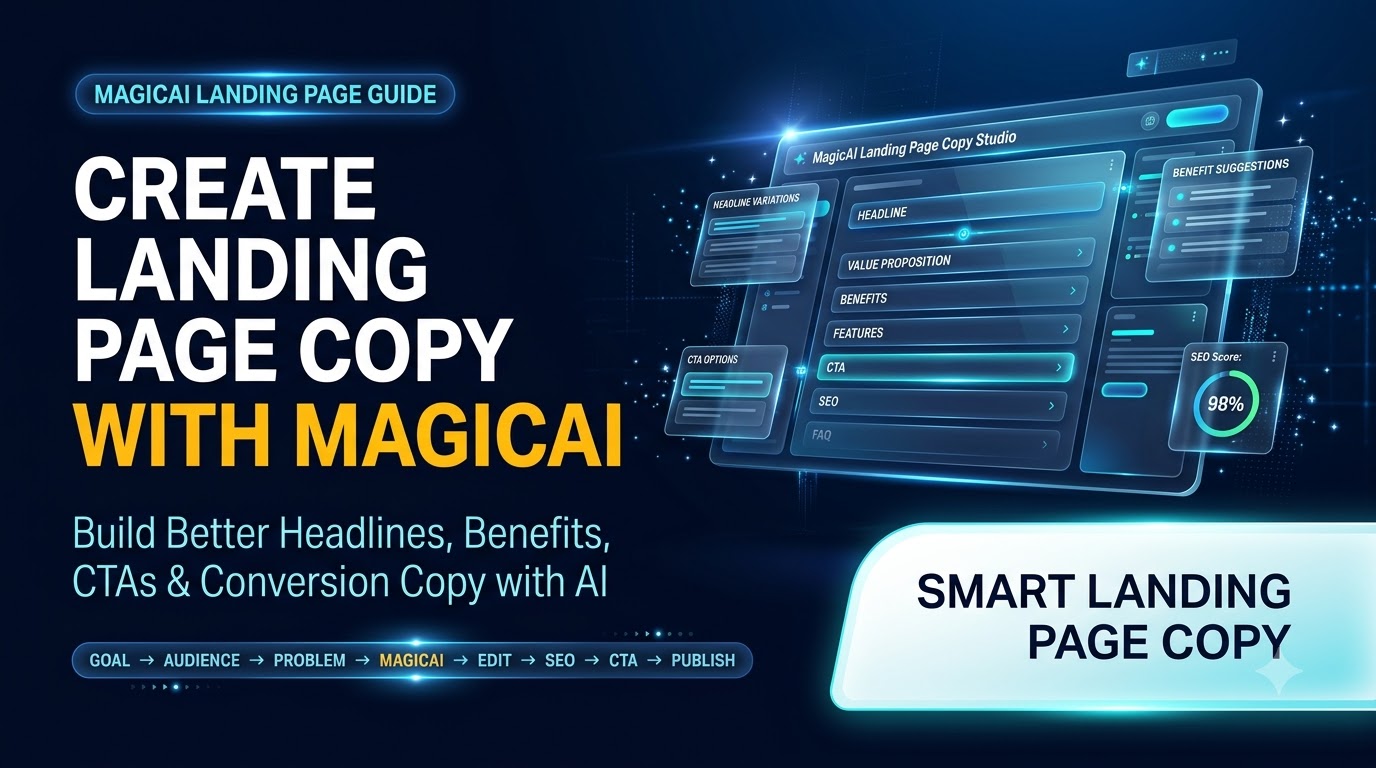
GOAL → AUDIENCE → PROBLEM → SOLUTION → BENEFITS → MAGICAI → EDIT → FACT-CHECK → SEO → CTA → REVIEW → PUBLISH
Step 1: Define the Goal
Choose one primary conversion objective.
Step 2: Define the Audience
Identify who the page is intended for.
Step 3: Identify the Problem
Understand the visitor’s main pain point.
Step 4: Define the Solution
Explain how the product or service addresses the problem.
Step 5: List Benefits
Connect important features with practical customer outcomes.
Step 6: Generate With MagicAI
Use detailed prompts to create the initial copy.
Step 7: Edit the Draft
Remove generic language and improve specificity.
Step 8: Fact-Check
Verify every important claim.
Step 9: Optimize for SEO
Add relevant keywords naturally.
Step 10: Strengthen the CTA
Make the desired next action clear.
Step 11: Review the Complete Page
Check whether every section supports the primary goal.
Step 12: Publish and Improve
Use real user behavior and conversion data to improve the page over time.
AI-Assisted vs Manual Landing Page Writing
| Factor | Manual Writing | MagicAI-Assisted Writing |
|---|---|---|
| Idea generation | Manual research | Fast idea generation |
| Headlines | Written individually | Multiple variations |
| Page structure | Manually planned | AI-assisted outlines |
| First draft | Time-consuming | Faster |
| Rewriting | Manual | Rapid variations |
| Brand voice | Direct control | Requires clear instructions |
| Fact-checking | Required | Required |
| Final editing | Required | Required |
| Conversion strategy | Human-led | Human-led with AI assistance |
MagicAI can accelerate the writing process, but strategic decisions should remain under human control.
Frequently Asked Questions
Can MagicAI write a complete landing page?
Yes. MagicAI can generate a complete first draft when you provide enough information about the product, audience, objective, benefits, tone, and CTA.
Can MagicAI create landing page headlines?
Yes. You can ask it to generate multiple headline variations based on different messaging angles.
Can MagicAI write sales-focused landing page copy?
Yes. It can help create persuasive copy focused on benefits, objections, value propositions, and calls to action. The final copy should still be reviewed for accuracy and brand fit.
Can MagicAI optimize landing page copy for SEO?
Yes. You can provide a primary keyword and relevant supporting keywords and ask MagicAI to integrate them naturally without keyword stuffing.
Should I publish MagicAI landing page copy without editing?
No. AI-generated copy should be reviewed for factual accuracy, tone, originality, clarity, and alignment with the actual offer.
Can MagicAI create different versions of the same landing page?
Yes. You can ask it to produce different versions based on benefit-focused, problem-focused, feature-focused, or other messaging strategies.
How detailed should my MagicAI prompt be?
The more useful context you provide, the more relevant the output is likely to be. Include the audience, offer, goal, problem, benefits, features, brand voice, keywords, and CTA whenever possible.
Final Verdict
Learning how to create landing page copy using MagicAI can significantly streamline the copywriting process. Instead of beginning with a blank page, you can use MagicAI to generate headlines, value propositions, benefits, product explanations, FAQs, CTAs, and complete first drafts.
The key is to treat MagicAI as a writing assistant rather than a replacement for strategy. Define the audience and conversion goal first, provide accurate product information, use detailed prompts, review every claim, and edit the final copy for clarity and brand consistency.
A strong process is simple:
Define the goal → understand the audience → identify the problem → present the solution → generate with MagicAI → edit → fact-check → optimize → review → publish.
When used this way, MagicAI can help you create landing page copy that is clearer, faster to produce, more structured, and better aligned with the needs of your target audience.