
Introduction
E-commerce product content has a direct impact on how customers understand, evaluate, and compare products online. A strong product page needs more than a product name and a few features. It should communicate what the product is, who it is for, what problem it solves, why its features matter, and what the customer should do next.
For stores with dozens, hundreds, or thousands of products, creating this content manually can become a major workload.
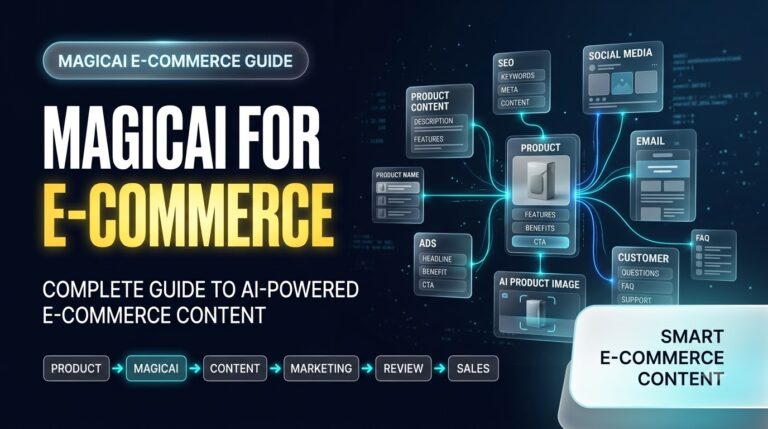
MagicAI can help e-commerce businesses create product content faster by generating first drafts for product descriptions, product names, marketing copy, FAQs, social media content, advertising copy, email content, meta descriptions, and other related assets. MagicAI currently lists an Ecommerce template category along with Product Description, Product Name Generator, Meta Description, FAQ Generator, advertising, social media, email, and AI image-generation tools.
The most effective workflow is not to copy and publish AI output without checking it. Instead, provide accurate product information, generate a structured draft, verify the details, optimize the content, and then publish the final version.
This guide explains how to create high-quality e-commerce product content with MagicAI step by step.
What Is E-commerce Product Content?
E-commerce product content is the information customers see when evaluating an item online.
It can include:
- Product name
- Short description
- Detailed description
- Product features
- Customer benefits
- Technical specifications
- Product applications
- Materials
- Size and dimensions
- Compatibility information
- Product FAQs
- Buying information
- Meta title
- Meta description
- Image ALT text
- Social media copy
- Advertising copy
- Product email content
Good product content should answer the customer’s most important questions before they make a purchasing decision.
Why Use MagicAI for E-commerce Product Content?
MagicAI provides an AI writing assistant and custom templates that can support product-related content creation. Its current platform includes Product Description, Product Name Generator, Meta Description, FAQ Generator, AI ReWriter, social media templates, advertising templates, email tools, and AI Image Generator.
Businesses can use these capabilities to:
- Create first drafts faster
- Generate product content ideas
- Develop multiple variations
- Improve existing descriptions
- Create SEO-oriented copy
- Generate FAQs
- Repurpose product information
- Create social media content
- Prepare advertising copy
- Create email campaigns
- Develop product-image concepts
The Basic MagicAI Product Content Workflow
A reliable workflow looks like:
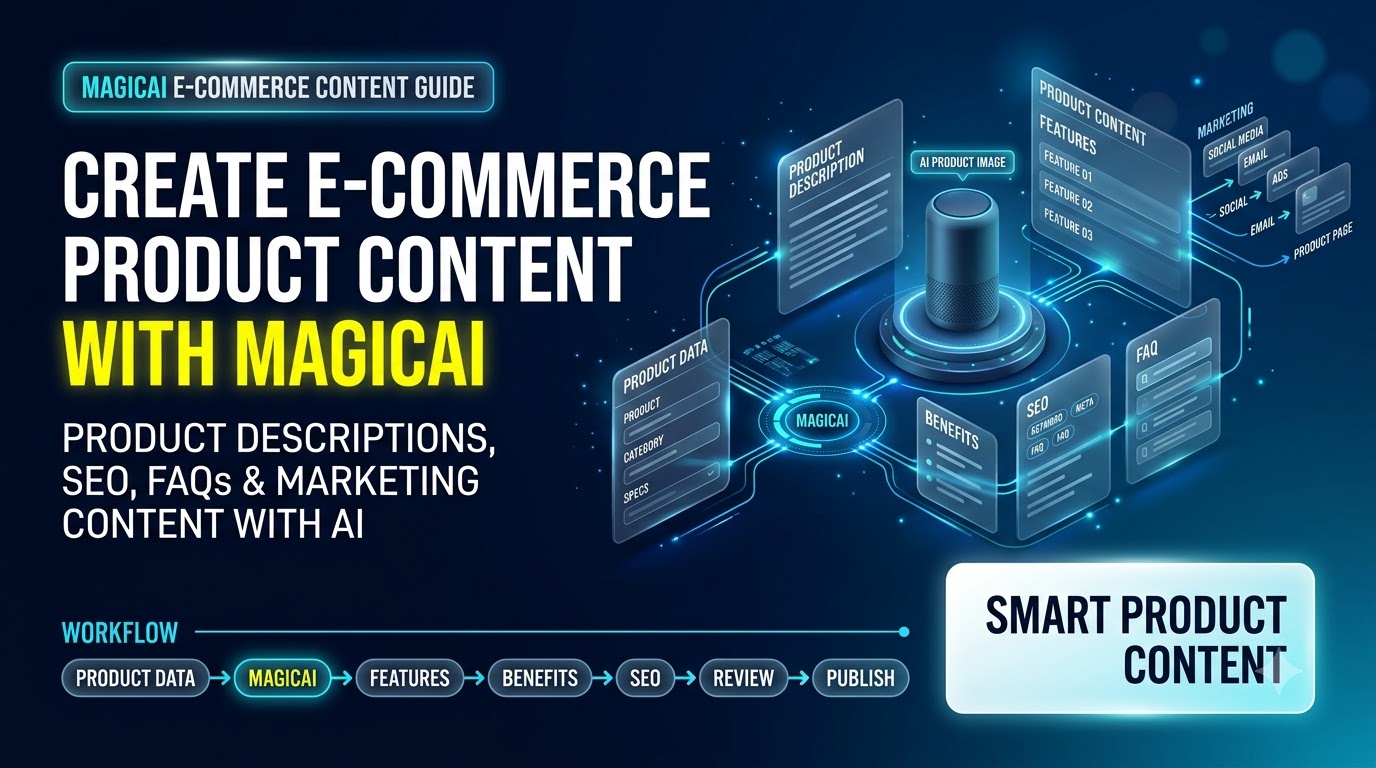
PRODUCT DATA → CUSTOMER → KEYWORD → CONTENT BRIEF → MAGICAI → REVIEW → FACT-CHECK → SEO → PUBLISH
For larger stores, this process can become a repeatable product-content system.
Step 1: Collect Accurate Product Information
Before using MagicAI, gather all relevant product information.
Include:
- Product name
- Product category
- Product type
- Brand information, when appropriate
- Main features
- Technical specifications
- Materials
- Dimensions
- Weight
- Colors
- Available variants
- Applications
- Compatibility
- Target customer
- Main benefits
- Warranty information
- Shipping information
- Return information
- Verified certifications
- Primary keyword
- Secondary keywords
The quality of the final output depends heavily on the accuracy and completeness of the information supplied.
Example Product Brief
| Product Information | Example |
|---|---|
| Product | Stainless Steel Water Bottle |
| Category | Drinkware |
| Material | Stainless Steel |
| Capacity | 750 ml |
| Target Customer | Office users and travelers |
| Main Features | Leak-resistant lid, reusable design |
| Benefits | Convenient daily hydration |
| Primary Keyword | stainless steel water bottle |
| Tone | Professional and practical |
Do not ask MagicAI to guess missing technical information.
Step 2: Define the Target Customer
Product content should be written for the person who may purchase the product.
Identify:
- Who they are
- What problem they have
- What they want
- What matters during purchase
- What objections they may have
- What information they need
Example
Instead of:
Write a product description for a laptop bag.
Use:
Target audience: professionals and college students who need a lightweight laptop bag for daily commuting and want organized storage with a professional appearance.
This gives MagicAI useful customer context.
Step 3: Define the Product’s Main Purpose
Before writing the description, identify what the product helps the customer accomplish.
Ask:
What is the product?
Who is it for?
What does it help the customer do?
What makes it useful?
What information does the customer need before buying?
This prevents the content from becoming a simple list of specifications.
Step 4: Separate Features From Benefits
One of the most important parts of product content is understanding the difference between features and benefits.
Feature
Double-wall stainless steel construction.
Benefit
Helps provide a durable reusable bottle suitable for everyday use.
Features describe the product.
Benefits explain why the feature matters.
MagicAI Prompt
Convert the following verified product features into customer-focused benefits. Preserve the exact factual meaning and do not introduce unsupported performance claims.
Step 5: Choose the Primary Keyword
For SEO-focused product pages, identify the main search term.
For example:
Primary Keyword: stainless steel water bottle
Related terms could include:
- reusable water bottle
- stainless steel bottle
- insulated water bottle
- water bottle for office
- travel water bottle
Use keywords naturally rather than repeating them unnecessarily.
Step 6: Create a Product Content Brief
A structured brief helps MagicAI generate a more relevant result.
Product Content Brief
Product: [PRODUCT]
Category: [CATEGORY]
Target Customer: [AUDIENCE]
Customer Problem: [PROBLEM]
Main Features: [FEATURES]
Customer Benefits: [BENEFITS]
Specifications: [SPECIFICATIONS]
Applications: [APPLICATIONS]
Primary Keyword: [KEYWORD]
Secondary Keywords: [KEYWORDS]
Brand Voice: [VOICE]
CTA: [CTA]
Content Type: [PRODUCT PAGE / DESCRIPTION / SOCIAL / EMAIL / AD]
Step 7: Generate the Product Description
MagicAI’s current Product Description template is designed to help generate product descriptions.
Ready-to-Use Prompt
Write a professional e-commerce product description for [PRODUCT].
Target Customer: [AUDIENCE]
Product Features: [FEATURES]
Specifications: [SPECIFICATIONS]
Benefits: [BENEFITS]
Applications: [APPLICATIONS]
Primary Keyword: [KEYWORD]
Secondary Keywords: [KEYWORDS]
Brand Voice: [VOICE]
Structure the content with a compelling introduction, product overview, key features, customer benefits, specifications, applications, and CTA.
Use the supplied information only. Do not invent specifications, certifications, performance figures, customer reviews, guarantees, or product claims.
Step 8: Improve the Product Introduction
The opening section should quickly communicate the product’s value.
A useful structure is:
PRODUCT → MAIN VALUE → TARGET CUSTOMER → PRIMARY BENEFIT
Example Prompt
Write three product introduction variations for [PRODUCT]. Each version should clearly explain what the product is, who it is for, and its main practical benefit. Keep the language concise and avoid unsupported claims.
Step 9: Create Product Features
Features should be easy to scan.
For example:
Key Features
- Durable stainless steel construction
- Reusable design
- Leak-resistant lid
- Compact form
- Suitable for daily use
Only include features that are verified.
Step 10: Convert Features Into Benefits
After listing features, explain their customer value.
Example
Feature: Reusable construction
Benefit: Suitable for customers looking for a reusable option for regular use.
Feature: Leak-resistant lid
Benefit: Helps reduce the risk of spills during everyday transportation.
This makes the content more customer-focused.
Step 11: Add Technical Specifications
Technical information is particularly important for products where customers compare detailed specifications.
Depending on the product, include:
- Dimensions
- Weight
- Material
- Capacity
- Power
- Voltage
- Compatibility
- Size
- Color
- Model
- Operating requirements
- Packaging information
Never allow AI to invent technical specifications.
Prompt
Organize the following verified product specifications into a clear e-commerce specification table. Do not modify, infer, or add any technical information.
Step 12: Create Product Applications
Applications explain how or where customers can use the product.
Prompt
Based only on the supplied product information, list the practical applications and suitable use cases for [PRODUCT]. Separate confirmed applications from potential applications that require business verification.
This is especially useful for technical products, equipment, tools, and B2B products.
Step 13: Create Product FAQs
MagicAI includes an FAQ Generator that can help create question-and-answer content.
Useful FAQ topics include:
- How the product works
- Who should use it
- Product size
- Materials
- Compatibility
- Applications
- Care instructions
- Installation
- Warranty
- Shipping
- Returns
Prompt
Create 15 FAQs for [PRODUCT]. Use only the information provided. Cover product features, specifications, applications, compatibility, care, warranty, shipping, and common customer questions. Clearly identify questions that require additional information.
Step 14: Create SEO Metadata
Product pages can also need search-engine metadata.
MagicAI currently lists a Meta Description generator among its templates.
Meta Title Prompt
Generate five SEO-friendly title options for [PRODUCT]. Include the primary keyword naturally while keeping each title clear and relevant to the product.
Meta Description Prompt
Write five concise meta description options for [PRODUCT]. Include the primary keyword naturally, explain the main product value, and encourage qualified visitors to view the product page. Do not make unsupported claims.
Step 15: Create Product Image Prompts
Product content can include visual direction as well as written content.
MagicAI provides an AI Image Generator for creating images and graphics.
Example Prompt
Create a premium e-commerce product image concept for [PRODUCT]. Place the product in a clean, modern environment with professional studio lighting, realistic materials, subtle shadows, balanced composition, and clean negative space. Keep the product’s actual shape, proportions, color, packaging, and important physical details accurate.
For commercial product pages, generated visuals should not misrepresent the real product.
Step 16: Create Social Media Content From Product Information
Once the product description is complete, reuse the same verified information.
MagicAI currently includes Instagram captions, Instagram hashtags, business social posts, tweet-style posts, and Facebook headline tools.
Prompt
Create 10 social media posts for [PRODUCT] using only the verified product information below. Include educational, feature-focused, benefit-focused, promotional, and customer-question content. Maintain a consistent brand voice.
Step 17: Create E-commerce Email Content
A product page can also become an email campaign.
MagicAI includes Email Generator and Newsletter Generator tools.
Prompt
Create a three-email campaign for [PRODUCT].
Email 1: Introduce the product.
Email 2: Explain the most useful features and benefits.
Email 3: Encourage the customer to learn more or purchase.
Use only the supplied product information and avoid unsupported claims.
Step 18: Create Advertising Copy
MagicAI currently provides advertising-oriented templates such as Facebook Ads, Facebook Headlines, and Google Ads Description.
Prompt
Create 10 advertising headline variations and 10 descriptions for [PRODUCT]. Use different customer-focused messaging angles while preserving all verified product information. Avoid guarantees, exaggerated claims, and unsupported statistics.
Step 19: Repurpose One Product Page Into Multiple Assets
A single product description can become a complete content package.
One Product Page Can Become:
- Product description
- Short product summary
- Product features
- Benefits section
- FAQ
- Meta description
- Social posts
- Email content
- Ad copy
- Blog topic
- Buying-guide section
- Product-image prompt
This is one of the biggest advantages of creating a structured product-content workflow.
E-commerce Product Content Workflow
Use this repeatable system:
PRODUCT DATA → TARGET CUSTOMER → KEYWORD → CONTENT BRIEF → MAGICAI → FEATURES → BENEFITS → SPECIFICATIONS → FAQ → SEO → SOCIAL → EMAIL → ADS → HUMAN REVIEW → PUBLISH
For a large catalog, this workflow can be converted into reusable templates.
Master Prompt for E-commerce Product Content
Act as an experienced e-commerce product content specialist.
Product Name: [PRODUCT]
Category: [CATEGORY]
Target Customer: [CUSTOMER]
Customer Problem: [PROBLEM]
Product Features: [FEATURES]
Verified Specifications: [SPECIFICATIONS]
Benefits: [BENEFITS]
Applications: [APPLICATIONS]
Primary Keyword: [KEYWORD]
Secondary Keywords: [KEYWORDS]
Brand Voice: [VOICE]
CTA: [CTA]
Create a complete product-content draft containing:
- Product Overview
- Short Description
- Key Features
- Customer Benefits
- Applications
- Technical Specifications
- Product FAQs
- SEO Meta Title
- SEO Meta Description
- Suggested CTA
Use only the supplied information.
Do not invent specifications, certifications, prices, warranties, reviews, statistics, guarantees, performance results, or product capabilities.
Use keywords naturally and prioritize customer clarity.
Clearly identify missing information that should be verified before publication.
10 Ready-to-Use MagicAI Prompts for Product Content
Prompt 1: Product Description
Write an SEO-friendly product description for [PRODUCT] using the supplied features, specifications, benefits, applications, and target audience.
Prompt 2: Short Description
Create five short product descriptions for [PRODUCT], each under [WORD LIMIT] words. Focus on the primary customer benefit and maintain factual accuracy.
Prompt 3: Product Features
Convert the supplied product information into a concise list of customer-friendly product features. Do not add information that is not provided.
Prompt 4: Benefits
Explain the customer benefits of each verified feature of [PRODUCT]. Keep the benefits realistic and avoid unsupported performance claims.
Prompt 5: SEO Meta Description
Create five SEO-friendly meta descriptions for [PRODUCT]. Include the primary keyword naturally and accurately summarize the product page.
Prompt 6: FAQ
Generate 15 product FAQs based only on the information supplied. Mark questions that require additional business information.
Prompt 7: Social Media
Create 10 social media posts promoting [PRODUCT]. Include educational, feature-focused, benefit-focused, and promotional variations.
Prompt 8: Email
Create a three-email product campaign for [PRODUCT]. Include subject lines, email copy, customer benefits, and CTA.
Prompt 9: Advertising
Generate 10 advertising headlines and 10 descriptions for [PRODUCT]. Use verified product benefits and avoid unsupported claims.
Prompt 10: Product Content Audit
Review this product page for missing information, weak benefits, repetition, SEO opportunities, unclear specifications, customer questions, unsupported claims, and readability issues. Provide prioritized recommendations.
How to Create SEO-Friendly Product Content
SEO should support the customer rather than dominate the product page.
A practical workflow is:
PRIMARY KEYWORD → SEARCH INTENT → PRODUCT DATA → CONTENT → ON-PAGE SEO → INTERNAL LINKS → FAQ → REVIEW
Product Page SEO Checklist
Review:
- Product title
- Primary keyword
- Secondary keywords
- Product description
- H1
- H2 sections
- Meta title
- Meta description
- Product FAQs
- Internal links
- Image ALT text
- Product specifications
- Structured product information
Keywords should be incorporated naturally.
Avoid repeating the same phrase simply to increase keyword density.
How to Create Better Product Content at Scale
For stores with many products, create a standardized content template.
Standard Product Input
PRODUCT:
[NAME]
CATEGORY:
[CATEGORY]
TARGET CUSTOMER:
[AUDIENCE]
FEATURES:
[FEATURES]
SPECIFICATIONS:
[SPECS]
BENEFITS:
[BENEFITS]
APPLICATIONS:
[APPLICATIONS]
PRIMARY KEYWORD:
[KEYWORD]
SECONDARY KEYWORDS:
[KEYWORDS]
BRAND VOICE:
[VOICE]
CTA:
[CTA]
MagicAI supports custom prompts and templates, so businesses can create repeatable content workflows rather than starting from scratch for every product.
How to Maintain Consistent Product Content
Consistency becomes increasingly important as a product catalog grows.
Create fixed instructions for:
- Tone
- Heading structure
- Product description length
- Feature formatting
- Benefits format
- Specification presentation
- CTA style
- Keyword placement
- FAQ structure
Example Brand Instruction
Use a professional, helpful, and customer-focused tone. Keep descriptions easy to scan. Explain features clearly and connect them to realistic customer benefits. Avoid exaggerated language, unsupported claims, unnecessary adjectives, and keyword stuffing.
How to Improve Existing Product Content
If an existing product page is weak, use MagicAI as an optimization assistant.
Improvement Workflow
EXISTING PRODUCT PAGE → CONTENT AUDIT → MAGICAI → REWRITE → ADD MISSING INFORMATION → SEO → FACT-CHECK → PUBLISH
Prompt
Audit this e-commerce product page. Identify weak or missing product information, unclear benefits, repetitive language, SEO opportunities, customer questions, and unsupported claims. Then provide a revised structure without inventing any information.
Common Mistakes to Avoid
1. Giving MagicAI Incomplete Product Data
AI cannot reliably fill missing technical information.
2. Publishing Without Verification
Always compare generated content against the actual product.
3. Inventing Product Specifications
Never allow AI to guess:
- Dimensions
- Weight
- Material
- Capacity
- Voltage
- Compatibility
- Certifications
- Warranty
- Performance
- Safety information
4. Using Generic Descriptions
A product page should explain why the specific product is useful.
5. Overusing Keywords
Search engines and customers benefit from natural, readable content.
6. Making Unsupported Claims
Avoid claims such as “best,” “guaranteed,” “100% effective,” or specific performance results unless they are properly supported.
7. Creating Misleading Product Images
AI-generated visuals should accurately represent the real product when used commercially.
8. Ignoring Customer Questions
Use customer support conversations and reviews to identify missing information.
Product Content Quality Checklist
Before publishing, verify:
- Product name is correct
- Product category is correct
- Features are verified
- Specifications are accurate
- Benefits are realistic
- Applications are correct
- Product dimensions are verified
- Materials are verified
- Compatibility is verified
- Warranty information is accurate
- Pricing is accurate
- Shipping information is accurate
- Return information is accurate
- Keywords are naturally incorporated
- Meta title is relevant
- Meta description is accurate
- FAQs are verified
- Images represent the product accurately
- Brand voice is consistent
- Human review is complete
MagicAI vs Manual Product Content Creation
| Task | Manual Workflow | MagicAI-Assisted Workflow |
|---|---|---|
| Product description | Start from scratch | Generate first draft |
| Product names | Manual brainstorming | Generate naming ideas |
| Features | Manually organize | AI-assisted formatting |
| Benefits | Manual writing | AI-assisted benefit drafts |
| FAQs | Research and write | AI-assisted questions |
| Meta descriptions | Write individually | Generate variations |
| Social posts | Create separately | Repurpose product information |
| Write from scratch | Generate campaign drafts | |
| Ad copy | Create variations manually | Generate multiple options |
| Content audit | Manual review | AI-assisted analysis + human review |
The best approach combines AI-assisted production with human verification.
Frequently Asked Questions
Can MagicAI create e-commerce product descriptions?
Yes. MagicAI currently lists Product Description as a custom template and provides an AI writing assistant for generating and editing content.
Can MagicAI create product names?
Yes. MagicAI lists Product Name Generator among its custom templates.
Can MagicAI create SEO product content?
Yes. MagicAI includes content and SEO-related tools such as Article Generator, Meta Description, FAQ Generator, Blog tools, and custom generation capabilities that can support an e-commerce SEO workflow.
Can MagicAI create product FAQs?
Yes. MagicAI currently provides an FAQ Generator for creating question-and-answer content.
Can MagicAI create social media content for products?
Yes. Its current templates include Instagram captions, Instagram hashtags, business social media posts, tweet-style posts, and Facebook headlines.
Can MagicAI create product email campaigns?
Yes. MagicAI includes Email Generator and Newsletter Generator tools that can support product-focused email content.
Can MagicAI create advertising content?
Yes. Its current template collection includes Facebook Ads, Facebook Headlines, and Google Ads Description.
Can MagicAI create product images?
Yes. MagicAI provides an AI Image Generator for creating images and graphics.
Should AI-generated product content be published without editing?
No. Product information should always be checked against verified business data before publication.
Can MagicAI help with large product catalogs?
It can help create repeatable workflows for product descriptions and related content, particularly when businesses use structured product data and reusable prompts or templates. MagicAI supports custom prompts and templates.
Final Verdict
How to create e-commerce product content with MagicAI is primarily about combining accurate product information with structured AI-assisted workflows.
MagicAI can support many stages of product-content creation, including product descriptions, product names, features, benefits, FAQs, SEO metadata, social media posts, emails, advertising copy, content rewriting, and AI-generated visuals.
The most effective workflow is:
PRODUCT DATA → CUSTOMER → KEYWORD → BRIEF → MAGICAI → EDIT → FACT-CHECK → SEO → REVIEW → PUBLISH
For larger e-commerce stores, reusable prompts and templates can make the process more consistent and scalable.
However, AI should never be allowed to invent important product information. Specifications, prices, warranties, certifications, compatibility, shipping policies, performance claims, and other commercial details should come from verified business sources.
The goal is simple:
USE MAGICAI TO CREATE PRODUCT CONTENT FASTER WHILE KEEPING PRODUCT ACCURACY AND CUSTOMER TRUST FIRST.