
Introduction
Artificial intelligence has changed the way businesses, marketers, bloggers, e-commerce teams, and creators approach content production. Tasks that once required hours of brainstorming, drafting, formatting, and rewriting can now be accelerated with AI-powered tools.
For beginners, however, the growing number of AI platforms can make it difficult to understand what each tool actually does and how to use it effectively.
The MagicAI AI platform can be approached as an AI-assisted content creation environment that helps users generate and improve different types of written content. Instead of starting every project from a blank page, users can provide instructions, context, keywords, and goals and use AI to create a useful starting point.
This guide explains MagicAI in simple terms, including how it works, its major capabilities, practical use cases, prompt examples, benefits, limitations, and a beginner-friendly workflow.
What Is the MagicAI AI Platform?
The MagicAI AI platform is an AI-powered content creation solution designed to assist users with a variety of writing and content-related tasks.
At its simplest, the process is:
USER INPUT → AI PROCESSING → GENERATED CONTENT → HUMAN REVIEW → FINAL CONTENT
A user provides an instruction or prompt. The AI interprets the request and generates content based on the information supplied.
Depending on the task, the output could be a:
- Blog article
- Product description
- Marketing message
- Social media post
- Website copy
- SEO content draft
- FAQ
- Content outline
- Summary
- Rewritten passage
The quality of the result depends heavily on the quality of the instructions and source information provided.
How Does MagicAI Work?
Beginners can understand the basic workflow through five stages.
1. Enter a Prompt
Start by explaining what you want the AI to create.
For example:
Write a beginner-friendly article explaining the benefits of AI content creation.
2. Add Context
Provide information about the target audience, purpose, tone, keywords, and format.
3. Generate the Content
The AI uses the supplied instructions to produce an initial result.
4. Review and Edit
Read the generated content carefully. Correct inaccurate information, remove repetition, and adjust the writing to match your requirements.
5. Optimize and Publish
After editing, optimize the content for the intended platform, audience, SEO requirements, and brand voice.
This makes AI most useful as part of a workflow rather than as a one-click publishing system.
MagicAI AI Platform Features
The platform can support several important content-related activities.
| Feature Area | Purpose |
|---|---|
| AI Writing | Generate initial content drafts |
| Blog Content | Develop articles and long-form content |
| SEO Content | Assist with search-focused writing |
| Product Descriptions | Create e-commerce product copy |
| Marketing Copy | Develop promotional messaging |
| Social Content | Generate short-form social posts |
| Content Repurposing | Transform existing content into new formats |
| Editing | Improve clarity, structure, and readability |
| Brainstorming | Generate topics and content ideas |
| Prompt-Based Creation | Control output using detailed instructions |
The exact capabilities available to users can depend on the current platform configuration and available features.
AI Content Creation with MagicAI
One of the main reasons beginners may use an AI platform is to overcome the blank-page problem.
Instead of wondering how to begin an article, a user can ask AI to generate a first draft or outline.
For example:
Create a detailed outline for a beginner’s guide to AI content creation. Include definitions, benefits, use cases, common mistakes, practical examples, and FAQs.
The outline can then be reviewed before generating the complete article.
This approach gives the user greater control over the final result.
MagicAI for Blog Writing
Blogging is a common application for AI content platforms.
MagicAI can assist with different stages of blog production, including:
- Topic brainstorming
- Article outlines
- Introductions
- Section drafts
- FAQs
- Conclusions
- Summaries
- Headline ideas
- Content repurposing
A useful beginner workflow is:
TOPIC → OUTLINE → DRAFT → REVIEW → SEO → PUBLISH
Rather than asking the AI to produce everything in one step, breaking the project into smaller stages can make the output easier to control.
Example Blog Prompt
Write a 1,500-word beginner-friendly blog article about AI writing tools. Explain what they are, how they work, their main benefits, common use cases, limitations, and best practices. Use clear H2 and H3 headings and include a practical FAQ section.
MagicAI for SEO Content
SEO content requires more than inserting keywords into an article.
A useful SEO workflow should consider:
- Search intent
- Topic relevance
- Content structure
- Keyword targeting
- Readability
- Internal linking
- Metadata
- User experience
- Content quality
MagicAI can help generate drafts and ideas around these requirements.
Example SEO Prompt
Create an SEO-friendly article targeting the keyword “AI content creation platform.” Explain what an AI content platform is, how it works, its benefits, important features, use cases, and limitations. Write for beginners and use the keyword naturally without keyword stuffing.
After generation, the content should still be reviewed against actual search intent and SEO requirements.
MagicAI for Product Descriptions
E-commerce businesses often need large numbers of product descriptions.
AI can help create initial product copy from structured information such as:
- Product name
- Category
- Features
- Benefits
- Materials
- Specifications
- Applications
- Target customer
- Product use
- Brand tone
Example Product Prompt
Write an SEO-friendly product description for an automatic packaging machine. Explain its main features, applications, benefits, suitable users, and important product information. Use professional language suitable for a B2B website.
The user should provide verified specifications and carefully check the generated result.
AI should not invent product dimensions, capacity, certifications, materials, technical performance, or other specifications that were not provided.
MagicAI for Marketing Content
Marketing teams can use AI assistance for many forms of promotional writing.
Possible applications include:
- Landing page copy
- Campaign ideas
- Promotional messages
- Headlines
- Calls to action
- Email concepts
- Product launch copy
- Advertisement variations
For example:
Generate five professional landing-page headlines for an AI content platform aimed at small businesses. Make each headline benefit-focused and concise.
The generated options can then be evaluated and refined by the marketing team.
MagicAI for Social Media Content
Social media requires a consistent supply of ideas and posts.
MagicAI can help turn a larger content asset into shorter pieces.
For example:
Blog Article → LinkedIn Post → Instagram Caption → Short Tips → Email
A simple prompt could be:
Turn this article into a professional LinkedIn post. Start with a strong hook, summarize the three most useful insights, use concise paragraphs, and end with an engaging question.
This allows businesses to reuse existing content instead of creating every social post from scratch.
MagicAI for Content Repurposing
Content repurposing is one of the most practical uses of AI.
Suppose a company has a 2,000-word article. Instead of creating five new pieces manually, the article could become:
- A LinkedIn post
- An email newsletter
- A short social media caption
- An FAQ section
- A video script outline
- A list of key takeaways
This creates a content ecosystem around one original piece.
Understanding Prompts in MagicAI
A prompt is simply an instruction given to the AI.
Beginners often make the mistake of writing prompts that are too vague.
Weak Prompt
Write an article about marketing.
Better Prompt
Write a beginner-friendly 1,200-word article explaining how small businesses can use digital marketing. Include SEO, social media, email marketing, content marketing, practical examples, common mistakes, and five FAQs. Use a professional but easy-to-understand tone.
The second prompt provides considerably more direction.
The Basic Prompt Formula
A useful formula for beginners is:
TASK + TOPIC + AUDIENCE + PURPOSE + FORMAT + TONE + REQUIREMENTS
For example:
Task: Write an article
Topic: AI content creation
Audience: Beginners
Purpose: Education
Format: SEO-friendly guide
Tone: Professional and simple
Requirements: H2 headings, examples, FAQs, and conclusion
This structure makes prompts easier to build and repeat.
MagicAI for Beginners: Step-by-Step Workflow
Step 1: Define Your Goal
Before opening an AI tool, decide what you want to accomplish.
Are you trying to:
- Write a blog?
- Create a product description?
- Generate ideas?
- Improve existing text?
- Create marketing copy?
- Repurpose content?
A clear objective leads to a better prompt.
Step 2: Collect Your Information
Give the AI the information it needs.
For a product description, this could include specifications.
For an article, it could include:
- Topic
- Target keyword
- Audience
- Search intent
- Desired length
- Required sections
Step 3: Write a Detailed Prompt
Avoid one-line instructions when the task requires precision.
Tell the AI exactly what you want.
Step 4: Generate a First Draft
Use the AI output as a starting point.
Do not assume that the first result is automatically final.
Step 5: Review the Content
Check:
- Facts
- Grammar
- Repetition
- Tone
- Relevance
- Claims
- Structure
Step 6: Improve the Content
Ask the AI to improve specific weaknesses rather than repeatedly regenerating the entire document.
Step 7: Add Human Expertise
Add original examples, expert insights, company information, data, experiences, and verified facts.
Step 8: Finalize and Publish
Perform one final quality check before publishing.
Benefits of the MagicAI AI Platform
Faster Content Production
AI can reduce the time required for repetitive writing tasks.
Easier Brainstorming
Users can quickly generate ideas when they are unsure what to create next.
Better Starting Points
A generated draft can provide a foundation that a writer can improve.
Content Repurposing
Existing content can be transformed into multiple formats.
Scalable Production
Businesses producing large amounts of content can use standardized AI workflows.
Flexible Content Creation
The same platform can assist with different types of writing tasks.
Who Can Use MagicAI?
The platform can be useful for many types of users.
Beginners
People learning about AI content creation can use it to understand and experiment with AI-assisted writing.
Bloggers
Bloggers can use AI for brainstorming, outlines, drafts, and content repurposing.
SEO Professionals
SEO teams can use AI to support content planning, drafts, metadata, FAQs, and other writing tasks.
E-Commerce Businesses
Online stores can use AI to help produce product descriptions and marketing copy.
Marketing Teams
Marketing professionals can use AI for campaign ideas, promotional content, landing pages, and social media drafts.
Agencies
Agencies managing multiple clients can use repeatable prompt workflows to accelerate content production.
MagicAI for Small Businesses
Small businesses often have limited time and resources for content production.
An AI-assisted workflow can help with tasks such as:
- Website content
- Blog posts
- Product descriptions
- Social media posts
- Promotional messages
- Email drafts
- FAQs
The key is to provide accurate business information so the AI can create content that reflects the actual company.
MagicAI for Content Teams
Larger teams can create standardized prompts and editorial processes.
For example:
Content Brief → AI Draft → Writer Review → Editor Review → SEO Review → Publication
This approach maintains human oversight while reducing repetitive work.
How to Improve MagicAI Output Quality
Provide More Context
AI performs better when it understands the objective and audience.
Use Specific Instructions
Explain exactly what the output should contain.
Give Examples
If you have a preferred writing style, provide a representative example or detailed style instructions.
Break Complex Tasks Into Stages
Instead of asking for research, outline, writing, SEO, and editing simultaneously, divide the process.
Ask for Revision
If the output is close but not ideal, provide specific feedback.
For example:
Make this section more concise, remove repetitive statements, and add one practical example.
Common Beginner Mistakes
1. Expecting Perfect First-Draft Content
AI output often needs editing and refinement.
2. Using Vague Prompts
Generic instructions often produce generic results.
3. Publishing Without Fact-Checking
AI-generated information should be verified.
4. Adding Fake Specifications
Never allow AI to invent product details or technical claims.
5. Ignoring Brand Voice
Generated content should be adapted to the company’s communication style.
6. Keyword Stuffing
SEO content should remain natural and useful.
7. Replacing Strategy With AI
AI can support execution, but humans should define the business goal and content strategy.
MagicAI vs Traditional Content Creation
| Factor | Traditional Workflow | AI-Assisted Workflow |
|---|---|---|
| Brainstorming | Manual | AI-assisted |
| Outlining | Manual | AI-assisted |
| First Draft | Manual | AI-assisted |
| Editing | Human | Human + AI assistance |
| SEO Support | Manual/tools | AI + SEO tools |
| Repurposing | Time-consuming | Faster |
| Human Expertise | Essential | Essential |
| Final Review | Essential | Essential |
The biggest difference is workflow speed, not the elimination of human involvement.
A Beginner’s MagicAI Master Prompt
Use the following template as a starting point:
Create a high-quality piece of content about [TOPIC] for [AUDIENCE]. The purpose is [PURPOSE]. Use a [TONE] tone and format the content as a [FORMAT]. Include [REQUIRED SECTIONS]. Target the primary keyword “[KEYWORD]” naturally where appropriate. Avoid repetition, unsupported claims, generic filler, and keyword stuffing. Make the content practical, informative, easy to understand, and useful to the reader. Review the structure for clarity before providing the final draft.
How to Review MagicAI Content Before Publishing
Use this checklist:
| Area | What to Check |
|---|---|
| Accuracy | Are facts and claims correct? |
| Relevance | Does the content answer the intended question? |
| Originality | Does it provide meaningful value? |
| Readability | Is it easy to understand? |
| Structure | Are headings and sections logical? |
| SEO | Does it satisfy search intent? |
| Brand Voice | Does it sound like the business? |
| Specifications | Are technical details verified? |
| Grammar | Are there language errors? |
| Final Review | Has a human checked the content? |
Is MagicAI Good for Beginners?
An AI content platform can be particularly useful for beginners because it provides a structured way to experiment with AI-assisted writing.
Instead of needing advanced technical knowledge, beginners can start with simple natural-language instructions.
The learning curve mainly involves understanding how to communicate effectively with the AI and how to evaluate the generated content.
The more specific the task and requirements become, the more important good prompting and human review become.
Frequently Asked Questions
What is the MagicAI AI platform?
MagicAI can be used as an AI-assisted content creation platform for generating, improving, and repurposing different types of written content.
Is MagicAI suitable for beginners?
Yes. Beginners can start with simple prompts and gradually learn how to create more detailed instructions for better results.
Can MagicAI write blog posts?
Yes. AI can assist with topic ideas, outlines, introductions, article sections, FAQs, summaries, and complete draft articles.
Can MagicAI help with SEO?
It can assist with SEO-focused content tasks such as keyword-oriented writing, article structures, headings, FAQs, metadata ideas, and content optimization.
Can businesses use MagicAI?
Businesses can use AI-assisted content workflows for blogs, product descriptions, marketing copy, website content, social media, and other repetitive writing tasks.
Does MagicAI replace human writers?
AI can accelerate many writing tasks, but human expertise remains important for strategy, originality, fact-checking, editing, brand voice, and final quality control.
How do beginners write better MagicAI prompts?
Start by specifying the task, topic, audience, purpose, format, tone, and important requirements. More context generally gives the AI clearer direction.
Should MagicAI content be fact-checked?
Yes. AI-generated content should be reviewed for factual accuracy, especially when it includes statistics, technical information, product specifications, or claims.
Final Verdict
The MagicAI AI platform can be a useful starting point for beginners who want to explore AI-assisted content creation without building every piece of content from scratch.
Its biggest value comes from helping with repetitive stages of the content workflow, including brainstorming, outlining, drafting, rewriting, SEO-oriented writing, product descriptions, marketing copy, and content repurposing.
However, successful AI content creation depends on more than generating text. Beginners should learn how to write clear prompts, provide accurate information, evaluate AI output, and add human expertise before publishing.
The most effective approach is simple:
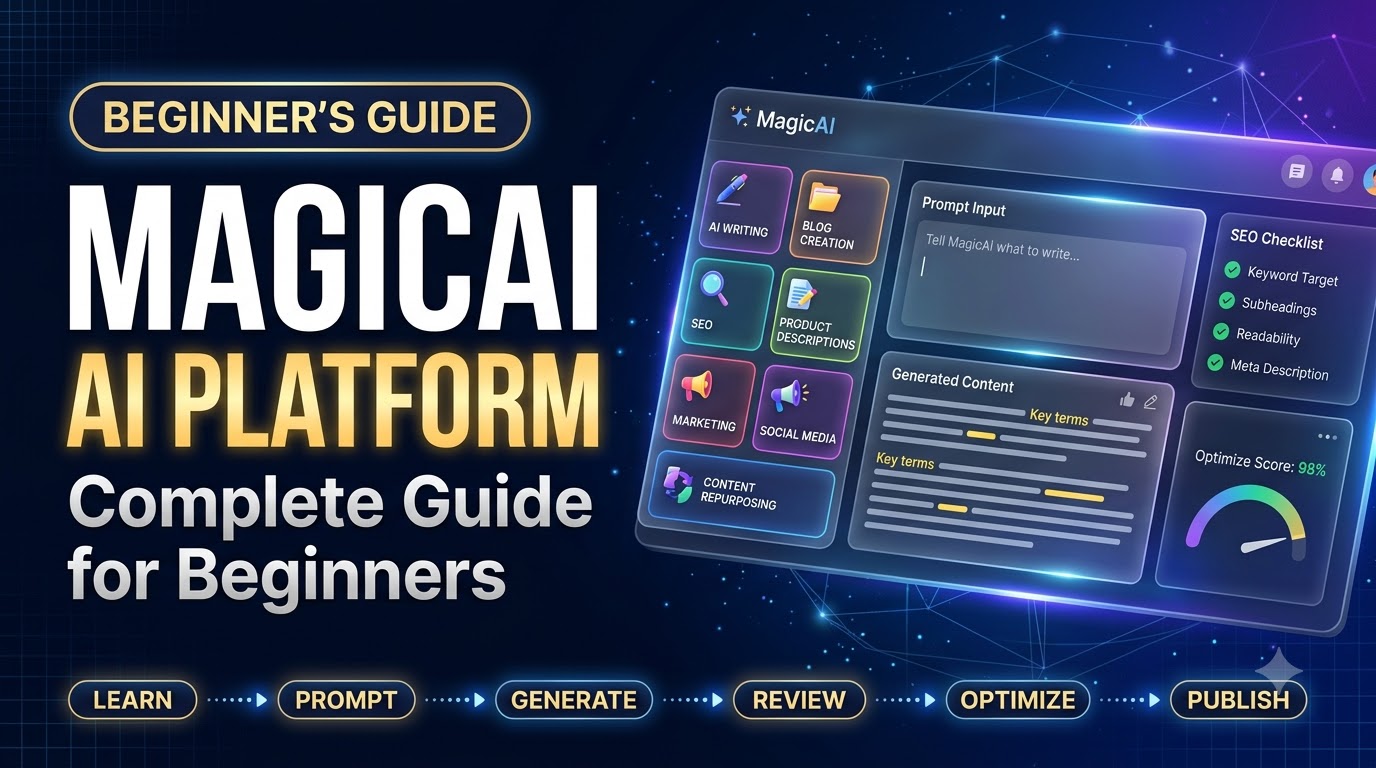
PLAN → PROMPT → GENERATE → REVIEW → OPTIMIZE → PUBLISH
Used this way, MagicAI can become a practical part of a modern content workflow rather than simply a tool for producing large amounts of text.