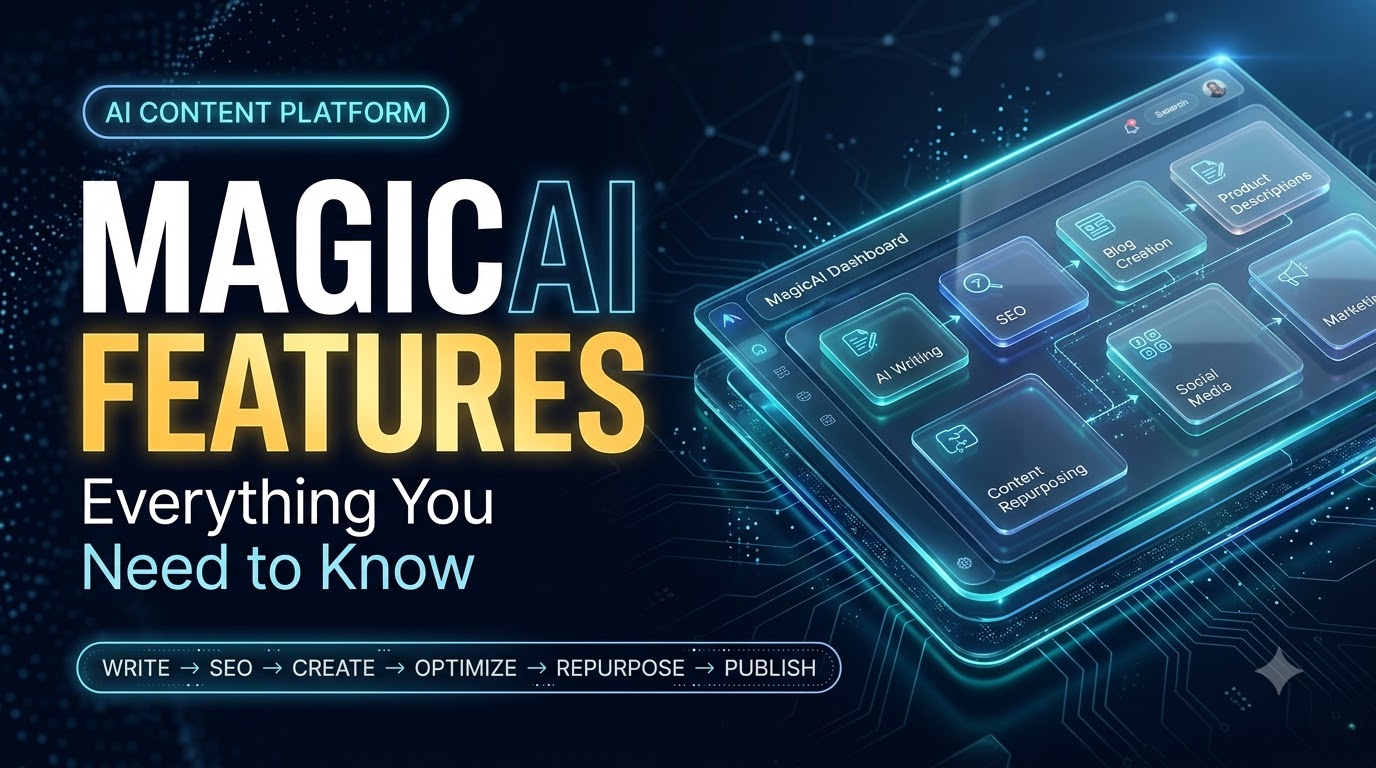

Introduction
AI-powered content creation has become an important part of modern digital marketing, blogging, e-commerce, SEO, and business communication. Instead of starting every piece of content from a blank page, creators can use AI tools to generate ideas, drafts, outlines, descriptions, and marketing copy in significantly less time.
MagicAI is designed around this type of AI-assisted workflow. Its usefulness comes not from a single feature, but from the combination of content generation, writing assistance, SEO-focused workflows, marketing copy creation, and content repurposing.
This guide explains the major MagicAI features in practical terms, what each feature can help you accomplish, and how to use AI-generated content more effectively.
What Is MagicAI?
MagicAI is an AI-powered content creation platform that can help users generate different types of written content from natural-language instructions or prompts.
Instead of manually creating every piece of content, users can provide information about the topic, audience, tone, purpose, keywords, or format and use AI to produce an initial draft.
A typical workflow looks like this:
IDEA → PROMPT → GENERATE → REVIEW → OPTIMIZE → PUBLISH
The important point is that MagicAI should be treated as a content-production assistant rather than a replacement for human judgment. The strongest results usually come from combining AI generation with editing, fact-checking, SEO optimization, and brand-specific instructions.
MagicAI Features at a Glance
| Feature | What It Helps With | Best For |
|---|---|---|
| AI Content Generation | Creating original drafts | Bloggers, marketers, businesses |
| Blog Writing | Developing long-form articles | Publishers and SEO teams |
| SEO Content Support | Structuring content around search intent | SEO professionals |
| Product Descriptions | Writing e-commerce copy | Online stores |
| Marketing Copy | Creating promotional content | Marketing teams |
| Social Media Content | Generating short-form posts | Social media managers |
| Content Repurposing | Turning existing content into new formats | Content teams |
| Prompt-Based Writing | Controlling output with instructions | Advanced users |
| Editing Assistance | Improving AI-generated drafts | Writers and editors |
| Content Workflows | Speeding up repetitive writing tasks | Agencies and businesses |
1. AI Content Generation
One of the core MagicAI features is AI-powered content generation.
Users can provide a topic and instructions, and the system can produce a starting draft based on the requested context.
For example, a basic prompt might be:
Write an informative article about the benefits of AI-powered content creation for small businesses.
A stronger prompt could include the target audience, tone, article length, keywords, structure, and desired outcome.
Better Prompt Example
Create a 1,500-word SEO-friendly article about AI-powered content creation for small businesses. Use a professional but easy-to-understand tone. Include an introduction, key benefits, practical examples, common mistakes, FAQs, and a conclusion. Naturally target the keyword “AI content creation for small businesses.”
The second approach gives the AI much more context and usually produces a more useful starting point.
2. Blog and Long-Form Content Creation
MagicAI can be useful for creating blog posts and other long-form content.
Instead of asking AI to immediately generate an entire article, content teams can divide the process into stages:
- Choose a topic.
- Define the search intent.
- Research the audience.
- Create an outline.
- Generate individual sections.
- Add examples and supporting information.
- Review the draft.
- Optimize for SEO.
- Proofread.
- Publish.
This staged workflow can provide more control than generating a complete article with one short prompt.
Creating a Blog Outline
For example:
Create an SEO-focused blog outline for “How AI Is Changing Digital Marketing.” Include H2 and H3 sections, questions readers may ask, practical examples, and a conclusion.
The resulting outline can then become the foundation for a more detailed article.
3. SEO Content Support
SEO is one of the most useful applications of AI content tools.
MagicAI can assist with content tasks such as:
- Keyword-focused writing
- Search-oriented article structures
- Meta title ideas
- Meta description drafts
- SEO-friendly headings
- FAQ content
- Product descriptions
- Content briefs
- Topic expansion
- Internal-linking ideas
However, AI-generated SEO content should not be treated as automatically optimized simply because a target keyword appears in the text.
Good SEO content should satisfy search intent, provide useful information, demonstrate topical relevance, and offer a positive user experience.
SEO Prompt Example
Create an SEO-friendly article targeting “AI content creation tools.” Explain what these tools are, their benefits, common use cases, limitations, and how businesses can use them. Use the primary keyword naturally and avoid keyword stuffing.
4. Product Description Generation
E-commerce businesses often need hundreds or thousands of product descriptions.
Writing every description manually can become repetitive and time-consuming.
MagicAI can help create product copy based on information such as:
- Product name
- Product type
- Main features
- Benefits
- Specifications
- Target customer
- Usage
- Materials
- Size or capacity
- Industry
- Brand tone
Product Description Prompt
Write an SEO-friendly product description for a stainless-steel commercial food processing machine. Explain its key features, applications, benefits, and suitable users. Keep the language professional and conversion-focused.
The generated description should still be checked against the actual product specifications. AI should never be allowed to invent technical specifications, certifications, dimensions, or performance claims.
5. Marketing Copy Creation
Marketing teams need different types of copy for different stages of the customer journey.
MagicAI can assist with drafts for:
- Landing pages
- Promotional copy
- Advertisements
- Email campaigns
- Calls to action
- Product launches
- Service descriptions
- Sales messages
- Campaign concepts
For example:
Write five landing-page headline options for an AI content creation platform aimed at small businesses.
The user can then choose the strongest concept and refine it for the actual campaign.
6. Social Media Content
Social media requires frequent content production, making it another useful area for AI assistance.
MagicAI can help generate ideas or drafts for platforms such as:
- X
- Business social channels
The same topic can also be adapted into different formats.
Example
A long-form article about AI writing tools could become:
- A LinkedIn post
- An Instagram caption
- A short educational post
- A list of tips
- A carousel concept
- A promotional message
This reduces the amount of manual rewriting required from a content team.
7. Content Repurposing
Creating new content does not always require starting from scratch.
One of the most practical AI workflows is repurposing existing content.
For example:
Blog Article → LinkedIn Post → Social Caption → Email → FAQ → Short Summary
A user can provide an existing article and ask MagicAI to transform it into a different content format.
Repurposing Prompt
Convert this blog article into a professional LinkedIn post. Keep the main insights, remove unnecessary details, use a strong opening hook, and end with a useful question for readers.
This can help businesses get more value from content they have already produced.
8. Prompt-Based Content Control
The quality of AI output depends heavily on the quality of the instructions.
A vague prompt might be:
Write about SEO.
A more useful prompt could be:
Write a beginner-friendly 1,200-word guide explaining on-page SEO for small business website owners. Include title tags, meta descriptions, headings, internal links, image optimization, keyword placement, and common mistakes. Use a professional and practical tone.
The second prompt defines:
- Topic
- Audience
- Length
- Knowledge level
- Required subjects
- Tone
- Purpose
This gives the AI clearer parameters.
9. Tone and Style Adaptation
Different businesses need different communication styles.
For example, a legal website may need formal and precise language, while a lifestyle brand may prefer conversational writing.
Useful style instructions can include:
- Professional
- Friendly
- Conversational
- Educational
- Persuasive
- Technical
- Concise
- Beginner-friendly
- Formal
- Brand-focused
Example
Rewrite this paragraph in a professional but approachable tone for a B2B software website.
The user can then review the result and adjust it according to brand guidelines.
10. Content Editing and Improvement
AI is not only useful for creating new content. It can also assist with improving existing drafts.
A user can provide a paragraph and ask for:
- Grammar correction
- Better readability
- Improved structure
- Concise wording
- Stronger headlines
- Better transitions
- More engaging introductions
- Clearer explanations
For example:
Improve the readability of this article without changing its meaning. Keep the tone professional and preserve all important technical information.
This can be especially useful when an initial draft contains good information but needs editorial refinement.
11. Topic and Content Idea Generation
Content teams often struggle with deciding what to publish next.
MagicAI can help brainstorm:
- Blog topics
- Article angles
- FAQ questions
- Product content ideas
- Social media ideas
- Campaign themes
- Educational topics
- Content series
Topic Ideation Prompt
Generate 30 blog topic ideas for a website about AI-powered business tools. Group them into beginner, intermediate, and advanced topics. Prioritize topics that address practical problems.
The output can then be filtered according to business goals and actual keyword research.
12. FAQ Content Creation
Frequently asked questions can improve usability and help businesses address customer concerns.
MagicAI can generate potential FAQ questions based on a product, service, or topic.
For example:
Create 15 frequently asked questions about AI content creation software. Provide concise answers suitable for a business website.
The important step is verification. FAQs should represent genuine customer questions rather than being added simply to increase word count.
13. Content Personalization
Generic content may not always be suitable for every audience.
AI can help adapt the same core information for different groups.
For example, an article about AI tools could be rewritten for:
- Beginners
- Marketing professionals
- Small-business owners
- E-commerce teams
- Agencies
- Enterprise users
The underlying information can remain similar while the examples, terminology, and level of detail change.
14. Faster Content Production
One of the biggest practical benefits of MagicAI features is productivity.
A traditional workflow might require a writer to manually brainstorm, outline, draft, rewrite, and format every piece of content.
An AI-assisted workflow can accelerate several of these stages:
Research → Outline → Draft → Edit → SEO → Publish
AI does not eliminate the need for human involvement. Instead, it can reduce repetitive work and allow writers to spend more time on strategy, originality, fact-checking, and final editing.
15. Support for Different Content Types
A flexible AI content platform can be useful because businesses rarely produce only one type of content.
A single workflow may involve:
- Blog posts
- Product descriptions
- Landing pages
- Social posts
- Emails
- Ad copy
- FAQs
- Website pages
- Content summaries
- Marketing messages
This makes AI-assisted content creation useful across different departments.
MagicAI Features for SEO Professionals
SEO professionals can use MagicAI as part of a broader content workflow.
A practical process could look like this:
Step 1: Identify the Search Intent
Determine whether the user wants information, a product, a comparison, a solution, or another type of result.
Step 2: Build the Content Structure
Create an outline that addresses the main topic and important subtopics.
Step 3: Generate the Draft
Use specific instructions to create the initial content.
Step 4: Improve Topical Coverage
Check whether the article answers important related questions and covers the subject comprehensively.
Step 5: Optimize On-Page Elements
Review:
- Title
- Meta description
- Headings
- URLs
- Internal links
- Images
- Keyword usage
Step 6: Human Review
Verify facts, examples, claims, and overall usefulness before publishing.
MagicAI Features for E-Commerce Businesses
E-commerce teams can use AI for repetitive product-content tasks.
A scalable workflow can include:
Product Data → AI Draft → SEO Review → Brand Editing → Quality Check → Publish
For large catalogs, the input data should be structured carefully.
For example:
| Input | Example |
|---|---|
| Product Name | Automatic Packaging Machine |
| Product Type | Packaging Equipment |
| Main Feature | Automated pouch filling |
| Application | Food and FMCG products |
| Material | Stainless steel |
| Target User | Commercial manufacturers |
| Content Goal | SEO product page |
The AI can then use these inputs to create a structured product description.
MagicAI Features for Content Teams
Content teams can use AI to reduce repetitive production tasks while maintaining a consistent workflow.
A useful team process is:
- Content strategist selects the topic.
- SEO specialist provides search requirements.
- AI generates an outline.
- Writer develops or edits the draft.
- Editor checks quality and accuracy.
- SEO specialist performs optimization.
- Publisher uploads the final content.
This approach keeps human oversight in the process.
How to Get Better Results from MagicAI
The quality of an AI response depends strongly on the information included in the prompt.
Use these principles:
Give Context
Explain what the content is about and why it is being created.
Define the Audience
Tell the AI who will read the content.
Specify the Format
Mention whether you want an article, product description, email, social post, or another format.
Provide Tone Instructions
State whether the writing should be formal, conversational, technical, persuasive, or educational.
Include Constraints
Specify word count, sections, formatting requirements, keywords, or other limitations.
Review the Output
Never assume that the first AI-generated draft is ready for publication.
Common Mistakes When Using MagicAI
1. Using Extremely Short Prompts
A prompt such as “write an SEO article” provides very little useful context.
2. Publishing AI Output Without Editing
AI-generated text can contain repetition, generic statements, factual errors, or unsuitable phrasing.
3. Ignoring Search Intent
Including keywords does not guarantee that a page satisfies what users are actually searching for.
4. Adding Unsupported Claims
Technical specifications, statistics, product benefits, and factual claims should be verified before publication.
5. Overusing Keywords
SEO content should read naturally. Keyword stuffing can reduce readability and create a poor user experience.
6. Treating AI as a Replacement for Strategy
AI can accelerate execution, but humans still need to define goals, audiences, positioning, and quality standards.
A Practical MagicAI Content Workflow
A reliable workflow can be divided into six stages.
Stage 1: Plan
Define the topic, audience, objective, and search intent.
Stage 2: Prompt
Give MagicAI detailed instructions and relevant source information.
Stage 3: Generate
Create the initial draft or individual content sections.
Stage 4: Review
Check factual accuracy, originality, tone, structure, and relevance.
Stage 5: Optimize
Improve SEO elements, readability, internal links, formatting, and calls to action.
Stage 6: Publish
Only publish the content after the final human quality check.
Example Master Prompt for MagicAI
The following template can be adapted for many content projects:
Create a high-quality SEO-friendly article about [TOPIC] for [TARGET AUDIENCE]. The primary goal is [GOAL]. Use a professional, natural, and informative tone. Include a clear introduction, logically organized H2 and H3 sections, practical examples, actionable advice, common mistakes, FAQs, and a conclusion. Target the primary keyword “[PRIMARY KEYWORD]” naturally and include relevant secondary keywords without keyword stuffing. Avoid unsupported claims, unnecessary repetition, and generic filler. Make the content useful for readers and easy to scan.
How to Evaluate AI-Generated Content
Before publishing content generated with MagicAI, use this checklist:
| Check | Question |
|---|---|
| Accuracy | Are the facts correct? |
| Relevance | Does the content answer the intended question? |
| Search Intent | Does it satisfy what the reader wants? |
| Originality | Does it offer useful value instead of generic text? |
| Readability | Is it easy to understand? |
| SEO | Are on-page elements properly optimized? |
| Brand Voice | Does it match the business style? |
| Claims | Are statistics and technical claims verified? |
| Formatting | Is the page easy to scan? |
| Human Review | Has someone checked the final version? |
Are MagicAI Features Useful for Businesses?
Yes, AI content features can be particularly useful when a business creates content repeatedly.
The biggest advantage is not simply generating words faster. The larger benefit is building a repeatable content workflow.
For example, a company could create standardized prompts for:
- Product descriptions
- Blog introductions
- SEO outlines
- Meta descriptions
- Social posts
- Email campaigns
- FAQs
This creates a more consistent production process and reduces repetitive manual work.
MagicAI Features: Best Use Cases
MagicAI can be especially useful for:
- Bloggers who need writing assistance
- SEO professionals creating content briefs and drafts
- E-commerce businesses managing product catalogs
- Marketing teams producing campaign copy
- Agencies handling multiple clients
- Small businesses with limited content resources
- Content teams repurposing existing material
The ideal use case depends on the quality of the inputs, the complexity of the task, and the amount of human review applied to the final output.
Frequently Asked Questions
What are the main MagicAI features?
The major feature areas include AI content generation, blog writing, SEO-oriented content support, product descriptions, marketing copy, social content, content repurposing, and AI-assisted editing.
Can MagicAI create SEO content?
It can assist with SEO-focused content creation, including article drafts, headings, keyword-focused writing, meta content, FAQs, and other SEO tasks. Human review is still important for search intent, accuracy, originality, and quality.
Can MagicAI write product descriptions?
Yes, AI can help generate product descriptions when you provide accurate product information, features, benefits, specifications, and target audience details.
Can MagicAI help with blog writing?
Yes. It can be used for topic ideas, outlines, drafts, individual sections, introductions, FAQs, summaries, and content refinement.
Is MagicAI suitable for businesses?
AI content tools can be useful for businesses that regularly produce marketing, SEO, product, website, or social media content.
Should AI-generated content be edited before publishing?
Yes. AI-generated content should normally be reviewed for accuracy, relevance, originality, tone, brand consistency, and SEO quality before publication.
How can I get better results from MagicAI?
Use detailed prompts that specify the topic, audience, objective, format, tone, keywords, structure, and constraints. Providing accurate source information also improves the quality of the result.
Final Verdict
The most important MagicAI features are not limited to simply generating text. The platform can support multiple stages of a modern content workflow, from brainstorming and outlining to drafting, SEO assistance, product copy, marketing content, social media material, and content repurposing.
For the best results, treat MagicAI as an intelligent writing assistant rather than a fully autonomous publishing system. Give it clear instructions, provide accurate information, review its output, and add human expertise before publishing.
When used this way, MagicAI can help businesses and content creators make their content workflow faster, more organized, and more scalable.