
Introduction
Creating useful SEO content requires more than simply asking an AI tool to “write an article.”
The quality of the output often depends on the quality of the instructions. A detailed prompt can tell MagicAI what topic to cover, who the audience is, what search intent to satisfy, which keywords to consider, how to structure the content, and what information should be included.
MagicAI provides an AI writing environment with custom templates and tools for tasks such as article generation, blog ideas, blog sections, meta descriptions, FAQs, product descriptions, paragraph generation, rewriting, and more. Its workflow allows users to provide a topic or basic information, generate content, and then edit or export the result.
This guide provides 50 practical MagicAI SEO prompts that can be adapted for different stages of the content-production process.
What Are MagicAI SEO Prompts?
MagicAI SEO prompts are structured instructions designed to help generate, improve, or optimize content for search-focused purposes.
Instead of:
Write an SEO article about SEO tools.
You can provide:
Create a detailed informational article about SEO tools for small-business owners. Target the primary keyword “SEO tools for small businesses.” Explain the topic for beginners, organize the article with H2 and H3 headings, answer common questions, include practical examples, and avoid keyword stuffing.
The second prompt gives MagicAI much more useful context.
Why Use Detailed SEO Prompts with MagicAI?
Detailed prompts can help you:
- Create clearer content structures
- Generate better topic ideas
- Organize keywords
- Match search intent
- Improve article introductions
- Build SEO-friendly headings
- Generate FAQs
- Improve existing content
- Create product descriptions
- Write metadata
- Develop internal-link ideas
- Improve readability
- Create content briefs
- Refresh old pages
MagicAI also supports custom prompts and templates, making repeatable workflows practical for teams producing similar types of content.
How to Write Better MagicAI SEO Prompts
A useful SEO prompt can include:
ROLE + TOPIC + AUDIENCE + KEYWORD + SEARCH INTENT + OBJECTIVE + STRUCTURE + REQUIREMENTS + RESTRICTIONS
For example:
Act as an experienced SEO content writer. Create an informational article about [TOPIC] for [AUDIENCE]. Target the primary keyword “[KEYWORD].” Match informational search intent. Include relevant H2 and H3 headings, practical examples, FAQs, internal-link opportunities, and a concise conclusion. Use keywords naturally and avoid repetition, keyword stuffing, filler, and unsupported claims.
The more specific the task, the easier it is for MagicAI to produce a useful first draft.
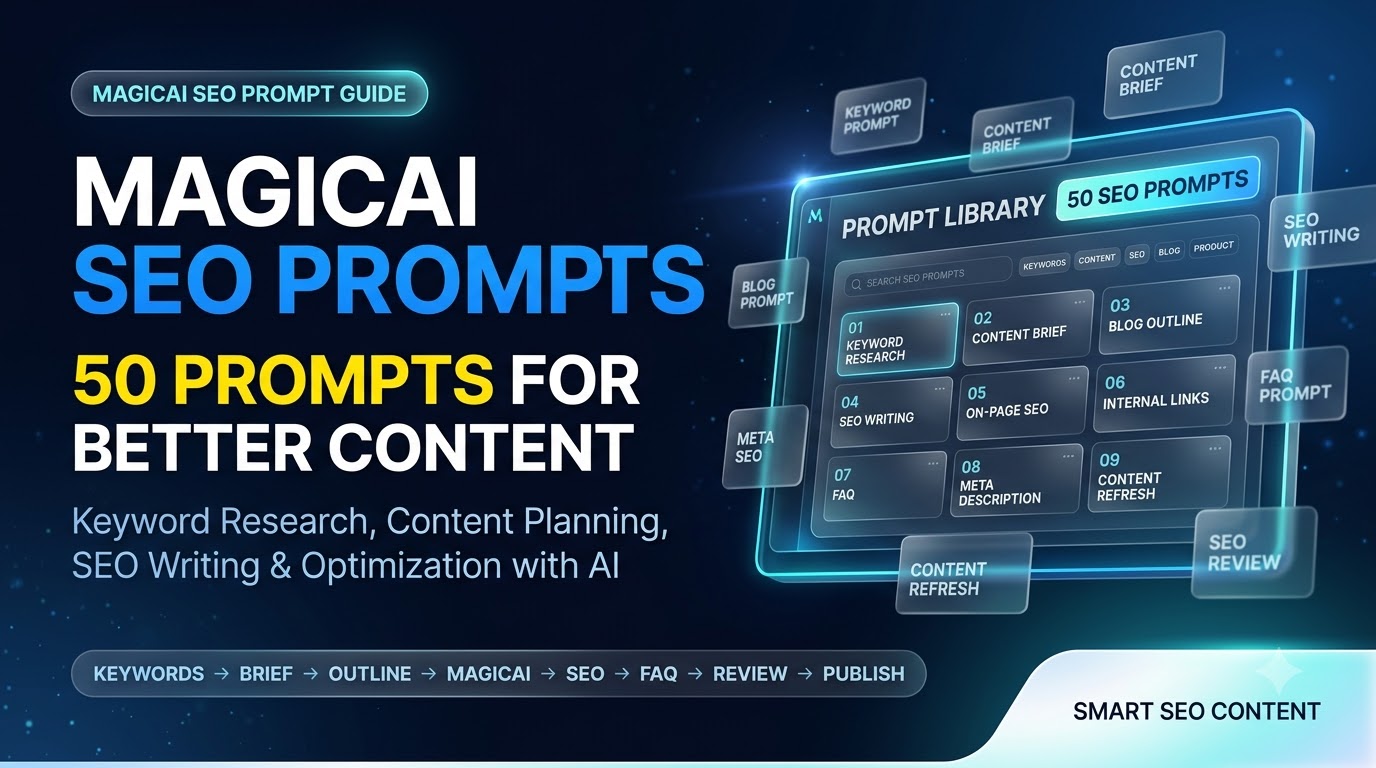
50 MagicAI SEO Prompts for Better Content
Category 1: Keyword Research Prompts
1. Generate SEO Keyword Ideas
Generate 30 relevant SEO keyword ideas for the topic “[TOPIC].” Group them into primary, secondary, long-tail, and question keywords. Prioritize relevance to the topic and avoid unrelated terms.
2. Find Long-Tail Keywords
Generate 25 long-tail keywords related to “[PRIMARY KEYWORD].” Focus on specific searches that indicate a clear user need. Group the keywords by search intent.
3. Generate Question Keywords
Generate 20 useful questions people may search for about “[TOPIC].” Group the questions into beginner, practical, comparison, and problem-solving categories.
4. Group Keywords by Search Intent
Group the following keywords by informational, commercial, transactional, and navigational search intent. Explain the likely intent behind each group.
5. Build Keyword Clusters
Create keyword clusters around “[MAIN TOPIC].” Identify one primary topic for each cluster and list relevant supporting keywords and subtopics.
6. Find Related Topics
Generate closely related topics and semantic concepts that should be considered when creating comprehensive content about “[TOPIC].” Avoid unrelated subjects.
7. Map Keywords to Pages
Create a keyword-to-page mapping strategy for the following keywords. Recommend whether each keyword should target a blog post, product page, service page, category page, or landing page.
8. Find Content Opportunities
Analyze the following keyword list and identify the strongest content opportunities. Group related terms, identify possible article topics, and explain which topics should be prioritized.
9. Create a Keyword Brief
Create a complete SEO keyword brief for “[TOPIC].” Include the primary keyword, secondary keywords, long-tail keywords, question keywords, related concepts, search intent, and recommended content angle.
10. Prioritize Keywords
Evaluate these keywords for relevance to “[TOPIC].” Create a priority list based on topical relevance, user intent, specificity, and potential content value. Do not invent search-volume or difficulty numbers.
Category 2: SEO Content Planning Prompts
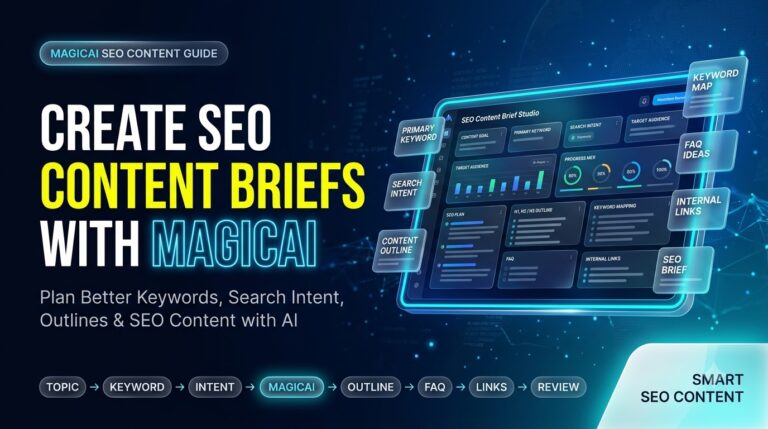
11. Create an SEO Content Brief
Create a detailed SEO content brief for “[TOPIC].” Include the primary keyword, secondary keywords, target audience, search intent, content goal, suggested title, H1, H2/H3 structure, key points, FAQs, internal-link opportunities, CTA, and content-quality requirements.
12. Create an SEO Blog Outline
Create a detailed SEO blog outline for “[TOPIC]” targeting “[PRIMARY KEYWORD].” Use a logical H1, H2, and H3 structure. Make every section useful and avoid repetitive headings.
13. Create a Topical Map
Create a topical map for “[MAIN TOPIC].” Organize the subject into content pillars, supporting topics, subtopics, keyword groups, search intent, and recommended internal-link relationships.
14. Build a Content Cluster
Create a complete SEO content cluster around “[PILLAR TOPIC].” Identify the pillar page, supporting articles, target keywords, search intent, and internal-linking relationships.
15. Identify Content Gaps
Review the following content and identify important topics, questions, examples, or explanations that are missing. Recommend only gaps that are directly relevant to the target search intent.
16. Create a Content Calendar
Create a 30-day SEO content calendar around “[TOPIC].” Include article title, primary keyword, search intent, content type, target audience, and recommended publishing order.
17. Create a Search-Intent-Based Outline
Analyze the search intent for “[KEYWORD]” and create an article structure that directly satisfies what the searcher is likely trying to accomplish.
18. Plan Content for Different Funnel Stages
Create SEO content ideas for “[TOPIC]” across awareness, consideration, and decision stages. Provide the search intent, target audience, keyword theme, and recommended content format for each stage.
19. Create an SEO Content Strategy
Create a practical SEO content strategy for “[BUSINESS/NICHE].” Include content pillars, keyword themes, topic clusters, audience needs, search intent, internal linking, publishing priorities, and content-refresh opportunities.
20. Create an Editorial Brief for Writers
Create a writer-ready SEO brief for “[TOPIC].” Include the target audience, keyword strategy, search intent, article objective, heading structure, required points, examples, FAQs, internal links, CTA, tone, and editorial restrictions.
Category 3: Blog Writing Prompts
21. Write an SEO-Friendly Introduction
Write a concise introduction for an article about “[TOPIC]” targeting “[KEYWORD].” Clearly explain the topic, identify the reader’s problem or goal, and preview what the article will cover. Keep the writing natural and avoid generic filler.
22. Write an SEO Blog Section
Write an informative section about “[SUBTOPIC]” for an SEO article targeting “[PRIMARY KEYWORD].” Explain the subject clearly, include relevant supporting concepts, and avoid unnecessary repetition.
23. Expand a Thin Section
Expand the following section with genuinely useful information. Add relevant explanations, examples, and practical details without repeating existing information or adding filler.
24. Create Practical Examples
Provide five practical examples that explain “[TOPIC]” to “[TARGET AUDIENCE].” Make each example realistic, easy to understand, and directly relevant to the subject.
25. Improve Content Readability
Rewrite the following content to improve readability. Use shorter sentences, clear paragraphs, descriptive headings, active language, and simple wording while preserving the original meaning and important facts.
26. Improve an Article’s Structure
Review the following article structure and recommend improvements to the H1, H2, and H3 hierarchy. Remove repetitive sections, identify missing sections, and create a logical progression based on search intent.
27. Write a Step-by-Step Guide
Create a practical step-by-step guide for “[TASK].” Explain each step clearly, include useful examples where appropriate, and organize the content with descriptive headings.
28. Create an SEO Conclusion
Write a concise conclusion for an article about “[TOPIC].” Summarize the most important points, reinforce the main takeaway, and provide a natural next step for the reader.
29. Create a Comparison Article
Create an SEO content outline comparing “[OPTION A]” and “[OPTION B].” Include comparison criteria, use cases, advantages, limitations, key differences, decision factors, and FAQs.
30. Create a Beginner-Friendly Article
Write a beginner-friendly SEO article about “[TOPIC]” targeting “[KEYWORD].” Explain technical concepts in simple language, use practical examples, and organize the article into logical sections.
Category 4: On-Page SEO Prompts
31. Generate SEO Titles
Generate 15 SEO-friendly title options for “[TOPIC]” targeting “[PRIMARY KEYWORD].” Keep them accurate, natural, useful, and compelling without clickbait.
32. Generate Meta Descriptions
Write 10 concise meta description options for a page targeting “[PRIMARY KEYWORD].” Clearly communicate the page’s value and align every description with the actual content.
33. Optimize H1 and Headings
Review the following H1, H2, and H3 headings. Improve them for clarity, relevance, search intent, and readability. Avoid keyword stuffing and repetitive headings.
34. Improve Keyword Placement
Review this content for keyword placement. Identify natural opportunities to use the primary, secondary, long-tail, and related keywords without making the writing repetitive or unnatural.
35. Optimize Existing Content for SEO
Review this existing page for SEO improvements. Evaluate the title, headings, keyword usage, search intent, content depth, internal links, FAQs, readability, metadata, and CTA. Provide specific recommendations before rewriting anything.
36. Improve Internal Linking
Identify natural internal-link opportunities in this article. For each opportunity, suggest the section where the link should appear, a natural anchor-text idea, and the type of relevant destination page.
37. Create Image SEO Information
Generate SEO image information for this article, including a descriptive filename, ALT text, image title, and caption. Keep each element relevant to the actual page content.
38. Optimize FAQs
Review the following article and create relevant FAQ questions that address genuine user needs not already covered clearly in the main content. Avoid duplicate and unrelated questions.
39. Improve a Call to Action
Create five natural CTA options for this page based on its topic, audience, and search intent. Make each CTA useful and relevant rather than overly promotional.
40. Create an On-Page SEO Checklist
Create a practical on-page SEO checklist for the following page. Review the title, H1, headings, keywords, content quality, search intent, internal links, FAQs, images, metadata, and CTA.
Category 5: Content Refresh and Optimization Prompts
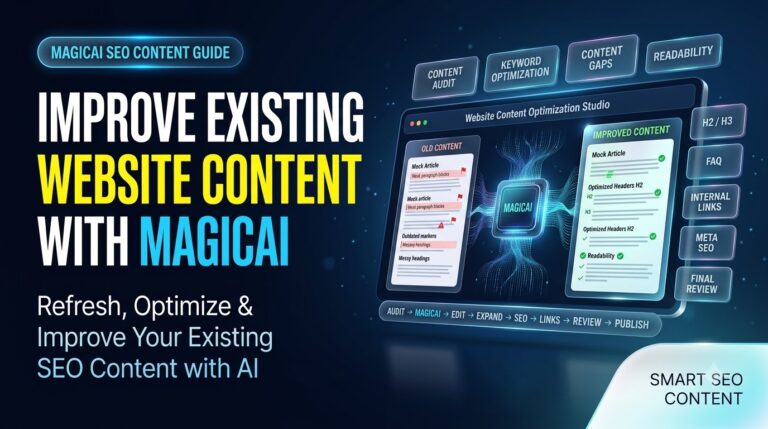
41. Refresh Existing Website Content
Review the following existing website content and identify outdated, weak, repetitive, or incomplete sections. Recommend improvements while preserving valuable information and the original purpose of the page.
42. Rewrite an Old Article
Refresh this old article for today’s audience while preserving accurate and useful information. Improve structure, readability, search intent alignment, keyword relevance, examples, FAQs, internal links, and SEO metadata. Flag potentially outdated facts instead of inventing replacements.
43. Remove Content Repetition
Identify repetitive ideas in the following content. Recommend which sections should be combined, shortened, or removed while preserving unique information and important details.
44. Improve Content Gaps
Analyze this article against its primary topic and search intent. Identify important missing subtopics, questions, examples, and explanations. Recommend where each should be added.
45. Improve Existing Product Content
Improve this existing product description for SEO and conversions. Preserve all verified product specifications. Improve the introduction, features, benefits, applications, keyword usage, FAQs, meta title, meta description, and CTA without inventing technical information.
46. Improve Existing Service Content
Improve this service page for SEO and user experience. Clarify the customer’s problem, service benefits, process, use cases, FAQs, internal links, SEO metadata, and CTA. Keep all business-specific claims accurate.
47. Rewrite Content in a Professional Tone
Rewrite the following content in a professional, clear, and natural tone. Preserve the meaning, important facts, and useful details. Remove awkward wording, unnecessary repetition, and generic filler.
48. Fact-Check Content Before Publishing
Review the following content and identify statements that may require factual verification. Do not invent corrections. Separate potentially outdated, unsupported, or questionable claims from statements that appear to be general explanations.
49. Create a Final SEO Content Review
Perform a final SEO and editorial review of this content. Evaluate search intent, keyword usage, structure, readability, topic coverage, internal links, FAQs, metadata, CTA, factual accuracy, and overall usefulness. Provide a prioritized list of improvements.
50. Create a Complete SEO Content Workflow
Create a complete workflow for producing SEO content about “[TOPIC]” using MagicAI. Include keyword research, search-intent analysis, content briefing, outline creation, writing, optimization, internal linking, FAQ generation, metadata, fact-checking, human editing, and final publishing review.
How to Get Better Results from These Prompts
The 50 prompts above work best when you customize them instead of copying them without context.
Add Your Primary Keyword
Replace:
[PRIMARY KEYWORD]
with the exact keyword you want the page to target.
Define the Audience
Instead of simply saying “write for readers,” specify:
- SEO beginners
- Ecommerce owners
- Marketing professionals
- Small-business owners
- Technical buyers
- Content writers
Specify Search Intent
Tell MagicAI whether the page should satisfy:
- Informational intent
- Commercial investigation
- Transactional intent
- Navigational intent
Add Business Context
If the content represents a business, explain:
- What the business offers
- Who it serves
- What makes the offering different
- What action the reader should take
Give Clear Restrictions
Useful instructions include:
- Avoid keyword stuffing
- Do not invent facts
- Do not repeat the same point
- Preserve verified specifications
- Avoid generic introductions
- Use natural language
- Keep headings descriptive
- Write for humans first
One Master Prompt for MagicAI SEO Content
If you want one reusable prompt instead of 50 separate prompts, use this:
Act as an experienced SEO content strategist and writer.
Topic: “[TOPIC]”
Primary keyword: “[PRIMARY KEYWORD]”
Secondary keywords: “[SECONDARY KEYWORDS]”
Target audience: “[TARGET AUDIENCE]”
Search intent: “[SEARCH INTENT]”
Business goal: “[BUSINESS GOAL]”
Create useful, search-focused content that satisfies the reader’s intent.
Before writing, identify the recommended content angle, keyword structure, important subtopics, questions, and H1/H2/H3 outline.
Then create the content using clear headings, concise paragraphs, useful examples, natural keyword placement, relevant FAQs, internal-link opportunities, and a helpful CTA.
Keep the writing original, accurate, natural, and reader-focused. Avoid keyword stuffing, repetition, filler, unsupported claims, exaggerated promises, and generic AI-style language.
Preserve factual information provided by the user and clearly flag information that requires verification.
Finally, provide an SEO title, meta description, suggested URL, image ALT text, and a short content-quality checklist.
Recommended MagicAI SEO Workflow
A practical workflow for these prompts is:
TOPIC → KEYWORD RESEARCH → SEARCH INTENT → CONTENT BRIEF → OUTLINE → MAGICAI DRAFT → SEO OPTIMIZATION → INTERNAL LINKS → FAQ → METADATA → FACT-CHECK → HUMAN EDITING → FINAL REVIEW → PUBLISH
This workflow separates planning, generation, optimization, and quality control instead of trying to complete every task with one giant prompt.
Common Mistakes When Using SEO Prompts
Using Extremely Short Prompts
A prompt such as “Write an SEO article” leaves too many decisions to the AI.
Overloading One Prompt
Adding dozens of unrelated requirements can make the output less focused.
Use specialized prompts for keyword research, outlining, writing, optimization, and review when necessary.
Treating Keywords as the Entire SEO Strategy
Keywords are important, but useful content also needs search-intent alignment, topic coverage, structure, clarity, and a good user experience.
Publishing AI Output Without Editing
Always review AI-generated content for accuracy, relevance, originality, tone, and business-specific information.
Asking AI to Invent Facts
Never ask MagicAI to create statistics, specifications, customer claims, reviews, or other facts simply to make content look authoritative.
Optimizing Only for Search Engines
The strongest content should answer the user’s question first and use SEO techniques naturally.
Benefits of Using MagicAI SEO Prompts
A structured prompt library can help you:
- Speed up content planning
- Generate more consistent content
- Reduce writer’s block
- Create better article outlines
- Improve keyword organization
- Refresh old content
- Generate metadata faster
- Develop FAQ sections
- Improve product pages
- Build content clusters
- Standardize editorial workflows
- Scale repetitive SEO tasks
MagicAI’s custom-template functionality can also support repeatable prompt-based workflows for different content types.
MagicAI SEO Prompts Checklist
Before using a prompt, check:
- Topic is specific
- Primary keyword is defined
- Secondary keywords are relevant
- Search intent is clear
- Target audience is specified
- Content objective is defined
- Desired format is included
- Important restrictions are stated
- Facts are provided where necessary
- AI is instructed not to invent information
- Human review is planned
Frequently Asked Questions
What are MagicAI SEO prompts?
MagicAI SEO prompts are structured instructions designed to help generate, improve, or optimize search-focused content using MagicAI.
Can I use these prompts for blog writing?
Yes. The prompts can be adapted for keyword research, outlines, introductions, sections, FAQs, SEO optimization, content refreshes, and complete articles.
Can these prompts be used for product descriptions?
Yes. Prompts 45 and related keyword, metadata, FAQ, and optimization prompts can be adapted for ecommerce and product pages.
Should I use one prompt for the entire SEO process?
You can, but specialized prompts often provide better control. Keyword research, content planning, writing, optimization, and review are different tasks.
How do I make MagicAI generate better SEO content?
Give it clear information about the topic, primary keyword, audience, search intent, business goal, content structure, and specific requirements. Review the output before publishing.
Can MagicAI SEO prompts guarantee rankings?
No. Prompts can improve the content-creation process, but rankings depend on many factors beyond AI-generated content.
Should I customize these prompts?
Yes. Replace placeholders such as topic, keyword, audience, and business goal with information specific to your page.
Final Verdict
A strong SEO prompt gives MagicAI a clear job instead of leaving the entire content strategy to the AI.
The 50 MagicAI SEO prompts in this guide cover the complete content workflow—from keyword research and content planning to article writing, on-page optimization, content refreshing, internal linking, FAQs, metadata, and final SEO review.
For the best results, use prompts as part of a repeatable workflow:
PLAN → PROMPT → GENERATE → REVIEW → OPTIMIZE → FACT-CHECK → EDIT → PUBLISH
MagicAI can make repetitive content tasks faster, but human judgment remains important for search intent, factual accuracy, originality, brand voice, and final quality.