
Introduction
Creating SEO content without a clear plan can lead to weak headings, poor keyword targeting, missing search-intent information, and content that does not fully answer the reader’s questions.
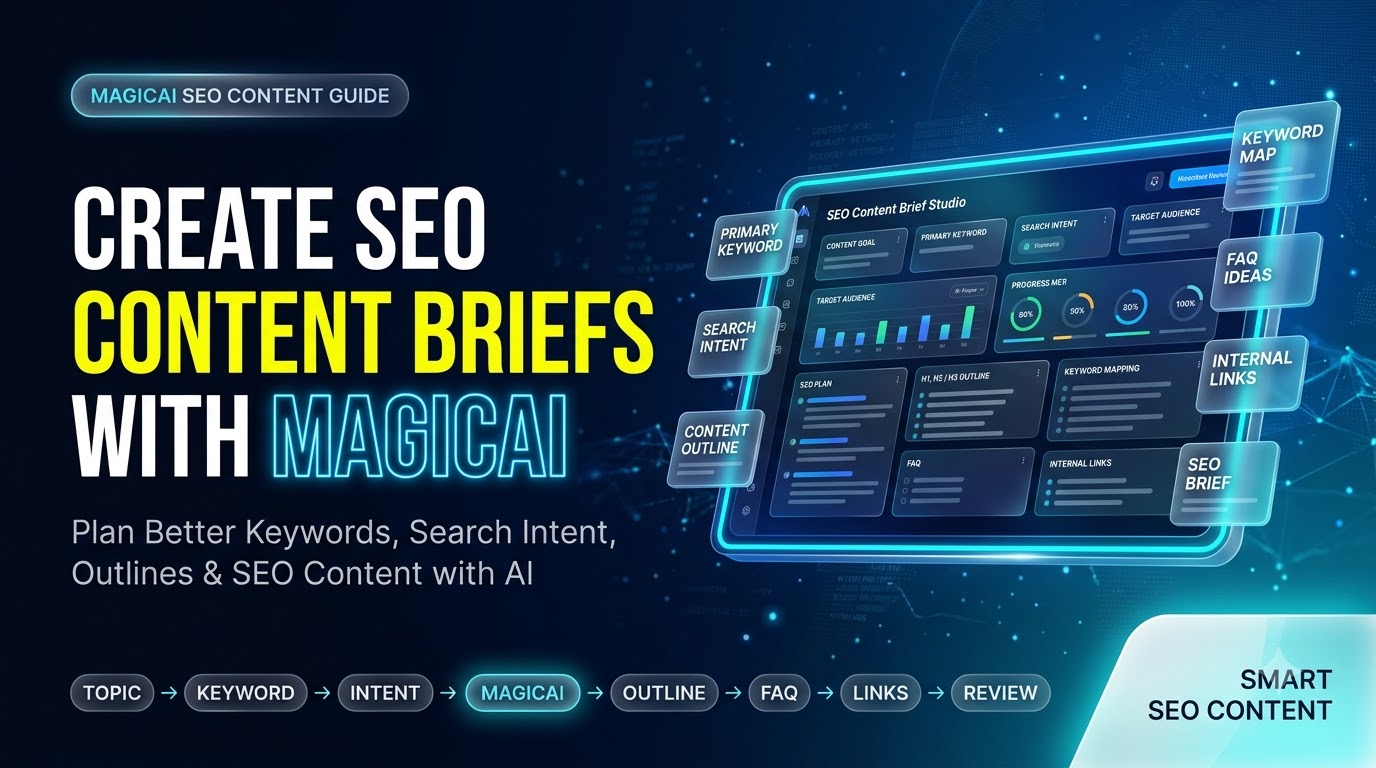
An SEO content brief solves this problem by giving writers a structured plan before the article is created. It can define the primary keyword, secondary keywords, target audience, search intent, recommended headings, questions to answer, internal-link opportunities, content requirements, and optimization goals.
MagicAI can be used as an AI-assisted planning tool to turn a topic, keyword list, and business objective into a structured content brief. The quality of the final brief depends heavily on the information and instructions provided in the prompt.
This guide explains how to create useful SEO content briefs with MagicAI and how to review them before turning them into complete articles.
What Is an SEO Content Brief?
An SEO content brief is a planning document that explains what an article should cover and how it should be structured.
A strong brief can include:
- Target topic
- Primary keyword
- Secondary keywords
- Search intent
- Target audience
- Content objective
- Suggested title
- H1, H2, and H3 structure
- Important questions
- Key points to cover
- Content depth
- Internal-link opportunities
- FAQ ideas
- Call-to-action requirements
- Content format
- SEO recommendations
Instead of asking an AI writer to simply “write an SEO article,” a content brief provides a detailed roadmap.
Why Create SEO Content Briefs with MagicAI?
MagicAI can help speed up the planning stage by generating ideas, organizing information, expanding topics, and creating structured content instructions.
Using MagicAI for content briefs can help you:
- Save content-planning time
- Generate multiple outline ideas
- Expand a basic topic into subtopics
- Identify questions readers may ask
- Organize primary and secondary keywords
- Structure H2 and H3 sections
- Plan content around search intent
- Identify possible FAQ sections
- Create reusable content-brief templates
- Prepare writers before article production
However, an AI-generated brief should be reviewed before publication. AI can suggest irrelevant topics, repeat ideas, misunderstand intent, or recommend keywords that do not fit the page.
What Should an SEO Content Brief Include?
Before using MagicAI, understand the essential components of a useful brief.
1. Content Topic
Start with the exact subject of the article.
For example:
Topic: How to Create SEO-Friendly Product Descriptions
A specific topic gives MagicAI a better starting point than a broad instruction such as:
“Write something about SEO.”
2. Primary Keyword
The primary keyword represents the main search phrase you want the content to target.
Example:
Primary Keyword: SEO-friendly product descriptions
Tell MagicAI to use the keyword naturally rather than forcing it into every paragraph.
3. Secondary Keywords
Secondary keywords provide supporting context.
For example:
- SEO product descriptions
- product description SEO
- ecommerce product copy
- product description optimization
- product copywriting
- SEO product content
These terms can help the brief cover related concepts.
4. Search Intent
Search intent explains what the searcher wants to accomplish.
Common search intents include:
- Informational
- Commercial investigation
- Transactional
- Navigational
For an informational article, the brief should focus on education, explanations, examples, and actionable instructions.
5. Target Audience
Tell MagicAI who the article is intended for.
For example:
- SEO beginners
- Bloggers
- Ecommerce owners
- Marketing teams
- Content writers
- Small-business owners
Audience information helps determine vocabulary, examples, depth, and writing style.
6. Content Goal
Define what the article should achieve.
Possible goals include:
- Educate readers
- Generate organic traffic
- Explain a process
- Generate leads
- Support a product page
- Build topical authority
- Encourage a software trial
- Answer common customer questions
How to Create an SEO Content Brief Using MagicAI
Step 1: Start With the Main Topic
Give MagicAI the exact topic you want to cover.
Example prompt:
Create an SEO content brief for an article about “SEO-friendly product descriptions.” The article should educate ecommerce owners and content writers about creating search-focused product descriptions.
The more specific the topic, the easier it is to create a relevant brief.
Step 2: Add the Primary Keyword
Include the primary keyword in the prompt.
Example:
Primary keyword: SEO-friendly product descriptions.
Ask MagicAI to build the content structure around the keyword without keyword stuffing.
Step 3: Add Secondary Keywords
Provide supporting keywords.
Example:
Secondary keywords: product description SEO, ecommerce product descriptions, SEO product copy, product description optimization, product copywriting.
MagicAI can use these terms to suggest supporting sections.
Step 4: Define Search Intent
Tell MagicAI what the reader expects from the page.
Example:
Search intent: Informational. Readers want to learn how to create optimized product descriptions that are useful to customers and search engines.
This helps prevent the brief from becoming too promotional.
Step 5: Define the Audience
Add a clear audience description.
Example:
Target audience: Ecommerce owners, SEO beginners, product marketers, and content writers.
This allows the content structure to match the reader’s knowledge level.
Step 6: Ask for Reader Questions
Questions are valuable components of an SEO content brief.
Ask MagicAI:
List the important questions a reader may have about SEO-friendly product descriptions and recommend which questions should be answered in the article.
Potential questions may include:
- What makes a product description SEO-friendly?
- How long should a product description be?
- Where should keywords be placed?
- Should product descriptions be unique?
- How can product descriptions improve conversions?
Step 7: Generate the H1, H2, and H3 Structure
Ask MagicAI to create a logical heading hierarchy.
For example:
H1: How to Write SEO-Friendly Product Descriptions
H2: What Is an SEO-Friendly Product Description?
H2: Why Product Description SEO Matters
H2: How to Optimize Product Descriptions
H3: Use the Primary Keyword Naturally
H3: Focus on Product Benefits
H3: Include Important Specifications
H2: Common Product Description SEO Mistakes
H2: Frequently Asked Questions
This structure becomes the foundation of the article.
How to Prompt MagicAI for a Detailed SEO Content Brief
A detailed prompt can produce a much more useful brief than a short command.
Use this template:
Create a detailed SEO content brief for the topic “[TOPIC]”.
Primary keyword: “[PRIMARY KEYWORD]”
Secondary keywords: “[KEYWORD 1], [KEYWORD 2], [KEYWORD 3]”
Target audience: “[AUDIENCE]”
Search intent: “[SEARCH INTENT]”
Content goal: “[CONTENT GOAL]”Include:
- Suggested SEO title
- H1
- H2 and H3 structure
- Search intent explanation
- Target audience
- Primary and secondary keyword placement
- Important subtopics
- Questions readers expect to have answered
- FAQ ideas
- Internal-link opportunities
- Recommended content format
- Suggested CTA
- Content-quality requirements
- SEO optimization recommendations
Keep the brief practical, logically structured, user-focused, and free from keyword stuffing.
How to Create Better Headings with MagicAI
Headings should follow a logical progression.
A good structure usually moves from:
Introduction → Definition → Problem → Solution → Process → Examples → Mistakes → FAQs → Conclusion
Ask MagicAI to avoid:
- Repetitive headings
- Very broad sections
- Keyword-stuffed headings
- Unrelated topics
- Multiple headings covering the same idea
Example prompt:
Create an SEO-focused H1, H2, and H3 structure for this topic. Make each heading unique, useful, search-intent-focused, and logically connected. Avoid repetitive sections and keyword stuffing.
How to Map Keywords to the Content Brief
Keyword mapping helps determine where important terms belong.
| Keyword Type | Example | Suggested Location |
|---|---|---|
| Primary Keyword | SEO content brief | H1, introduction, relevant H2 |
| Secondary Keyword | SEO content planning | Supporting sections |
| Long-Tail Keyword | how to create an SEO content brief | Dedicated section |
| Question Keyword | what is an SEO content brief | FAQ or explanatory section |
| Related Term | content planning | Supporting content |
The goal is not to place every keyword everywhere.
Instead, assign each keyword to the section where it naturally belongs.
How to Add Search Intent to the Brief
Ask MagicAI to explain the search intent before creating the outline.
Example prompt:
Analyze the likely search intent for the keyword “SEO content brief” and explain what information a searcher expects to find. Then create a content structure that satisfies that intent.
The brief should prioritize information that directly answers the searcher’s needs.
How to Generate Content Questions
Questions can reveal missing sections.
Ask MagicAI:
Generate 15 important questions readers may have about SEO content briefs. Group them into beginner, practical, SEO, and advanced questions.
You can then select the most relevant questions for the article.
This approach helps make the brief more comprehensive without adding unnecessary sections.
How to Include Internal-Link Opportunities
Internal links should be planned before the article is written.
For example, an SEO content brief about content planning could include opportunities to link to:
- Keyword research guides
- SEO content writing guides
- Topical map guides
- On-page SEO guides
- Content strategy guides
- SEO blog outline guides
Ask MagicAI:
Suggest relevant internal-link topics that naturally support this article. For each suggestion, provide the destination topic and recommended anchor-text idea.
Always verify that the suggested pages actually exist on your website.
How to Add FAQ Recommendations
FAQs can help identify important user questions that were not covered in the main sections.
Ask MagicAI:
Based on the topic, keyword, and search intent, generate relevant FAQ questions. Avoid repeating questions already answered in the main article.
Then manually remove questions that are:
- Repetitive
- Irrelevant
- Too broad
- Not useful to the target audience
How to Create Content Briefs for Different Page Types
MagicAI can be instructed to create different types of briefs.
Blog Post Brief
Include:
- Topic
- Keyword
- Search intent
- H1/H2/H3 structure
- Questions
- Examples
- FAQs
- Internal links
Product Page Brief
Include:
- Product name
- Product keyword
- Features
- Benefits
- Specifications
- Applications
- Suitable users
- FAQs
- CTA
- SEO metadata
Landing Page Brief
Include:
- Target audience
- Customer problem
- Solution
- Value proposition
- Benefits
- Proof points
- CTA
- FAQ
- SEO elements
Comparison Article Brief
Include:
- Products or services being compared
- Comparison criteria
- User intent
- Advantages and limitations
- Key differences
- Recommendation framework
- FAQs
How to Use MagicAI for Content Depth
A useful content brief should explain what each section needs to accomplish.
Instead of:
H2: Benefits
Use a more detailed instruction:
H2: Benefits of SEO Content Briefs
Cover:
- Faster content production
- Better topic coverage
- Improved keyword organization
- Clear writer instructions
- Better alignment with search intent
This gives the writer a clear direction.
How to Create a Content Brief Table
You can ask MagicAI to organize the brief into a table.
Example:
| Brief Element | Recommendation |
|---|---|
| Topic | SEO Content Briefs |
| Primary Keyword | SEO content brief |
| Search Intent | Informational |
| Audience | SEO beginners and content teams |
| Content Goal | Educate and support organic traffic |
| H1 | How to Create an SEO Content Brief |
| Main Sections | Definition, components, process, examples, mistakes |
| FAQ | Common content-brief questions |
| Internal Links | Keyword research, content strategy, on-page SEO |
| CTA | Learn more / start planning content |
A table makes the brief easier for writers, editors, and SEO teams to use.
How to Ask MagicAI for Multiple Brief Versions
Sometimes one structure is not enough.
Ask MagicAI:
Create three different SEO content brief structures for this keyword. Version 1 should be beginner-friendly, Version 2 should be comprehensive, and Version 3 should focus heavily on practical examples.
Compare the three versions and combine the strongest ideas.
How to Build a Content Brief From Existing Keywords
If you already have a keyword list, provide it to MagicAI.
Example:
Create an SEO content brief using the following keyword set. Group related keywords by topic, identify the primary keyword, recommend supporting sections, map keywords to headings, and suggest questions to answer.
Then manually check whether the keyword grouping makes sense.
How to Use MagicAI for Content Gap Ideas
A content brief can also identify information that may be missing from an existing article.
Provide the existing article structure and ask:
Review this content structure and identify important subtopics, questions, examples, or sections that may be missing. Do not recommend unrelated topics.
This can help turn a basic brief into a more complete content plan.
How to Create a Reusable SEO Content Brief Template
For repeated content production, create a standard template.
Use:
Content Topic:
Primary Keyword:
Secondary Keywords:
Search Intent:
Target Audience:
Content Goal:
Suggested Title:
H1:
H2 Sections:
H3 Sections:
Key Points:
Questions to Answer:
Examples:
Internal-Link Opportunities:
FAQ Ideas:
CTA:
SEO Requirements:
Content Quality Requirements:
You can give this template to MagicAI whenever a new article needs to be planned.
Master MagicAI Prompt for SEO Content Briefs
Use the following reusable prompt:
Act as an experienced SEO content strategist. Create a complete SEO content brief for the topic “[TOPIC]”.
Primary keyword: “[PRIMARY KEYWORD]”
Secondary keywords: “[SECONDARY KEYWORDS]”
Target audience: “[TARGET AUDIENCE]”
Search intent: “[SEARCH INTENT]”
Business goal: “[BUSINESS GOAL]”
Create a practical content brief containing:
- Recommended SEO title
- H1
- Search intent analysis
- Target audience
- Primary keyword strategy
- Secondary and related keyword groups
- H2 and H3 outline
- Key points for every major section
- Important questions to answer
- FAQ recommendations
- Internal-link opportunities
- Suggested CTA
- Recommended content format
- Content depth recommendations
- SEO optimization instructions
- Common mistakes to avoid
Keep the structure logical, useful, reader-focused, and aligned with search intent. Avoid keyword stuffing, repetitive sections, unsupported claims, and unnecessary information.
Recommended Workflow for Creating SEO Content Briefs with MagicAI
Use this workflow:
TOPIC → PRIMARY KEYWORD → SECONDARY KEYWORDS → AUDIENCE → SEARCH INTENT → CONTENT GOAL → MAGICAI → H1/H2/H3 → KEYWORD MAPPING → QUESTIONS → FAQ → INTERNAL LINKS → CONTENT DEPTH → HUMAN REVIEW → FINAL BRIEF → CONTENT CREATION
This separates planning from writing and makes the content-production process easier to manage.
Common Mistakes to Avoid
1. Using a Very Short Prompt
“Create an SEO brief” does not provide enough context.
Add the topic, keyword, audience, intent, and objective.
2. Accepting the First Outline
The first outline may contain unnecessary or repetitive sections.
Review and improve it.
3. Ignoring Search Intent
A keyword alone does not tell the complete story.
Make search intent part of the brief.
4. Adding Too Many Keywords
More keywords do not automatically create better SEO content.
Focus on relevance and natural usage.
5. Creating Too Many Headings
A brief should be comprehensive but not unnecessarily complicated.
Every heading should have a clear purpose.
6. Forgetting the Audience
The same topic may need different structures for beginners, professionals, and decision-makers.
7. Trusting AI Without Verification
Review keyword relevance, factual claims, recommendations, and structure before giving the brief to a writer.
Benefits of Using MagicAI for SEO Content Briefs
Using MagicAI during the planning stage can provide several practical benefits:
- Faster content research and planning
- More structured article ideas
- Better organization of keywords
- Easier outline development
- More consistent content briefs
- Faster generation of reader questions
- Easier content-team collaboration
- Better preparation for SEO writing
- Reusable planning workflows
- More efficient content production
The biggest benefit comes from using AI as a planning assistant rather than treating the generated brief as a final SEO strategy.
MagicAI vs Manual Content Brief Creation
| Factor | Manual Brief | MagicAI-Assisted Brief |
|---|---|---|
| Initial planning | Time-consuming | Faster |
| Topic expansion | Manual research | AI-assisted |
| Outline ideas | Manually developed | Multiple ideas quickly |
| Questions | Manual collection | Rapid question generation |
| Keyword organization | Manual | AI-assisted |
| Customization | High | High with better prompts |
| Quality control | Human-led | Requires human review |
| Scalability | Slower | Faster |
The strongest approach is usually a combination of both: use MagicAI to accelerate planning and use human expertise to validate the final brief.
SEO Content Brief Checklist
Before approving a MagicAI-generated brief, check:
- Topic is clearly defined
- Primary keyword is relevant
- Secondary keywords support the topic
- Search intent is identified
- Target audience is clear
- Content goal is defined
- H1 is relevant
- H2 and H3 headings follow a logical order
- Important questions are covered
- Key points are defined
- Internal-link opportunities are identified
- FAQ ideas are relevant
- CTA matches the content objective
- Keywords are mapped naturally
- No unnecessary sections are included
- Facts and recommendations are reviewed
- Final brief is ready for content creation
Frequently Asked Questions
Can MagicAI create an SEO content brief?
Yes. MagicAI can be used to generate a structured content-planning draft when you provide sufficient information such as the topic, keywords, audience, search intent, and content goal.
What should I give MagicAI before creating a content brief?
At minimum, provide the topic and primary keyword. For a stronger brief, also provide secondary keywords, target audience, search intent, business goal, and preferred content format.
Can MagicAI create H2 and H3 headings?
Yes, you can prompt MagicAI to generate a structured H1, H2, and H3 outline based on the topic and intended search intent.
Can MagicAI generate questions for an SEO content brief?
Yes. You can ask it to generate relevant questions readers may have and then select the questions that genuinely support the article.
Should I publish an AI-generated content brief without reviewing it?
No. Review the brief for relevance, accuracy, search intent, keyword quality, topic coverage, and unnecessary recommendations before using it.
Can I use one content-brief template repeatedly?
Yes. A reusable template can make content planning more consistent across multiple articles and writers.
Does a detailed content brief guarantee higher rankings?
No. A good brief can improve planning and content quality, but rankings depend on many factors, including relevance, content quality, competition, technical SEO, authority, user experience, and overall website quality.
Final Verdict
Creating an SEO content brief with MagicAI can make the content-planning process faster, more structured, and easier to repeat.
The best results come from giving MagicAI clear information about the topic, primary keyword, secondary keywords, audience, search intent, and business goal. From there, use AI to develop the structure, questions, keyword mapping, internal-link opportunities, and content requirements.
However, the generated brief should always receive human review. Remove irrelevant recommendations, verify important information, refine the headings, and make sure every section serves the reader.
A practical process is:
PLAN → GENERATE → REVIEW → REFINE → APPROVE → WRITE → OPTIMIZE
When this workflow is used consistently, MagicAI can become a useful part of an organized SEO content-production system.