
Introduction
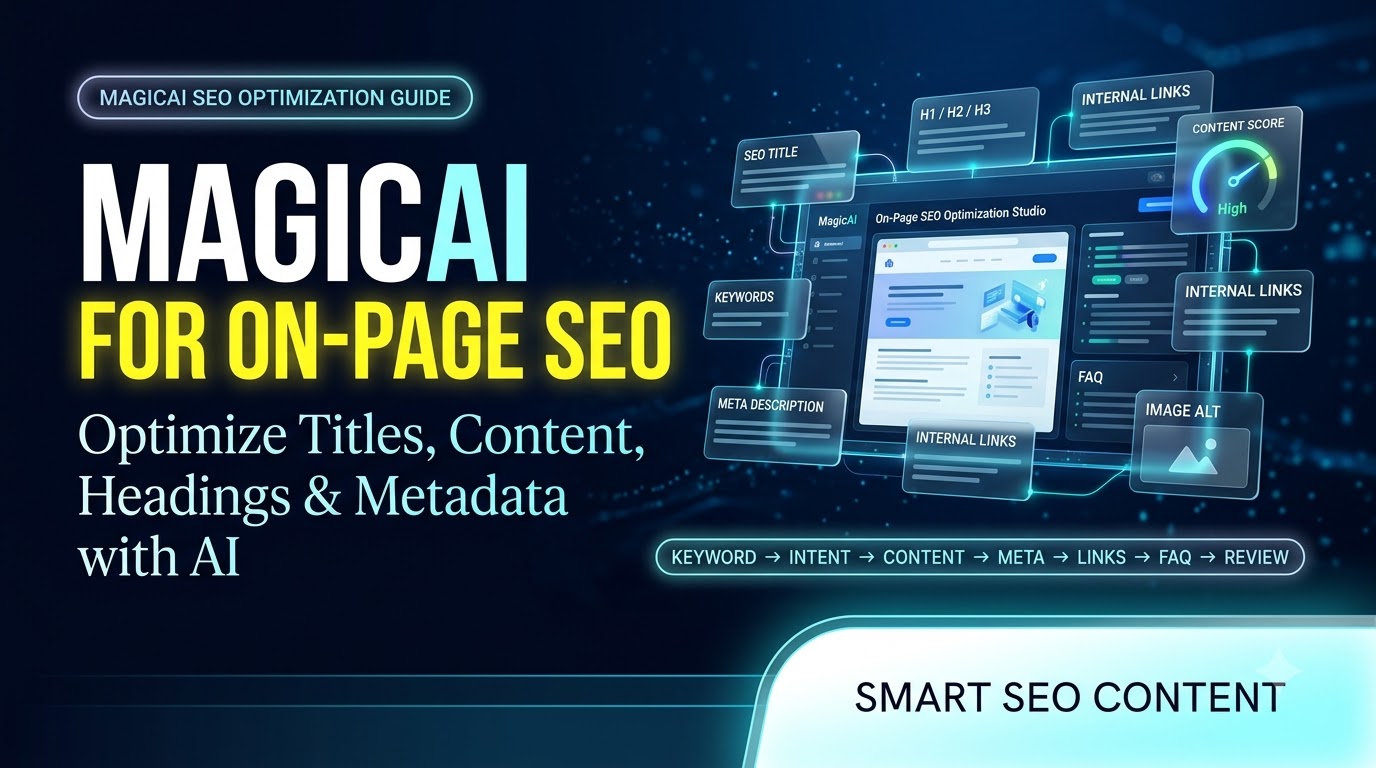
On-page SEO is the process of optimizing the content and page elements of a website so that search engines can better understand the topic while users can easily find and consume the information they need.
It includes much more than adding keywords to an article.
Effective on-page SEO can involve:
- Search intent
- Primary and secondary keywords
- SEO titles
- Meta descriptions
- H1, H2, and H3 headings
- Content structure
- Internal links
- Image optimization
- FAQs
- Readability
- Topic coverage
- Anchor text
- Content updates
MagicAI can support many of these content-focused tasks. Its current platform includes an Article Generator, Blog Post Ideas, Blog Sections, Meta Description, FAQ Generator, custom templates, AI Article Wizard Generator, AI ReWriter, and other writing tools. It also allows users to provide topics or keywords, edit generated content, and export the result.
However, MagicAI should be treated as an SEO content assistant, not an automatic replacement for keyword research, SERP analysis, technical SEO, or human review.
This guide explains how to use MagicAI as part of a practical on-page SEO workflow.
What Is On-Page SEO?
On-page SEO refers to optimization performed on individual webpages to improve relevance, usability, and search-engine understanding.
For example, if you are writing an article about keyword research, on-page optimization may include:
- Creating a descriptive SEO title
- Using the main keyword naturally
- Organizing content with relevant headings
- Answering related questions
- Linking to relevant pages
- Optimizing images
- Improving readability
- Covering important aspects of the subject
- Writing a useful meta description
The goal is not to manipulate search engines.
The goal is to make the page clearer, more useful, and more relevant to the searcher’s needs.
Can MagicAI Help With On-Page SEO?
Yes. MagicAI can assist with many content-level optimization tasks.
Its available templates and tools include:
- Article Generator
- Post Title Generator
- Blog Section
- Blog Post Ideas
- Blog Intros
- Blog Conclusion
- Meta Description
- FAQ Generator
- Paragraph Generator
- Grammar Correction
- AI Article Wizard Generator
- AI ReWriter
- Custom Generation
MagicAI also supports custom templates, allowing users to create repeatable prompts for specific content workflows.
For on-page SEO, these capabilities can be combined into a workflow such as:
KEYWORD → SEARCH INTENT → OUTLINE → MAGICAI → CONTENT → TITLE → META → HEADINGS → LINKS → FAQ → REVIEW
Why Use MagicAI for On-Page SEO?
1. Faster Content Optimization
MagicAI can quickly generate or rewrite sections that would otherwise take considerable manual effort.
2. Better Content Structure
You can use prompts to create organized H2 and H3 sections around a topic.
3. Faster Metadata Creation
MagicAI provides a Meta Description generator that can help create search-focused descriptions.
4. Easier Content Expansion
If an article does not sufficiently explain a topic, MagicAI can help identify and draft additional sections.
5. Consistent SEO Workflows
Custom templates allow you to standardize repetitive content tasks.
Step 1: Identify the Primary Keyword
Start with one primary keyword.
For example:
Primary Keyword: on-page SEO
Then identify related terms such as:
- on-page SEO optimization
- on-page SEO techniques
- SEO page optimization
- on-page SEO checklist
- website on-page SEO
- on-page SEO best practices
MagicAI can help brainstorm related keyword ideas, but important keywords should be validated using dedicated SEO data and actual search results.
MagicAI Prompt
Create a list of relevant keywords for the topic:

Topic: On-Page SEO
Primary Keyword: on-page SEO

Generate:
- Secondary keywords
- Long-tail keywords
- Question keywords
- Related concepts
- Commercial variations

Group the keywords by search intent.

Avoid duplicate keywords and near-identical variations.
Step 2: Understand Search Intent
Before optimizing a page, determine what the searcher actually wants.
For example:
Keyword: how to do on-page SEO
Likely intent:
Informational / Practical
The user probably wants a step-by-step explanation.
For:
best on-page SEO tools
The intent is more likely:
Commercial Investigation
The content structure should reflect that difference.
MagicAI Prompt
Analyze the search intent for:

Primary Keyword: [KEYWORD]

Identify:
- Primary search intent
- User goal
- Expected content format
- Important questions
- Information the user is likely looking for
- Recommended page structure

Do not assume commercial intent unless the query supports it.
Step 3: Create an SEO-Friendly Title
Your SEO title should clearly communicate what the page is about.
For example:
Weak:
SEO Tips
Better:
On-Page SEO: Complete Guide to Website Optimization
The title should be relevant and compelling without unnecessary keyword repetition.
MagicAI Prompt
Create 10 SEO-friendly title options for:

Topic: [TOPIC]
Primary Keyword: [KEYWORD]

Requirements:
- Put the primary keyword naturally where appropriate.
- Clearly communicate the page's value.
- Avoid clickbait.
- Avoid keyword stuffing.
- Keep titles concise and descriptive.
Step 4: Create a Strong H1
The H1 should clearly describe the primary topic of the page.
For example:
H1: On-Page SEO: Complete Guide to Website Optimization
Avoid creating multiple competing H1 headings simply to insert keywords.
A clear page topic is more important than repeating the keyword.
Step 5: Build H2 and H3 Headings
A well-organized heading structure helps readers scan the page and helps communicate the content hierarchy.
For an on-page SEO article, a structure could be:
What Is On-Page SEO?
Why Is On-Page SEO Important?
How to Optimize a Page
Optimize the SEO Title
Write a Strong Introduction
Improve Heading Structure
Use Keywords Naturally
Add Internal Links
Optimize Images
Add Relevant FAQs
Common On-Page SEO Mistakes
On-Page SEO Checklist
MagicAI can help create an initial outline, but the final structure should be reviewed for completeness and search intent.
Step 6: Optimize the Introduction
The introduction should quickly tell readers:
- What the page covers
- Why the topic matters
- What they will learn
- What problem the content solves
Avoid starting every article with generic AI-generated introductions.
MagicAI Prompt
Write an introduction for an article about [TOPIC].

Primary keyword: [KEYWORD]
Target audience: [AUDIENCE]
Search intent: [INTENT]

The introduction should:
- Clearly establish the topic.
- Explain why it matters.
- Address the reader's likely problem.
- Preview the value of the article.
- Use the primary keyword naturally.

Avoid generic filler and repetitive AI-style language.
Step 7: Use Keywords Naturally
Keywords help communicate page relevance, but they should not be forced into every sentence.
Use the primary keyword where it naturally belongs, such as:
- Title
- H1
- Introduction
- Relevant H2/H3 headings
- Body content
- Image ALT text where appropriate
- Meta description where appropriate
Also use related concepts naturally.
For example, an article about on-page SEO may naturally discuss:
- Search intent
- Internal linking
- Content structure
- Metadata
- Heading hierarchy
- Image optimization
- Keyword targeting
Do not chase a fixed keyword density percentage.
Step 8: Optimize Content Depth
A page should answer the searcher’s questions completely enough to satisfy the purpose of the query.
MagicAI can help identify missing sections.
Prompt
Analyze the following article about [TOPIC].

Identify important subtopics that are missing.

Focus on:
- Search intent
- Important user questions
- Supporting concepts
- Practical examples
- Common problems
- Related topics

Do not recommend unnecessary sections simply to make the article longer.
This is more useful than simply asking AI to “make the article longer.”
Step 9: Improve Content Readability
Good on-page SEO also depends on usability.
Use:
- Short paragraphs
- Descriptive headings
- Bulleted lists
- Tables where useful
- Examples
- Clear explanations
- Simple transitions
MagicAI’s Grammar Correction and AI ReWriter tools can help with editing and rewriting.
Prompt
Improve the readability of the following SEO article.

Keep the original meaning and factual claims.

Improve:
- Sentence clarity
- Paragraph length
- Heading structure
- Transitions
- Repetition
- Awkward wording

Do not add unsupported information or unnecessary filler.
Step 10: Optimize Meta Descriptions
A meta description summarizes the page in search results.
MagicAI provides a dedicated Meta Description template for generating SEO-focused descriptions.
Prompt
Write a concise meta description for:

Page Topic: [TOPIC]
Primary Keyword: [KEYWORD]
Target Audience: [AUDIENCE]

Requirements:
- Accurately summarize the page.
- Include the primary keyword naturally if appropriate.
- Communicate the page's value.
- Avoid keyword stuffing.
- Avoid unsupported claims.
Do not write a meta description that promises information the page does not provide.
Step 11: Add Related Questions and FAQs
FAQs can help address questions that are closely connected to the main topic.
For example, an on-page SEO guide might answer:
- What is on-page SEO?
- Why is on-page SEO important?
- What should an SEO title include?
- How do keywords fit into on-page SEO?
- How important are internal links?
MagicAI’s FAQ Generator can help create initial question-and-answer ideas.
However, include only questions that genuinely help the reader.
Step 12: Improve Internal Linking
Internal links connect related pages on the same website.
For example, an on-page SEO article could naturally link to:
- Keyword research
- SEO content writing
- Content strategy
- SEO blog outlines
- Topical maps
- Programmatic SEO
MagicAI Prompt
Review the following article and identify logical internal-link opportunities.

For each opportunity, provide:
- Related topic
- Recommended destination-page topic
- Suggested anchor-text concept
- Recommended section for placement

Only suggest links that are contextually relevant.
Do not force links.
The actual links should then be added based on the website’s real pages.
Step 13: Optimize Anchor Text
Anchor text should tell users what they can expect after clicking.
For example:
Weak:
Click here
Better:
Learn how to create SEO blog outlines
Avoid using the exact same anchor text repeatedly for every internal link.
Step 14: Optimize Images
Images can support both usability and SEO.
For every important image, consider:
- Descriptive filename
- Accurate ALT text
- Relevant surrounding content
- Appropriate image dimensions
- Compression
- Useful captions where applicable
Example
Filename:
on-page-seo-checklist.jpg
ALT Text:
On-page SEO checklist showing keyword optimization, headings, internal links, metadata, and content structure
ALT text should describe the image rather than simply repeating the target keyword.
Step 15: Create Image ALT Text With MagicAI
MagicAI can help generate image descriptions when you provide the image context.
Prompt
Create accurate ALT text for an image related to:

Topic: [TOPIC]
Image Description: [DESCRIPTION]

Requirements:
- Describe what the image communicates.
- Keep it concise.
- Include a relevant keyword only if natural.
- Do not keyword stuff.
- Do not claim visual details that are not present.
Always check the final ALT text against the actual image.
Step 16: Optimize Content Sections
Do not optimize only the title and meta description.
Review each major section.
For every H2, ask:
- Does this section satisfy a user need?
- Is the section relevant to the primary topic?
- Does it answer a specific question?
- Is the explanation clear?
- Does it repeat another section?
- Can an example improve it?
MagicAI can help evaluate sections individually.
Step 17: Add Examples
Examples can make SEO content more useful.
For instance:
Keyword: best CRM software for small businesses
Instead of only explaining the concept, provide an example structure:
- Target audience
- Main problem
- Important features
- Comparison criteria
- Recommended decision factors
Practical examples help transform generic content into useful content.
Step 18: Optimize for Search Intent, Not Just Keywords
This is one of the most important principles.
Suppose someone searches:
how to optimize a website for SEO
They probably need:
- Steps
- Examples
- Tools
- Common mistakes
- Checklist
A 500-word definition of SEO would not fully satisfy the query.
Use MagicAI to evaluate whether your content matches the actual purpose of the search.
Step 19: Create a Content Optimization Prompt
You can use this prompt for an existing article:
Act as an experienced on-page SEO editor.

Analyze the article below for:

1. Search intent alignment
2. Primary keyword usage
3. Secondary keyword coverage
4. Heading structure
5. Topic completeness
6. Readability
7. Internal-link opportunities
8. FAQ opportunities
9. Meta title
10. Meta description
11. Image SEO opportunities
12. Repetitive or unnecessary content

Do not rewrite everything automatically.

First identify the highest-priority improvements and explain why each one matters.

Article:
[PASTE ARTICLE]
This encourages analysis before rewriting.
Step 20: Use MagicAI for Existing Content Updates
On-page SEO is not a one-time activity.
Existing pages can become outdated or weaker than newer competing pages.
Use MagicAI to help identify:
- Outdated sections
- Missing topics
- Weak introductions
- Repetitive content
- Missing FAQs
- Poor headings
- Opportunities for clearer explanations
MagicAI’s AI ReWriter can assist with rewriting existing content, while the final facts and SEO decisions should still be reviewed manually.
Step 21: Build a Repeatable On-Page SEO Template
If you optimize many pages, create a reusable MagicAI template.
Example Template
Page Topic: [TOPIC]
Primary Keyword: [PRIMARY KEYWORD]
Secondary Keywords: [SECONDARY KEYWORDS]
Search Intent: [SEARCH INTENT]
Target Audience: [AUDIENCE]
Existing Content: [CONTENT]

Optimize the page for:

- SEO title
- H1
- H2/H3 structure
- Introduction
- Keyword relevance
- Related concepts
- Content completeness
- Internal links
- FAQ opportunities
- Image ALT text
- Meta description
- Readability
- Final content quality

Keep factual claims unchanged unless reliable supporting information is provided.
Do not keyword stuff.
Do not add generic filler.
Custom templates are particularly useful when the same optimization workflow needs to be repeated across many pages. MagicAI supports custom templates and custom generation.
Step 22: Create an On-Page SEO Workflow
A practical MagicAI workflow is:
KEYWORD → SEARCH INTENT → EXISTING CONTENT → OUTLINE → MAGICAI → TITLE → HEADINGS → CONTENT → META → INTERNAL LINKS → FAQ → IMAGE SEO → HUMAN REVIEW → PUBLISH
For existing content:
AUDIT → GAPS → MAGICAI → REWRITE → FACT-CHECK → SEO REVIEW → INTERNAL LINKS → UPDATE → MONITOR
Master MagicAI Prompt for On-Page SEO
Use this reusable prompt when optimizing an important page:
Act as an experienced on-page SEO strategist and content editor.

Page Topic: [TOPIC]
Primary Keyword: [PRIMARY KEYWORD]
Secondary Keywords: [SECONDARY KEYWORDS]
Search Intent: [SEARCH INTENT]
Target Audience: [AUDIENCE]
Business Goal: [BUSINESS GOAL]

Analyze and optimize the following page.

Review:

1. SEO title
2. Meta description
3. H1
4. H2 and H3 structure
5. Primary keyword placement
6. Secondary keyword coverage
7. Related topic coverage
8. Search intent alignment
9. Introduction
10. Content completeness
11. Readability
12. Internal-link opportunities
13. FAQ opportunities
14. Image ALT-text opportunities
15. Repetition and unnecessary sections
16. CTA relevance

For every recommendation:
- Explain the issue.
- Give a practical improvement.
- Preserve accurate existing information.
- Do not invent facts.
- Avoid keyword stuffing.
- Do not add content merely to increase word count.

After the analysis, provide a prioritized optimization checklist.
Common On-Page SEO Mistakes to Avoid
1. Keyword Stuffing
Repeating the same keyword unnaturally can make content harder to read.
2. Optimizing Only the Meta Tags
On-page SEO involves the entire page, not just the title and meta description.
3. Writing for Search Engines Instead of People
Content should solve the reader’s problem first.
4. Ignoring Search Intent
A page can contain the correct keyword and still fail to satisfy what users want.
5. Creating Generic AI Content
AI-generated content should be reviewed, improved, and supported with relevant information.
6. Using Identical FAQs
FAQs should be genuinely relevant to the individual page.
7. Over-Optimizing Headings
Do not insert keywords into every H2 and H3 just because they are available.
8. Adding Unnecessary Length
Longer content is not automatically better.
9. Ignoring Internal Links
Relevant internal links help users discover related information and improve site navigation.
10. Publishing Without Human Review
AI output should be checked for accuracy, relevance, tone, originality, and usefulness before publication.
Benefits of Using MagicAI for On-Page SEO
| Benefit | How It Helps |
|---|---|
| Faster optimization | Speeds up repetitive SEO writing tasks |
| Better content structure | Helps organize headings and sections |
| Metadata creation | Generates title and meta-description ideas |
| Content expansion | Identifies and drafts missing sections |
| FAQ generation | Creates relevant question ideas |
| Rewriting | Improves clarity and professionalism |
| Consistency | Supports repeatable SEO workflows |
| Scalability | Helps optimize larger content libraries |
MagicAI’s writing assistant, custom templates, article generation, metadata, FAQ, rewriting, and editing/export functionality can support different stages of an on-page SEO workflow.
MagicAI vs Manual On-Page SEO
| Task | Manual | MagicAI-Assisted |
|---|---|---|
| Keyword brainstorming | Slower | Faster |
| Search-intent analysis | Human-led | AI-assisted |
| Content outline | Manual | Faster |
| Title ideas | Manual | AI-assisted |
| Meta descriptions | Manual | Faster |
| Content rewriting | Time-consuming | Faster |
| FAQ ideas | Manual | Faster |
| Internal-link ideas | Manual | AI-assisted |
| SEO validation | Required | Required |
| Final judgment | Human | Human |
The best model is:
SEO RESEARCH + MAGICAI + HUMAN EDITING
On-Page SEO Checklist
Before publishing or updating a page, check:
- Primary keyword is defined
- Search intent is understood
- SEO title is descriptive
- H1 clearly represents the topic
- H2/H3 structure is logical
- Primary keyword is used naturally
- Related topics are covered
- Content satisfies the searcher’s goal
- Introduction is useful
- Meta description accurately summarizes the page
- Internal links are relevant
- Anchor text is descriptive
- Images have accurate ALT text
- Content is readable
- Repetition has been removed
- FAQs are relevant
- Claims are fact-checked
- CTA matches the page intent
- Human review is complete
Frequently Asked Questions
What is MagicAI for on-page SEO?
MagicAI for on-page SEO refers to using MagicAI’s writing, rewriting, metadata, FAQ, and custom-generation capabilities to assist with optimizing individual webpages.
Can MagicAI optimize an entire webpage?
MagicAI can assist with many content-related optimization tasks, including titles, meta descriptions, headings, content sections, FAQs, and rewriting. However, a complete SEO audit may also require technical SEO analysis, backlink analysis, structured-data validation, Core Web Vitals, indexing checks, and real search-result research.
Can MagicAI generate meta descriptions?
Yes. MagicAI currently provides a dedicated Meta Description template designed to generate SEO-friendly meta descriptions.
Can MagicAI improve existing SEO content?
Yes. MagicAI provides an AI ReWriter that can help rewrite content to make it more professional and detailed.
Should I use MagicAI for keyword stuffing?
No. Keywords should be used naturally and only where they help communicate the subject of the page.
Can MagicAI create SEO-friendly headings?
Yes. You can use its writing and custom-generation capabilities to generate heading structures, outlines, and section ideas. The final heading hierarchy should be reviewed against search intent and the actual content.
Is AI-generated content automatically optimized for SEO?
No. Generating content with AI does not automatically make a page well optimized. SEO still requires search-intent analysis, keyword research, useful content, internal linking, technical implementation, and human review.
Final Verdict
MagicAI can be a useful part of an on-page SEO workflow when it is used to assist optimization rather than replace SEO strategy.
It can help generate titles, meta descriptions, content sections, FAQs, rewrites, outlines, and other content elements. Its custom templates also make it possible to create repeatable optimization workflows.
The strongest approach is to begin with the searcher’s intent, use reliable keyword and SEO research, give MagicAI clear instructions, review the generated content, and then apply human judgment before publishing.
A practical workflow is:
KEYWORD → INTENT → CONTENT AUDIT → MAGICAI → OPTIMIZE → INTERNAL LINKS → FAQ → IMAGE SEO → FACT-CHECK → HUMAN REVIEW → PUBLISH
When used this way, MagicAI can help make on-page SEO faster, more consistent, and easier to scale while keeping the focus on useful content and real search intent.