
Introduction
Small businesses often operate with limited time, limited staff, and limited resources. One person may handle marketing, customer communication, content, social media, product information, and administrative tasks at the same time.
This is where AI-assisted tools can become useful.
MagicAI for small businesses can help teams create content, generate ideas, draft emails, summarize information, create product descriptions, prepare marketing copy, generate images, and support other repetitive workflows.
MagicAI currently offers AI tools for text, images, code, chat, speech-to-text, rewriting, file analysis, and more. Its platform also provides custom templates for tasks such as product descriptions, articles, social media posts, advertisements, emails, newsletters, FAQs, and meta descriptions.
The important point is that small businesses do not need to use every available AI feature. The best approach is to identify repetitive tasks where AI can provide a useful first draft or accelerate a workflow.
This complete guide explains how small businesses can use MagicAI, where it can save time, how to create effective workflows, and what businesses should review before using AI-generated output.
What Is MagicAI for Small Businesses?
MagicAI can be used as an AI-assisted productivity and content-creation platform for small businesses.
Instead of starting every task from a blank page, a business can provide information, keywords, instructions, or a specific objective and use AI to create a starting result.
MagicAI describes a simple workflow in which users explain what they need, provide basic information or keywords, and then view, edit, or export the generated result.
Small businesses can potentially use it for:
- Website content
- Blog articles
- Product descriptions
- Social media posts
- Email drafts
- Marketing copy
- Advertisements
- SEO metadata
- FAQs
- Business documents
- Content rewriting
- Summaries
- AI-generated images
- Brainstorming
- File analysis
- Internal documentation
Why Small Businesses Should Consider MagicAI
Large companies may have separate teams for content, marketing, design, sales, and customer support.
Small businesses often do not.
A founder or small team may need to perform several of these jobs themselves.
AI can help reduce the time required for repetitive production tasks.
The biggest potential benefits include:
- Faster first drafts
- Easier brainstorming
- Reduced repetitive writing
- Faster marketing content creation
- More efficient email drafting
- Quicker social media production
- Faster product-content creation
- Easier document summarization
- Reusable workflows
- More time for customers and strategy
MagicAI also provides custom templates and custom generation features, allowing businesses to create reusable workflows instead of recreating the same instructions repeatedly.
1. Create Website Content
A small business website may require:
- Homepage copy
- About Us content
- Service pages
- Product pages
- FAQ sections
- Contact-page messaging
- Landing-page copy
MagicAI can help generate first drafts for these pages.
Example Prompt
Write professional website copy for a small company providing commercial packaging machinery. Explain the company’s services, customer benefits, product categories, industries served, and reasons customers should consider the company. Use a professional B2B tone and avoid unsupported claims.
The business should then replace generic statements with real company information.
2. Write Blog Articles Faster
Blogging can be difficult for small businesses because it requires consistent planning and writing.
MagicAI provides tools such as Article Generator, Blog Section, Blog Post Ideas, Blog Intros, Blog Conclusion, and AI Article Wizard Generator.
A small business can use these tools to speed up different stages of content creation.
Practical Workflow
TOPIC → KEYWORD → OUTLINE → MAGICAI → EDIT → FACT-CHECK → SEO → PUBLISH
For example, a local service business could ask:
Generate 20 educational blog topics for a small home renovation company targeting homeowners. Divide the ideas into beginner guides, cost-related topics, maintenance tips, comparisons, and common problems.
3. Create Product Descriptions
Ecommerce businesses often have many products that need descriptions.
Writing each description manually can take significant time.
MagicAI provides a Product Description template that can help create product copy more efficiently.
Provide:
- Product name
- Product type
- Features
- Benefits
- Specifications
- Target customer
- Applications
- Keywords
- Tone
Then ask MagicAI to create a structured description.
Example Prompt
Create an SEO-friendly product description for a stainless-steel commercial food-processing machine. Include an overview, key features, technical specifications, applications, suitable products, and customer benefits. Use a professional B2B tone and do not invent specifications.
Always verify technical information before publishing.
4. Manage Social Media Content
Social media can become a major time commitment for small businesses.
MagicAI includes templates for Instagram captions, Instagram hashtags, business social media posts, tweets, Facebook headlines, and Facebook advertisements.
A small business can create multiple content ideas at once.
Example Prompt
Create seven LinkedIn posts for a small B2B manufacturing company. Each post should focus on one practical customer problem, explain a useful solution, and end with a natural call to action. Use a professional but approachable tone.
The business can then edit the posts to include real experiences and brand-specific information.
5. Write Business Emails
Small business owners often spend a lot of time writing emails.
MagicAI includes an Email Generator and Email Answer Generator.
These can help create initial drafts for:
- Customer inquiries
- Sales follow-ups
- Appointment requests
- Partnership proposals
- Business introductions
- Customer updates
- Internal communication
Example Prompt
Write a concise professional follow-up email to a potential customer who requested a quotation three days ago. Keep the tone helpful and non-aggressive. Mention that we are available to answer product questions and arrange a call.
The business owner should review and personalize the final email.
6. Create Marketing Copy
Small businesses frequently need marketing content but may not have a dedicated copywriter.
MagicAI can help create first drafts for:
- Advertisements
- Headlines
- Promotional copy
- Landing pages
- Social media campaigns
- CTAs
- Product benefits
- Email promotions
MagicAI includes advertisement-related templates such as Facebook Ads and Google Ads Description.
Marketing Prompt
Create five marketing headline variations for a small online business selling premium handmade home products. Make the headlines concise, benefit-focused, and suitable for digital advertising. Avoid exaggerated claims.
7. Improve SEO Content
SEO can be challenging for a small business because it involves research, content planning, optimization, and ongoing updates.
MagicAI can support parts of this process with tools such as:
- Post Title Generator
- Article Generator
- Meta Description
- FAQ Generator
- Blog Post Ideas
- Paragraph Generator
- AI ReWriter
A practical workflow is:
KEYWORD → SEARCH INTENT → OUTLINE → CONTENT → META DESCRIPTION → FAQ → INTERNAL LINKS → REVIEW
AI should support the process rather than replace actual keyword research, competitive analysis, or human fact-checking.
8. Generate Meta Descriptions
Small businesses often have dozens or hundreds of pages.
Creating metadata manually can become repetitive.
MagicAI provides a Meta Description generator for creating SEO-focused descriptions.
Example Prompt
Create five concise meta descriptions for a service page about commercial packaging machinery. Include the primary keyword naturally, communicate the page’s main benefit, and encourage qualified visitors to click.
Always ensure the final description accurately represents the page.
9. Create FAQs
FAQs can help businesses answer common customer questions.
MagicAI provides an FAQ Generator that can create responses to common questions.
Businesses can provide:
- Product information
- Service details
- Pricing policies
- Delivery information
- Customer questions
- Warranty information
Then ask MagicAI to organize them into a useful FAQ section.
Example Prompt
Create 15 FAQs for a small business selling commercial food-processing equipment. Base the questions only on the information provided below. Do not invent warranty periods, certifications, capacities, prices, or technical specifications.
10. Summarize Business Information
Small businesses regularly work with long documents, reports, proposals, and notes.
MagicAI includes summarization tools and a File Analyzer that can extract insights or summarize uploaded PDF, CSV, DOC, and DOCX files.
A useful prompt is:
Summarize this document into an executive overview, five key points, important numbers, action items, risks, and unanswered questions.
For important decisions, the original document should still be reviewed.
11. Rewrite Existing Content
A small business may already have useful content that simply needs improvement.
MagicAI’s AI ReWriter can help rewrite content in a more professional or detailed manner.
It can be useful for:
- Old website pages
- Product descriptions
- Blog articles
- Emails
- Marketing copy
- Internal documents
Example Prompt
Rewrite this website content in a clear, professional tone. Preserve all factual information, remove repetition, improve readability, and make the customer benefits easier to understand.
12. Generate Business Ideas
Small business owners constantly need new ideas.
MagicAI can help brainstorm:
- Products
- Services
- Marketing campaigns
- Blog topics
- Social media ideas
- Promotional offers
- Customer engagement ideas
- Content themes
For example:
Generate 25 marketing campaign ideas for a small local bakery. Divide them into seasonal promotions, customer loyalty, social media campaigns, community events, and referral campaigns.
AI should be used as an idea-generation tool, while the owner decides which ideas are commercially realistic.
13. Create Images for Marketing
Small businesses may not have a dedicated graphic designer.
MagicAI provides an AI Image Generator for creating images and graphics, as well as Chat Image for generating images from user input.
Potential uses include:
- Blog featured images
- Social media graphics
- Marketing concepts
- Website visuals
- Campaign imagery
- Product concepts
Example Prompt
Create a premium social media visual for a small coffee business promoting its new cold-brew product. Use a clean commercial photography style, dark coffee tones, natural lighting, realistic condensation, and clean negative space for promotional text.
14. Create a Small Business Content Calendar
Consistency is often harder than creativity.
A small business can use MagicAI to create a content calendar based on its audience and business goals.
Example Prompt
Create a 30-day content calendar for a small B2B manufacturing company. Include LinkedIn posts, blog topics, educational content, product-focused content, customer questions, industry insights, and promotional posts. Assign one content goal to each day.
This gives the business a starting structure for monthly planning.
15. Repurpose One Piece of Content
One of the best ways to save time is to turn one piece of content into multiple assets.
For example:
ONE BLOG ARTICLE
can become:
- LinkedIn post
- Instagram caption
- Email newsletter
- Short social posts
- FAQ section
- Sales talking points
- Video script
- Advertisement concept
Repurposing Prompt
Convert this article into three LinkedIn posts, one email newsletter, five short social media posts, five FAQs, and three promotional concepts. Preserve the original factual information and maintain a consistent professional brand voice.
16. Create Internal Business Documents
Small businesses can also use MagicAI internally.
Potential applications include:
- SOPs
- Checklists
- Training materials
- Employee guides
- Meeting summaries
- Process documentation
- Internal announcements
Example Prompt
Convert these rough notes into a clear standard operating procedure. Organize the content into purpose, responsibilities, required materials, step-by-step instructions, quality checks, common mistakes, and escalation procedures.
This can give employees a much more structured starting point.
17. Improve Customer Communication
Customer communication needs to be fast and clear.
MagicAI can help create draft responses for:
- Product questions
- Service inquiries
- Follow-ups
- General information
- Appointment requests
- Common support questions
The important workflow is:
CUSTOMER QUESTION → MAGICAI DRAFT → HUMAN REVIEW → PERSONALIZE → SEND
Do not allow AI to invent information about pricing, warranties, delivery times, policies, or technical specifications.
18. Create Reusable Templates
Small businesses often repeat the same tasks every week.
Instead of writing the same prompt repeatedly, create a reusable template.
MagicAI supports custom templates and allows users to create custom generators.
Useful templates could include:
Marketing Template
Business → Audience → Product → Benefit → Campaign Goal → Tone → CTA
Product Template
Product → Features → Specifications → Applications → Benefits → Keywords
Email Template
Recipient → Purpose → Context → Tone → Required Action
Social Media Template
Platform → Audience → Topic → Hook → Value → CTA
19. Use MagicAI for Different Small Business Departments
Even a small company can organize AI use by function.
| Business Area | MagicAI Applications |
|---|---|
| Marketing | Ads, blogs, campaigns, social media |
| Sales | Follow-up emails, product messaging |
| Customer Support | Response drafts, FAQs |
| Ecommerce | Product descriptions, product content |
| SEO | Titles, meta descriptions, FAQs, content ideas |
| Management | Summaries, brainstorming, documentation |
| Operations | SOPs, checklists, process documents |
| HR | Internal communication and document drafts |
| Design | Image concepts and marketing visuals |
20. Use MagicAI to Save Time
The strongest small-business use case is often not one individual feature.
It is combining multiple tools into a repeatable workflow.
For example:
BUSINESS IDEA → MAGICAI RESEARCH/IDEAS → CONTENT OUTLINE → ARTICLE → META DESCRIPTION → SOCIAL POSTS → EMAIL → IMAGE → PUBLISH
This turns one idea into a complete content campaign.
How to Build a MagicAI Workflow for a Small Business
Step 1: Identify Repetitive Tasks
List tasks that employees perform repeatedly.
Examples:
- Writing product descriptions
- Answering common emails
- Creating social media posts
- Writing blog outlines
- Creating FAQs
Step 2: Measure Current Time
Record how long each task currently takes.
Step 3: Select Suitable AI Tasks
Start with tasks that are repetitive and easy for humans to review.
Step 4: Create Standard Prompts
Build prompts with consistent inputs and outputs.
Step 5: Test the Results
Compare AI-assisted work with your existing process.
Step 6: Improve the Prompt
Add missing business information and remove unnecessary instructions.
Step 7: Save Successful Templates
Turn effective prompts into reusable workflows.
Step 8: Train Employees
Teach the team how to provide useful inputs and review AI output.
Step 9: Measure Results
Track:
- Time saved
- Content output
- Editing time
- Error rates
- Customer response time
- Marketing performance
A Simple MagicAI Workflow for Small Businesses
Use this basic process:
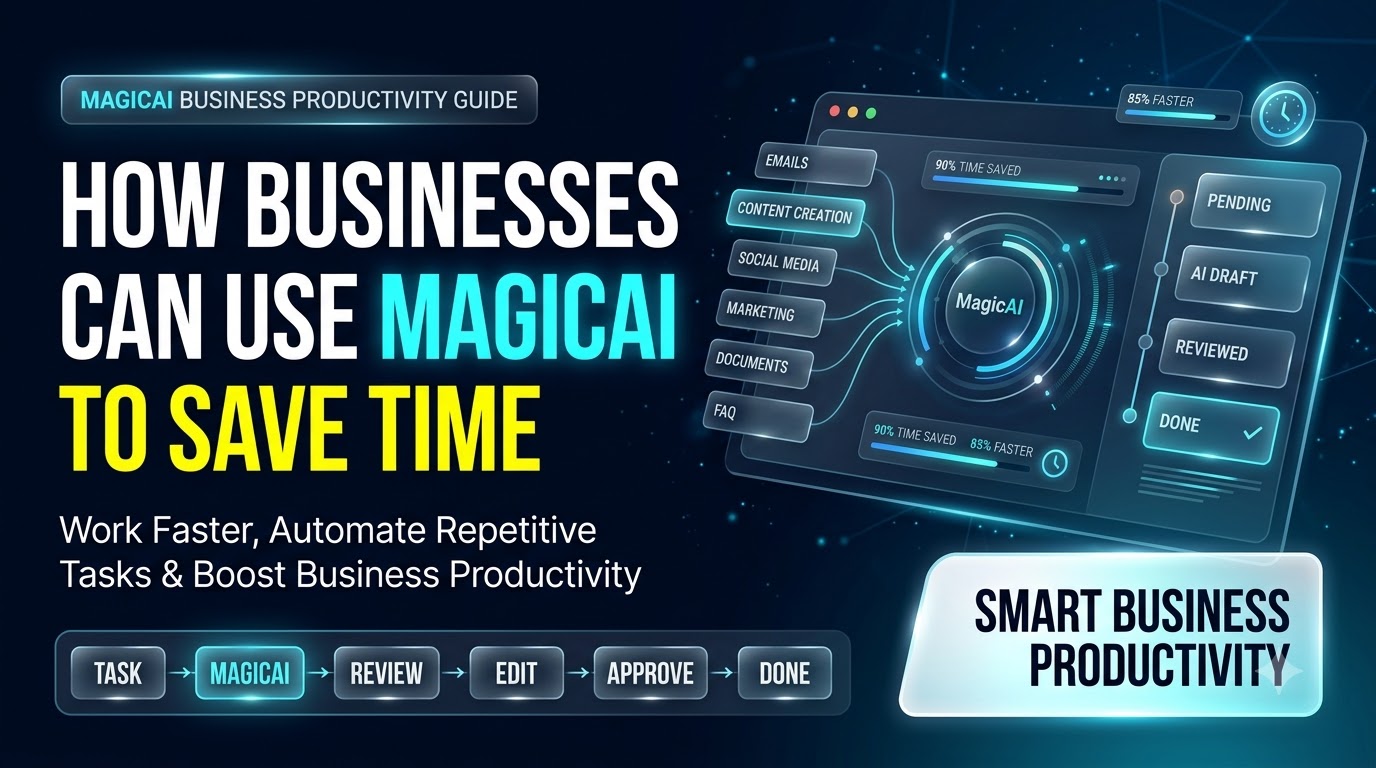
TASK → BUSINESS INFORMATION → PROMPT → MAGICAI → REVIEW → FACT-CHECK → EDIT → APPROVE → PUBLISH
This keeps humans involved where judgment and accuracy matter.
Master Prompt for Small Businesses
Act as a professional AI business assistant for a small business.
Business Type: [BUSINESS TYPE]
Business Name: [BUSINESS NAME]
Target Audience: [AUDIENCE]
Task: [TASK]
Business Goal: [GOAL]
Important Business Information: [INFORMATION]
Primary Keyword: [KEYWORD]
Tone: [TONE]
Output Format: [FORMAT]Create a useful first draft that is specific to the business and audience. Do not invent facts, prices, specifications, certifications, policies, statistics, or customer claims. Clearly identify any information that requires human verification. Keep the final result practical, professional, and easy to edit.
10 Ready-to-Use MagicAI Prompts for Small Businesses
Prompt 1: Website Content
Write professional homepage content for a small [BUSINESS TYPE]. Explain what the business offers, who it serves, its key benefits, and a clear call to action. Use a trustworthy and customer-focused tone.
Prompt 2: Local Marketing
Create 10 marketing ideas for a small [BUSINESS TYPE] targeting customers in [LOCATION]. Focus on practical, affordable strategies that can be implemented by a small team.
Prompt 3: Product Description
Write an SEO-friendly product description for [PRODUCT]. Include features, benefits, applications, specifications, target customer, and a concise CTA. Do not invent missing information.
Prompt 4: Email
Write a professional customer follow-up email regarding [TOPIC]. Keep it concise, helpful, personalized, and action-oriented.
Prompt 5: Social Media
Create 10 social media posts for a small [BUSINESS TYPE]. Include educational, promotional, customer-focused, behind-the-scenes, and engagement content.
Prompt 6: Blog Ideas
Generate 30 SEO-friendly blog topics for a small [BUSINESS TYPE] targeting [AUDIENCE]. Group them by informational, commercial, comparison, problem-solving, and buyer-guide intent.
Prompt 7: FAQ
Generate 15 FAQs for [PRODUCT/SERVICE] based only on the information provided below. Do not create unsupported claims or specifications.
Prompt 8: Content Repurposing
Turn this blog article into a LinkedIn post, email newsletter, five social media posts, five FAQs, and three short promotional messages while preserving all important facts.
Prompt 9: SOP
Convert these business notes into a professional SOP with purpose, responsibilities, materials, step-by-step instructions, quality checks, common mistakes, and escalation procedures.
Prompt 10: Monthly Content Plan
Create a 30-day content plan for a small [BUSINESS TYPE]. Include topic, platform, content type, objective, target audience, CTA, and suggested publishing day.
How Much Can a Small Business Save?
There is no universal amount of time that every business will save.
The result depends on:
- Number of employees
- Number of repetitive tasks
- Content volume
- Prompt quality
- Review requirements
- Business complexity
- Existing workflows
A simple calculation is:
TIME SAVED = OLD PROCESS TIME − AI-ASSISTED PROCESS TIME
For example, if a product description previously took 40 minutes and an AI-assisted workflow takes 15 minutes including review:
40 − 15 = 25 minutes saved per product
If the business creates 50 product descriptions:
25 × 50 = 1,250 minutes
That equals approximately 20 hours and 50 minutes.
This is only an example. Actual savings should be measured using the business’s own workflow.
What Small Businesses Should Not Automate Completely
AI should not automatically make important business decisions.
Extra human review is important for:
- Legal information
- Financial decisions
- Medical information
- Contracts
- Customer complaints
- Pricing
- Product specifications
- Safety instructions
- Regulatory claims
- Confidential information
Use AI for assistance, not blind approval.
Common Mistakes Small Businesses Should Avoid
1. Using Generic Prompts
Business-specific information produces more useful results.
2. Publishing AI Output Without Review
AI-generated content should be checked for accuracy and relevance.
3. Giving AI Incorrect Information
Incorrect input can lead to incorrect output.
4. Trying to Automate Everything
Some tasks require human judgment and personal communication.
5. Ignoring Brand Voice
AI content should sound consistent with the business.
6. Creating Content Without a Goal
More content does not necessarily mean better marketing.
7. Forgetting Customer Context
Content should be created for a specific audience.
8. Not Measuring Results
Track whether AI actually saves time or improves business outcomes.
MagicAI vs Manual Work for Small Businesses
| Activity | Manual Approach | AI-Assisted Approach |
|---|---|---|
| Blog Ideas | Brainstorm manually | Generate and filter ideas |
| First Draft | Start from blank page | AI-generated starting draft |
| Write from scratch | AI-assisted draft | |
| Social Media | Create each post manually | Generate multiple variations |
| Product Descriptions | Write individually | Generate structured drafts |
| FAQ | Research and write manually | AI-assisted question generation |
| Summaries | Read and summarize | AI-assisted summary |
| Images | Create manually | Generate visual concepts |
| Final Review | Human | Human |
The best approach is generally:
AI FOR SPEED + HUMAN EXPERTISE FOR QUALITY
Small Business AI Implementation Checklist
Before using MagicAI across your business, check:
- Identify repetitive tasks
- Select suitable AI workflows
- Create business-specific prompts
- Define your brand voice
- Prepare accurate business information
- Create reusable templates
- Train employees
- Review AI-generated output
- Fact-check important claims
- Protect sensitive information
- Measure time saved
- Measure business results
- Improve workflows regularly
Frequently Asked Questions
Is MagicAI useful for small businesses?
Yes. Small businesses can use MagicAI for content creation, marketing, emails, social media, product descriptions, SEO, summaries, images, brainstorming, and other repetitive workflows.
What can small businesses use MagicAI for?
Common applications include articles, product descriptions, social media posts, advertisements, emails, newsletters, FAQs, meta descriptions, summaries, rewriting, images, and file analysis.
Can MagicAI help a small business save time?
Yes. AI can reduce the time required to create first drafts, generate ideas, summarize documents, rewrite content, and produce variations. The actual amount of time saved depends on the business and workflow.
Can small businesses create custom MagicAI templates?
MagicAI supports custom templates and custom generation, allowing users to create reusable prompts and generators for recurring tasks.
Can MagicAI help with social media marketing?
Yes. MagicAI includes social media-related templates such as Instagram captions, hashtags, business social media posts, tweets, and Facebook-related content.
Can MagicAI create product descriptions?
Yes. MagicAI includes a Product Description template designed to help generate product copy. Businesses should verify all specifications and claims before publishing.
Can small businesses use MagicAI for SEO?
Yes. Small businesses can use relevant MagicAI tools for content ideas, article creation, meta descriptions, FAQs, rewriting, and other parts of an SEO workflow.
Can MagicAI create images for small businesses?
Yes. MagicAI provides an AI Image Generator and Chat Image functionality for generating visual content from user input.
Should a small business review AI-generated content?
Yes. Human review is especially important for business facts, product specifications, pricing, policies, technical claims, brand voice, and customer communication.
Does a small business need technical AI knowledge to use MagicAI?
Not necessarily. MagicAI describes its workflow around providing a topic or basic information, generating a result, and then viewing, editing, or exporting it.
Final Verdict
MagicAI for small businesses can be valuable when it is used as a practical productivity assistant rather than as a replacement for human expertise.
Small businesses can use it to speed up:
- Content creation
- Product descriptions
- Emails
- Social media
- Marketing
- SEO workflows
- FAQs
- Summarization
- Rewriting
- Image generation
- Brainstorming
- Internal documentation
MagicAI’s broad selection of AI generators, custom templates, image tools, rewriting, summarization, file analysis, and custom generation capabilities gives small teams multiple ways to build repeatable workflows.
The best strategy is to start small.
Choose one or two repetitive tasks, create a structured prompt, test the results, measure the time saved, and then turn successful workflows into reusable templates.
The most effective model is:
IDENTIFY → STANDARDIZE → MAGICAI → REVIEW → IMPROVE → REUSE → MEASURE
For small businesses, this approach can turn AI from an experimental technology into a practical part of everyday productivity.