
Introduction
Time is one of the most valuable resources for any business. Employees and business owners often spend hours creating content, writing emails, preparing marketing materials, summarizing information, generating ideas, and completing repetitive tasks.
MagicAI can help businesses reduce the amount of manual work involved in many of these activities. Its platform provides AI-powered tools for text, images, code, chat, speech-to-text, rewriting, file analysis, and other workflows. It also offers custom templates for tasks such as product descriptions, articles, social media posts, advertisements, emails, newsletters, FAQs, and meta descriptions.
The goal is not to replace human decision-making. Instead, businesses can use MagicAI to accelerate repetitive work so teams can spend more time on strategy, customers, creativity, and important decisions.
This guide explains practical ways businesses can use MagicAI to save time while maintaining quality and human oversight.
What Is MagicAI for Business?
MagicAI can be used as an AI-assisted productivity platform for businesses that regularly create, analyze, rewrite, or organize information.
Businesses can use it for activities such as:
- Blog content
- Product descriptions
- Website copy
- Email writing
- Social media content
- Advertisements
- SEO content
- FAQs
- Content rewriting
- Summarization
- Image generation
- File analysis
- Business ideas
- Marketing campaigns
- Internal documentation
- Customer communication
MagicAI also supports custom templates, allowing businesses to create reusable workflows for frequently performed content tasks.
Why Saving Time Matters for Businesses
Business productivity is not simply about doing more work.
It is about reducing unnecessary manual effort while maintaining quality.
For example, a marketing employee might spend significant time creating:
- Social media captions
- Blog outlines
- Product descriptions
- Email drafts
- Advertisement variations
- Meta descriptions
- FAQ content
If AI can create a useful first draft, the employee can spend more time reviewing, improving, and strategically applying the content.
A practical principle is:
AUTOMATE REPETITIVE WORK → REVIEW WITH HUMAN EXPERTISE → FOCUS ON HIGH-VALUE TASKS
1. Create Business Content Faster
Content creation is one of the easiest areas where businesses can save time.
Instead of starting every document from a blank page, teams can provide MagicAI with the topic, audience, keywords, tone, and key information.
MagicAI’s platform allows users to provide basic information or keywords and then view, edit, or export generated results.
Businesses can use this workflow for:
- Articles
- Website pages
- Blog posts
- Product descriptions
- Business introductions
- Marketing copy
- FAQs
- Email content
Example Prompt
Write a professional 800-word article for a B2B software company explaining how workflow automation can help small businesses reduce repetitive administrative tasks. Use a professional, practical tone and include an introduction, benefits, examples, implementation tips, and conclusion.
The AI-generated draft can then be reviewed and edited by the marketing team.
2. Speed Up Blog Writing
Businesses that publish regularly can use MagicAI to accelerate the blog production process.
Instead of writing everything manually, a team can use AI to assist with:
- Topic ideas
- Headlines
- Introductions
- Blog sections
- Conclusions
- FAQs
- Meta descriptions
- Content rewriting
MagicAI currently provides templates and tools such as Post Title Generator, Article Generator, Blog Section, Blog Post Ideas, Blog Intros, Blog Conclusion, FAQ Generator, and AI Article Wizard Generator.
Simple Blog Workflow
TOPIC → KEYWORDS → OUTLINE → MAGICAI → EDIT → FACT-CHECK → SEO → PUBLISH
This can reduce the amount of time required to move from an idea to a structured first draft.
3. Generate Product Descriptions
Ecommerce businesses often need descriptions for dozens, hundreds, or even thousands of products.
Writing every description from scratch can become repetitive.
MagicAI includes a Product Description template that can help businesses generate product copy more efficiently.
A useful product-description prompt can include:
- Product name
- Product type
- Main features
- Benefits
- Target customer
- Specifications
- Primary keyword
- Tone
- Call to action
Example
Create an SEO-friendly product description for a stainless-steel commercial food-processing machine. Highlight its construction, operating efficiency, suitable applications, key features, and benefits for food-processing businesses. Use a professional B2B tone.
The generated content should be checked against actual product specifications before publication.
4. Save Time on Email Writing
Email communication can consume a large portion of a workday.
Businesses can use MagicAI to create first drafts for:
- Customer responses
- Sales emails
- Follow-up emails
- Meeting requests
- Business introductions
- Partnership emails
- Internal announcements
- Newsletters
MagicAI provides both an Email Generator and an Email Answer Generator for creating email content and responses.
Example Prompt
Write a professional follow-up email to a potential B2B customer who requested pricing information last week. Keep the tone helpful and concise. Mention that we are available to answer technical questions and schedule a product demonstration.
The employee can then personalize the message before sending it.
5. Create Social Media Content Faster
Social media teams often need a continuous stream of content.
Instead of developing every caption manually, businesses can use AI to generate initial ideas and variations.
MagicAI includes templates for:
- Instagram captions
- Instagram hashtags
- Business social media posts
- Tweets
- Facebook headlines
- Facebook advertisements
Example Prompt
Create five LinkedIn posts for a B2B manufacturing company introducing its new automated packaging solution. Keep the tone professional and informative. Each post should have a strong opening, one key benefit, and a simple call to action.
This allows a marketing team to create multiple concepts quickly and then select the strongest ones.
6. Generate Marketing Copy
Marketing teams frequently need multiple versions of similar content.
For example, one campaign may require:
- Advertisement headlines
- Ad descriptions
- Landing page copy
- Social media posts
- Email copy
- CTAs
- Product benefits
- Promotional messages
MagicAI includes advertisement-related templates such as Facebook Ads and Google Ads Description.
Businesses can generate several variations and then test or refine them.
7. Create SEO Metadata Faster
SEO teams often need to create:
- Meta titles
- Meta descriptions
- Page introductions
- FAQs
- Headings
- Content summaries
MagicAI provides a Meta Description generator and FAQ Generator among its templates.
Example Prompt
Create five SEO-friendly meta descriptions for a page about industrial packaging machines. Keep each description concise, informative, and focused on the primary keyword without keyword stuffing.
This can speed up repetitive metadata work across a large website.
8. Summarize Long Documents
Businesses regularly deal with:
- Reports
- Meeting notes
- Research documents
- Proposals
- Internal documents
- Customer information
- Business reports
Instead of reading every document from beginning to end before identifying key points, teams can use AI-assisted summarization to create a starting summary.
MagicAI includes summarization tools such as Summarize Text and TL;DR Summarization. It also provides a File Analyzer that can work with uploaded PDF, CSV, DOC, and DOCX files.
Example Prompt
Summarize this business report into five key findings, three important risks, three recommended actions, and a short executive summary.
A human should still review the original document before making important business decisions.
9. Rewrite Existing Content
Businesses frequently have content that is:
- Too complicated
- Too long
- Outdated
- Repetitive
- Too informal
- Difficult to understand
MagicAI provides an AI ReWriter for rewriting content in a more professional or detailed manner.
Example Prompt
Rewrite this website section in a professional and concise B2B tone. Preserve all factual information, improve readability, remove unnecessary repetition, and make the benefits clearer to business customers.
This can save time during content refresh projects.
10. Generate Business Ideas
AI can also help businesses during brainstorming sessions.
Teams can ask MagicAI for:
- Content ideas
- Campaign concepts
- Product ideas
- Blog topics
- Marketing angles
- Customer questions
- Promotional ideas
- Social media concepts
For example:
Generate 20 content ideas for a company selling industrial food-processing equipment. Divide the ideas into educational, commercial, comparison, troubleshooting, and buyer-guide topics.
The team can then select and develop the most relevant ideas.
11. Create FAQs Faster
Frequently asked questions can improve customer experience and help businesses explain their products or services.
Businesses can use AI to create an initial FAQ list based on:
- Product information
- Service details
- Customer questions
- Website content
- Sales objections
MagicAI provides an FAQ Generator designed to create responses to common questions.
However, factual answers should always be reviewed by someone who understands the product or service.
12. Improve Internal Documentation
Businesses can use MagicAI to help structure internal information.
Possible uses include:
- Standard operating procedures
- Internal guides
- Training documents
- Checklists
- Process descriptions
- Employee instructions
- Meeting summaries
Example Prompt
Convert these rough process notes into a clear internal SOP. Organize the information into purpose, required materials, step-by-step procedure, quality checks, common mistakes, and escalation instructions.
This gives employees a structured starting point instead of requiring them to format everything manually.
13. Speed Up Customer Communication
Customer-facing teams often respond to similar questions repeatedly.
AI can help create draft responses for:
- Product questions
- Service inquiries
- General information requests
- Follow-ups
- Troubleshooting explanations
- Appointment requests
The employee should verify the answer and personalize it before sending.
The objective is not to send identical automated responses to every customer.
The objective is to reduce the amount of time required to create a useful first draft.
14. Create Multiple Content Variations
Businesses often need different versions of the same message.
For example:
One product launch can become:
- LinkedIn post
- Instagram caption
- Website announcement
- Advertisement
- Blog introduction
- Sales message
Instead of recreating the idea from scratch for every channel, businesses can use MagicAI to adapt the core message.
Repurposing Workflow
ONE CORE IDEA → BLOG → EMAIL → SOCIAL POST → AD COPY → FAQ → SALES MESSAGE
This can significantly simplify content production.
15. Create Business Images Faster
Businesses also spend time creating visual assets.
MagicAI includes an AI Image Generator for creating images and graphics, along with a Chat Image feature for generating images from user input.
Businesses can use AI image generation for:
- Blog graphics
- Marketing concepts
- Social media visuals
- Product concepts
- Campaign visuals
- Website imagery
- Creative brainstorming
Example Prompt
Create a premium B2B technology visual showing an automated business workflow moving from manual processes to AI-assisted operations. Use a dark navy and electric-blue SaaS aesthetic, sophisticated glassmorphism interfaces, realistic depth, and clean negative space for a headline.
16. Speed Up Research and Information Processing
AI can help teams organize information before deeper analysis.
For example, a company can use AI to:
- Summarize research
- Extract key points
- Organize notes
- Generate questions
- Compare information
- Identify themes
- Structure reports
This is particularly useful when employees are dealing with large amounts of unstructured information.
However, AI-generated summaries should not automatically be treated as authoritative. Important facts should be checked against original sources.
17. Create Reusable Business Templates
One of the most useful ways to save time is to create repeatable workflows.
MagicAI supports custom templates, allowing users to create their own custom prompts and generators.
For example, a marketing department could create templates for:
- Product descriptions
- LinkedIn posts
- Blog outlines
- Meta descriptions
- Email follow-ups
- Customer responses
- Ad copy
- FAQ creation
Once a template is standardized, employees do not need to recreate the same prompt every time.
18. Build a Standard AI Workflow
Businesses should avoid using AI randomly.
Instead, create a repeatable process.
A strong workflow is:
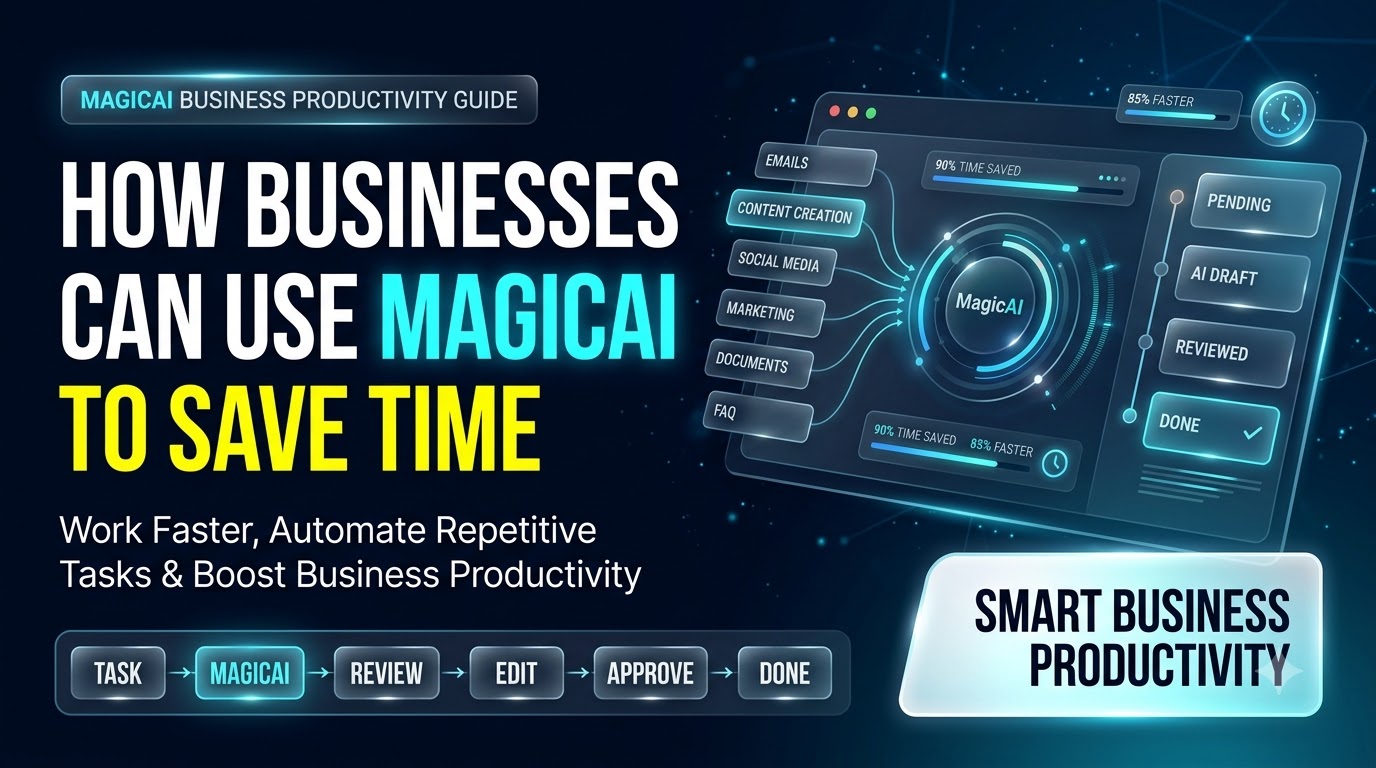
TASK → INPUT → MAGICAI → REVIEW → FACT-CHECK → EDIT → APPROVE → PUBLISH
For example:
Content Workflow
TOPIC → KEYWORDS → MAGICAI → HUMAN EDIT → SEO REVIEW → FACT-CHECK → PUBLISH
Email Workflow
CUSTOMER QUESTION → MAGICAI DRAFT → EMPLOYEE REVIEW → PERSONALIZE → SEND
Product Workflow
PRODUCT DATA → MAGICAI → DESCRIPTION → SPECIFICATION CHECK → EDIT → PUBLISH
19. Use MagicAI for Different Departments
MagicAI can support different business functions in different ways.
| Department | Possible Uses |
|---|---|
| Marketing | Blog posts, campaigns, social media, ads |
| Sales | Follow-up emails, product messaging, sales copy |
| Customer Support | Response drafts, FAQs, explanations |
| Ecommerce | Product descriptions, product content |
| HR | Internal communication, job-content drafts |
| Management | Summaries, brainstorming, documentation |
| SEO | Meta descriptions, content ideas, FAQs |
| Design/Creative | Image concepts and visual prompts |
| Operations | SOPs, checklists, process documentation |
The exact workflow should depend on the team’s responsibilities and the type of information involved.
20. Use MagicAI to Reduce Writer’s Block
Starting from a blank page can be one of the slowest parts of content creation.
AI can provide an initial structure that employees can improve.
For example:
Create a detailed outline for an article explaining five ways small businesses can improve customer retention. Include an introduction, five main sections, practical examples, actionable tips, FAQs, and conclusion.
The employee can then use the outline as a starting point.
How to Calculate the Potential Time Savings
Businesses can estimate potential savings using a simple formula:
TIME SAVED = OLD MANUAL TIME − NEW AI-ASSISTED TIME
For example:
If a task previously took:
60 minutes
And the new AI-assisted workflow takes:
25 minutes
Then:
60 − 25 = 35 minutes saved per task
If the business performs that task 20 times per month:
35 × 20 = 700 minutes
That equals approximately:
11 hours and 40 minutes saved per month
Actual savings will vary depending on the task, quality requirements, review process, and employee experience.
The Best Tasks to Give MagicAI
Not every business task should be handed to AI.
MagicAI is particularly useful for tasks that are:
- Repetitive
- Text-heavy
- Template-based
- Idea-driven
- Time-consuming
- Easy to review
- Frequently repeated
Examples include:
GOOD FIT
- First drafts
- Summaries
- Content variations
- Product descriptions
- Social posts
- Email drafts
- FAQs
- Meta descriptions
- Brainstorming
- Rewriting
REQUIRES EXTRA CARE
- Legal documents
- Financial decisions
- Medical information
- Confidential business information
- Sensitive customer information
- Final technical specifications
- High-impact business decisions
How to Use MagicAI Without Sacrificing Quality
Saving time should never mean publishing unreviewed AI output.
Use this process:
1. Give Accurate Inputs
Provide correct information about the business, product, audience, and objective.
2. Use Specific Prompts
Explain exactly what you want.
3. Generate a First Draft
Use MagicAI to accelerate the initial creation process.
4. Review the Result
Check accuracy, tone, structure, and relevance.
5. Fact-Check
Verify important claims against trusted sources or internal information.
6. Add Human Expertise
Include real examples, experience, opinions, and business-specific knowledge.
7. Finalize
Edit and approve the content before publishing or sending it.
Master Business Productivity Prompt
Businesses can use this reusable prompt:
Act as a professional business productivity assistant. Help me complete the following task as efficiently as possible while maintaining accuracy and professional quality.
Business: [BUSINESS NAME]
Department: [DEPARTMENT]
Task: [TASK]
Target Audience: [AUDIENCE]
Objective: [OBJECTIVE]
Important Information: [FACTS/DATA]
Tone: [TONE]
Output Format: [FORMAT]Create a clear first draft, organize the information logically, avoid unnecessary repetition, and highlight any information that requires human verification.
10 Ready-to-Use MagicAI Business Prompts
Prompt 1: Business Email
Write a professional business email about [TOPIC]. Keep it concise, clear, polite, and action-oriented. Include a suitable subject line and call to action.
Prompt 2: Meeting Summary
Summarize these meeting notes into key decisions, action items, responsible people, deadlines, and unresolved questions.
Prompt 3: Blog Ideas
Generate 20 blog topics for a [BUSINESS TYPE] targeting [AUDIENCE]. Divide them into educational, commercial, comparison, problem-solving, and buyer-guide topics.
Prompt 4: Product Description
Create a professional product description for [PRODUCT]. Include key features, customer benefits, applications, specifications, and a concise call to action.
Prompt 5: Social Media
Create five professional social media posts about [TOPIC] for [PLATFORM]. Use a strong opening, useful information, and a clear call to action.
Prompt 6: Customer Response
Draft a helpful and professional response to this customer question: [QUESTION]. Do not invent product information. Clearly identify anything that requires confirmation.
Prompt 7: FAQ
Generate 15 frequently asked questions for [PRODUCT/SERVICE]. Provide concise, accurate answers based only on the information provided below.
Prompt 8: Content Repurposing
Convert this article into a LinkedIn post, email newsletter, Instagram caption, five short social posts, and three advertisement concepts while preserving the original message.
Prompt 9: SOP
Convert these rough notes into a professional standard operating procedure with purpose, scope, required resources, step-by-step instructions, quality checks, safety considerations, and common mistakes.
Prompt 10: Executive Summary
Summarize this business report for an executive audience. Provide a short overview, key findings, important numbers, risks, opportunities, recommended actions, and unresolved issues.
Common Mistakes Businesses Should Avoid
1. Using AI Without Clear Instructions
Poor input often produces generic output.
2. Publishing Everything Without Review
AI output should be reviewed before becoming final business communication.
3. Providing Incorrect Information
If the input is wrong, the output can also be wrong.
4. Over-Automating Customer Communication
Customers may expect personalized responses.
5. Ignoring Brand Voice
Business content should remain consistent across channels.
6. Using One Prompt for Every Task
Different departments and tasks need different instructions.
7. Forgetting Confidentiality
Businesses should carefully consider what information they provide to AI tools and follow their internal data-security policies.
8. Measuring Output Instead of Results
Generating more content is not automatically better.
Businesses should measure whether AI-assisted workflows actually improve:
- Productivity
- Response time
- Content quality
- Customer experience
- Conversion
- Employee efficiency
AI-Assisted Work vs Manual Work
| Factor | Manual-Only Workflow | AI-Assisted Workflow |
|---|---|---|
| First Draft | Starts from blank page | AI can provide starting draft |
| Repetitive Content | High manual effort | Faster generation |
| Content Variations | Time-consuming | Multiple drafts can be created quickly |
| Summarization | Manual reading | AI-assisted summaries |
| Brainstorming | Team-dependent | Rapid idea generation |
| Editing | Manual | AI-assisted + human review |
| Final Approval | Human | Human |
| Strategic Decisions | Human | Human |
The strongest approach is usually AI-assisted, human-controlled work rather than completely removing people from the process.
A Practical Business Time-Saving Workflow
Use this system across departments:
IDENTIFY REPETITIVE TASK → STANDARDIZE INPUT → CREATE MAGICAI PROMPT → GENERATE DRAFT → REVIEW → FACT-CHECK → HUMAN EDIT → APPROVE → PUBLISH → MEASURE
Over time, successful prompts can be converted into reusable templates.
How to Build a MagicAI Productivity System
Businesses can gradually build their own AI workflow library.
Step 1: List Repetitive Tasks
Identify tasks employees perform repeatedly.
Step 2: Measure Current Time
Record how long each task takes manually.
Step 3: Select AI-Suitable Tasks
Choose tasks where AI can safely accelerate the first stage.
Step 4: Create Standard Prompts
Build prompts with consistent inputs and outputs.
Step 5: Test the Workflow
Compare AI-assisted output with the previous manual process.
Step 6: Improve the Prompt
Add missing information and remove unnecessary instructions.
Step 7: Create a Reusable Template
Store successful prompts for repeated use.
Step 8: Train the Team
Teach employees how to provide good inputs and review AI output.
Step 9: Measure Results
Track time saved, quality, errors, and business outcomes.
Benefits of Using MagicAI for Business Productivity
Businesses can potentially benefit from:
- Faster content creation
- Reduced repetitive work
- Faster brainstorming
- Quicker email drafting
- More efficient social media production
- Faster product-content creation
- Easier document summarization
- Faster rewriting
- Reusable content workflows
- Better team productivity
- More consistent content processes
MagicAI’s platform also provides easy export options for generated content, allowing users to export results in formats including plain text, PDF, Word, or HTML.
Frequently Asked Questions
Can businesses use MagicAI to save time?
Yes. Businesses can use MagicAI to accelerate repetitive tasks such as content creation, email drafting, summarization, rewriting, social media content, product descriptions, FAQs, and marketing copy.
What business tasks can MagicAI help with?
It can assist with content writing, marketing, social media, emails, product descriptions, summaries, FAQs, rewriting, images, file analysis, brainstorming, and other AI-assisted workflows.
Can MagicAI create custom business workflows?
MagicAI supports custom templates and custom generation, allowing businesses to create reusable prompts and workflows for recurring tasks.
Can small businesses benefit from MagicAI?
Yes. Small businesses can use AI to reduce the time required for content, marketing, customer communication, and administrative writing without needing a large content team.
Should employees review MagicAI output?
Yes. Human review is important for accuracy, brand voice, context, factual claims, and business-specific information.
Can MagicAI help with customer emails?
Yes. MagicAI provides email-generation and email-answer tools that can help employees create initial responses more quickly.
Can MagicAI help with social media?
Yes. Its available templates include social media posts, Instagram captions, Instagram hashtags, Facebook-related content, and other social content workflows.
Can MagicAI help businesses create images?
Yes. MagicAI provides an AI Image Generator and Chat Image functionality for creating visual content from user input.
How much time can a business save?
There is no universal number. Savings depend on the task, frequency, complexity, quality requirements, employee workflow, and amount of human review.
Is MagicAI a replacement for employees?
It is better treated as a productivity assistant. Employees should remain responsible for important decisions, factual verification, customer relationships, strategy, and final approval.
Final Verdict
Businesses can use MagicAI to save time by moving repetitive, first-draft, brainstorming, summarization, rewriting, and content-production tasks into AI-assisted workflows.
The biggest opportunity is not simply generating more content. It is creating a repeatable system where employees spend less time on repetitive production and more time on activities that require human judgment.
A practical model is:
REPETITIVE TASK → MAGICAI → HUMAN REVIEW → BUSINESS VALUE
Start with simple tasks such as emails, product descriptions, social posts, blog outlines, summaries, FAQs, and marketing drafts. Once a workflow proves useful, turn the successful prompt into a reusable template.
MagicAI provides a broad collection of writing, image, summarization, rewriting, file-analysis, and custom-template capabilities that can support these workflows.
The most effective approach is therefore not AI instead of people, but:
AI FOR SPEED + PEOPLE FOR JUDGMENT + PROCESS FOR CONSISTENCY