
Introduction
AI image generation starts with an idea, but the quality of the instructions can strongly influence how clearly that idea is communicated to the image generator.
MagicAI provides an AI Image Generator for creating images and graphics from user input. Its platform describes the image workflow as “Imagine, Generate, Publish” and identifies Dall-E as the technology powering its image generation. Users can provide an idea or basic information and then view, edit, or export the generated result.
This makes prompt writing an important part of the creative workflow.
A weak prompt might produce a generic visual, while a more structured prompt can communicate the subject, environment, style, composition, lighting, colors, mood, and intended use more clearly.
This guide explains how to write better AI image prompts for MagicAI, with practical formulas, examples, refinement techniques, common mistakes, and reusable prompt templates.
What Is an AI Image Prompt?
An AI image prompt is a written description that tells an image-generation system what visual you want it to create.
A prompt can describe:
- Main subject
- Environment
- Visual style
- Composition
- Camera perspective
- Lighting
- Color palette
- Mood
- Materials
- Background
- Image format
- Text placement
- Intended purpose
For example, a basic prompt might say:
Create a laptop image.
A more detailed prompt could say:
Create a premium modern laptop on a minimalist dark studio desk, with realistic metal materials, subtle blue cinematic lighting, controlled reflections, shallow depth of field, sophisticated technology styling, and clean negative space on the left for editorial text.
The second prompt gives MagicAI much more creative direction.
Why Better Prompts Matter
Better prompts can help you communicate your visual concept more precisely.
A structured prompt helps answer several important questions:
- What should be shown?
- What should be emphasized?
- Where should the subject appear?
- What should the environment look like?
- What style should be used?
- What colors should dominate?
- What mood should the image communicate?
- Where will the image be used?
The goal is not to make every prompt extremely long. The goal is to make the important instructions specific and relevant.
How MagicAI Image Generation Works
MagicAI’s current platform includes an AI Image Generator and a Chat Image feature for generating images from user input. It describes its visual workflow as Imagine, Generate, Publish.
A practical workflow is:
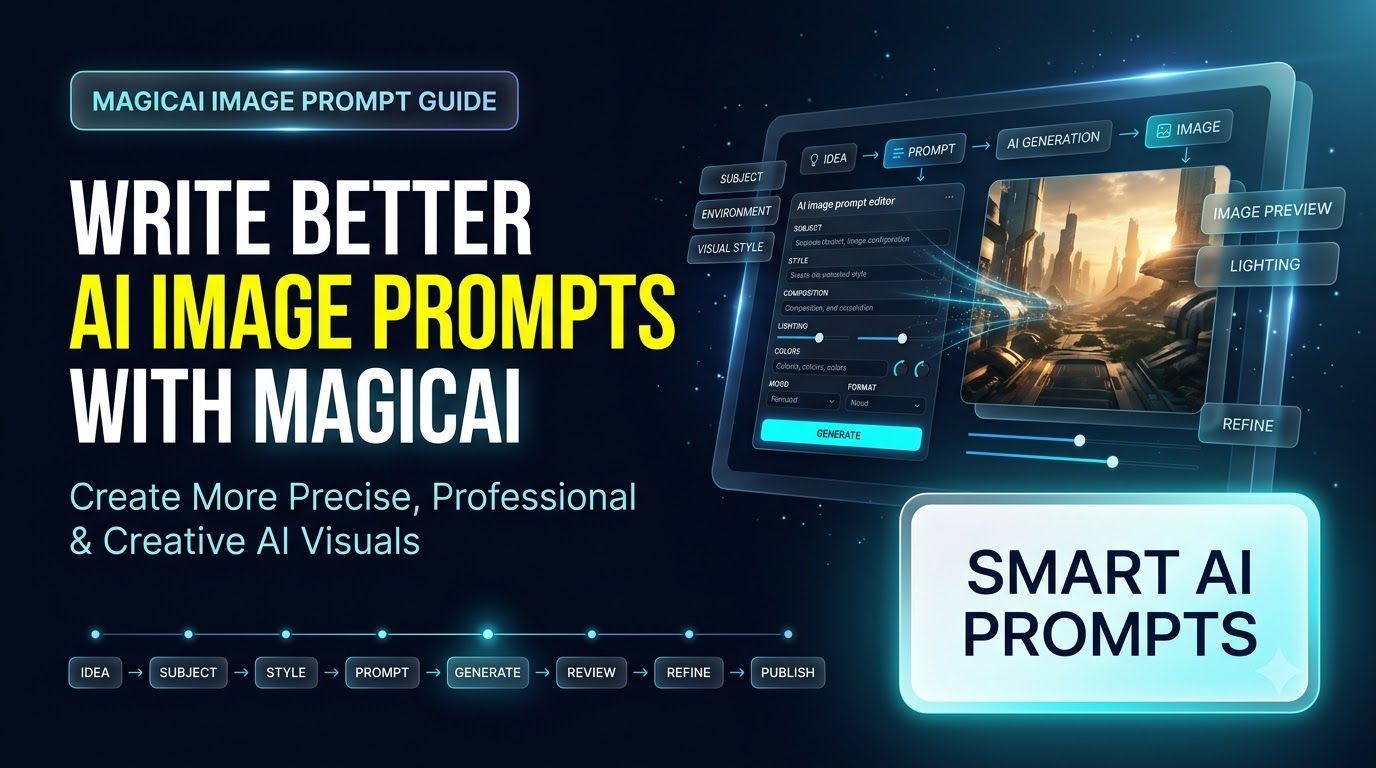
IDEA → PROMPT → GENERATE → REVIEW → REFINE → PUBLISH
This means prompt writing should be treated as an iterative process.
You do not always need to create the perfect prompt on the first attempt. Generate a concept, identify what is wrong, and then refine the relevant part of the prompt.
The Anatomy of a Strong MagicAI Image Prompt
A useful prompt can contain several layers.
1. Subject
What should the image show?
Examples:
- Smartphone
- Laptop
- Product package
- AI dashboard
- Coffee cup
- Office
- Landscape
- Marketing graphic
2. Environment
Where should the subject exist?
Examples:
- Modern office
- Luxury studio
- Futuristic workspace
- Minimal product studio
- Outdoor environment
- Editorial setting
3. Visual Style
What should the image look like?
Examples:
- Photorealistic
- Cinematic
- Editorial
- Minimalist
- Luxury commercial
- Corporate
- Futuristic
- 3D
- Premium SaaS
4. Composition
Where should the main subject appear?
Examples:
Place the product in the center.
Or:
Position the product on the right and leave clean negative space on the left.
5. Lighting
How should the scene be illuminated?
Examples:
- Soft studio lighting
- Cinematic side lighting
- Warm natural light
- Cool blue lighting
- Rim lighting
- Diffused lighting
- Dramatic lighting
6. Colors
Specify the dominant palette.
For example:
Use dark navy, electric blue, cyan, and white.
7. Mood
Describe the emotional or visual atmosphere.
Examples:
- Professional
- Premium
- Energetic
- Calm
- Futuristic
- Luxurious
- Trustworthy
- Creative
8. Purpose
Explain what the image is for.
Examples:
- Blog featured image
- Product advertisement
- Social media post
- Website hero
- YouTube thumbnail
- Ecommerce listing
- Marketing campaign
The MagicAI Prompt Formula
A practical formula is:
SUBJECT + ENVIRONMENT + STYLE + COMPOSITION + LIGHTING + COLORS + MOOD + PURPOSE + FORMAT
For example:
Create a premium wireless headphone product image in a futuristic studio environment. Use a sophisticated commercial photography style with the headphones positioned slightly to the right, leaving clean negative space on the left. Use dark navy and cyan colors, soft cinematic lighting, realistic reflections, premium materials, and a high-end technology mood. Designed for a website hero banner, 16:9 horizontal format.
Start With One Clear Idea
One of the biggest mistakes in AI image prompting is trying to communicate too many unrelated ideas at once.
Weak:
Create a laptop, office, city, marketing campaign, nature scene, futuristic robot, product advertisement, and social media graphic.
This creates competing visual instructions.
Better:
Create a premium laptop product advertisement in a modern technology studio.
Start with one central idea and build around it.
Be Specific About the Subject
Instead of:
Create a product.
Try:
Create a premium wireless noise-cancelling headphone.
Instead of:
Create a computer.
Try:
Create a slim modern laptop with a brushed-aluminum body and edge-to-edge display.
Specific subjects give the image concept more direction.
Describe the Environment
The same subject can look completely different depending on its environment.
Compare:
A smartphone on a desk.
With:
A premium smartphone displayed on a minimalist black stone surface in a dark luxury studio with subtle blue rim lighting and controlled reflections.
The second prompt establishes a much stronger visual environment.
Choose the Right Style
Your style should match the purpose of the image.
For Product Images
Use:
- Commercial photography
- Luxury product photography
- Minimal studio photography
- Editorial product styling
For Blog Images
Use:
- Editorial
- Modern SaaS
- Technology illustration
- Conceptual photography
For Marketing Graphics
Use:
- Premium advertising
- Corporate editorial
- Futuristic SaaS
- High-end commercial design
For Social Media
Use:
- Bold editorial
- Modern promotional
- High-contrast commercial
- Clean graphic design
Control Composition
Composition tells MagicAI how the visual elements should be arranged.
Useful instructions include:
- Centered subject
- Symmetrical composition
- Subject on the right
- Subject on the left
- Close-up
- Wide-angle view
- Overhead composition
- Large foreground subject
- Clean background
- Strong negative space
For example:
Place the main product on the right side and leave approximately half of the left side visually clean for headline placement.
Use Negative Space Intentionally
Negative space is especially useful for:
- Blog thumbnails
- Website banners
- Advertisements
- Social media graphics
- Marketing campaigns
Example:
Place the main visual on the right side and maintain clean dark negative space on the left for a large headline.
This creates a more usable composition than simply asking for a visually attractive image.
Describe Lighting Clearly
Lighting can completely change the appearance of an image.
Soft Lighting
Useful for:
- Beauty
- Lifestyle
- Healthcare
- Editorial
Cinematic Lighting
Useful for:
- Technology
- Marketing
- Entertainment
- Premium products
Rim Lighting
Useful for:
- Product photography
- Technology
- Dark environments
Natural Lighting
Useful for:
- Lifestyle
- Food
- Travel
- Interiors
Example:
Use soft cinematic side lighting with a subtle blue rim light and realistic reflections.
Use a Controlled Color Palette
Instead of saying:
Make it colorful.
Use:
Use a controlled palette of dark navy, electric blue, cyan, and white.
This produces a more intentional visual direction.
For a luxury visual:
Use black, warm gold, cream, and subtle bronze accents.
For an eco-friendly campaign:
Use forest green, cream, beige, and natural brown tones.
Describe the Mood
Mood can help establish the overall atmosphere.
Examples:
premium and sophisticated
energetic and modern
calm and minimal
futuristic and innovative
trustworthy and professional
For example:
Create a premium, trustworthy, professional visual suitable for a B2B technology campaign.
Add the Intended Use
The same visual concept can be designed differently depending on its destination.
Tell MagicAI whether the image is for:
- Website
- Blog
- Social media
- Product page
- Advertisement
- YouTube
- Presentation
For example:
Design the composition as a professional blog featured image with strong negative space for a headline.
Use Aspect Ratios and Formats
Specify the intended format when it matters.
Examples:
- 16:9 horizontal
- Square
- Portrait
- Wide website banner
- Social media format
For example:
Use a 16:9 horizontal composition suitable for a blog featured image.
Keep Text Instructions Simple
If text must appear in an AI-generated image, keep it short.
Better:
Add the headline “CREATE BETTER CONTENT.”
Avoid long paragraphs.
For highly precise typography, it can be better to generate the visual with clean space and add the final text during design editing.
Add Brand Direction
For branded graphics, specify:
- Brand colors
- Visual personality
- Product style
- Design language
- Background preferences
- Lighting style
Example:
Maintain a premium dark navy, electric-blue, cyan, white, and bright-yellow visual identity throughout the composition.
Use Negative Instructions Carefully
Negative instructions can help describe what should not dominate the image.
Examples:
Avoid clutter and unnecessary decorative elements.
Avoid generic stock photography.
Avoid excessive neon.
Avoid distorted objects.
Avoid unnecessary characters.
Avoid unreadable text.
The goal is to eliminate specific unwanted outcomes without turning the prompt into a huge list of restrictions.
Weak Prompt vs Better Prompt
Example 1: Technology
Weak:
Create an AI image.
Better:
Create a premium AI technology workspace with an advanced digital dashboard, connected data cards, glassmorphism interfaces, dark navy background, electric-blue and cyan lighting, realistic 3D depth, cinematic reflections, and clean negative space for editorial text.
Example 2: Product
Weak:
Create a headphone product image.
Better:
Create a premium wireless headphone product advertisement in a dark luxury studio. Position the headphones prominently in the center-right with realistic metal and soft-touch materials, subtle cyan rim lighting, controlled reflections, cinematic shadows, and clean negative space on the left for marketing text.
Example 3: Blog
Weak:
Create a blog image about SEO.
Better:
Create a sophisticated SEO editorial visual showing keyword research, search intent, content outlines, analytics, and internal linking as connected glassmorphism interface cards. Use dark navy, electric blue, cyan, and white with cinematic lighting and clean editorial composition. 16:9 horizontal.
15 Practical MagicAI Prompt Examples
1. AI Technology
Create a premium editorial visualization of artificial intelligence using a sophisticated digital workspace with connected data systems, intelligent interfaces, and glowing processing elements. Use dark navy, electric-blue and cyan highlights, realistic glassmorphism, cinematic lighting, and clean negative space. Avoid robots and human characters.
2. SaaS Dashboard
Create a premium SaaS dashboard floating inside a sophisticated glass environment. Show analytics, workflow cards, automation indicators, and productivity metrics. Use dark navy, electric blue, cyan, and white with realistic depth, subtle reflections, and cinematic lighting.
3. Product Advertisement
Create a premium commercial product advertisement featuring a modern smartphone in a dark luxury studio. Use realistic glass and metal materials, controlled reflections, subtle blue rim lighting, dramatic shadows, and clean negative space for promotional text.
4. Blog Featured Image
Create a professional blog featured image about AI content creation. Show a modern digital writing workspace with content cards, AI-generated documents, editing controls, and analytics. Use a premium SaaS aesthetic, dark navy background, electric-blue highlights, and clean editorial composition. 16:9 horizontal.
5. Marketing Campaign
Create a premium digital marketing campaign visual showing audience analytics, campaign planning, advertising cards, content assets, and performance metrics. Use sophisticated glassmorphism UI, dark navy, blue and cyan lighting, realistic 3D depth, and strong visual hierarchy.
6. Ecommerce Product
Create a premium ecommerce product image featuring a modern skincare bottle on an elegant neutral studio surface. Use soft diffused lighting, realistic reflections, subtle shadows, refined materials, clean background, and luxury commercial photography.
7. Website Hero
Create a premium website hero image for an AI business platform. Place a sophisticated digital interface on the right side and maintain large clean negative space on the left for headline and CTA placement. Use dark navy, electric blue, cyan, glassmorphism, and cinematic depth. 16:9 horizontal.
8. Social Media Graphic
Create a modern social media marketing graphic promoting an AI productivity platform. Show a sophisticated dashboard with workflow and automation cards, bold visual hierarchy, dark navy background, electric-blue highlights, clean negative space, and polished SaaS editorial styling.
9. YouTube Thumbnail
Create a high-impact YouTube thumbnail about AI productivity. Show a dramatic digital productivity dashboard with a strong upward performance graph, dark background, electric-blue and bright-yellow accents, strong contrast, clean composition, and clear space for a short headline. 16:9.
10. Business Growth
Create a sophisticated business growth visualization showing an upward analytics graph emerging from a modern digital dashboard. Use dark navy, electric blue, cyan, and white with subtle glowing data points, glassmorphism panels, realistic 3D depth, and professional corporate aesthetics.
11. Content Strategy
Create a premium content strategy visualization showing content pillars, topic clusters, keywords, editorial calendar, publishing workflow, and performance analytics. Use dark navy, electric blue, cyan, glassmorphism cards, subtle glow, and strong professional hierarchy.
12. AI Automation
Create a futuristic professional visualization of AI automation showing connected workflow nodes moving from input to intelligent processing to completed output. Use dark navy and cyan colors, elegant glass panels, subtle digital particles, realistic depth, and clean composition.
13. Luxury Product
Create a high-end luxury product advertisement featuring a premium watch on a dark textured surface. Use dramatic controlled lighting, realistic metal reflections, subtle shadows, sophisticated black and gold tones, and refined editorial product photography.
14. Educational Graphic
Create a premium educational visualization showing a four-step learning workflow: RESEARCH, LEARN, PRACTICE, MASTER. Use elegant glass cards, dark navy background, blue and cyan accents, subtle shadows, clean typography space, and professional editorial design.
15. Digital Transformation
Create a premium enterprise visualization representing digital transformation from traditional processes to connected automated workflows. Use a sophisticated split composition, dark navy environment, blue and cyan highlights, glassmorphism interfaces, realistic depth, and professional corporate styling.
Create a Reusable Master Prompt
Instead of writing every prompt from scratch, use a template.
Create a [STYLE] image featuring [SUBJECT] in [ENVIRONMENT]. The primary purpose is [PURPOSE]. Position the main subject [COMPOSITION]. Use [LIGHTING] with a [COLOR PALETTE] color scheme. Create a [MOOD] atmosphere with [VISUAL DETAILS]. Maintain realistic depth, strong visual hierarchy, and clean negative space for [TEXT/CTA]. Use [FORMAT]. Avoid [UNWANTED ELEMENTS].
You can replace the variables for almost any image concept.
Advanced Prompt Structure
For more complex projects, use:
SUBJECT → PURPOSE → ENVIRONMENT → STYLE → COMPOSITION → CAMERA → LIGHTING → MATERIALS → COLORS → MOOD → NEGATIVE INSTRUCTIONS → FORMAT
Example:
Create a premium wireless headphone product advertisement for a technology brand. Place the headphones on the right side of a dark luxury studio, leaving clean negative space on the left for a headline. Use a three-quarter camera angle, soft cinematic key lighting, subtle cyan rim lighting, realistic metal and matte materials, dark navy and cyan colors, sophisticated premium mood, controlled reflections, no clutter, no unnecessary objects, 16:9 horizontal.
Prompt Layering Technique
Instead of putting every instruction into one complicated sentence, think in layers.
Layer 1 — Subject
Premium AI dashboard.
Layer 2 — Environment
Dark futuristic SaaS workspace.
Layer 3 — Style
Premium glassmorphism editorial style.
Layer 4 — Composition
Dashboard on the right with negative space on the left.
Layer 5 — Lighting
Cinematic blue rim lighting.
Layer 6 — Colors
Navy, electric blue, cyan, white.
Layer 7 — Purpose
Professional technology blog hero image.
Combined:
Create a premium AI dashboard in a dark futuristic SaaS workspace using a sophisticated glassmorphism editorial style. Place the dashboard on the right and leave clean negative space on the left. Use cinematic blue rim lighting with navy, electric blue, cyan, and white colors. Design it as a professional technology blog hero image, 16:9 horizontal.
How to Refine a MagicAI Prompt
If the first result is not right, identify the specific problem.
Problem: Image Looks Generic
Add:
Use a distinctive premium editorial design with sophisticated composition and realistic depth.
Problem: Subject Is Too Small
Add:
Make the primary subject significantly larger and visually dominant.
Problem: Composition Is Crowded
Add:
Simplify the scene and remove unnecessary background elements.
Problem: Too Much Neon
Add:
Reduce the neon intensity and use subtle controlled blue and cyan illumination.
Problem: Background Is Distracting
Add:
Use a clean minimal background with subtle depth and no unnecessary objects.
Problem: Wrong Focus
Add:
Make the product the primary focal point and reduce the visual importance of secondary elements.
Problem: No Space for Text
Add:
Reserve a large clean negative-space area on the left for headline and supporting text.
Use Iterative Prompting
You do not need to rewrite the entire prompt every time.
A practical sequence is:
VERSION 1 → GENERATE → IDENTIFY PROBLEM → ADD ONE CORRECTION → GENERATE AGAIN
For example:
Version 1
Create a premium smartphone product advertisement.
Version 2
Create a premium smartphone product advertisement in a dark luxury studio with cinematic lighting.
Version 3
Create a premium smartphone product advertisement in a dark luxury studio with cinematic lighting, realistic glass reflections, and clean negative space on the left.
Version 4
Create a premium smartphone product advertisement in a dark luxury studio with cinematic lighting, realistic glass reflections, clean negative space on the left, and a sophisticated dark navy and cyan color palette.
This approach makes refinement easier to control.
Common AI Image Prompt Mistakes
1. Being Too Vague
Create something beautiful.
This gives little useful direction.
2. Adding Too Many Unrelated Subjects
A prompt with too many competing concepts can create an unfocused composition.
3. Forgetting the Purpose
A blog hero image and product advertisement need different visual structures.
4. Ignoring Composition
If text needs to be added later, reserve space for it.
5. Overloading the Prompt
More words do not automatically mean a better prompt. Prioritize the instructions that matter most.
6. Using Too Many Colors
A limited palette often produces a more professional visual direction.
7. Expecting Perfect Text
For graphics requiring exact typography, keep the generated text minimal and consider adding final typography during editing.
8. Not Reviewing the Result
Always inspect the generated image before publishing it.
Professional MagicAI Image Prompt Workflow
Use this complete workflow:
IDEA → PURPOSE → SUBJECT → ENVIRONMENT → STYLE → COMPOSITION → LIGHTING → COLORS → PROMPT → GENERATE → REVIEW → REFINE → BRAND → FINAL EDIT → PUBLISH
Step 1: Define the Idea
Write down the visual concept.
Step 2: Define the Purpose
Determine where the image will be used.
Step 3: Select the Subject
Choose the main focal point.
Step 4: Define the Environment
Describe the setting.
Step 5: Choose the Style
Select a visual direction that fits the purpose.
Step 6: Plan the Composition
Decide where important elements should appear.
Step 7: Add Lighting and Colors
Define the visual atmosphere.
Step 8: Write the Prompt
Combine the important instructions.
Step 9: Generate
Use MagicAI’s image-generation capabilities to create the visual. MagicAI describes its image workflow as Imagine, Generate, Publish.
Step 10: Review
Look for:
- Wrong objects
- Weak composition
- Unwanted elements
- Incorrect colors
- Poor lighting
- Visual artifacts
- Unreadable text
Step 11: Refine
Change only the elements that need improvement.
Step 12: Apply Branding
Make the final visual consistent with the brand.
Step 13: Edit
Add precise typography or other finishing elements when necessary.
Step 14: Publish
Export the final visual in the correct format.
MagicAI Prompt Checklist
Before generating an image, ask:
- Is the subject clear?
- Is the purpose defined?
- Is the environment described?
- Is the visual style appropriate?
- Is the composition controlled?
- Is the lighting specified?
- Is the color palette defined?
- Is the mood clear?
- Is negative space required?
- Is the format specified?
- Are unwanted elements addressed?
- Is the prompt focused?
Frequently Asked Questions
What makes a good MagicAI image prompt?
A good prompt clearly describes the subject, environment, style, composition, lighting, colors, mood, purpose, and format when those details matter.
How detailed should a MagicAI image prompt be?
It should be detailed enough to communicate the important visual requirements without adding unnecessary instructions. Specificity is more useful than simply making the prompt longer.
Can MagicAI generate images from text prompts?
Yes. MagicAI provides an AI Image Generator and describes its image workflow around imagining, generating, and publishing visual content.
Should I specify the image style?
Yes. Style helps establish the intended visual direction, such as cinematic, editorial, commercial, minimalist, futuristic, or corporate.
Should I describe lighting?
Yes. Lighting can significantly affect the visual mood, depth, contrast, and realism of the image.
How can I create better product images?
Describe the product, environment, position, materials, camera perspective, lighting, background, color palette, and intended use.
How can I create better blog images?
Define the article topic, central visual concept, editorial style, composition, color palette, and space needed for the featured-image layout.
Should I use negative prompts?
Use concise negative instructions when there are specific unwanted elements, such as clutter, unnecessary characters, excessive neon, or distracting backgrounds.
Why does my AI image look generic?
The prompt may not contain enough visual direction. Add details about the subject, environment, style, composition, lighting, colors, and intended purpose.
Should I generate multiple versions?
Yes. Comparing several concepts can help you find the strongest composition and then refine the prompt further.
Final Verdict
Writing better AI image prompts for MagicAI is primarily about clear visual communication.
Instead of simply describing what you want to see, describe how the subject should appear, where it should be positioned, what environment surrounds it, what style should be used, how it should be illuminated, which colors should dominate, and what the image is intended to accomplish.
MagicAI provides an AI Image Generator and a workflow centered around Imagine, Generate, Publish, so prompt creation can be treated as an iterative creative process rather than a one-time instruction.
The most useful workflow is:
IDEA → PURPOSE → SUBJECT → ENVIRONMENT → STYLE → COMPOSITION → LIGHTING → COLORS → PROMPT → GENERATE → REVIEW → REFINE → PUBLISH
Start simple, make the important visual requirements specific, generate a result, identify what needs improvement, and refine the prompt.
With practice, a reusable prompt structure can help you create more consistent visuals for blogs, websites, products, advertisements, social media, YouTube, ecommerce, and professional marketing campaigns.