
Introduction
Marketing graphics are an important part of digital marketing. Businesses use visuals for advertisements, social media campaigns, website banners, promotional campaigns, product launches, email marketing, presentations, and other customer-facing communications.
Creating every graphic manually can require significant design time. AI image-generation tools can help marketers develop visual concepts faster and experiment with different styles, compositions, colors, and promotional ideas.
MagicAI provides an AI Image Generator for creating images and graphics from user input. Its platform describes the visual workflow as “Imagine, Generate, Publish” and also provides marketing-related templates such as Facebook Ads, Google Ads Description, Instagram Captions, and social media content tools.
This makes MagicAI useful as part of a broader marketing-content workflow, especially when you need to develop visual concepts that match a campaign, product, audience, or brand.
What Are Marketing Graphics?
Marketing graphics are visual assets created to communicate a marketing message.
They can include:
- Social media graphics
- Promotional banners
- Digital advertisements
- Product launch graphics
- Website banners
- Email graphics
- Campaign visuals
- Event promotions
- Infographics
- Quote graphics
- Product feature graphics
- Educational marketing visuals
- Brand awareness graphics
A good marketing graphic should communicate its purpose quickly.
For example, a product promotion may need to communicate:
PRODUCT + BENEFIT + OFFER + CALL TO ACTION
A brand-awareness graphic may instead focus on:
BRAND + MESSAGE + VISUAL IDENTITY
Can MagicAI Create Marketing Graphics?
MagicAI includes an AI Image Generator designed to create images from user input. The platform also supports custom generation and describes its image workflow around imagining, generating, and publishing.
For marketing graphics, you can provide information such as:
- Campaign objective
- Target audience
- Product or service
- Main message
- Brand colors
- Visual style
- Promotional offer
- CTA
- Composition
- Image format
The more clearly you define the marketing objective, the easier it is to develop a useful visual concept.
Why Use MagicAI for Marketing Graphics?
1. Generate Visual Ideas Faster
AI can help turn a marketing concept into multiple visual directions quickly.
Instead of starting with a blank design canvas, you can begin with a structured prompt.
2. Explore Multiple Creative Concepts
You can generate variations for:
- Promotional campaigns
- Product launches
- Social media
- Advertisements
- Seasonal campaigns
- Educational content
3. Create Topic-Specific Visuals
Instead of searching through generic stock libraries, you can describe the visual concept you want.
4. Support Marketing Campaigns
Marketing graphics can be created around specific campaign goals, audiences, products, and messages.
5. Build a Consistent Visual Direction
By repeatedly using similar colors, styles, compositions, and brand instructions, you can develop a recognizable visual language.
Start with the Marketing Objective
Before creating a graphic, determine what the visual needs to accomplish.
Possible objectives include:
- Generate awareness
- Promote a product
- Increase clicks
- Announce a launch
- Explain a feature
- Promote an offer
- Educate customers
- Build trust
- Drive registrations
- Encourage purchases
For example:
Objective: Promote a new AI writing tool.
The graphic could focus on:
- Product interface
- Time savings
- Content generation
- Productivity
- CTA
Without a clear objective, the graphic may look attractive but fail to communicate a useful marketing message.
Define the Target Audience
Your graphic should match the people you want to reach.
Consider:
- Age group
- Industry
- Interests
- Problems
- Buying intent
- Professional level
- Preferred communication style
For example, a graphic targeting business owners may use a more professional visual style than one targeting teenagers.
Identify the Main Marketing Message
Choose one primary message.
Examples:
- Save Time with AI
- Launch Your Store Faster
- Get More Website Traffic
- Upgrade Your Workflow
- New Product Available
- Limited-Time Offer
- Build Better Content
Do not attempt to communicate ten different messages in one graphic.
Choose the Right Visual
The main visual should support the marketing message.
For a software product, you could show:
- Product interface
- Dashboard
- Workflow
- Feature cards
- Analytics
For a physical product, you could show:
- Product hero shot
- Product in context
- Packaging
- Lifestyle environment
- Product benefits
For a service, you could use:
- Service workflow
- Customer outcome
- Professional environment
- Process visualization
Select a Marketing Graphic Style
Different campaigns require different visual styles.
Premium SaaS Style
Useful for:
- Software
- AI tools
- Technology
- Business services
Use:
- Glassmorphism
- Dark backgrounds
- Controlled blue/cyan lighting
- Professional interfaces
- 3D depth
Clean Corporate Style
Useful for:
- B2B marketing
- Consulting
- Finance
- Professional services
Use:
- Minimal layouts
- Controlled colors
- Clear typography
- Simple visual hierarchy
Bold Promotional Style
Useful for:
- Sales
- Product launches
- Offers
- Campaign announcements
Use:
- High contrast
- Strong headlines
- Large product visuals
- Clear CTA areas
Editorial Style
Useful for:
- Content marketing
- Educational campaigns
- Thought leadership
- Blog promotion
Use:
- Sophisticated layouts
- Strong imagery
- Controlled typography
- Balanced negative space
Define the Color Palette
Color should support the brand and campaign.
For example:
Technology: navy, blue, cyan, white
Luxury: black, gold, cream
Food: warm reds, oranges, yellows
Healthcare: blue, white, green
Eco-friendly: green, cream, natural tones
Do not use too many unrelated colors.
Use Strong Visual Hierarchy
A marketing graphic should tell the viewer where to look first.
A simple hierarchy can be:
1. Main message
2. Product or main visual
3. Supporting benefit
4. CTA
For example:
CREATE CONTENT FASTER
AI-powered writing for modern businesses
TRY IT TODAY
This is easier to scan than a graphic containing a large paragraph.
Keep Marketing Text Short
AI-generated graphics can sometimes struggle with long text.
Keep important graphic text concise.
Better:
SAVE TIME WITH AI
Instead of:
Our advanced artificial intelligence platform can help your business significantly reduce the amount of time required to create high-quality marketing content.
Longer information can be placed in the accompanying post, landing page, or advertisement copy.
Create Better MagicAI Marketing Prompts
A strong prompt should define both the visual and marketing objective.
A useful formula is:
OBJECTIVE + AUDIENCE + PRODUCT + MESSAGE + VISUAL + STYLE + COLORS + COMPOSITION + CTA + FORMAT
For example:
Create a premium marketing graphic for an AI writing platform targeting small business owners. Show a modern AI content dashboard with documents, content cards, and productivity indicators. Communicate the message “CREATE CONTENT FASTER.” Use a sophisticated dark navy and electric-blue SaaS style with glassmorphism panels, cinematic lighting, subtle depth, and clean negative space. Reserve space for a short CTA. Use a professional 16:9 horizontal composition.
Master MagicAI Prompt for Marketing Graphics
Use this reusable prompt:
Create a professional marketing graphic for [PRODUCT/SERVICE/CAMPAIGN]. The target audience is [AUDIENCE] and the marketing objective is [OBJECTIVE]. The main message is “[MESSAGE].” Show [MAIN VISUAL]. Use a [VISUAL STYLE] design with [COLOR PALETTE], professional lighting, strong visual hierarchy, realistic depth, and a clean composition. Include clear negative space for the headline and CTA. Keep the design premium, focused, brand-consistent, and suitable for digital marketing. Avoid unnecessary elements, excessive text, generic stock imagery, clutter, distorted typography, fake logos, and low-quality AI artifacts. Use [FORMAT/ASPECT RATIO].
Create Promotional Graphics
Promotional graphics are designed to communicate an offer or campaign.
Include:
- Product
- Main benefit
- Offer
- Supporting information
- CTA
Example:
Create a premium promotional graphic for a software subscription campaign. Show the product dashboard as the main visual with subtle glowing interface cards. Use a dark navy background, electric-blue highlights, white typography, and a bright promotional accent. Add the headline “UPGRADE YOUR WORKFLOW” and leave clean space for a short CTA. 16:9 horizontal.
Create Product Marketing Graphics
Product graphics should make the product the visual focal point.
A strong product prompt can describe:
- Product position
- Background
- Lighting
- Camera angle
- Materials
- Colors
- Supporting elements
- Brand style
Example:
Create a premium marketing graphic featuring a modern wireless headphone as the main product. Place it on a sophisticated dark studio background with subtle blue lighting, realistic reflections, controlled shadows, and elegant technology-inspired details. Keep the product large and visually dominant with clean negative space for promotional text. 16:9 horizontal.
Create Social Media Marketing Graphics
Social media marketing graphics need to be visually strong and quickly understandable.
Consider:
- Platform
- Audience
- Post objective
- Headline
- Brand colors
- Visual hook
- CTA
MagicAI also provides social-media-related content templates, including Instagram captions, Instagram hashtags, and business social media posts.
Example:
Create a premium social media marketing graphic promoting a new AI productivity tool. Show a modern productivity dashboard with task automation, analytics, and workflow cards. Use dark navy, electric blue, cyan, and white with glassmorphism UI. Add the short headline “WORK SMARTER WITH AI.” Keep the composition clean, modern, and optimized for social media.
Create Website Banner Graphics
Website banners need strong horizontal composition.
Use:
- Main headline area
- Product visual
- Supporting benefit
- CTA area
- Brand colors
Example:
Create a premium website hero banner for an AI marketing platform. Place a sophisticated AI dashboard toward the right side and leave clean negative space on the left for headline and CTA placement. Use a dark navy background, electric-blue and cyan lighting, subtle glassmorphism, realistic depth, and polished SaaS aesthetics. 16:9 horizontal.
Create Email Marketing Graphics
Email graphics should support the message without overwhelming the email.
Possible uses include:
- Product announcements
- Newsletter headers
- Promotional offers
- Event invitations
- New-feature announcements
Example:
Create a clean professional email marketing header promoting a new software feature. Show an elegant product interface with a highlighted new feature panel. Use the brand’s blue and white palette, soft lighting, minimal decoration, and strong negative space for the headline. Wide horizontal composition.
Create Product Launch Graphics
Product launches require a strong focal point.
A launch graphic can include:
- Product hero visual
- Launch announcement
- Key benefit
- Date
- CTA
Example:
Create a premium product launch marketing graphic for a new AI content platform. Show the platform interface emerging from a sophisticated glassmorphism environment with subtle blue and cyan lighting. Use a dark premium background, strong depth, and clean space for the message “MEET THE NEW AI WORKFLOW.” Keep the product interface as the main focal point.
Create Educational Marketing Graphics
Marketing does not always have to be promotional.
Educational graphics can build authority and trust.
Examples:
- SEO tips
- Marketing statistics
- How-to guides
- Industry insights
- Customer education
- Process explanations
Example:
Create an educational marketing graphic explaining a four-step SEO workflow. Show four connected stages: KEYWORDS, CONTENT, OPTIMIZATION, RESULTS. Use a premium SaaS editorial style with dark navy, blue, cyan, and white, glassmorphism cards, subtle lighting, and clear visual hierarchy.
Create Campaign Graphics
For a larger campaign, create multiple visuals around the same visual identity.
Keep consistent:
- Color palette
- Typography
- Graphic style
- Product treatment
- Lighting
- Background
- CTA style
Change the central message or visual concept while keeping the overall design language consistent.
Create Seasonal Marketing Graphics
You can adapt marketing graphics for:
- New Year
- Holiday campaigns
- Product anniversaries
- Seasonal sales
- Business events
- Industry events
- Special launches
For example:
Create a premium seasonal promotional graphic for a winter campaign. Feature the product prominently with elegant seasonal visual elements, sophisticated lighting, dark navy and icy-cyan colors, subtle atmospheric details, and clean negative space for promotional text. Keep the design modern and professional.
Create Marketing Graphics for Different Platforms
Prioritize:
- Strong focal point
- Short text
- Bold visual
- Mobile readability
Use:
- Clear message
- Product or campaign visual
- Supporting information
- CTA
MagicAI currently includes Facebook Ads and Facebook Headlines among its custom templates.
Use:
- Professional design
- Data
- Business insights
- Educational messaging
Website
Use:
- Wider layouts
- Product visuals
- Headline space
- CTA placement
Use:
- Clean composition
- Horizontal layouts
- Minimal text
Create Multiple Marketing Graphic Concepts
Do not stop with one concept.
Ask MagicAI to generate:
Concept 1 — Product Focus
Make the product the dominant visual.
Concept 2 — Benefit Focus
Make the customer benefit the dominant message.
Concept 3 — Problem/Solution
Show the problem and the solution visually.
Concept 4 — Transformation
Show the change before and after using the product.
Concept 5 — Data Focus
Use a powerful statistic or result as the visual hook.
This gives marketers several directions to evaluate.
Improve an Existing Marketing Graphic Concept
If the first output feels weak, refine specific areas.
Too Much Clutter
Simplify the composition and remove unnecessary background elements. Keep one dominant focal point.
Weak Product Focus
Make the product larger and visually dominant. Reduce background details.
Weak Headline Area
Create a large clean negative-space area on the left for a short marketing headline.
Too Much Neon
Reduce the neon glow and use subtle blue and cyan accents with a professional editorial appearance.
Generic Design
Add a distinctive premium SaaS visual language with sophisticated glassmorphism, controlled lighting, realistic depth, and a strong marketing hierarchy.
Use Brand Guidelines
If your business has established branding, provide MagicAI with:
- Brand colors
- Typography direction
- Logo placement requirements
- Visual style
- Photography style
- Product treatment
- Background preferences
For example:
Maintain a consistent dark navy, electric-blue, white, and bright-yellow brand palette across all marketing graphics.
The goal is to make every graphic look like part of the same campaign.
AI-Generated Graphics vs Traditional Design
| Factor | AI-Assisted Graphics | Traditional Design |
|---|---|---|
| Initial concept generation | Very fast | Usually slower |
| Creative variations | High | High |
| Customization | High | Very high |
| Manual control | Lower | Very high |
| Idea exploration | Fast | More time-consuming |
| Brand consistency | Prompt-dependent | Designer-controlled |
| Final editing | Often required | Usually available |
| Best use | Ideation and rapid production | Precise final production |
AI is especially useful for concept generation and visual exploration. Final marketing assets may still benefit from human review and design refinement.
Marketing Graphic Quality Checklist
Before publishing a graphic, check:
- Does it support the campaign objective?
- Is the main message immediately clear?
- Is the target audience appropriate?
- Is the main visual strong?
- Is the CTA easy to understand?
- Is the text readable?
- Are the colors consistent with the brand?
- Is the composition balanced?
- Is there unnecessary clutter?
- Does it work on mobile?
- Are there AI-generated errors?
- Are product details accurate?
Common Mistakes to Avoid
1. Focusing Only on Appearance
A beautiful graphic can still fail if it does not communicate the marketing objective.
2. Using Too Much Text
Keep the visual message concise.
3. Using Too Many CTAs
One primary CTA is usually easier to understand.
4. Ignoring the Audience
A visual should be designed around the people it is intended to reach.
5. Overusing Effects
Excessive glow, gradients, and decorative elements can reduce clarity.
6. Inconsistent Branding
Using different colors and styles across campaign assets can weaken recognition.
7. Forgetting Mobile Users
Many marketing graphics are viewed on small screens, so important information must remain readable.
Professional MagicAI Marketing Workflow
Use this complete process:
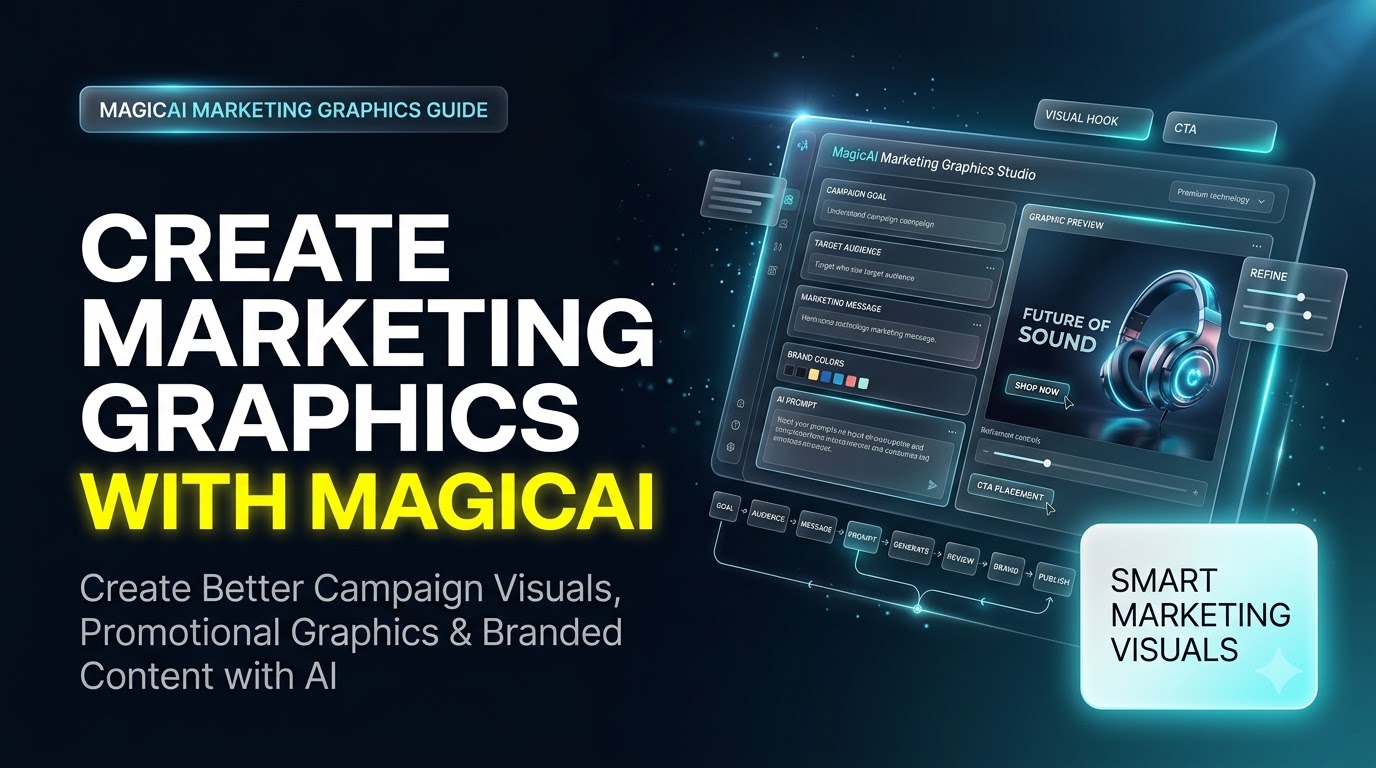
CAMPAIGN GOAL → AUDIENCE → PRODUCT/SERVICE → MESSAGE → VISUAL HOOK → STYLE → COLORS → COMPOSITION → MAGICAI PROMPT → GENERATE → REVIEW → REFINE → BRAND → PLATFORM OPTIMIZATION → PUBLISH → MEASURE
Step 1: Define the Campaign Goal
Determine what action or result you want.
Step 2: Define the Audience
Understand who should respond to the graphic.
Step 3: Identify the Product or Service
Make sure the main offering is clearly represented.
Step 4: Write the Main Message
Reduce the marketing message to one clear idea.
Step 5: Choose the Visual Hook
Select the main visual element that attracts attention.
Step 6: Select the Style
Match the visual style to the brand and campaign.
Step 7: Build the Prompt
Include the visual, colors, layout, lighting, text, and format.
Step 8: Generate
Use MagicAI’s AI Image Generator to develop the visual concept.
Step 9: Review
Check the visual against the campaign objective.
Step 10: Refine
Improve the weak areas through specific prompt changes.
Step 11: Apply Branding
Ensure the final design matches the brand identity.
Step 12: Optimize for the Platform
Adjust dimensions and composition for the destination platform.
Step 13: Publish and Measure
Evaluate performance and use the results to improve future creative concepts.
10 Ready-to-Use MagicAI Marketing Graphic Prompts
1. SaaS Product Promotion
Create a premium SaaS marketing graphic promoting an AI productivity platform. Show a modern software dashboard with automation, analytics, and workflow cards. Use a dark navy background, electric-blue and cyan highlights, glassmorphism panels, cinematic lighting, realistic depth, and clean negative space for a short headline and CTA. Professional digital marketing style, 16:9.
2. Product Launch
Create a premium product launch graphic for a new technology product. Place the product as the dominant focal point in a sophisticated studio environment with dramatic but controlled lighting, subtle blue reflections, realistic shadows, and a clean dark background. Leave space for the launch message and CTA. 16:9 horizontal.
3. Limited-Time Offer
Create a high-impact promotional marketing graphic for a limited-time offer. Show the product prominently with bold visual contrast, a premium dark background, bright accent lighting, clean promotional typography space, and a clear CTA area. Keep the design professional and uncluttered. 16:9.
4. Social Media Campaign
Create a modern social media marketing graphic for a digital campaign. Show a strong central visual representing the campaign theme with bold typography space, premium colors, controlled lighting, and clean composition. Use a modern editorial marketing style and maintain strong mobile readability.
5. Website Banner
Create a premium website hero marketing graphic for an AI business platform. Place a sophisticated software interface on the right and reserve clean negative space on the left for headline and CTA. Use dark navy, electric blue, cyan, glassmorphism, subtle reflections, and cinematic depth. 16:9.
6. Educational Campaign
Create an educational marketing graphic explaining three important digital marketing strategies. Show three connected glassmorphism cards with simple visual symbols and clear hierarchy. Use dark navy, blue, cyan, and white with professional SaaS styling and subtle lighting. Keep the composition clean and easy to understand.
7. Product Feature Graphic
Create a professional marketing graphic highlighting a new software feature. Show the product interface with the featured function visually emphasized. Use a premium dark SaaS environment, electric-blue highlights, glass panels, controlled glow, realistic depth, and clean negative space for a short feature headline.
8. Brand Awareness Graphic
Create a sophisticated brand-awareness marketing graphic for a modern technology company. Use an abstract but meaningful digital visual representing innovation, growth, and connected technology. Use a premium navy, blue, cyan, and white palette with cinematic lighting and minimal composition. Leave clean space for a short brand message.
9. Customer Benefit Graphic
Create a premium marketing graphic showing the customer benefit of using an AI productivity platform. Visualize a transformation from complex manual work to an organized automated workflow. Use a dark modern SaaS environment, glassmorphism panels, electric-blue highlights, strong contrast, and a clear visual hierarchy. 16:9.
10. Marketing Campaign Hero
Create a high-end marketing campaign hero graphic for a technology brand. Show the main product surrounded by elegant interface elements representing growth, automation, analytics, and customer engagement. Use dark navy, electric blue, cyan, white, and subtle yellow accents. Premium glassmorphism, cinematic lighting, 3D depth, clean negative space, and professional advertising composition. 16:9.
Final Checklist
Before using a MagicAI-generated marketing graphic, verify:
- Campaign goal is clear
- Audience is defined
- Product or service is accurate
- Main message is concise
- Visual hook is strong
- Brand colors are consistent
- Typography is readable
- CTA is clear
- Composition is balanced
- Mobile version works
- AI artifacts are removed or corrected
- Product details are accurate
- Final graphic matches the campaign
Frequently Asked Questions
Can MagicAI create marketing graphics?
Yes. MagicAI includes an AI Image Generator for creating images and graphics from user input. Its platform also includes marketing and social-media-oriented content templates.
What should I include in a marketing graphic prompt?
Include the campaign objective, audience, product or service, main message, visual subject, style, colors, composition, CTA area, and desired format.
Can MagicAI create social media marketing graphics?
Yes. You can use its image-generation capabilities to develop social-media visual concepts, while its platform also provides social-media-related content templates such as Instagram captions, hashtags, and business posts.
Can I create product marketing graphics with MagicAI?
Yes. Product information, positioning, background, lighting, composition, and brand style can be incorporated into an image prompt to develop product-focused marketing visuals.
How do I make AI marketing graphics look professional?
Use specific prompts, limited colors, strong visual hierarchy, clean composition, consistent branding, short text, and controlled visual effects.
Should I generate multiple marketing graphic concepts?
Yes. Creating several concepts makes it easier to compare different visual directions before selecting a final design.
Can MagicAI create graphics for different marketing channels?
Yes. You can adapt your visual prompt and composition for websites, social media, advertisements, email campaigns, product launches, and other digital marketing applications.
Should AI-generated marketing graphics be reviewed?
Yes. Always check text, product accuracy, visual artifacts, brand consistency, and campaign messaging before publishing.
Final Verdict
MagicAI can help marketers move from a basic campaign idea to a structured visual concept more quickly. Its AI Image Generator supports image creation from user input, while the broader platform includes marketing, advertising, social-media, and content-generation tools.
The best results come from treating AI as part of a marketing workflow rather than simply asking it to create a random graphic.
Start with the campaign objective, define the audience, establish the marketing message, choose a strong visual hook, and then create a detailed prompt covering style, colors, composition, lighting, branding, and format.
The complete workflow is:
GOAL → AUDIENCE → MESSAGE → VISUAL HOOK → STYLE → PROMPT → GENERATE → REVIEW → REFINE → BRAND → OPTIMIZE → PUBLISH → MEASURE
With this approach, MagicAI can become a useful tool for exploring marketing concepts and creating consistent visual content across different campaigns and platforms.