
Introduction
Freelancers often manage much more than the service they sell.
A freelance writer may need to research topics, write articles, respond to clients, prepare proposals, create social media content, organize revisions, and manage administrative work. A designer may need to create concepts, write project descriptions, prepare client emails, and develop marketing materials.
This means freelancers can spend a significant amount of time on repetitive tasks that are not directly related to their core work.
MagicAI for freelancers can help reduce some of this repetitive workload by assisting with writing, brainstorming, summarization, rewriting, email creation, social media content, product descriptions, images, research, and other tasks.
MagicAI currently provides an AI writing assistant, custom templates, article-generation tools, social media templates, email tools, AI image generation, file analysis, AI rewriting, web-page analysis, multilingual capabilities, and export options.
The goal is not to automate every part of freelance work. Instead, freelancers can use MagicAI to spend less time starting repetitive tasks and more time on high-value client work.
What Is MagicAI for Freelancers?
MagicAI is an AI-powered productivity and content-generation platform that can support freelancers across different types of work.
Its current platform allows users to generate, edit, and export content, while also providing custom templates and tools for writing, images, coding, summarization, email, social media, and other workflows.
For freelancers, this can mean using one AI-assisted workflow for tasks such as:
- Content creation
- Client emails
- Proposals
- Blog writing
- Social media content
- Product descriptions
- SEO content
- Research summaries
- Content rewriting
- Brainstorming
- Image concepts
- Document analysis
- Content repurposing
- Administrative writing
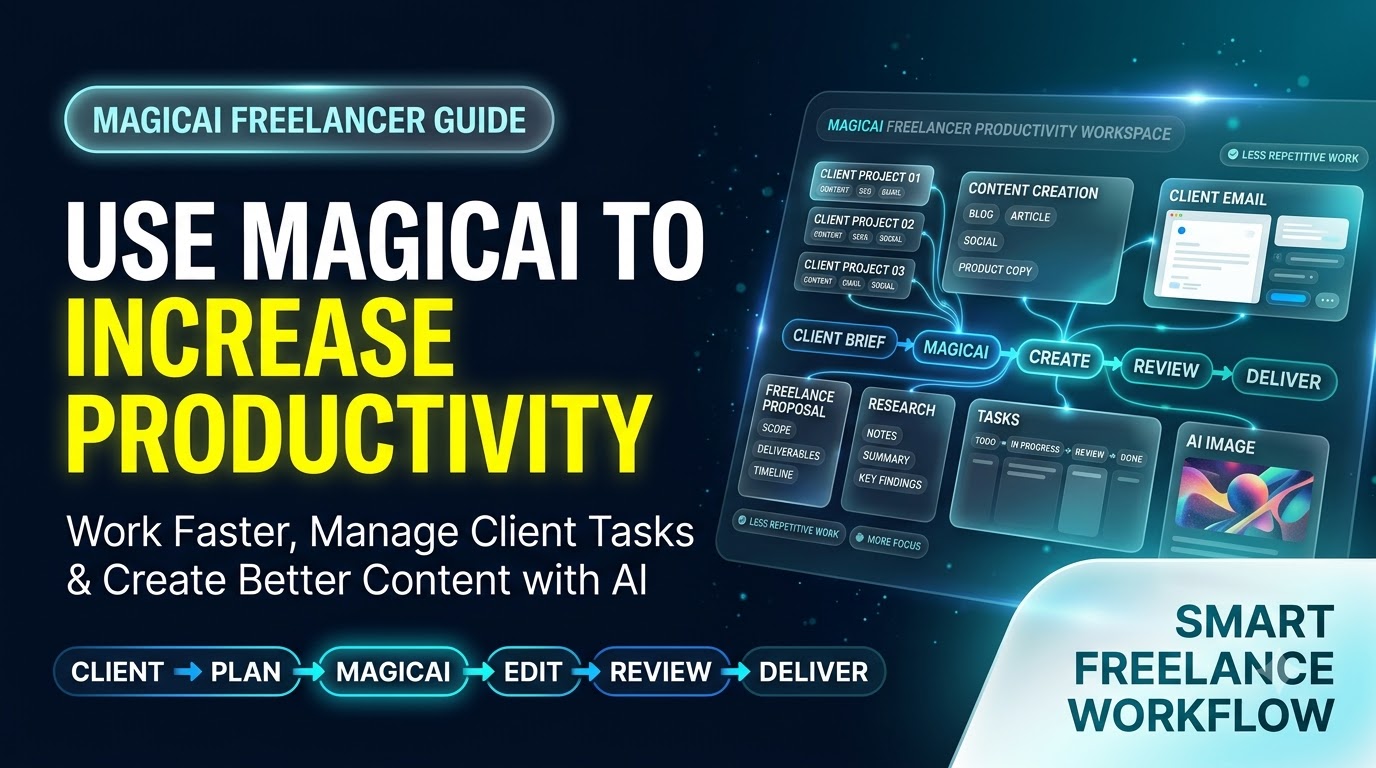
A practical freelance workflow can be:
CLIENT REQUIREMENT → PLAN → MAGICAI → HUMAN EDITING → REVIEW → DELIVERY
Why Freelancers Should Use MagicAI
Freelancers typically have limited working hours.
Every hour spent on repetitive administrative or content-production work is an hour that cannot be spent on:
- Client projects
- Business development
- Skill development
- Marketing
- Networking
- Higher-value work
MagicAI can help accelerate tasks that commonly require repeated writing or ideation.
Potential benefits include:
- Faster first drafts
- Faster brainstorming
- Easier content repurposing
- Quicker email writing
- More content variations
- Faster research summaries
- Easier client communication
- Reusable workflows
- More consistent output
- Reduced time spent on repetitive tasks
1. Use MagicAI to Start Client Projects Faster
One of the biggest productivity problems for freelancers is the blank page.
When a client gives you a new assignment, you may need to spend time deciding:
- Where to start
- What sections to include
- What questions to ask
- What ideas to explore
- How to structure the deliverable
MagicAI can provide an initial structure.
Example Prompt
Create a project outline for a freelance content writer working on a 2,000-word article about [TOPIC]. Include the target audience, search intent, recommended structure, major sections, questions to answer, examples to include, and information that should be verified before writing.
The freelancer can then improve the outline using their own expertise.
2. Generate Content Ideas
Freelancers often need a continuous supply of ideas.
MagicAI includes tools such as Blog Post Ideas and Post Title Generator that can help with ideation.
Use it for:
- Blog topics
- Newsletter ideas
- Social media topics
- Video ideas
- Content series
- Marketing campaigns
- Client content calendars
Example Prompt
Generate 30 content ideas for a freelance digital marketing consultant targeting small businesses. Group the ideas into educational, problem-solving, SEO, social media, advertising, and business-growth topics.
Instead of choosing the first suggestion, use AI for brainstorming and apply your own judgment to select the strongest ideas.
3. Write Blog Articles Faster
Freelance writers can use MagicAI to accelerate different stages of article production.
MagicAI currently provides Article Generator, Blog Section, Blog Intros, Blog Conclusion, and AI Article Wizard tools.
A better workflow is:
TOPIC → RESEARCH → OUTLINE → MAGICAI → HUMAN EDITING → FACT-CHECK → FINAL REVIEW
Rather than asking AI to produce an entire article without direction, break the project into smaller sections.
Example Prompt
Write a detailed introduction for an article about [TOPIC]. The audience is [AUDIENCE]. Explain the problem clearly, establish why the topic matters, and preview the solution. Use a professional, natural tone and avoid unsupported claims.
4. Create SEO Content
Freelance SEO writers can use MagicAI for several content tasks.
Possible uses include:
- Blog ideas
- Article drafts
- Blog sections
- Meta descriptions
- FAQs
- Content rewriting
- SEO-focused content planning
MagicAI’s current template library includes Article Generator, Blog Post Ideas, Meta Description, FAQ Generator, and AI Article Wizard.
SEO Workflow
KEYWORD → SEARCH INTENT → OUTLINE → MAGICAI → OPTIMIZE → FACT-CHECK → EDIT → PUBLISH
AI should assist with writing, while the freelancer remains responsible for search intent, content quality, accuracy, and SEO judgment.
5. Write Product Descriptions
Freelancers working with ecommerce businesses can use MagicAI to speed up product-copy production.
MagicAI currently includes Product Description and Product Name Generator templates.
Provide:
- Product name
- Product category
- Features
- Benefits
- Specifications
- Target customer
- Applications
- Keywords
- Brand tone
Example Prompt
Write an SEO-friendly product description for [PRODUCT]. Use only the supplied specifications and features. Explain the customer benefits, practical applications, important product information, and ideal customer. Use a professional ecommerce tone and finish with a clear CTA.
6. Write Client Emails Faster
Client communication can consume a surprising amount of freelance time.
MagicAI provides Email Generator and Email Answer Generator tools.
Freelancers can use them for:
- Project updates
- Follow-ups
- Proposal emails
- Revision responses
- Deadline updates
- Meeting confirmations
- Client questions
- Delivery messages
Example Prompt
Write a professional email to a client explaining that the first draft is ready for review. Mention that the document is attached, ask them to share feedback in one consolidated response, and maintain a friendly and professional tone.
Always personalize AI-generated client emails before sending them.
7. Create Freelance Proposals
A strong proposal should communicate:
- Understanding of the project
- Relevant experience
- Deliverables
- Process
- Timeline
- Next steps
MagicAI can help create a first draft.
Example Prompt
Write a professional freelance proposal for a client looking for SEO blog writing. Include a short understanding of the project, proposed deliverables, workflow, quality-control process, communication approach, and next steps. Do not invent experience, results, clients, or certifications.
Then customize the proposal with your actual experience and portfolio.
8. Create Social Media Content
Freelancers need to market themselves as well as serve clients.
MagicAI currently includes Instagram Captions, Instagram Hashtags, Social Media Post Tweet, Social Media Post Business, and Facebook Headlines.
You can use these tools to create content about:
- Your expertise
- Client results
- Industry insights
- Freelancing lessons
- Case studies
- Services
- Educational tips
Example Prompt
Create 10 LinkedIn posts for a freelance SEO consultant. Include educational insights, common SEO mistakes, practical tips, client-work lessons, and business advice. Keep the tone professional and experience-driven.
9. Repurpose One Piece of Content
Content repurposing is one of the most useful productivity strategies for freelancers.
One article can become:
BLOG → LINKEDIN POSTS → SOCIAL CAPTIONS → EMAIL → FAQ → SHORT-FORM CONTENT
Example Prompt
Repurpose this 1,500-word article into three LinkedIn posts, five short social media posts, one newsletter, five FAQs, and three short-form content ideas. Preserve the original facts and maintain a consistent professional tone.
This allows freelancers to get more value from work they have already created.
10. Summarize Long Documents
Freelancers may receive lengthy client documents, research reports, briefs, and reference material.
MagicAI provides summarization capabilities and a File Analyzer that can process PDF, CSV, DOC, and DOCX files.
For example:
Summarize this client brief into project goals, target audience, deliverables, brand requirements, deadlines, key messages, restrictions, and questions that require clarification.
This can make the initial project review much faster.
11. Improve Existing Content
Freelancers frequently receive existing content that needs improvement rather than completely new writing.
MagicAI’s AI ReWriter can rewrite content in a more professional and detailed manner.
Use it to improve:
- Readability
- Structure
- Tone
- Repetition
- Sentence clarity
- Introductions
- Product copy
- Website sections
Example Prompt
Rewrite this website section for clarity and readability. Preserve all factual information, remove unnecessary repetition, maintain the original meaning, and use a professional tone. Do not add unsupported claims.
12. Generate Headlines and Titles
A good title can significantly influence whether someone continues reading.
MagicAI includes a Post Title Generator.
Freelancers can generate multiple options for:
- Blog titles
- Social posts
- YouTube content
- Marketing campaigns
- Articles
- Landing pages
Example Prompt
Generate 20 professional blog title options for [TOPIC]. Include informational, how-to, list-based, comparison, and problem-solving formats. Keep the titles clear and avoid clickbait.
13. Create Meta Descriptions
SEO freelancers can use MagicAI’s Meta Description template to speed up metadata creation.
Example Prompt
Create five SEO-friendly meta descriptions for a page targeting “[KEYWORD].” Clearly communicate the page’s value, use natural language, and accurately reflect the content.
Always check that the selected description matches the actual webpage.
14. Create FAQs
FAQ creation can take time when a project contains many pages.
MagicAI includes an FAQ Generator.
Use it to brainstorm:
- Customer questions
- Product questions
- Service questions
- Buying objections
- Implementation questions
- Support questions
Example Prompt
Generate 15 FAQs for [SERVICE]. Cover common customer questions, process, deliverables, timelines, limitations, and next steps. Use only the information provided and identify questions where additional information is required.
15. Create Marketing Images
Freelancers working in content, marketing, social media, and design can use MagicAI’s AI Image Generator to create visual concepts.
Potential uses include:
- Blog featured images
- Social media visuals
- Campaign concepts
- Presentation visuals
- Marketing graphics
- Creative concepts
Example Prompt
Create a premium editorial visual for a blog article about freelance productivity. Show a modern digital workspace with organized content cards, project timelines, writing tools, and productivity indicators. Use a sophisticated dark navy and electric-blue palette, glassmorphism, cinematic lighting, realistic depth, and clean negative space.
16. Use MagicAI for Research Summaries
Freelancers often spend time reading information before beginning a project.
AI can help organize information into a usable structure.
Example Prompt
Summarize this research material into key facts, important concepts, customer problems, useful examples, questions that need further research, and information that should be verified before publication.
The original sources should still be checked for important claims.
17. Create Client Meeting Notes
After a client meeting, freelancers can turn notes into an organized action list.
Example Prompt
Convert these meeting notes into five sections: decisions made, client requirements, assigned tasks, deadlines, and questions requiring clarification. Do not add information that is not present in the notes.
This can make project follow-up easier.
18. Create Project Checklists
Freelancers often repeat similar workflows.
For example, an SEO writer can create:
CLIENT BRIEF → KEYWORD → RESEARCH → OUTLINE → DRAFT → FACT-CHECK → SEO → EDIT → CLIENT REVIEW → FINAL DELIVERY
Ask MagicAI to create a checklist for each service you offer.
Example Prompt
Create a complete quality-control checklist for a freelance SEO writer delivering a long-form article. Include research, structure, search intent, keyword usage, factual accuracy, readability, internal links, metadata, formatting, proofreading, and final client delivery.
19. Organize Your Freelance Workflow
MagicAI can support individual tasks, but the biggest productivity improvement comes from connecting those tasks.
A useful freelance workflow is:
LEAD → DISCOVERY → PROPOSAL → PROJECT BRIEF → RESEARCH → MAGICAI → EDIT → REVIEW → DELIVERY → FOLLOW-UP
This makes AI part of a broader operating system.
20. Build Reusable Templates
Freelancers should avoid writing the same prompt repeatedly.
Create reusable templates for:
- Blog articles
- Product descriptions
- Client emails
- Social posts
- Proposals
- Meta descriptions
- FAQs
- Content briefs
- Project summaries
MagicAI supports custom prompts and custom templates, making this type of repeatable workflow possible.
Example Reusable Template
Client: [CLIENT]
Industry: [INDUSTRY]
Audience: [AUDIENCE]
Topic: [TOPIC]
Goal: [GOAL]
Keyword: [KEYWORD]
Tone: [TONE]
CTA: [CTA]
Deliverable: [FORMAT]Create the requested deliverable using only the information provided. Maintain the specified tone and audience focus. Do not invent statistics, testimonials, prices, certifications, guarantees, or unsupported claims.
21. Create a Personal Content System
Freelancers also need a personal marketing system.
Create a weekly workflow such as:
Monday
Generate content ideas.
Tuesday
Create one long-form piece.
Wednesday
Repurpose the content.
Thursday
Create social posts and email content.
Friday
Review performance and plan the following week.
MagicAI can assist with many of the writing and ideation steps in this process. Its current templates cover articles, blogs, social media, email, newsletters, SEO metadata, FAQs, and other content types.
22. Use AI to Reduce Context Switching
Context switching can reduce productivity.
Instead of jumping between many different tasks, group similar work.
For example:
CONTENT BLOCK
- Blog draft
- Blog sections
- Meta description
- FAQ
Then:
SOCIAL BLOCK
- LinkedIn posts
- Instagram captions
- Hashtags
Then:
CLIENT COMMUNICATION BLOCK
- Emails
- Follow-ups
- Project updates
MagicAI can support each block with relevant templates.
23. Create Multiple Content Variations
Freelancers often need several versions of the same content.
Instead of writing each one manually:
Create 10 variations of this headline. Maintain the same core message but vary the angle, benefit, tone, and structure. Keep all versions accurate to the supplied information.
This is useful for:
- Headlines
- CTAs
- Social hooks
- Ad copy
- Email subject lines
- Product descriptions
24. Use MagicAI for Multilingual Freelance Work
MagicAI lists multilingual capabilities for content generation.
This can help freelancers working with international clients.
Potential uses include:
- Translation drafts
- Multilingual social content
- Website copy
- Product descriptions
- Email drafts
For professional localization, human review remains important because direct translation may not preserve cultural context or brand tone.
25. Use Easy Export to Speed Up Delivery
MagicAI provides export options including plain text, PDF, Word, and HTML.
A simple workflow can be:
CREATE → EDIT → REVIEW → EXPORT → DELIVER
This can reduce unnecessary formatting work when preparing client deliverables.
MagicAI Productivity Workflow for Freelancers
A complete freelance workflow can be:
CLIENT REQUIREMENT → PROJECT BRIEF → RESEARCH → PLAN → MAGICAI → HUMAN EDITING → FACT-CHECK → QUALITY CHECK → EXPORT → CLIENT DELIVERY
For recurring projects, add:
TEMPLATE → GENERATE → REVIEW → DELIVER
This allows freelancers to build repeatable systems instead of starting from scratch every time.
Master MagicAI Prompt for Freelancers
Act as a professional freelance assistant specializing in [SERVICE].
Client: [CLIENT NAME]
Industry: [INDUSTRY]
Target Audience: [AUDIENCE]
Project Goal: [GOAL]
Deliverable: [DELIVERABLE]
Topic: [TOPIC]
Keywords: [KEYWORDS]
Brand Voice: [VOICE]
Important Information: [INFORMATION]
Deadline/Format Requirements: [REQUIREMENTS]Create a professional first draft that follows the project requirements. Use only the information provided. Do not invent statistics, testimonials, prices, certifications, guarantees, client results, or product claims. Structure the output clearly so I can review, edit, fact-check, and deliver it to the client.
15 Ready-to-Use MagicAI Prompts for Freelancers
Prompt 1: Project Brief
Turn this client information into a clear project brief containing objectives, audience, deliverables, requirements, deadlines, important information, and questions requiring clarification.
Prompt 2: Blog Outline
Create a detailed outline for a [WORD COUNT]-word article about [TOPIC] targeting [AUDIENCE]. Include H2s, H3s, key points, examples, FAQs, and information requiring fact-checking.
Prompt 3: Client Email
Write a professional client email explaining [SITUATION]. Keep the tone friendly, concise, and clear.
Prompt 4: Proposal
Create a freelance proposal for [PROJECT]. Include project understanding, deliverables, workflow, communication, timeline, and next steps. Do not invent experience or results.
Prompt 5: Social Media
Create 10 social media posts for my freelance business focused on [TOPIC]. Mix educational, personal-experience, problem-solving, and promotional content.
Prompt 6: Content Repurposing
Repurpose this article into LinkedIn posts, social captions, an email, FAQs, and short-form content while preserving all original facts.
Prompt 7: SEO Metadata
Generate five SEO title options and five meta descriptions for a page targeting [KEYWORD]. Keep them relevant to the actual page.
Prompt 8: Product Description
Write a professional product description using only the supplied product information. Highlight features, benefits, applications, and important specifications.
Prompt 9: Content Improvement
Improve this content for clarity, readability, structure, and professional tone. Preserve all factual information and do not introduce unsupported claims.
Prompt 10: Meeting Summary
Convert these meeting notes into decisions, tasks, owners, deadlines, questions, and next steps.
Prompt 11: Research Summary
Summarize this research into key facts, insights, customer problems, useful examples, unanswered questions, and information requiring verification.
Prompt 12: Content Calendar
Create a 30-day content calendar for my freelance business targeting [AUDIENCE]. Include topic, platform, format, objective, and CTA.
Prompt 13: Headline Ideas
Generate 20 headline options for [TOPIC]. Include educational, problem-solving, benefit-focused, list-based, and how-to variations.
Prompt 14: FAQ Generator
Generate 15 useful FAQs about [SERVICE]. Focus on real customer questions, objections, process, deliverables, and next steps.
Prompt 15: Final Quality Check
Review this freelance deliverable for factual accuracy, clarity, grammar, structure, audience fit, brand voice, repetition, missing information, and unsupported claims. Provide a prioritized list of improvements.
How to Measure Productivity Improvements
Using AI does not automatically mean you are more productive.
Track measurable changes.
Before Using MagicAI
Record:
- Time to create a first draft
- Time spent on emails
- Time spent brainstorming
- Time spent rewriting
- Time spent preparing deliverables
After Using MagicAI
Track the same metrics.
For example:
| Task | Before AI | With MagicAI | Improvement |
|---|---|---|---|
| Content ideation | Manual | AI-assisted | Compare actual time |
| First draft | Manual | AI-assisted | Compare actual time |
| Client email | Manual | AI-assisted | Compare actual time |
| Content rewriting | Manual | AI-assisted | Compare actual time |
| Social content | Manual | Template-assisted | Compare actual time |
| Research summary | Manual | AI-assisted | Compare actual time |
The goal is not simply to produce more work. The goal is to free time for higher-value freelance activities.
Common Mistakes Freelancers Should Avoid
1. Using Generic Prompts
A vague prompt usually produces generic content.
Provide context about:
- Client
- Audience
- Goal
- Topic
- Format
- Tone
- Requirements
2. Publishing AI Content Without Editing
Always review the result.
3. Inventing Client Information
Never allow AI to fabricate:
- Client results
- Testimonials
- Statistics
- Credentials
- Certifications
- Prices
- Product specifications
4. Replacing Your Expertise
Clients hire freelancers for expertise and judgment, not just text generation.
5. Over-Automating Communication
Important client communication should feel personal.
6. Creating Too Much Content
Productivity means achieving more useful output with less wasted effort, not generating content simply because AI makes it easy.
AI vs Traditional Freelance Workflow
| Area | Traditional Workflow | MagicAI-Assisted Workflow |
|---|---|---|
| Brainstorming | Manual | AI-assisted |
| First draft | Starts from blank page | AI-assisted starting point |
| Rewriting | Manual | AI-assisted |
| Emails | Written manually | AI-assisted |
| Social content | Created individually | Template-assisted |
| Summaries | Manual | AI-assisted |
| Content variations | Time-consuming | Faster generation |
| Images | Separate process | AI image generation available |
| Final review | Human | Human |
The strongest workflow combines both approaches.
Best Practices for Freelancers Using MagicAI
Give Context
More relevant project information usually produces more useful output.
Use Templates
Create reusable prompts for repetitive work.
Work in Stages
Generate an outline before generating a long deliverable.
Fact-Check
Verify important claims.
Personalize
Make the content sound like you and your client.
Protect Client Information
Do not unnecessarily expose confidential or sensitive client data to external tools.
Keep Human Review
AI should assist your workflow, not become the final decision-maker.
Final Verdict
MagicAI for freelancers can be a practical productivity tool for reducing repetitive work and accelerating common freelance tasks.
Its current capabilities include AI-assisted writing, custom prompts and templates, article generation, social media content, email generation, summarization, rewriting, AI image generation, document analysis, webpage analysis, multilingual generation, and export functionality.
The biggest productivity gain comes from building a repeatable system around these capabilities.
A freelancer can move from:
BLANK PAGE → MANUAL WORK → DELIVERY
to:
CLIENT BRIEF → TEMPLATE → MAGICAI → HUMAN EXPERTISE → REVIEW → DELIVERY
That does not remove the need for professional skills. Instead, it gives freelancers more time to focus on strategy, creativity, client relationships, quality, and higher-value work.
The best approach is simple:
AUTOMATE THE REPETITIVE. PERSONALIZE THE IMPORTANT. REVIEW EVERYTHING THAT MATTERS.