
How to Generate Blog Posts Using MagicAI
Meta Title: How to Generate Blog Posts Using MagicAI | Complete Guide
Meta Description: Learn how to generate blog posts using MagicAI, from topic research and outlines to SEO optimization, editing, FAQs, and publishing.
Suggested URL: /how-to-generate-blog-posts-using-magicai/
Primary Keyword: how to generate blog posts using MagicAI
Secondary Keywords: MagicAI blog posts, MagicAI article generator, MagicAI Article Wizard, AI blog writing, MagicAI SEO content, generate articles with MagicAI, AI blog post generator, MagicAI content creation
Introduction
Creating a high-quality blog post involves much more than putting words on a page. A good article needs a useful topic, clear search intent, logical structure, engaging writing, relevant keywords, accurate information, and effective optimization.
MagicAI can simplify many parts of this process by helping users generate article drafts, develop ideas, structure content, and optimize blog content. Its Article Wizard is designed to generate SEO-oriented blog content from a topic, while other MagicAI tools can support related content-generation tasks.
The key is to use MagicAI as part of a content workflow rather than treating the first AI-generated draft as the finished article.
This guide explains how to generate blog posts using MagicAI step by step.
What Is MagicAI?
MagicAI is an AI-powered content creation platform that provides tools for generating and improving different types of digital content.
Depending on the version and configuration, MagicAI can include tools for article generation, blog sections, blog introductions, conclusions, rewriting, SEO assistance, image generation, document analysis, and other content workflows.
For blog creation, users can use dedicated article-generation workflows or the Article Wizard to move from a topic to a structured article.
MagicAI’s Article Wizard is specifically positioned for creating SEO-oriented blog content and can support multiple blog posts from selected topics in supported configurations.
Why Use MagicAI for Blog Writing?
Writing every article manually can take significant time, especially when you regularly publish content.
MagicAI can help accelerate repetitive parts of the process, including:
- Generating topic ideas
- Creating blog titles
- Building article outlines
- Drafting introductions
- Generating sections
- Creating FAQs
- Writing conclusions
- Rewriting existing content
- Developing SEO-focused content
- Repurposing source material
- Creating supporting content
The main advantage is not simply generating more words. The bigger benefit is creating a repeatable workflow where AI handles repetitive drafting while the writer focuses on strategy, accuracy, originality, and quality.
How to Generate Blog Posts Using MagicAI
Step 1: Choose a Clear Blog Topic
Start with a specific topic.
Instead of entering a broad instruction such as:
Write a blog about marketing.
Give MagicAI a more focused topic:
How small businesses can use email marketing to increase repeat customers
A focused topic gives the AI a clearer direction and makes it easier to create useful sections.
Good Topic Formula
A useful formula is:
Audience + Problem + Solution
For example:
- Beginners + SEO + How to improve website rankings
- Small businesses + social media + How to create a content strategy
- E-commerce stores + product pages + How to write better product descriptions
Step 2: Understand Search Intent
Before generating the article, determine what the reader actually wants.
Common search intents include:
- Informational
- Commercial
- Transactional
- Navigational
- Comparison
- How-to
For example, someone searching:
“How to generate blog posts using MagicAI”
probably wants a practical tutorial rather than a general explanation of artificial intelligence.
Your prompt should therefore tell MagicAI to create a step-by-step guide.
Step 3: Research Keywords
Identify the main keyword and supporting keywords before generating the article.
For example:
Primary Keyword:
- how to generate blog posts using MagicAI
Secondary Keywords:
- MagicAI blog posts
- MagicAI article generator
- MagicAI Article Wizard
- AI blog writing
- MagicAI SEO content
- AI blog post generator
MagicAI’s SEO tools can also support keyword suggestions and search-question suggestions in configurations where the SEO extension is enabled.
The goal is not to insert keywords repeatedly. The goal is to understand the vocabulary and questions surrounding the topic.
Step 4: Create an Article Outline
Do not immediately ask MagicAI to produce a huge article.
First, create a structure.
For example:
Suggested Outline
- Introduction
- What Is MagicAI?
- Why Use MagicAI for Blog Writing?
- How to Generate a Blog Post
- Keyword Research
- Creating an Outline
- Writing the First Draft
- SEO Optimization
- Editing and Fact-Checking
- Adding FAQs
- Publishing the Article
- Common Mistakes
- Final Tips
- FAQs
- Conclusion
A clear outline gives the AI a logical framework before it starts generating paragraphs.
Step 5: Write a Strong MagicAI Prompt
Prompt quality has a major effect on the usefulness of an AI-generated article.
Instead of:
Write a blog about SEO.
Use a detailed instruction.
Example MagicAI Prompt
Write a detailed SEO-friendly blog post about "How to Generate Blog Posts Using MagicAI."

Target audience: beginners, bloggers, marketers, and small business owners.

Primary keyword: how to generate blog posts using MagicAI

Secondary keywords:
MagicAI blog posts
MagicAI Article Wizard
AI blog writing
MagicAI SEO content
AI article generator

Create a clear H1, H2, and H3 structure.

Explain the process step by step.

Include practical examples, a MagicAI prompt template, common mistakes, SEO optimization tips, FAQs, and a conclusion.

Use natural language and avoid keyword stuffing.

Make the article useful, original, easy to scan, and suitable for publication after human review.
This type of prompt gives MagicAI information about the topic, audience, keywords, structure, and desired outcome.
Step 6: Generate the First Draft
Once the topic and instructions are ready, generate the article.
MagicAI’s documentation describes a Post Generator workflow in which users open the generator, fill in the required fields, generate the response, and then edit the resulting title, content, and tags before saving it as a post.
Do not assume the generated version is automatically ready for publication.
Treat it as the first draft.
Step 7: Improve the Introduction
The introduction should quickly answer three questions:
- What is this article about?
- Why does it matter?
- What will the reader learn?
Example
Creating a useful blog post can take hours when you have to research topics, organize information, write sections, and optimize the final article. MagicAI can simplify much of this process by helping you generate ideas, outlines, drafts, and supporting content. In this guide, you’ll learn how to use MagicAI to create a structured blog post and turn the AI-generated draft into publication-ready content.
The introduction should be direct rather than filled with unnecessary statements.
Step 8: Generate Individual Sections
For long articles, generating every section in one request may not always produce the best result.
Instead, work section by section.
For example:
Write the section "How to Create an SEO-Friendly Blog Outline with MagicAI."

Requirements:
- Explain the process clearly.
- Use H3 subheadings where appropriate.
- Include one practical example.
- Use the primary keyword naturally.
- Avoid repetitive wording.
- Keep the section useful for beginners.
This approach gives you more control over the final article.
Step 9: Add Practical Examples
Examples make AI-generated articles more useful.
For a MagicAI article, you can include examples such as:
- A blog-writing prompt
- An SEO prompt
- A product-content prompt
- A content-repurposing prompt
- A FAQ-generation prompt
- A rewriting prompt
For example:
Create 10 blog topic ideas for a website about digital marketing.

For each topic, provide:
- Search intent
- Primary keyword
- Three secondary keywords
- Suggested H2 sections
- Target audience
Readers can immediately adapt this prompt to their own workflow.
Step 10: Optimize the Article for SEO
After generating the draft, optimize it for search engines and readers.
Check:
- Primary keyword placement
- Secondary keyword usage
- H1 structure
- H2 and H3 hierarchy
- Search intent
- Internal links
- External references where appropriate
- Meta title
- Meta description
- URL
- Image ALT text
- FAQs
- Readability
- Content depth
MagicAI’s SEO tools can support Article Wizard keyword suggestions and search-question suggestions where those features are configured.
Step 11: Create an SEO-Friendly Meta Title
The meta title should clearly communicate the topic.
Example
How to Generate Blog Posts Using MagicAI | Complete Guide
It should be descriptive, natural, and aligned with the page’s actual content.
Step 12: Write a Strong Meta Description
A useful meta description summarizes the page and encourages relevant searchers to click.
Example
Learn how to generate blog posts using MagicAI, from topic selection and prompts to SEO optimization, editing, FAQs, and publishing.
Avoid stuffing the description with repeated keywords.
Step 13: Create a Clean URL
Keep the URL short and descriptive.
Recommended URL
/how-to-generate-blog-posts-using-magicai/
A clean URL helps users understand what the page is about.
Step 14: Add FAQs
FAQs can improve usefulness by answering related questions.
For this topic, useful questions could include:
- Can MagicAI generate complete blog posts?
- Is MagicAI useful for SEO content?
- How should I prompt MagicAI for blog writing?
- Should AI-generated blog posts be edited?
- Can MagicAI create blog outlines?
- Can MagicAI help generate multiple articles?
- Can MagicAI content be published directly?
MagicAI’s broader toolset can include dedicated blog components and article-generation tools, while some configurations also provide Article Wizard and automated blogging workflows.
Step 15: Fact-Check the Content
AI-generated content should be reviewed before publication.
Check:
- Statistics
- Dates
- Product specifications
- Pricing
- Names
- Technical claims
- Industry regulations
- Medical or financial claims
- Quotes
- References
If MagicAI uses web-search capabilities in the available configuration, it can help incorporate more current information, but important claims should still be verified against reliable sources. MagicAI documentation and product information describe real-time web-search capabilities in supported versions.
Step 16: Add Your Own Expertise
The strongest AI-assisted articles are not simply copied from the generator.
Add:
- Your experience
- Original examples
- Industry insights
- Case studies
- Expert opinions
- Screenshots
- Original data
- Practical recommendations
This makes the article more useful and gives it a stronger human perspective.
Step 17: Edit for Natural Language
AI-generated writing can sometimes become repetitive.
Look for phrases that:
- Repeat the same idea
- Add little value
- Sound overly generic
- Use unnecessary introductions
- Overuse transition words
- Make unsupported claims
Replace generic sentences with specific information.
Weak
In today’s fast-paced digital world, content is very important.
Better
A consistent publishing workflow helps businesses maintain their search visibility and keep customers informed.
Step 18: Add Internal Links
Connect the new article with related pages on your website.
For example, a MagicAI blog could link to:
- What Is MagicAI?
- MagicAI Features
- MagicAI Review
- MagicAI for Beginners
- MagicAI SEO Guide
- MagicAI Use Cases
Internal linking helps readers discover related content and creates a stronger site structure.
Step 19: Create a Featured Image
A blog post should have a relevant visual identity.
For a MagicAI article, a suitable featured image could show:
- A futuristic AI dashboard
- A blog editor
- SEO metrics
- Content-generation panels
- Keyword research
- A publishing workflow
Keep the design consistent across your blog so readers can recognize articles from the same content series.
Step 20: Review Before Publishing
Before publishing, use a final checklist.
MagicAI Blog Post Checklist
| Check | What to Review |
|---|---|
| Topic | Is the topic specific and useful? |
| Intent | Does the article satisfy the search intent? |
| Keyword | Is the primary keyword used naturally? |
| Structure | Are H1, H2, and H3 headings logical? |
| Content | Does the article provide enough depth? |
| Accuracy | Have important claims been verified? |
| Originality | Has human expertise been added? |
| SEO | Are title, description, URL, and links optimized? |
| Readability | Is the article easy to scan? |
| Images | Are images relevant and optimized? |
| FAQs | Are common reader questions answered? |
| Final Edit | Has the AI draft been reviewed manually? |
MagicAI Blog Post Workflow
A simple workflow can be:
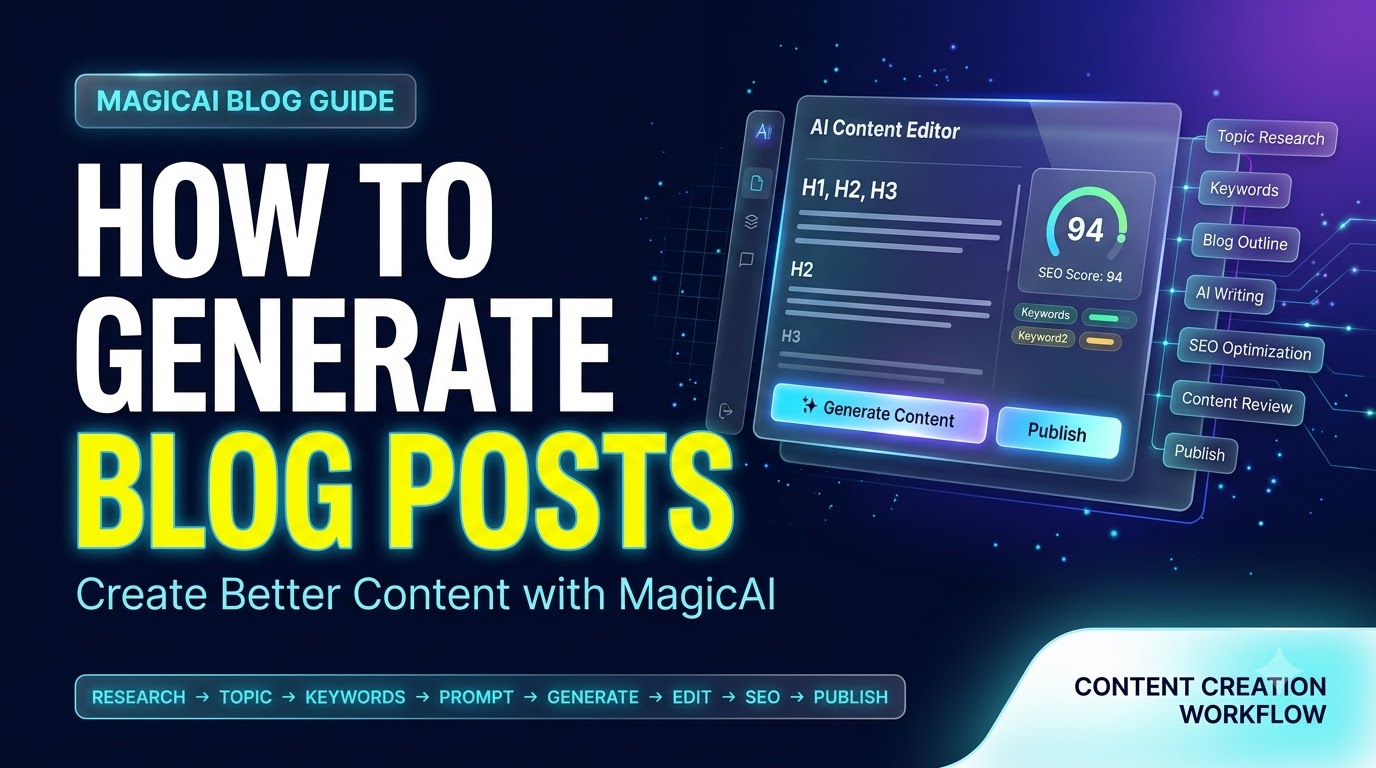
RESEARCH → TOPIC → KEYWORDS → PROMPT → OUTLINE → GENERATE → EDIT → SEO → REVIEW → PUBLISH
This approach keeps AI generation inside a larger content strategy.
MagicAI can also support alternative content-input workflows. For example, supported versions provide YouTube-to-blog and RSS-to-post functionality, allowing source material to be transformed into blog content.
Complete MagicAI Prompt for Blog Posts
Use the following reusable prompt:
Act as an experienced SEO content writer.

Create a detailed, helpful, original blog post about:
[TITLE]

Target audience:
[TARGET AUDIENCE]

Primary keyword:
[PRIMARY KEYWORD]

Secondary keywords:
[KEYWORD 1]
[KEYWORD 2]
[KEYWORD 3]
[KEYWORD 4]

Search intent:
[INFORMATIONAL / COMMERCIAL / HOW-TO / COMPARISON]

Requirements:
- Create a compelling H1.
- Use a logical H2 and H3 structure.
- Write a useful introduction.
- Explain the topic step by step.
- Include practical examples.
- Include actionable recommendations.
- Use keywords naturally.
- Avoid keyword stuffing.
- Add relevant FAQs.
- Include a strong conclusion.
- Suggest a meta title.
- Suggest a meta description.
- Suggest a clean SEO URL.
- Recommend internal-link opportunities.
- Write naturally and professionally.
- Avoid repetitive or generic statements.
- Do not invent statistics or unsupported facts.
- Make the article genuinely useful to the reader.
- The content must be reviewed and fact-checked before publication.
Common Mistakes When Generating Blog Posts with MagicAI
1. Using Extremely Short Prompts
A prompt such as:
Write an article about AI.
does not provide enough direction.
Give MagicAI the topic, audience, intent, keywords, structure, tone, and requirements.
2. Publishing the First Draft
The first AI response should normally be treated as a draft.
Review and improve it before publication.
3. Keyword Stuffing
Repeating the primary keyword in every paragraph can make content unnatural.
Use related terms naturally.
4. Ignoring Search Intent
An article can contain the right keywords but still fail to answer what the reader actually wants.
Always define the intended search purpose.
5. Forgetting Human Expertise
AI can accelerate writing, but human experience can make the content more specific, trustworthy, and valuable.
6. Not Fact-Checking
Never assume every AI-generated claim is correct.
Verify important information before publishing.
7. Making Every Article Sound the Same
If every article follows identical wording and sentence patterns, the website can feel repetitive.
Use different examples, structures, perspectives, and editorial approaches where appropriate.
How to Generate Multiple Blog Posts Efficiently
If you publish frequently, create a repeatable content system.
Weekly Workflow
Monday: Research topics and keywords
Tuesday: Create outlines
Wednesday: Generate drafts with MagicAI
Thursday: Edit and fact-check
Friday: Optimize SEO and publish
For larger content operations, supported MagicAI configurations can generate multiple blog posts through Article Wizard workflows, while AI Blogger Agent functionality can also support scheduled content creation and publishing workflows.
MagicAI Blog Writing: Best Practices
For consistently better results:
- Start with a specific topic.
- Define the target audience.
- Understand search intent.
- Research the primary keyword.
- Build the outline before drafting.
- Use detailed prompts.
- Generate sections strategically.
- Add original examples.
- Review factual claims.
- Optimize the final article for SEO.
- Add internal links.
- Edit the writing manually.
- Create useful FAQs.
- Optimize the featured image.
- Publish only after final quality control.
FAQs
Can MagicAI generate complete blog posts?
Yes. MagicAI provides article and blog-generation tools, including an Article Wizard designed to create SEO-oriented blog content in supported configurations.
Is MagicAI good for SEO blog writing?
MagicAI can support SEO-oriented content creation, including keyword and search-question workflows in configurations where its SEO tools are enabled. However, SEO performance depends on the overall quality of the content, search intent, website authority, technical SEO, competition, and many other factors.
Should I edit a MagicAI-generated blog post?
Yes. Editing is an important part of the workflow. Review the article for accuracy, originality, brand voice, clarity, usefulness, and SEO quality before publishing.
Can MagicAI create blog outlines?
Yes. Blog and article workflows can be used to structure content, while dedicated blog tools can assist with sections such as introductions and conclusions.
Can MagicAI turn other content into blog posts?
Supported MagicAI workflows include YouTube-to-blog and RSS-to-post functionality, allowing source material to be transformed into blog content.
Can I use MagicAI for multiple blog posts?
Yes. Supported Article Wizard functionality can generate multiple blog posts, which can be useful for larger content schedules.
Should AI-generated content be published without review?
No. AI-generated content should be reviewed, edited, and fact-checked before publication, particularly when it contains important factual or time-sensitive claims.
Final Verdict
MagicAI can make blog creation significantly more efficient when it is used as part of a structured workflow.
The most effective approach is not simply:
PROMPT → PUBLISH
Instead, use:
RESEARCH → STRATEGY → PROMPT → MAGICAI → EDIT → FACT-CHECK → SEO → PUBLISH
MagicAI can help with topics, outlines, drafts, SEO-oriented content, FAQs, and content repurposing. Its Article Wizard and related generators are particularly useful for accelerating repetitive parts of the blogging process.
The final quality still depends on the quality of the strategy, instructions, editing, fact-checking, and human expertise applied to the generated draft.