
Introduction
Creating website content can take a significant amount of time. A professional website may require homepage copy, service descriptions, product pages, landing pages, About Us content, FAQs, calls to action, blog content, and SEO metadata.
MagicAI can help simplify this process by assisting with brainstorming, outlining, drafting, rewriting, expanding, and optimizing website copy.
However, generating website content with AI is not simply about asking for a page and publishing the result. Website content needs to communicate the brand clearly, address visitor needs, support business goals, and provide a strong user experience.
A practical workflow is:
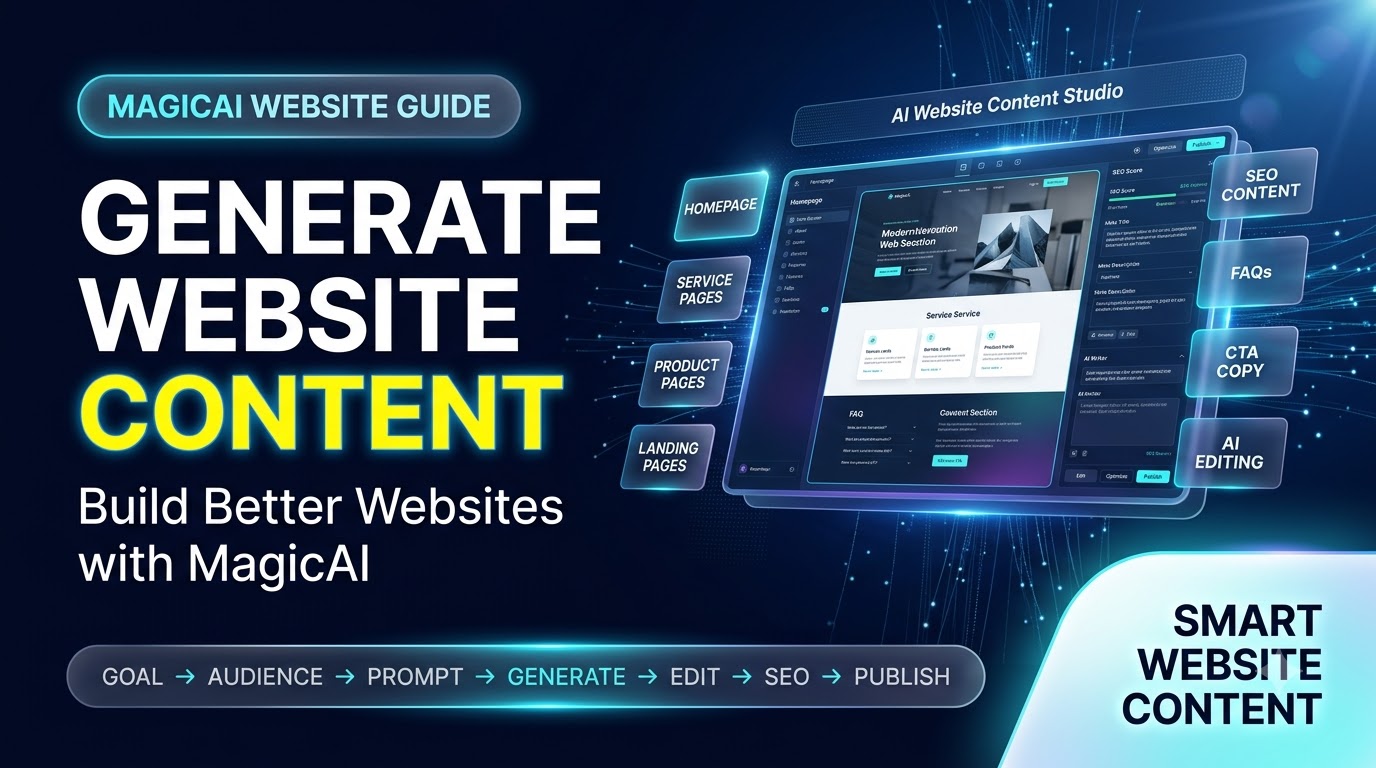
BUSINESS GOAL → AUDIENCE → PAGE TYPE → PROMPT → GENERATE → EDIT → SEO → REVIEW → PUBLISH
This guide explains how to generate different types of website content using MagicAI and how to improve AI-generated copy before it goes live.
What Is Website Content?
Website content includes all the written information visitors encounter on a website.
Common examples include:
- Homepage content
- About Us pages
- Service pages
- Product descriptions
- Landing pages
- Category pages
- Blog posts
- FAQ sections
- Contact-page copy
- Calls to action
- Testimonials
- Feature descriptions
- Meta titles
- Meta descriptions
Each page has a different purpose.
For example, a homepage may introduce a company and direct visitors toward important sections, while a product page needs to explain the product and encourage potential customers to take action.
Can MagicAI Generate Website Content?
Yes. MagicAI can be used as an AI-assisted writing tool for creating drafts and improving different types of website content.
It can help with tasks such as:
- Generating page ideas
- Creating website outlines
- Writing first drafts
- Rewriting existing copy
- Creating headlines
- Developing CTAs
- Creating FAQs
- Writing product descriptions
- Creating service descriptions
- Producing SEO-focused copy
- Repurposing existing content
The quality of the result depends heavily on the information supplied in the prompt.
Why Use MagicAI for Website Content?
Faster First Drafts
Creating a page from a blank screen can be slow. MagicAI can provide an initial draft that gives the writer a starting point.
Easier Brainstorming
AI can generate multiple:
- Headlines
- Page structures
- Content angles
- CTAs
- FAQ questions
- Feature descriptions
This can help when a content team is unsure where to begin.
Consistent Content Structure
Reusable prompts can help teams create similar types of pages using a consistent structure.
Easier Rewriting
Existing website content can be rewritten for clarity, tone, readability, or different audiences.
Content Repurposing
Existing information can be transformed into:
Product Information → Website Copy → Blog Content → FAQs → Social Content
This can reduce repetitive writing work.
Types of Website Content You Can Generate With MagicAI
1. Homepage Content
The homepage is often the first major introduction visitors have to a business.
A homepage should communicate:
- What the company does
- Who it serves
- Main products or services
- Key benefits
- Reasons to trust the company
- Primary call to action
MagicAI Homepage Prompt
Act as an experienced website copywriter.

Create homepage content for:

Business:
[BUSINESS NAME]

Industry:
[INDUSTRY]

Target audience:
[TARGET AUDIENCE]

Main services/products:
[LIST]

Primary business goal:
[GOAL]

Create:
- Hero headline
- Supporting headline
- Introduction
- Key benefits
- Main services/products
- Why choose us
- Trust section
- FAQ section
- Primary CTA
- Secondary CTA

Tone:
Professional, clear, trustworthy, and conversion-focused.

Avoid generic marketing claims and unsupported statements.
2. About Us Content
The About Us page should explain the organization rather than simply filling the page with generic statements.
Useful information may include:
- Company background
- Mission
- Values
- Expertise
- Experience
- Customer focus
- Approach
- Team information
Prompt
Write an About Us page for a professional business website.

Company:
[COMPANY]

Industry:
[INDUSTRY]

Target audience:
[AUDIENCE]

Include:
- Company introduction
- Mission
- Core values
- Areas of expertise
- Customer-focused approach
- Closing CTA

Use a professional, authentic tone.
Do not invent company history, achievements, statistics, certifications, or awards.
3. Service Pages
Service pages need to explain what the business offers and why visitors should consider it.
A strong service page can include:
- Service headline
- Introduction
- What the service includes
- Benefits
- Process
- Who the service is for
- FAQs
- CTA
Service Page Prompt
Create a detailed service page for:

Service:
[SERVICE]

Business:
[BUSINESS]

Target audience:
[TARGET AUDIENCE]

Include:
- SEO-friendly headline
- Service introduction
- Problems the service solves
- Main features
- Customer benefits
- Process
- Ideal customers
- FAQs
- Strong but natural CTA

Use clear professional language.
Avoid exaggerated claims.
4. Product Pages
Product pages should provide useful information that helps visitors understand the product.
Depending on the product, include:
- Product name
- Overview
- Key features
- Benefits
- Specifications
- Applications
- Suitable users
- FAQs
- CTA
Product Content Prompt
Write professional website content for this product:

Product:
[PRODUCT NAME]

Product type:
[TYPE]

Target customer:
[TARGET CUSTOMER]

Product information:
[DETAILS]

Include:
- Product overview
- Main features
- Customer benefits
- Applications
- Technical information
- FAQs
- CTA

Use accurate information only.
Do not invent specifications.
Use clear SEO-friendly language without keyword stuffing.
5. Landing Pages
Landing pages are usually designed around a specific objective.
The objective might be:
- Generate leads
- Promote a service
- Encourage a purchase
- Collect registrations
- Promote an offer
- Encourage a demo request
A landing page should have a clear message and focused CTA.
Landing Page Prompt
Create conversion-focused landing page copy for:

Offer:
[OFFER]

Target audience:
[AUDIENCE]

Primary goal:
[GOAL]

Include:
- Hero headline
- Supporting copy
- Main benefits
- Key features
- Problem/solution section
- Social proof placeholder
- FAQ
- Primary CTA
- Final CTA

Keep the copy concise, persuasive, professional, and trustworthy.
Do not invent testimonials or statistics.
6. FAQ Content
FAQs can help visitors find answers to common questions.
They can also make important information easier to access.
Prompt
Create 15 useful FAQ questions and answers for:

Website/page:
[PAGE]

Product/service:
[PRODUCT OR SERVICE]

Audience:
[AUDIENCE]

Focus on real questions customers may have about:
- Features
- Pricing
- Process
- Usage
- Delivery
- Support
- Requirements
- Limitations

Keep answers concise and factual.
Do not invent policies or guarantees.
7. Call-to-Action Copy
A CTA should tell visitors what to do next.
Examples include:
- Request a Quote
- Get Started
- Contact Our Team
- Book a Consultation
- Explore Products
- Learn More
- Request a Demo
MagicAI can generate multiple CTA variations.
CTA Prompt
Create 15 CTA options for a website page.

Business goal:
[GOAL]

Target audience:
[AUDIENCE]

Page type:
[PAGE TYPE]

Make the CTAs:
- Clear
- Action-oriented
- Professional
- Short
- Relevant to the page

Avoid exaggerated or misleading language.
8. SEO Website Content
Website content can also be created with SEO in mind.
A useful SEO workflow is:
KEYWORD → SEARCH INTENT → PAGE PURPOSE → OUTLINE → AI DRAFT → HUMAN EDITING → SEO → PUBLISH
SEO should not be treated as simply adding keywords throughout the page.
The content should first satisfy the visitor’s need.
Step 1: Identify the Target Keyword
Start with the main search phrase.
For example:
Primary keyword:AI website content generation
Supporting terms could include:
- MagicAI website content
- AI website copy
- MagicAI SEO content
- AI web content
- website copywriting with AI
Use these terms naturally.
Step 2: Understand Search Intent
Ask what someone searching for the topic actually wants.
For example, a user searching:
“how to generate website content using MagicAI”
likely wants a practical guide.
Therefore, the content should include:
- Instructions
- Page examples
- Prompts
- Workflows
- Best practices
- Common mistakes
Step 3: Create a Page Outline
Before generating a complete page, create its structure.
For a service page:
H1 → Introduction → Benefits → Features → Process → Applications → FAQs → CTA
This gives MagicAI a clear framework.
Step 4: Generate the First Draft
Give MagicAI:
- Business information
- Target audience
- Page purpose
- Keywords
- Tone
- Structure
- Product/service information
- Restrictions
The more relevant information provided, the more specific the resulting draft can be.
Step 5: Edit the Content
Review the draft for:
- Accuracy
- Repetition
- Brand voice
- Readability
- Specificity
- Relevance
- Conversion intent
How to Make MagicAI Website Content Sound More Human
AI-generated content can sometimes sound generic.
To improve it, provide brand-specific information.
Instead of:
We provide high-quality solutions to meet all your business needs.
Use specific information:
Our packaging equipment is designed for businesses that need consistent pouch filling, sealing, and packaging operations.
Specific language communicates more value.
Add Real Business Information
Give MagicAI:
- Actual products
- Real services
- Target industries
- Customer problems
- Verified specifications
- Company processes
- Genuine differentiators
- Actual support information
This gives the content a stronger connection to the business.
How to Create Better Website Headlines With MagicAI
A headline should communicate the page’s main value quickly.
Prompt
Generate 20 website headline options for:

Business:
[BUSINESS]

Page:
[PAGE TYPE]

Main offer:
[OFFER]

Target audience:
[AUDIENCE]

Requirements:
- Clear within a few seconds
- Professional
- Benefit-focused
- Not exaggerated
- Suitable for a modern business website

For each headline, provide one short supporting subheading.
You can then select the strongest option rather than using the first result.
How to Create SEO-Friendly Website Content With MagicAI
Use this structured prompt:
Create SEO-friendly website content for:

Page type:
[PAGE TYPE]

Topic:
[TOPIC]

Primary keyword:
[KEYWORD]

Secondary keywords:
[KEYWORDS]

Target audience:
[AUDIENCE]

Search intent:
[INTENT]

Business objective:
[OBJECTIVE]

Create:
- SEO-friendly H1
- Introduction
- H2/H3 sections
- Benefits
- Features
- FAQs
- CTA
- Meta title
- Meta description
- Suggested URL

Requirements:
Use keywords naturally.
Prioritize helpful information.
Avoid keyword stuffing.
Do not invent facts, statistics, specifications, or business claims.
Use clear professional English.
How to Create Website Content for Different Industries
MagicAI can be given industry-specific context to produce more relevant drafts.
For example:
E-commerce
Focus on:
- Product benefits
- Features
- Specifications
- Buying considerations
- FAQs
- CTAs
SaaS
Focus on:
- Problems
- Features
- Benefits
- Workflow
- Integrations
- Use cases
- Pricing information when verified
- Demo/signup CTA
Manufacturing
Focus on:
- Machine information
- Applications
- Technical specifications
- Production requirements
- Industries served
- Operating considerations
- Inquiry CTA
Professional Services
Focus on:
- Customer problems
- Service process
- Expertise
- Deliverables
- Benefits
- Trust information
- Consultation CTA
The prompt should always contain accurate industry-specific information rather than relying on generic AI assumptions.
How to Create Website Content in a Consistent Brand Voice
If several people create website pages, maintaining a consistent tone can be difficult.
Create a brand voice instruction.
Example
Use this brand voice for the entire website:

Tone:
Professional, knowledgeable, approachable, and confident.

Writing style:
Clear and concise.

Audience:
Business decision-makers.

Avoid:
Excessive buzzwords, exaggerated promises, overly casual language, and unnecessary repetition.

Use:
Specific benefits, practical explanations, and direct calls to action.
Reuse the same instructions across different MagicAI prompts.
How to Improve Existing Website Content With MagicAI
MagicAI can also help improve pages that already exist.
Content Improvement Prompt
Improve the following website content.

Goals:
- Improve clarity
- Remove repetition
- Improve readability
- Strengthen structure
- Make the copy more useful
- Preserve the original meaning
- Maintain the existing factual information

Do not:
- Invent new claims
- Add fake statistics
- Change product specifications
- Add unsupported guarantees

Return:
1. Improved version
2. Key changes made
3. Suggestions for further improvement

CONTENT:
[PASTE CONTENT]
How to Generate Website Content in Sections
For important pages, generating the content section by section can provide better control.
For example:
Section 1: Hero
Section 2: Problem
Section 3: Solution
Section 4: Features
Section 5: Benefits
Section 6: Process
Section 7: FAQs
Section 8: CTA
This approach makes it easier to review every section independently.
Website Content Quality Checklist
Before publishing AI-generated website content, use this checklist:
| Quality Area | What to Check |
|---|---|
| Purpose | Is the page’s objective clear? |
| Audience | Is the content written for the right visitor? |
| Accuracy | Are claims and specifications correct? |
| Relevance | Does the content answer the visitor’s needs? |
| Brand Voice | Does it sound like the company? |
| Readability | Is it easy to scan? |
| SEO | Are keywords used naturally? |
| Conversion | Is the CTA clear? |
| Originality | Does the page provide unique value? |
| Trust | Are claims supported by real information? |
| Editing | Has a human reviewed it? |
Common Mistakes When Using MagicAI for Website Content
1. Giving Too Little Information
A prompt like:
Write homepage content for my company.
does not provide enough context.
2. Publishing AI Content Without Review
The first draft may contain generic or inaccurate statements.
3. Inventing Business Information
Never allow AI to make up:
- Certifications
- Awards
- Statistics
- Customer numbers
- Guarantees
- Company history
- Product specifications
- Testimonials
4. Keyword Stuffing
Repeated keywords can damage readability.
5. Using Generic Copy
Website visitors need specific information about the actual business.
6. Ignoring Conversion Goals
A service page should guide visitors toward a logical next action.
7. Writing Every Page the Same Way
Homepage, product, service, About, and landing pages have different purposes.
MagicAI Website Content Workflow
A complete workflow can look like this:
BUSINESS INFORMATION
↓
TARGET AUDIENCE
↓
PAGE OBJECTIVE
↓
SEARCH INTENT
↓
KEYWORD RESEARCH
↓
PAGE OUTLINE
↓
MAGICAI PROMPT
↓
AI FIRST DRAFT
↓
HUMAN EDITING
↓
FACT-CHECKING
↓
SEO OPTIMIZATION
↓
CTA & CONVERSION REVIEW
↓
FINAL QA
↓
PUBLISH
This process keeps AI generation connected to a real website strategy.
Master Prompt for Website Content
Use the following reusable prompt when creating a new website page:
Act as an experienced website copywriter, SEO strategist, and conversion-focused content writer.

Create website content for:

Business:
[BUSINESS NAME]

Industry:
[INDUSTRY]

Page type:
[HOMEPAGE / SERVICE / PRODUCT / LANDING PAGE / ABOUT / CATEGORY]

Page topic:
[TOPIC]

Target audience:
[TARGET AUDIENCE]

Business objective:
[OBJECTIVE]

Primary keyword:
[PRIMARY KEYWORD]

Secondary keywords:
[SECONDARY KEYWORDS]

Verified business information:
[INFORMATION]

Create:
- SEO-friendly H1
- Hero headline
- Supporting text
- Introduction
- Relevant H2/H3 sections
- Features
- Benefits
- Process or applications where appropriate
- FAQs
- Primary CTA
- Secondary CTA
- Meta title
- Meta description
- Suggested URL

Writing requirements:
- Professional and natural English
- Clear and easy to scan
- Helpful and specific
- Conversion-focused without being aggressive
- Use keywords naturally
- Match the target audience
- Maintain a consistent brand voice

Accuracy requirements:
- Use only the information provided.
- Do not invent statistics.
- Do not invent certifications.
- Do not invent testimonials.
- Do not invent product specifications.
- Do not make unsupported guarantees.
- Flag missing information that requires confirmation.
How to Scale Website Content Creation With MagicAI
Businesses with many pages can create reusable workflows.
For example:
Product Content System
PRODUCT DATA → MAGICAI → PRODUCT DESCRIPTION → REVIEW → SEO → PUBLISH
Service Content System
SERVICE DETAILS → AUDIENCE → PROMPT → SERVICE PAGE → EDIT → SEO → PUBLISH
Blog System
TOPIC → KEYWORD → OUTLINE → MAGICAI → EDIT → SEO → PUBLISH
Website Refresh System
OLD PAGE → MAGICAI ANALYSIS → REWRITE → HUMAN REVIEW → SEO → PUBLISH
This makes AI more useful as part of a repeatable content operation.
Benefits of Using MagicAI for Website Content
Faster Content Production
AI can reduce the time required for initial drafts.
Easier Content Scaling
Businesses can create structured drafts for multiple pages more efficiently.
More Ideas
MagicAI can generate headline, CTA, FAQ, and content variations.
Easier Editing
Existing pages can be rewritten and improved.
Consistent Workflows
Reusable prompts can help maintain a standard process.
Content Repurposing
One source can be transformed into multiple website and marketing assets.
AI Website Content vs Human Website Copywriting
AI and human writers can work together.
| Area | AI Assistance | Human Role |
|---|---|---|
| Ideas | Fast generation | Strategic selection |
| Drafting | Rapid | Editorial direction |
| Brand Voice | Can follow instructions | Final control |
| Facts | Can assist | Verification |
| Business Claims | Requires supplied context | Approval |
| SEO | Content assistance | Strategy |
| Conversion | Can suggest CTAs | Business judgment |
| Editing | Fast rewriting | Final quality control |
| Originality | Needs direction | Human expertise |
| Publication | Draft support | Final approval |
The strongest model is usually:
AI ASSISTANCE + HUMAN EXPERTISE
FAQs
Can MagicAI create complete website pages?
MagicAI can assist with drafting many types of website pages, including homepage sections, service pages, product descriptions, landing pages, FAQs, and other website copy.
Can MagicAI write homepage content?
Yes. Provide the business information, target audience, products or services, brand voice, and primary business objective for a more relevant homepage draft.
Can MagicAI create SEO website content?
Yes. MagicAI can be incorporated into an SEO workflow involving keywords, search intent, page structure, content generation, metadata, internal links, and human review.
Can MagicAI write product descriptions?
Yes. Product descriptions can be generated when accurate product information is provided. Product specifications should always be verified before publication.
How do I make MagicAI website content sound professional?
Specify the desired tone, audience, writing style, and business context in the prompt. Providing examples of existing brand content can also help guide the writing style.
Should I publish MagicAI website content directly?
It is better to review and edit AI-generated website content before publication. Business claims, specifications, policies, statistics, and other important information should be verified.
Can MagicAI improve existing website content?
Yes. AI can assist with rewriting, shortening, expanding, restructuring, and improving the clarity of existing website copy.
How can I avoid generic AI website content?
Provide specific business information, customer problems, real benefits, actual products or services, industry terminology, brand guidelines, and genuine differentiators.
Final Verdict
MagicAI can make website content creation faster and more structured, especially when businesses need to create or update multiple pages.
The key is to use AI as part of a complete content workflow rather than treating it as an automatic publishing system.
The most effective process is:
BUSINESS GOAL → AUDIENCE → PAGE STRATEGY → PROMPT → MAGICAI → HUMAN EDITING → FACT-CHECK → SEO → CONVERSION REVIEW → PUBLISH
MagicAI can help with the heavy lifting involved in brainstorming, outlining, drafting, rewriting, and creating variations. Human expertise remains essential for accuracy, brand voice, business strategy, originality, and final approval.
When the two are combined, businesses can create website content more efficiently without sacrificing the quality and specificity visitors expect.