
Introduction
A YouTube thumbnail is one of the first visual elements viewers see when browsing videos. A strong thumbnail can communicate the video’s topic quickly, create curiosity, and make the video look more professional.
Coming up with fresh thumbnail concepts for every video can be difficult, especially for creators publishing frequently. AI can help by generating visual concepts, layouts, headline ideas, color directions, and image prompts.
MagicAI provides an AI Image Generator for creating images from user input and also includes YouTube-related content templates such as YouTube Video Title, YouTube Video Description, and YouTube Video Tag generators. Its platform describes the image workflow as “Imagine, Generate, Publish.”
This makes MagicAI useful for developing thumbnail concepts alongside the rest of a YouTube content workflow.
What Is a YouTube Thumbnail Idea?
A YouTube thumbnail idea is a visual concept describing how a video’s thumbnail should look.
It can include:
- Main subject
- Thumbnail headline
- Background
- Colors
- Facial expression or subject emotion
- Objects
- Composition
- Lighting
- Visual contrast
- Brand elements
- Curiosity elements
- Callout graphics
For example, instead of simply saying:
Create a YouTube thumbnail about SEO.
A stronger concept might be:
A high-contrast YouTube thumbnail showing a dramatic SEO analytics dashboard, a large upward traffic graph, bold text “GET MORE TRAFFIC,” dark background, bright blue highlights, and a clean composition with one dominant focal point.
The second idea gives much clearer creative direction.
Can MagicAI Help Generate YouTube Thumbnail Ideas?
Yes. MagicAI’s AI Image Generator can be used to develop visual concepts from user instructions. The platform also provides custom templates for YouTube content, including video titles, descriptions, and tags.
For thumbnail planning, you can give MagicAI information such as:
- Video topic
- Target audience
- Main promise
- Video title
- Desired emotion
- Visual style
- Brand colors
- Thumbnail text
- Main subject
MagicAI can then help turn those inputs into visual concepts or image-generation prompts.
Why Use MagicAI for YouTube Thumbnail Ideas?
1. Generate Multiple Concepts
Instead of creating one thumbnail concept, you can ask for several variations.
For example:
- Curiosity-based
- Educational
- Bold
- Minimal
- Professional
- Dramatic
- Product-focused
This gives you more options before creating the final thumbnail.
2. Save Creative Time
Creators often spend significant time deciding what should appear in a thumbnail.
AI can help generate starting concepts quickly.
3. Create Topic-Specific Visuals
A thumbnail can be designed around the exact subject of the video rather than using a generic image.
4. Experiment with Different Styles
You can test:
- Dark cinematic
- Bright modern
- Minimal
- Premium SaaS
- Editorial
- High-energy
- 3D
- Photorealistic
5. Build a Repeatable Workflow
Once you have a successful prompt structure, you can reuse it for future videos.
Start with the YouTube Video Topic
The first step is understanding the video’s main idea.
For example:
Video Topic: How to Use AI for SEO
Possible thumbnail concepts include:
- AI dashboard + SEO analytics
- Search traffic graph
- Keyword research interface
- Before-and-after traffic comparison
- AI content workflow
The thumbnail should communicate the core promise without trying to explain the entire video.
Identify the Main Thumbnail Hook
A good thumbnail usually has one dominant visual idea.
Ask:
What should viewers notice first?
Possible hooks include:
- A surprising result
- A large number
- A dramatic transformation
- A problem
- A solution
- A product
- A before/after comparison
- A strong visual object
- A curiosity gap
For example:
Video: How I Increased Website Traffic
Thumbnail hook: Large traffic graph moving sharply upward.
Choose the Thumbnail Text
Thumbnail text should be short and easy to understand.
Examples:
- GET MORE TRAFFIC
- AI SEO HACK
- 10X YOUR CONTENT
- THIS CHANGED SEO
- STOP DOING THIS
- EASY AI WORKFLOW
- MORE VIEWS FAST
- SEO MADE SIMPLE
Avoid putting the entire video title on the thumbnail.
Create Contrast
Thumbnail elements need to stand out against each other.
Useful contrast can come from:
- Light vs dark
- Large vs small
- Bright vs muted
- Simple vs detailed
- Foreground vs background
For example:
Dark background + bright headline + bright central subject
can create a strong visual hierarchy.
Choose a Thumbnail Style
Your thumbnail style should match your channel.
Professional Style
Useful for:
- Business
- Finance
- Technology
- SEO
- Education
Use:
- Clean layouts
- Controlled colors
- Professional typography
- Minimal clutter
High-Energy Style
Useful for:
- Entertainment
- Challenges
- Gaming
- Reaction content
Use:
- Strong contrast
- Dynamic compositions
- Large visual elements
- Dramatic lighting
Minimal Style
Useful for:
- Tutorials
- Productivity
- Design
- Educational channels
Use:
- One main subject
- Simple background
- Limited text
- Strong negative space
Define the Composition
Tell MagicAI where important elements should appear.
For example:
Place the main subject on the right side and leave clean space on the left for large thumbnail text.
Or:
Place the main visual in the center with a bold headline above it and supporting elements in the background.
Clear composition instructions can produce more controlled concepts.
Use Colors Strategically
Color can influence how quickly a thumbnail attracts attention.
Possible combinations include:
- Black + white + yellow
- Navy + cyan + white
- Red + black + white
- Purple + blue + white
- Orange + dark gray + white
Do not use every color in one thumbnail.
Choose a limited palette and maintain consistency across your channel.
Create a Thumbnail Idea Prompt
A useful MagicAI prompt can follow this structure:
VIDEO TOPIC + TARGET AUDIENCE + MAIN HOOK + SUBJECT + TEXT + STYLE + COLORS + COMPOSITION + EMOTION + THUMBNAIL FORMAT
For example:
Generate 5 YouTube thumbnail concepts for a video about AI SEO tools. Target audience: website owners and digital marketers. Create strong curiosity-driven concepts with one dominant visual, short thumbnail text, high contrast, modern technology styling, dark background, bright blue and yellow accents, clean composition, and 16:9 YouTube thumbnail layout.
Master Prompt for YouTube Thumbnail Ideas
Use this reusable prompt:
Generate 10 professional YouTube thumbnail ideas for a video about [VIDEO TOPIC]. The target audience is [TARGET AUDIENCE]. The main video promise is [VIDEO PROMISE]. Create different concepts using curiosity, transformation, problem-solution, comparison, result-focused, and educational approaches. For each concept provide a short thumbnail headline, main visual subject, background, color palette, composition, visual style, emotional hook, and AI image-generation prompt. Keep every concept visually simple, high contrast, mobile-friendly, and suitable for a professional YouTube channel. Avoid clutter and excessive text.
Generate Different Types of Thumbnail Ideas
1. Curiosity Thumbnail
Create a visual that makes viewers wonder what happened.
Example:
Show a dramatic SEO analytics screen with an unexpected spike in traffic and the text “WHAT HAPPENED?”
2. Result-Focused Thumbnail
Show the outcome of the video.
Example:
Show website traffic increasing dramatically with the text “10X TRAFFIC”.
3. Problem-Solution Thumbnail
Show the problem and solution together.
Example:
Show declining website traffic on one side and an upward graph on the other with the headline “FIX YOUR SEO”.
4. Comparison Thumbnail
Compare two approaches.
Example:
Split-screen composition showing “OLD WAY” versus “AI WAY”.
5. Number-Based Thumbnail
Use a strong number.
Examples:
- 5 AI TOOLS
- 10 SEO HACKS
- 100+ PROMPTS
- 7 MISTAKES
6. Before-and-After Thumbnail
Show transformation visually.
Example:
Left side: low website traffic. Right side: strong traffic growth. Center text: “BEFORE → AFTER”.
Create Thumbnail Ideas from a YouTube Title
You can also provide MagicAI with an existing video title.
For example:
YouTube Title:
“10 AI Tools That Can Save You Hours Every Week”
Ask MagicAI:
Generate 10 YouTube thumbnail concepts for this title. Keep the visual message different from the title while supporting the same promise. Use short text, one dominant visual, strong contrast, and a professional modern style.
This can produce more useful concepts than starting from the topic alone.
Generate Thumbnail Ideas for Different Niches
Technology
Use:
- Interfaces
- Devices
- AI visuals
- Digital dashboards
- Data
SEO
Use:
- Search analytics
- Keywords
- Rankings
- Traffic graphs
- Content workflows
Finance
Use:
- Charts
- Numbers
- Financial dashboards
- Growth visuals
Education
Use:
- Books
- Diagrams
- Learning interfaces
- Before/after knowledge concepts
Fitness
Use:
- Exercise equipment
- Transformation concepts
- Performance statistics
- Strong action visuals
Gaming
Use:
- Game environments
- Controllers
- Characters where appropriate
- Scores
- Competitive visual elements
Create Thumbnail Ideas for Shorts
YouTube Shorts thumbnails can require a different approach because viewers often encounter them in smaller formats.
Use:
- One dominant subject
- Very short text
- Strong contrast
- Simple composition
- Clear focal point
Avoid placing too many small elements into the design.
Make Thumbnails Mobile-Friendly
A thumbnail should still be understandable when displayed at a small size.
Before finalizing a concept, ask:
- Can the main subject be recognized?
- Can the headline be read?
- Is the focal point obvious?
- Is the background too busy?
- Are there too many small elements?
If the answer is yes to the last question, simplify the concept.
Create Multiple Thumbnail Variations
Do not always settle for the first idea.
Ask MagicAI to create variations based on:
Variation A — Curiosity
Make the viewer wonder what happened.
Variation B — Result
Focus on the final outcome.
Variation C — Problem
Highlight the pain point.
Variation D — Transformation
Show before and after.
Variation E — Bold Statement
Use a strong visual claim.
Testing different concepts can help you identify a stronger direction.
Use MagicAI for Thumbnail Text Ideas
MagicAI can also help brainstorm short text.
For a video about increasing YouTube views, possible thumbnail text could include:
- MORE VIEWS
- GET NOTICED
- THIS WORKS
- 10X VIEWS
- STOP THIS
- TRY THIS
- NEW STRATEGY
- VIEWS EXPLODED
The final choice should match the actual video and avoid misleading viewers.
Use Brand Consistency
If your channel already has a recognizable style, tell MagicAI about it.
Specify:
- Brand colors
- Font style
- Background treatment
- Visual style
- Preferred composition
- Common graphic elements
For example:
Maintain a consistent dark navy, electric-blue, white, and yellow visual identity across all thumbnails.
This can make your videos look more recognizable as a collection.
YouTube Thumbnail Prompt Examples
SEO Video
Create a high-impact YouTube thumbnail for a video about SEO growth. Show a dramatic website traffic graph rising sharply with a modern SEO analytics dashboard in the background. Use a dark navy background, bright blue and yellow accents, strong contrast, clean composition, and large text “MORE TRAFFIC”. Keep one dominant focal point and make the design readable on mobile. 16:9.
AI Tools Video
Create a professional YouTube thumbnail for a video about the best AI tools. Show several sleek AI software interface cards arranged around one central glowing AI workspace. Use dark navy, electric blue, cyan, and white. Add bold text “BEST AI TOOLS”. Keep the layout clean, modern, high contrast, and mobile-friendly. 16:9.
YouTube Growth Video
Create a dynamic YouTube thumbnail about growing a YouTube channel. Show a large subscriber-count dashboard with an upward growth graph and a strong visual transformation from small to large audience. Use bold contrast, dark background, bright yellow and blue accents, clean composition, and the text “GROW FAST”. 16:9.
Blogging Video
Create a professional YouTube thumbnail about starting a successful blog. Show a modern laptop displaying a blog dashboard, content planning cards, SEO metrics, and a rising traffic graph. Use a premium SaaS style, dark navy background, electric-blue highlights, clean composition, and bold text “START A BLOG”. 16:9.
Marketing Video
Create a high-impact YouTube thumbnail about digital marketing strategy. Show a modern marketing dashboard with campaign analytics, audience insights, conversion metrics, and an upward growth graph. Use dark navy, blue, cyan, and yellow accents with strong contrast and cinematic lighting. Add bold text “MARKETING THAT WORKS”. 16:9.
Common Thumbnail Mistakes
1. Too Much Text
A thumbnail should not become a paragraph.
2. Too Many Objects
One strong visual is usually better than ten competing elements.
3. Weak Contrast
If text and background have similar tones, the message becomes difficult to read.
4. Generic Visuals
A generic laptop or abstract AI background may not communicate the video’s actual topic.
5. Copying the Video Title
Thumbnail text should support the title rather than simply repeat it.
6. Misleading Visuals
The thumbnail should accurately represent the video.
7. Ignoring Mobile Viewing
A detailed desktop composition may become unreadable at smaller sizes.
MagicAI YouTube Thumbnail Workflow
Use this workflow:
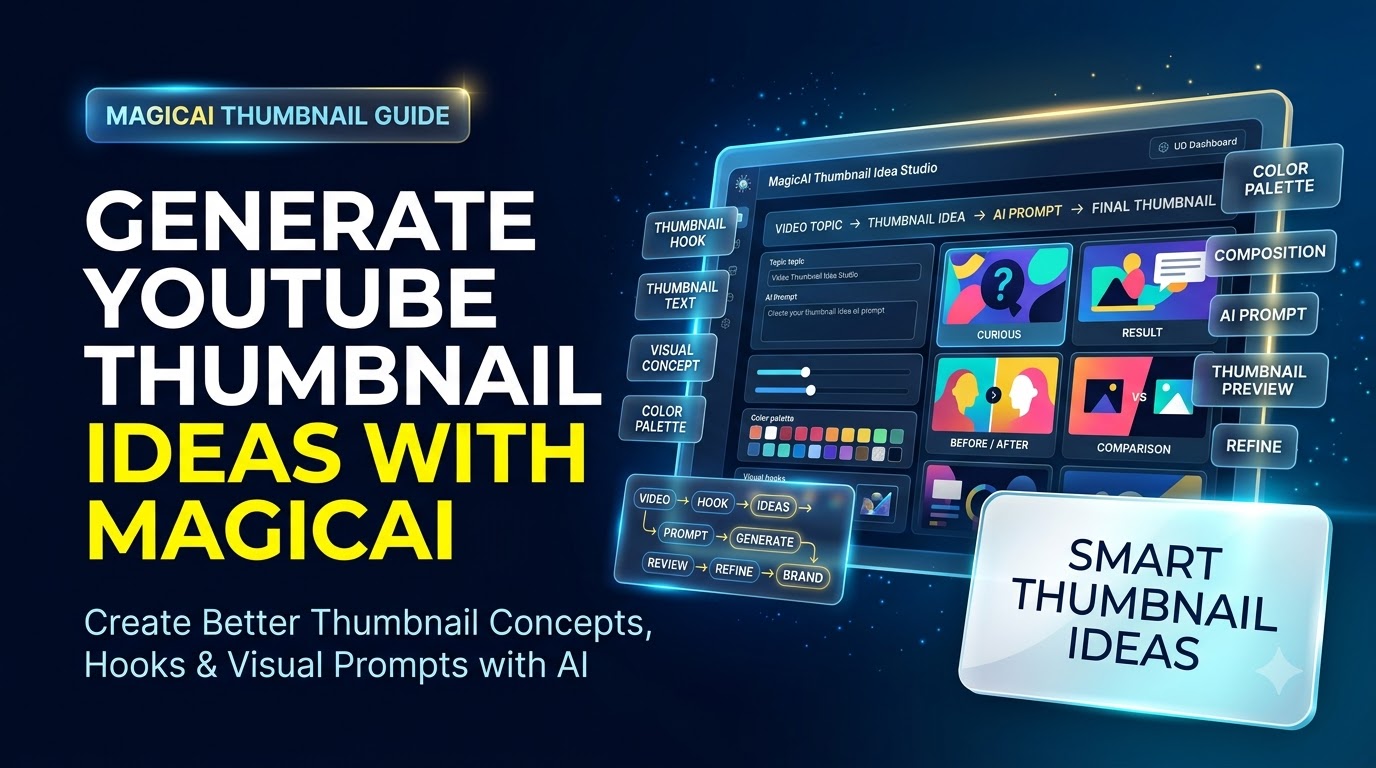
VIDEO TOPIC → VIDEO TITLE → AUDIENCE → MAIN PROMISE → THUMBNAIL HOOK → CONCEPTS → TEXT → VISUAL → STYLE → PROMPT → GENERATE → REVIEW → REFINE → BRAND → FINAL THUMBNAIL
Step 1: Identify the Video Topic
Understand the main subject.
Step 2: Analyze the Video Promise
Ask what viewers are expected to learn, achieve, discover, or experience.
Step 3: Define the Thumbnail Hook
Choose:
- Curiosity
- Result
- Problem
- Transformation
- Comparison
- Number
- Strong statement
Step 4: Generate Several Concepts
Ask MagicAI for multiple directions rather than one idea.
Step 5: Select the Strongest Concept
Choose the idea that communicates the video most clearly.
Step 6: Write the Image Prompt
Add the subject, colors, composition, style, text, lighting, and format.
Step 7: Generate the Visual
Use MagicAI’s image-generation capability to develop the thumbnail concept.
Step 8: Review
Check:
- Clarity
- Readability
- Contrast
- Topic relevance
- Visual hierarchy
- Mobile appearance
Step 9: Refine
Ask for specific changes instead of completely changing the concept.
Step 10: Apply Branding
Keep the final thumbnail consistent with your channel.
20 YouTube Thumbnail Idea Prompts
- Curiosity: Create a thumbnail that makes viewers wonder what happened.
- Result: Focus entirely on the main result promised by the video.
- Before/After: Show a clear transformation.
- Problem/Solution: Show a problem on one side and solution on the other.
- Big Number: Make an important number the dominant visual.
- Comparison: Compare two methods visually.
- Mistake: Highlight a common mistake viewers should avoid.
- Secret: Create a curiosity-driven “hidden strategy” concept without making false claims.
- Challenge: Create a dynamic challenge-style visual.
- Tutorial: Create a clean educational thumbnail.
- Tool: Make the featured software or tool the focal point.
- Growth: Show a dramatic upward growth concept.
- Failure: Show a visual problem or negative result.
- Success: Show the desired outcome.
- New Method: Present a new approach visually.
- Old vs New: Compare traditional and modern workflows.
- Beginner: Create a simple beginner-friendly concept.
- Expert: Create a premium professional concept.
- List: Build a thumbnail around a strong list number.
- Ultimate Guide: Create a comprehensive but uncluttered visual concept.
Thumbnail Idea Checklist
Before creating the final thumbnail, check:
- Is the main idea obvious?
- Does it match the video?
- Is there one dominant focal point?
- Is the text short?
- Is the contrast strong?
- Is the visual interesting?
- Is the composition simple?
- Does it work on mobile?
- Does it match the channel’s branding?
- Does it create curiosity without misleading viewers?
Final Verdict
MagicAI can be useful for generating YouTube thumbnail concepts, visual directions, and AI image prompts. Its platform combines AI image generation with YouTube-focused content templates, including tools for generating video titles, descriptions, and tags.
The strongest workflow is to start with the video’s topic and promise, identify a single thumbnail hook, generate several concepts, choose the strongest direction, and then turn that concept into a focused image prompt.
Instead of asking AI to simply “make a YouTube thumbnail,” give it specific instructions about the subject, hook, text, composition, colors, visual style, and audience.
The complete process is:
VIDEO → HOOK → CONCEPTS → TEXT → VISUAL → PROMPT → GENERATE → REVIEW → REFINE → BRAND → PUBLISH
This approach can help you create more consistent, relevant, and professional thumbnail ideas for your YouTube content.