
Introduction
Blog images play an important role in modern content marketing. A well-designed image can make a blog post more attractive, communicate an idea quickly, break up long sections of text, and create a stronger visual identity for the website.
Creating custom blog graphics traditionally requires design software, stock-image searches, or a professional designer. AI image-generation tools can make the process much faster by helping users turn visual ideas into generated images.
MagicAI includes an AI Image Generator designed to create images from user instructions. Its current platform also provides a workflow centered around imagining, generating, and publishing visual content.
With the right prompt, MagicAI can be used to develop concepts for blog featured images, educational graphics, article illustrations, promotional visuals, and other editorial assets.
This guide explains how to create better blog images with MagicAI, how to write effective prompts, how to choose visual styles, and how to build a repeatable workflow for SEO-focused blog content.
What Are Blog Images?
Blog images are visual assets used inside or alongside an article.
They can include:
- Featured images
- Article header graphics
- Section illustrations
- Educational diagrams
- Infographics
- Product visuals
- Process illustrations
- Comparison graphics
- Quote graphics
- Promotional images
- Social media versions of blog graphics
The purpose of a blog image is not simply to make an article look attractive. It should support the subject of the article and improve the reader’s understanding or engagement.
Can MagicAI Create Blog Images?
Yes. MagicAI provides an AI Image Generator that can create images based on user input. The platform describes its image workflow as “Imagine, Generate, Publish” and identifies Dall-E as the technology powering its image generation.
For blog content, this means you can start with an article topic and develop a visual concept around it.
For example:
Blog Topic: How to Build a Content Strategy
Instead of using a generic stock photograph, you could create a visual showing:
- Content strategy planning
- Keyword research
- Topic clusters
- Content calendars
- SEO planning
- AI-assisted content creation
The result can be more closely aligned with the actual subject of the article.
Why Use MagicAI for Blog Images?
1. Faster Visual Creation
Creating a custom visual from scratch can take significant time. AI image generation can reduce the amount of manual design work required for initial concepts.
2. Topic-Specific Images
You can describe exactly what you want the image to communicate instead of searching through unrelated stock photographs.
3. More Creative Options
A single blog topic can have many visual interpretations.
For example, an article about SEO could use:
- Search-engine visualizations
- Keyword dashboards
- Content strategy interfaces
- Editorial planning scenes
- Abstract search concepts
4. Consistent Blog Design
Using similar prompts, colors, compositions, and visual styles can help create a recognizable visual identity across your blog.
5. Useful for Different Content Types
Blog images can be created for:
- SEO articles
- Tutorials
- Guides
- Product reviews
- Case studies
- How-to articles
- Business articles
- Technology articles
- Marketing content
Start with the Blog Topic
Before writing an image prompt, identify the main subject of your article.
Suppose the article is:
How to Create SEO Blog Outlines Using MagicAI
The image should communicate ideas such as:
- SEO
- Blog planning
- AI
- Content structure
- H1/H2/H3 headings
- Keywords
- Content outlines
Avoid creating an unrelated generic technology image.
The visual should immediately support the article’s subject.
Define the Purpose of the Image
Different blog images serve different purposes.
Featured Image
A featured image introduces the entire article.
It should:
- Represent the main topic
- Have strong visual hierarchy
- Work well as a thumbnail
- Contain limited text
- Look professional
Section Illustration
A section image supports one specific part of an article.
For example:
Article: How to Improve Website SEO
A section about internal linking could use a visual showing connected pages and content nodes.
Educational Graphic
Educational graphics should focus on explaining a process, concept, or relationship.
Promotional Blog Image
Promotional images can highlight:
- Products
- Services
- Features
- Benefits
- Offers
- Campaigns
Choose the Right Visual Style
Your image prompt should clearly describe the visual style.
Possible styles include:
- Modern SaaS
- Editorial
- Minimalist
- Corporate
- Futuristic
- Professional
- Photorealistic
- Isometric
- 3D
- Glassmorphism
- Clean infographic
- Premium technology
For a technology blog, a modern SaaS or editorial style may work better than a generic stock-photo appearance.
Decide the Composition
Composition determines how elements are arranged within the image.
For a blog featured image, consider:
- Main subject
- Headline area
- Supporting visual
- Background
- Negative space
- Focal point
- Visual hierarchy
A strong composition prevents the image from looking crowded.
For example:
Left: headline
Center: main visual
Right: supporting interface elements
This structure works particularly well for professional blog thumbnails.
Use Negative Space
Negative space is the empty or less-detailed area surrounding the main visual elements.
It is useful when your blog image needs text.
For example:
Leave clean negative space on the left side for a large editorial headline.
This gives the image generator a clear composition instead of asking it to place everything everywhere.
Select Colors Carefully
Colors should match your website and brand.
For a technology-focused blog, you might use:
- Dark navy
- Electric blue
- Cyan
- White
- Light gray
For a food blog, warmer colors may be more appropriate.
The important principle is consistency.
If every article uses completely different colors and visual styles, the blog may look disconnected.
Write Better MagicAI Image Prompts
The quality of your instruction has a major impact on the visual concept.
A useful prompt can contain:
Subject + Purpose + Style + Composition + Colors + Lighting + Background + Text + Aspect Ratio
For example:
Create a professional blog featured image about SEO content planning. Show a modern AI content-planning dashboard with keyword groups, topic clusters, blog outlines, and content cards. Use a premium SaaS editorial style with a dark navy background, electric-blue highlights, glassmorphism panels, subtle cyan lighting, strong visual hierarchy, and clean negative space for the headline. Use a 16:9 horizontal composition.
This is more useful than simply writing:
Create an SEO blog image.
Blog Image Prompt Formula
Use this formula when creating images:
Create a [TYPE OF IMAGE] about [BLOG TOPIC], showing [MAIN VISUAL]. Use a [VISUAL STYLE] with [COLOR PALETTE], [COMPOSITION], [LIGHTING], and [BACKGROUND]. Keep the design [MOOD/QUALITY]. Include [TEXT OR EDITORIAL ELEMENTS] and maintain clear negative space. Use a 16:9 horizontal composition.
Example: SEO Blog Image
Prompt:
Create a premium editorial blog featured image about SEO content writing. Show an AI-powered content workspace with keyword research, search intent, content outlines, SEO optimization, and publishing workflow cards. Use a modern SaaS glassmorphism style, dark navy background, electric-blue and cyan highlights, subtle glowing interface elements, cinematic lighting, and clean visual hierarchy. Keep the composition professional and uncluttered with negative space for the headline. 16:9 horizontal blog thumbnail.
Example: Digital Marketing Blog Image
Prompt:
Create a professional blog featured image about digital marketing strategy. Show a modern marketing dashboard with campaign planning, audience targeting, analytics, content strategy, and conversion elements. Use a premium futuristic SaaS style with dark navy, blue, cyan, and white tones, glassmorphism cards, soft neon lighting, realistic depth, and a clean editorial composition. Leave clear space for a large headline. 16:9 horizontal format.
Example: AI Technology Blog Image
Prompt:
Create a premium editorial image for a blog about artificial intelligence. Show a sophisticated AI workspace with content generation, data analysis, automation, and creative tools represented through elegant interface panels. Use a dark futuristic environment, electric-blue lighting, glassmorphism UI, subtle digital particles, cinematic depth, and a professional SaaS aesthetic. Avoid robots and human characters. Keep the layout clean and leave negative space for editorial text. 16:9 horizontal.
Example: Product Review Blog Image
Prompt:
Create a professional blog featured image for a product review article. Show a premium product centered in a clean studio environment with subtle technology interface elements, controlled lighting, realistic materials, elegant shadows, and a modern editorial composition. Use a sophisticated dark background with blue and cyan accents. Keep the product as the main focal point and leave clean negative space for the article headline. 16:9 horizontal.
Example: How-To Blog Image
Prompt:
Create a professional educational blog image about how to create a content strategy. Show a visual workflow connecting goals, audience research, keywords, content pillars, topic clusters, content calendar, publishing, and performance analysis. Use a modern SaaS infographic-inspired interface with glassmorphism cards, dark navy background, blue and cyan highlights, clear hierarchy, subtle lighting, and strong 3D depth. Keep the composition clean and easy to understand. 16:9 horizontal.
Create Blog Featured Images
Featured images should communicate the article topic immediately.
A good featured image generally includes:
- One main concept
- One dominant visual
- Strong hierarchy
- Consistent colors
- Limited text
- Professional composition
Avoid trying to represent every section of the article in one image.
Create Images for Different Blog Sections
You can also create supporting images for specific sections.
For example, an article titled:
How to Create a Content Strategy
could have separate visuals for:
Content Research
Show:
- Audience
- Keywords
- Competitors
- Search intent
Content Planning
Show:
- Content pillars
- Topic clusters
- Editorial calendar
Content Production
Show:
- AI writing
- Editing
- SEO optimization
- Review
Content Measurement
Show:
- Traffic
- Rankings
- Engagement
- Conversions
This creates a more visually engaging long-form article.
Create Consistent Images Across a Blog
Consistency is one of the most important parts of professional blog design.
Keep these elements consistent:
- Aspect ratio
- Color palette
- Typography
- Lighting
- Visual style
- Border treatment
- UI style
- Image quality
- Composition principles
For example, a technology blog could consistently use:
Dark navy + electric blue + cyan + glassmorphism + 16:9 + premium SaaS editorial style
This creates a recognizable visual language.
Add Brand Elements Carefully
If your blog has an established visual identity, include brand elements where appropriate.
You can specify:
- Brand colors
- Typography style
- Background colors
- Interface style
- Graphic treatment
- Editorial layout
Avoid overcrowding the image with logos or unnecessary branding.
The blog topic should remain the primary focus.
Be Careful with Text Inside AI Images
AI-generated images can sometimes produce incorrect or distorted text.
If the image requires a large headline, keep the text short.
Better:
SEO CONTENT STRATEGY
Instead of:
The Complete Step-by-Step Guide to Building an Advanced SEO Content Strategy for Your Website
For important editorial text, you can also generate the visual without text and add the final typography using a design tool afterward.
Create Images for Different Blog Categories
SEO Blogs
Use:
- Keywords
- Search interfaces
- Content structures
- Analytics
- Topic clusters
Business Blogs
Use:
- Dashboards
- Strategy boards
- Business workflows
- Professional environments
Technology Blogs
Use:
- Interfaces
- Digital systems
- Data visualization
- Software environments
Ecommerce Blogs
Use:
- Product displays
- Shopping interfaces
- Product catalogs
- Conversion dashboards
Food Blogs
Use:
- Food presentation
- Ingredients
- Kitchen environments
- Recipe workflows
Optimize Blog Images for SEO
Creating the image is only one part of the process.
You should also optimize the final image for your website.
Use a Descriptive Filename
Instead of:
image123.jpg
Use:
how-to-create-blog-images-with-magicai.jpg
Write Useful ALT Text
Example:
How to create professional blog images with MagicAI using AI image prompts and visual design workflows
ALT text should describe the actual image rather than simply stuffing keywords.
Choose an Appropriate Format
Depending on your website workflow, modern formats such as WebP can help reduce image size while maintaining good visual quality.
Compress the Image
Large image files can negatively affect page-loading performance.
Before uploading, check:
- File size
- Dimensions
- Compression
- Quality
- Mobile appearance
MagicAI Blog Image Workflow
A practical workflow can look like this:
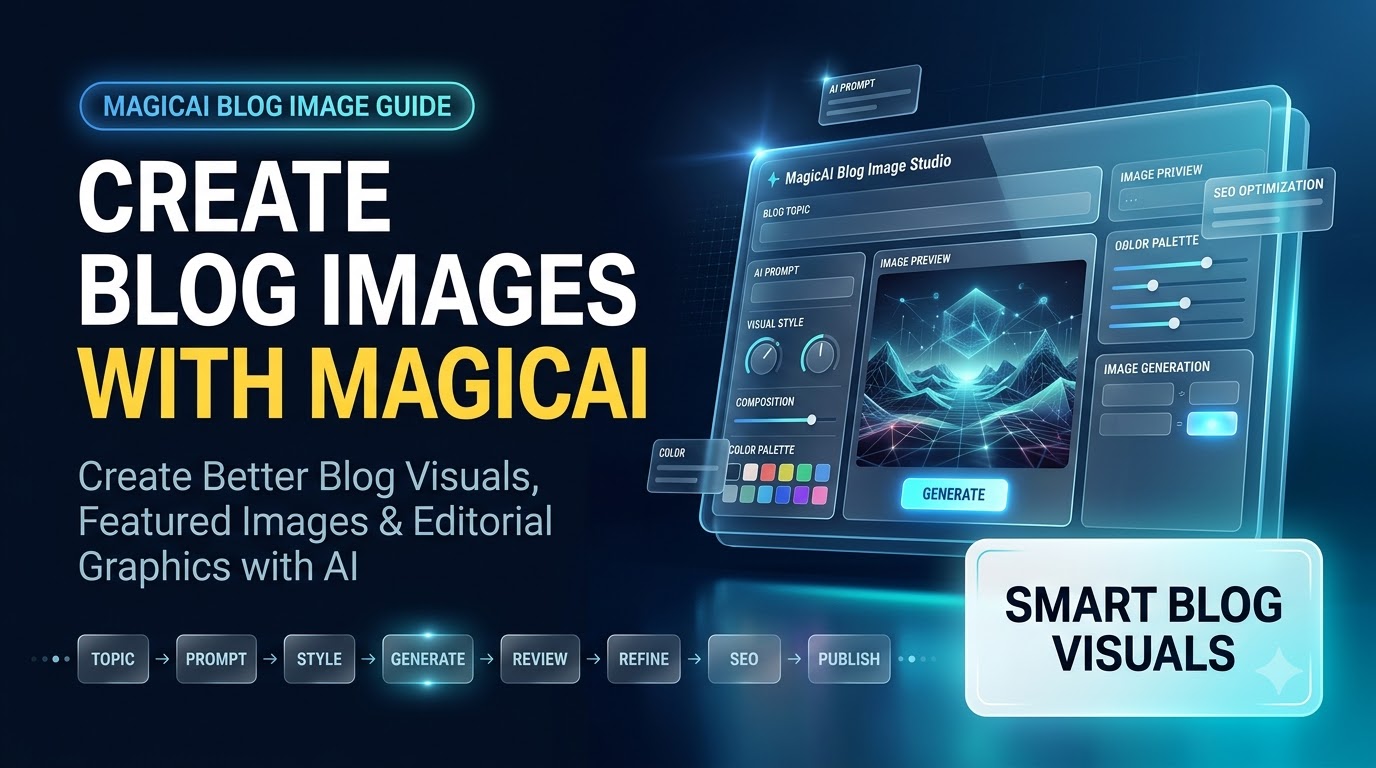
BLOG TOPIC → PURPOSE → SUBJECT → STYLE → COMPOSITION → PROMPT → GENERATE → REVIEW → REFINE → BRAND → SEO OPTIMIZE → PUBLISH
Step 1: Identify the Blog Topic
Understand exactly what the article is about.
Step 2: Define the Image Purpose
Decide whether it is:
- Featured image
- Section image
- Infographic
- Educational graphic
- Promotional image
Step 3: Choose the Main Visual
Identify the single concept that should dominate the image.
Step 4: Select the Style
Choose a visual style that fits your website.
Step 5: Write the Prompt
Describe the subject, style, composition, lighting, colors, and layout.
Step 6: Generate the Image
Use MagicAI’s image-generation functionality to create the visual. MagicAI’s platform describes the process as imagining, generating, and publishing visual content.
Step 7: Review the Result
Check:
- Does it represent the article?
- Is the composition clear?
- Is the subject correct?
- Is the text readable?
- Are there visual errors?
- Is anything unnecessary?
Step 8: Refine the Prompt
If the result is not right, change specific instructions instead of rewriting everything.
For example:
Make the main subject larger and move it toward the right side. Reduce background details and increase clean negative space on the left.
Step 9: Apply Brand Consistency
Check colors, visual style, and typography against your existing blog design.
Step 10: Optimize for SEO
Use:
- Descriptive filename
- Relevant ALT text
- Appropriate dimensions
- Compression
- Proper image format
Master MagicAI Prompt for Blog Images
Use this reusable prompt:
Create a premium professional blog featured image for an article about [BLOG TOPIC]. The main visual should communicate [MAIN CONCEPT]. Show [KEY VISUAL ELEMENTS]. Use a [VISUAL STYLE] aesthetic with [COLOR PALETTE], realistic depth, polished lighting, subtle shadows, and strong visual hierarchy. Use a clean [COMPOSITION] layout with clear negative space for the headline. Make the image suitable for a modern professional blog and SEO-focused editorial content. Keep the design sophisticated, uncluttered, and visually balanced. Avoid generic stock photography, unnecessary characters, excessive decorative elements, fake logos, distorted typography, clutter, and low-quality AI artifacts. Use a 16:9 horizontal composition.
10 Ready-to-Use MagicAI Blog Image Prompts
1. SEO Blog
Create a premium editorial blog image about SEO optimization, showing keywords, search intent, content structure, internal links, and analytics in a modern SaaS interface. Dark navy background, electric-blue and cyan highlights, glassmorphism cards, cinematic lighting, clean hierarchy, 3D depth, and negative space for a headline. 16:9 horizontal.
2. AI Blog
Create a futuristic professional blog image about artificial intelligence, showing an advanced AI workspace with content generation, analysis, automation, and creative tools. Use dark navy, blue, cyan, and white tones with glassmorphism interfaces and cinematic lighting. Avoid robots and human characters. Clean editorial composition, 16:9.
3. Content Marketing
Create a professional editorial blog image about content marketing strategy, showing content planning, audience research, keywords, publishing, and performance analytics. Premium SaaS style, dark navy background, electric-blue accents, glass panels, subtle glow, strong depth, and clean negative space. 16:9.
4. Business Strategy
Create a premium business blog image showing strategic planning, business goals, analytics, customer insights, and growth planning through elegant interface panels. Modern corporate SaaS aesthetic, sophisticated dark background, blue and cyan accents, realistic lighting, clean composition, 16:9.
5. Ecommerce
Create a professional ecommerce blog featured image showing product listings, shopping analytics, customer engagement, and conversion metrics. Premium digital commerce interface, dark navy environment, blue and cyan lighting, glassmorphism cards, realistic depth, and clean editorial composition. 16:9.
6. Blogging Guide
Create a modern editorial blog image about professional blogging, showing a content workspace with article planning, headings, keywords, editing, and publishing. Premium SaaS design, dark navy background, electric-blue highlights, glassmorphism interface, subtle cinematic lighting, and clean negative space. 16:9.
7. Social Media Marketing
Create a professional blog image about social media marketing showing content planning, social campaigns, engagement metrics, audience insights, and publishing workflows. Modern SaaS visual style, dark navy background, blue and cyan highlights, polished interface cards, clean hierarchy, and cinematic depth. 16:9.
8. Keyword Research
Create a premium SEO editorial image about keyword research showing keyword ideas, long-tail keywords, search intent, keyword clusters, and content opportunities in a sophisticated AI interface. Dark navy, electric blue, cyan, glassmorphism panels, clean hierarchy, and negative space. 16:9.
9. Website Optimization
Create a professional blog featured image about website optimization, showing website performance, SEO metrics, content improvements, page structure, and analytics. Premium SaaS editorial design, dark navy environment, electric-blue glow, glass panels, subtle reflections, and balanced composition. 16:9.
10. Digital Transformation
Create a futuristic professional editorial image about digital transformation, showing connected business systems, automation, data analytics, cloud workflows, and modern digital tools. Premium enterprise SaaS style, dark navy background, electric-blue and cyan lighting, glassmorphism UI, realistic depth, and clean negative space. 16:9.
Common Mistakes to Avoid
1. Using Generic Prompts
A prompt such as:
Make a blog image about SEO.
does not provide enough creative direction.
2. Adding Too Many Elements
Too many objects can make the image difficult to understand.
3. Using Inconsistent Styles
Changing the visual style completely for every article can weaken brand identity.
4. Adding Too Much Text
Keep image text short and readable.
5. Ignoring the Article Topic
A beautiful image is still ineffective if it does not communicate the subject.
6. Using Poor Quality Images
Avoid blurry, distorted, poorly composed, or visually inconsistent images.
7. Forgetting Mobile Users
A detailed desktop image may become difficult to understand on smaller screens.
Always check how the final image looks at mobile dimensions.
AI-Generated Blog Images vs Stock Images
| Factor | AI-Generated Images | Stock Images |
|---|---|---|
| Customization | Very high | Limited |
| Topic specificity | High | Depends on availability |
| Original concepts | High | Usually limited |
| Creative control | High | Moderate |
| Production speed | Fast | Fast searching required |
| Brand consistency | Easier to control | Can vary |
| Unique visual direction | Strong | Depends on library |
AI-generated images are particularly useful when a blog requires a visual concept that is difficult to find as a standard stock photograph.
How to Improve a Generated Blog Image
If the first result is not suitable, refine individual elements.
Problem: Too Much Clutter
Prompt:
Simplify the composition, remove unnecessary interface elements, reduce background details, and keep one clear focal point.
Problem: Weak Main Subject
Prompt:
Make the central subject larger, sharper, and more visually dominant.
Problem: Poor Text Area
Prompt:
Create a large clean negative-space area on the left side for editorial headline placement.
Problem: Generic Appearance
Prompt:
Use a distinctive premium editorial SaaS composition with sophisticated glassmorphism interfaces and controlled cinematic lighting.
Problem: Too Much Neon
Prompt:
Reduce the neon intensity and use subtle blue and cyan highlights with a more professional editorial appearance.
Blog Image Quality Checklist
Before publishing, ask:
- Does the image match the article topic?
- Is the main visual immediately understandable?
- Is the composition balanced?
- Is the image visually consistent with the website?
- Is the headline area clear?
- Is the image sharp?
- Are there unwanted artifacts?
- Is any generated text incorrect?
- Is the filename descriptive?
- Is the ALT text useful?
- Is the image compressed?
- Does it work on mobile?
Best Practices for Professional Blog Images
For consistently better results:
- Start with the article’s search intent.
- Identify the main visual concept.
- Use a specific prompt.
- Define the visual style.
- Control composition and negative space.
- Keep the image focused.
- Maintain consistent brand colors.
- Avoid unnecessary text.
- Review AI-generated details carefully.
- Optimize the final file for the website.
Final MagicAI Blog Image Workflow
The complete process can be simplified to:
TOPIC → PURPOSE → SUBJECT → STYLE → COMPOSITION → PROMPT → GENERATE → REVIEW → REFINE → BRAND → SEO → PUBLISH
This workflow helps turn a simple blog topic into a structured visual concept instead of relying on generic images.
Frequently Asked Questions
Can MagicAI create blog featured images?
Yes. MagicAI provides an AI Image Generator for creating images from user input, making it suitable for developing blog featured-image concepts and other visual content.
What should I include in a MagicAI blog image prompt?
Include the topic, main subject, visual style, composition, colors, lighting, background, text requirements, and aspect ratio.
What size should a blog featured image be?
A 16:9 layout is a practical starting point for many modern blog designs, although the exact dimensions should match your website’s theme and image requirements.
Should blog images contain text?
They can, but keep the text short. For important typography, adding the final text after image generation can provide more reliable results.
Can I create different images for different sections of a blog?
Yes. Section-specific images can help explain concepts and make long-form articles easier to scan.
How can I keep blog images consistent?
Use the same color palette, aspect ratio, visual style, lighting approach, and composition principles across your image prompts.
Should AI-generated blog images be optimized for SEO?
Yes. Use descriptive filenames, meaningful ALT text, appropriate dimensions, compression, and suitable image formats.
Can MagicAI create images for different blog niches?
Yes. You can adapt the image prompt to different subjects such as SEO, business, ecommerce, technology, marketing, education, food, and many other topics.
Final Verdict
MagicAI can be a useful tool for developing custom blog visuals without relying entirely on generic stock images. Its AI Image Generator allows users to turn visual instructions into image concepts, while its broader platform supports generating, editing, and exporting AI-created content.
The key to getting better results is not simply generating an image. It is creating a clear visual strategy.
Start with the blog topic, define the purpose of the image, choose the main visual, specify the style and composition, write a detailed prompt, generate the image, review it, refine it, and finally optimize it for your website.
With a consistent workflow, MagicAI can help you create blog images that are more relevant, professional, and aligned with your overall content strategy.