
Introduction
Creating content consistently is not the same as having a content strategy.
A content strategy defines what you should publish, who you are publishing for, why the content matters, which topics you should cover, and how each piece supports a larger business or SEO objective.
Without a strategy, businesses can easily publish random blog posts, repeat similar topics, target irrelevant keywords, or create content that generates traffic without producing meaningful results.
MagicAI can help simplify many parts of the content-planning process. Its platform includes AI writing capabilities, custom templates, blog-post ideas, article generation, product descriptions, meta descriptions, FAQs, rewriting, and other content-generation tools. It also allows users to provide basic information or keywords, generate content, and then edit or export the results.
This makes MagicAI useful as an AI-assisted content strategy and production tool.
However, a strong strategy still requires human decisions about business goals, audience, positioning, priorities, factual accuracy, and content quality.
This guide explains how to build a content strategy with MagicAI, from defining goals and audiences to keyword research, content pillars, topic clusters, calendars, content creation, optimization, measurement, and improvement.
What Is a Content Strategy?
A content strategy is a structured plan for creating, publishing, optimizing, and managing content to achieve specific goals.
A content strategy can define:
- Business objectives
- Target audience
- Customer problems
- Content pillars
- Keywords
- Search intent
- Topic clusters
- Content formats
- Publishing frequency
- Distribution channels
- Internal linking
- Calls to action
- Performance measurement
For example, an SEO-focused website might create a strategy around:
Audience → Problems → Keywords → Content Pillars → Topic Clusters → Articles → Internal Links → Conversions
The strategy connects individual pieces of content into a larger system.
Why Use MagicAI for Content Strategy?
MagicAI can support several stages of content planning and production.
1. Faster Idea Generation
MagicAI can help generate blog topics, content angles, questions, and supporting ideas.
Its available blog tools include features for generating post ideas, blog sections, introductions, conclusions, and articles.
2. Easier Content Planning
Instead of starting from a blank page, you can give MagicAI a business topic and ask it to organize possible content themes.
3. Keyword-Based Planning
You can provide keyword groups and ask MagicAI to turn them into potential topics and content clusters.
4. Content Calendar Development
AI can help transform approved topics into a structured publishing schedule.
5. Faster Content Production
Once the strategy is ready, MagicAI can assist with articles, product descriptions, meta descriptions, FAQs, social posts, emails, and other content formats.
Step 1: Define Your Content Goal
Every content strategy should start with a clear objective.
Possible goals include:
- Increase organic traffic
- Generate leads
- Increase product visibility
- Educate customers
- Build topical authority
- Improve brand awareness
- Support sales
- Generate enquiries
- Increase conversions
- Retain existing customers
Do not simply tell MagicAI:
Create a content strategy.
Give it a measurable direction.
Example Prompt
Create a content strategy for a B2B website that wants to increase organic traffic and generate qualified enquiries. Focus on educational SEO content, product-focused content, customer questions, and commercial search intent.
The more specific the goal, the more useful the strategy becomes.
Step 2: Define Your Target Audience
Your content strategy should be built around a specific audience.
Identify:
- Who they are
- What they need
- What problems they face
- What products or services they are researching
- What questions they ask
- What objections they have
- What influences their buying decisions
For example, an industrial machinery website might target:
- Manufacturers
- Production managers
- Packaging businesses
- Food-processing companies
- Procurement teams
- Distributors
A consumer website would require a completely different content strategy.
MagicAI Prompt
Define five target audience segments for a website selling [PRODUCT/SERVICE]. For each segment, identify their problems, questions, goals, buying concerns, and the types of content they are most likely to find useful.
Step 3: Identify Customer Problems
Good content usually starts with a problem rather than a keyword.
For example:
Problem: A manufacturer needs to improve packaging efficiency.
Potential content topics:
- How to Improve Packaging Efficiency
- Automatic vs Manual Packaging
- How to Select a Packaging Machine
- Common Packaging Problems
- Packaging Automation Guide
Ask MagicAI:
Identify the major problems, questions, concerns, and goals of customers interested in [PRODUCT/SERVICE]. Group them into educational, technical, commercial, and purchasing-related topics.
Step 4: Research Your Main Keywords
Keyword research helps connect your content strategy with actual search behavior.
Start with a seed keyword and develop:
- Primary keywords
- Secondary keywords
- Long-tail keywords
- Question keywords
- Commercial keywords
- Informational keywords
- Application-based keywords
- Product-specific keywords
For example:
Seed Keyword: content marketing
Possible keyword themes:
- content marketing strategy
- content marketing plan
- content strategy for small business
- B2B content marketing
- content calendar
- SEO content strategy
MagicAI can help brainstorm these ideas, but important search-volume and competition metrics should be validated with dedicated SEO tools.
Step 5: Create Content Pillars
Content pillars are the major themes around which your content strategy is organized.
For example, a website about AI content creation might use:
Content Pillar 1: AI Writing
Topics:
- AI writing tools
- AI article writing
- AI copywriting
- AI content editing
Content Pillar 2: SEO
Topics:
- SEO keyword research
- SEO content writing
- SEO blog outlines
- Meta descriptions
- Internal linking
Content Pillar 3: Content Marketing
Topics:
- Content strategy
- Content calendars
- Content promotion
- Content measurement
MagicAI Prompt
Create five content pillars for [BUSINESS/WEBSITE]. For each pillar, provide 10 relevant subtopics, keyword themes, audience questions, and potential article ideas. Make sure the pillars support the business goals.
Step 6: Build Topic Clusters
Once you have content pillars, create topic clusters.
A topic cluster contains:
Pillar topic → Supporting topics → Related questions → Internal links
For example:
Pillar: SEO Content Strategy
Supporting articles:
- How to Research SEO Keywords
- How to Create SEO Blog Outlines
- How to Write SEO-Friendly Articles
- How to Create Meta Titles
- How to Build Internal Links
- How to Refresh Old Content
The supporting pages can link back to the main pillar page.
Step 7: Map Search Intent
Every important keyword should have a clear search intent.
Common categories include:
| Search Intent | User Goal |
|---|---|
| Informational | Learn something |
| Commercial | Compare or research options |
| Transactional | Take an action or purchase |
| Navigational | Find a specific page or brand |
For example:
Informational: What is content strategy?
Commercial: Best AI content strategy tools
Transactional: Buy content marketing software
Navigational: MagicAI login
Your content strategy should include different content types for different stages of the customer journey.
Step 8: Build a Customer Journey
A content strategy becomes stronger when it addresses users at different stages.
Awareness
The user is discovering a problem.
Content examples:
- Beginner guides
- Educational articles
- Definitions
- Industry trends
Consideration
The user is evaluating solutions.
Content examples:
- Comparisons
- Case studies
- Product guides
- Solution-focused articles
Decision
The user is ready to take action.
Content examples:
- Product pages
- Service pages
- Pricing information
- Demonstrations
- Buying guides
Retention
The customer needs ongoing support.
Content examples:
- Tutorials
- FAQs
- Troubleshooting guides
- Best practices
- Product updates
MagicAI Prompt
Create a content strategy covering the awareness, consideration, decision, and retention stages for [TARGET AUDIENCE]. Recommend content topics and formats for each stage.
Step 9: Decide Which Content Formats to Use
Not every topic should become a blog article.
Your strategy can include:
- Blog posts
- Long-form guides
- Product descriptions
- Landing pages
- FAQs
- Case studies
- Comparison pages
- Social media posts
- Email newsletters
- Video scripts
- Ad copy
- Tutorials
- Checklists
MagicAI provides templates and generation capabilities across multiple content types, including articles, product descriptions, social content, email content, FAQs, and other formats.
Step 10: Create a Content Calendar
A content calendar turns your strategy into an actionable publishing plan.
A simple calendar can include:
| Date | Topic | Keyword | Intent | Format | Pillar | CTA |
|---|---|---|---|---|---|---|
| Week 1 | SEO Keyword Research Guide | keyword research | Informational | Blog | SEO | Read More |
| Week 2 | Product Selection Guide | product keyword | Commercial | Guide | Products | Enquire |
| Week 3 | Industry FAQ | industry questions | Informational | FAQ | Education | Contact |
| Week 4 | Product Comparison | comparison keyword | Commercial | Article | Products | Request Quote |
MagicAI Prompt
Create a 30-day content calendar for [BUSINESS]. Include topic, primary keyword, search intent, content format, content pillar, target audience, suggested CTA, and publishing date. Avoid duplicate topics.
Step 11: Prioritize Content Topics
You may generate hundreds of ideas, but you do not need to publish all of them.
Prioritize topics based on:
- Business relevance
- Search intent
- Customer value
- Keyword opportunity
- Conversion potential
- Existing website authority
- Content gaps
- Production effort
A useful framework is:
High relevance + high business value + realistic SEO opportunity = high priority
Ask MagicAI:
Rank these content ideas by business relevance, audience value, search intent, conversion potential, and content opportunity. Explain why each topic should be high, medium, or low priority.
Step 12: Create SEO Blog Outlines
Once a topic is approved, create an outline before writing.
Include:
- H1
- H2 sections
- H3 subsections
- Primary keyword
- Secondary keywords
- Search intent
- Reader questions
- Examples
- FAQs
- Internal links
MagicAI Prompt
Create a detailed SEO blog outline for “[TOPIC].” Target keyword: [KEYWORD]. Search intent: [INTENT]. Include H1, H2, H3 sections, related keywords, reader questions, FAQ opportunities, examples, and internal-link opportunities. Avoid repetitive headings and keyword stuffing.
Step 13: Create Content With MagicAI
After the outline is approved, use MagicAI to draft the content.
Instead of asking for everything at once, consider generating important sections individually.
For example:
Write the H2 section “[SECTION NAME]” using a professional, helpful tone. Explain the topic clearly, include relevant examples, and use the target keyword naturally. Do not invent statistics or unsupported claims.
This gives you more control over the final result.
Step 14: Maintain a Consistent Brand Voice
Your content strategy should define how your brand communicates.
Possible styles include:
- Professional
- Friendly
- Technical
- Educational
- Conversational
- Premium
- Direct
- Authoritative
Brand Voice Prompt
Create a brand voice guide for [BUSINESS]. Define tone, vocabulary, sentence style, preferred terminology, words to use, words to avoid, and writing principles. Make the voice consistent across blogs, product pages, landing pages, emails, and social content.
You can then reuse the voice instructions in future MagicAI prompts.
Step 15: Create Content Templates
If you repeatedly create the same content type, create a reusable structure.
For example, a product page template could include:
- Product Overview
- Key Features
- Benefits
- Technical Specifications
- Applications
- Suitable Products
- FAQs
- CTA
MagicAI supports custom templates, which can help standardize recurring content workflows.
Step 16: Build an Internal-Linking Strategy
Internal links connect related pages and help users discover more information.
For example:
Main pillar: Content Strategy Guide
Supporting pages:
- Keyword Research
- Search Intent
- Content Clusters
- Blog Outlines
- SEO Writing
- Content Calendar
- Content Optimization
Create links between closely related pages using natural anchor text.
MagicAI Prompt
Analyze this content strategy and identify logical internal-link opportunities between the planned articles. Suggest the source page, target page, and natural anchor-text idea for each link.
Step 17: Plan Content Updates
Content strategy should not end when an article is published.
Create a process for reviewing older content.
Look for:
- Outdated information
- Missing sections
- Declining traffic
- New search intent
- New keywords
- Broken links
- Weak introductions
- Old examples
- Missing FAQs
- Better internal-link opportunities
MagicAI can help rewrite or expand existing content, while human review should determine what actually needs to change.
Step 18: Repurpose Content
One strong article can become multiple content assets.
For example:
One long-form article →
- LinkedIn post
- Social media posts
- Email newsletter
- Short video script
- FAQ section
- Infographic outline
- Sales talking points
MagicAI Prompt
Repurpose this article into five LinkedIn posts, three short social media posts, one email newsletter, five FAQ questions, and one short video script. Keep the messaging consistent with the original article.
This helps maximize the value of existing content.
Step 19: Measure Content Performance
A content strategy needs measurable outcomes.
Depending on the goal, monitor:
- Organic traffic
- Keyword rankings
- Click-through rate
- Engagement
- Leads
- Enquiries
- Conversions
- Sales
- Internal-link clicks
- Returning visitors
Do not judge every article only by traffic.
A product-focused page may generate fewer visitors but produce more valuable leads than a broad informational article.
Step 20: Improve the Strategy Over Time
Use performance data to decide what to:
- Create more of
- Update
- Expand
- Consolidate
- Redirect
- Stop producing
MagicAI Review Prompt
Analyze this content performance data and identify which content topics should be expanded, updated, consolidated, or deprioritized. Explain the reasoning based on traffic, engagement, conversions, keyword performance, and business relevance.
Use actual analytics data as the input rather than asking AI to guess performance.
Master MagicAI Prompt for Building a Content Strategy
Use this reusable prompt:
Build a comprehensive content strategy for [BUSINESS/WEBSITE].
Business goal: [GOAL]
Target audience: [AUDIENCE]
Products/services: [PRODUCTS OR SERVICES]
Target market: [MARKET/LOCATION]
Main topics: [TOPICS]
Primary SEO goals: [SEO GOALS]Create:
- Target audience segments
- Customer problems and questions
- Content pillars
- Topic clusters
- Keyword themes
- Search-intent categories
- Awareness-stage content
- Consideration-stage content
- Decision-stage content
- Retention-stage content
- Blog topics
- Product/service content ideas
- FAQ opportunities
- Internal-link opportunities
- Content formats
- A 30-day content calendar
- Content-priority recommendations
- Suggested CTAs
Keep the strategy practical, SEO-focused, audience-centered, and aligned with the business goal. Avoid duplicate topics, keyword stuffing, generic ideas, and unsupported claims. Do not invent search-volume or performance metrics.
Recommended Content Strategy Workflow
A practical MagicAI content strategy workflow is:
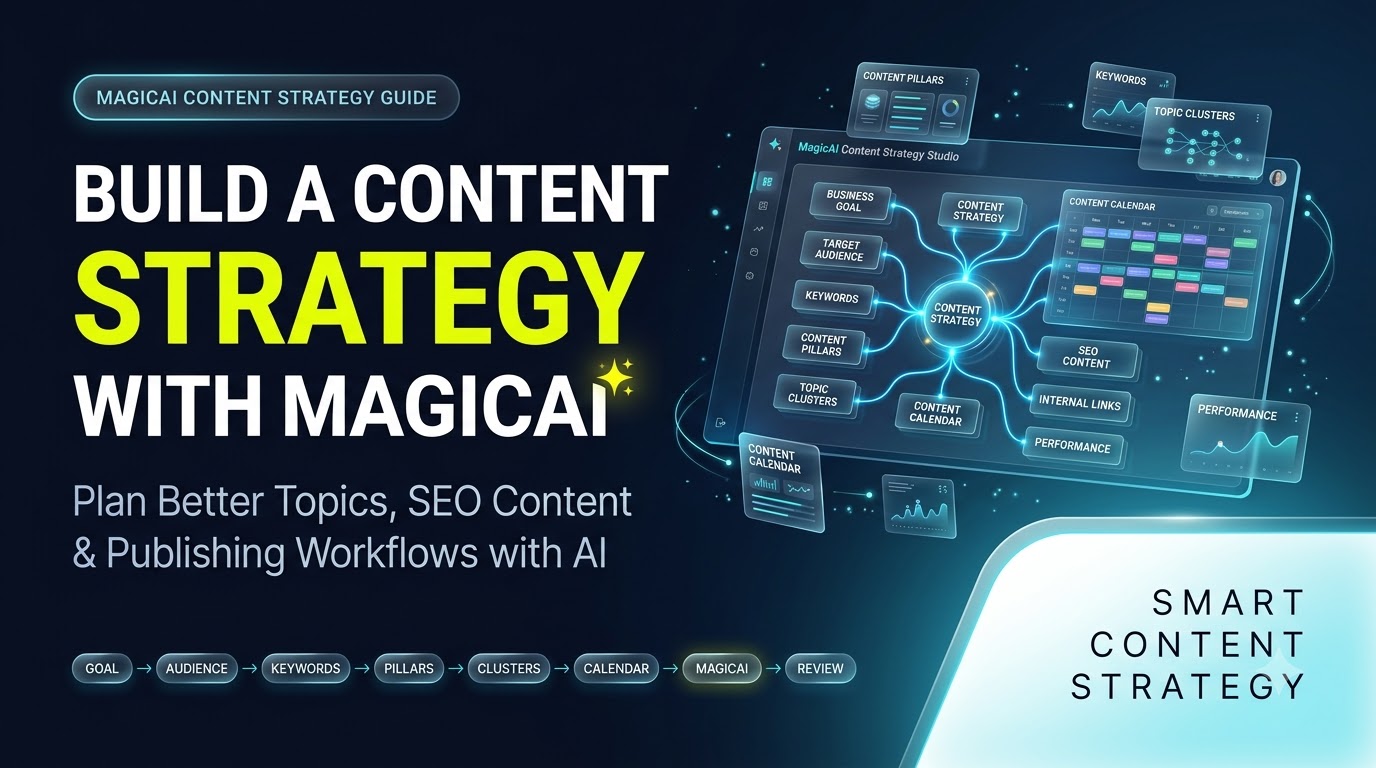
BUSINESS GOAL → AUDIENCE → CUSTOMER PROBLEMS → KEYWORDS → SEARCH INTENT → CONTENT PILLARS → TOPIC CLUSTERS → CUSTOMER JOURNEY → CONTENT FORMATS → PRIORITIZATION → CONTENT CALENDAR → MAGICAI CREATION → SEO OPTIMIZATION → INTERNAL LINKS → PUBLISH → MEASURE → UPDATE
This workflow helps turn individual AI-generated ideas into a connected content system.
Common Mistakes to Avoid
1. Starting With AI Instead of Strategy
Do not ask AI to create content before deciding what the business actually wants to achieve.
2. Creating Random Topics
Every major topic should have a reason for existing within the overall strategy.
3. Focusing Only on Traffic
Traffic is useful, but leads, enquiries, sales, and audience value can matter more.
4. Ignoring Search Intent
A keyword without intent analysis can result in the wrong type of content.
5. Publishing Too Much Low-Value Content
More articles do not automatically create a stronger website.
6. Using the Same Content Format for Everything
Different topics require different formats.
7. Forgetting Internal Links
A content strategy should connect related pages rather than treating every article as an isolated asset.
8. Letting AI Invent Information
Always verify statistics, product details, industry claims, and other factual information.
9. Ignoring Existing Content
Sometimes improving an existing page is more valuable than creating another new article.
10. Never Reviewing Performance
A strategy should evolve according to real results.
Benefits of Building a Content Strategy With MagicAI
Using MagicAI as part of a structured content strategy can help you:
- Generate content ideas faster
- Organize content pillars
- Develop topic clusters
- Explore keyword themes
- Build content calendars
- Create article outlines
- Draft different content formats
- Maintain consistent brand messaging
- Repurpose existing content
- Generate FAQs
- Improve older content
- Scale content production
The platform’s custom templates and broad range of content-generation tools can also support repeatable workflows across blog, ecommerce, advertising, social, and other content categories.
MagicAI Content Strategy vs Manual Planning
| Factor | Manual Planning | MagicAI-Assisted Planning |
|---|---|---|
| Topic brainstorming | Time-consuming | Faster |
| Content pillars | Manual | AI-assisted |
| Keyword ideas | Manual + SEO tools | AI-assisted + validation |
| Topic clustering | Time-consuming | Faster |
| Content calendar | Manual | AI-assisted |
| Blog outlines | Manual | Faster |
| Content drafts | Manual | AI-assisted |
| Brand voice consistency | Manual | Template/prompt assisted |
| Performance analysis | Analytics required | AI can assist with interpretation |
| Strategic decisions | Human | Human |
MagicAI can accelerate execution, but the strategic decisions should remain under human control.
Content Strategy Checklist
Before launching your content strategy, check:
- Business goal is clearly defined
- Target audience is identified
- Customer problems are documented
- Primary keyword themes are identified
- Search intent is mapped
- Content pillars are established
- Topic clusters are created
- Customer journey is considered
- Content formats are selected
- High-priority topics are identified
- Content calendar is prepared
- Internal-link opportunities are planned
- Brand voice is documented
- Reusable templates are created
- Content performance metrics are defined
- Content update process is established
- Human review is included
Frequently Asked Questions
Can MagicAI help build a content strategy?
Yes. MagicAI can assist with content ideas, topic planning, blog generation, product content, FAQs, metadata, rewriting, and other parts of the content-production workflow.
Can MagicAI create a content calendar?
Yes. You can provide your business goal, audience, topics, publishing frequency, and content formats and ask MagicAI to organize them into a calendar.
Can MagicAI create content pillars?
Yes. Give it your business, audience, products, and goals and ask it to organize relevant topics into content pillars and supporting clusters.
Can MagicAI help with topic clusters?
Yes. You can provide a main topic or keyword group and ask MagicAI to organize related topics into clusters.
Can MagicAI replace a content strategist?
No. AI can accelerate research, planning, and production, but strategic decisions require human understanding of the business, audience, market, and goals.
Can MagicAI help create SEO content?
Yes. MagicAI provides article, blog, meta-description, FAQ, rewriting, and other content-generation tools that can support an SEO content workflow.
How often should a content strategy be reviewed?
Review performance regularly and conduct a deeper strategic review periodically. The exact schedule depends on the website, publishing frequency, industry, and business goals.
Should every content idea generated by MagicAI be published?
No. Review each idea for relevance, search intent, business value, originality, and usefulness before adding it to your publishing plan.
Is AI-generated content strategy enough for SEO?
No. A strong SEO strategy also requires keyword validation, SERP analysis, quality content, internal linking, technical SEO, measurement, and ongoing optimization.
Final Verdict
Learning how to build a content strategy with MagicAI can make content planning faster, more organized, and easier to scale.
The strongest approach is to use MagicAI throughout the workflow without allowing it to replace strategic judgment.
Start with the business goal and target audience. Identify customer problems, research keywords, define content pillars, build topic clusters, map search intent, plan content for different stages of the customer journey, create a publishing calendar, and then use MagicAI to assist with production.
After publishing, measure real performance and use those insights to improve the strategy.
The ideal model is simple:
Human Strategy → MagicAI Assistance → Human Review → Publishing → Performance Data → Continuous Improvement
When these elements work together, MagicAI becomes more than a writing tool—it becomes a useful component of a repeatable content-planning and production workflow.
SEO Image Information
Featured Image Filename: how-to-build-a-content-strategy-with-magicai.jpg
ALT Text: How to build a content strategy with MagicAI using content pillars, keyword research, topic clusters, content calendars, and AI-assisted planning
Image Title: How to Build a Content Strategy with MagicAI
Suggested Caption: A practical MagicAI workflow for planning content pillars, topic clusters, SEO content, and publishing calendars.
Recommended Internal Links
- What Is MagicAI? Complete Guide to AI-Powered Content Creation
- MagicAI Features Explained: Everything You Need to Know
- How to Generate SEO Keywords with MagicAI
- MagicAI for Keyword Research: A Practical Guide
- How to Create SEO Blog Outlines Using MagicAI
- How to Use MagicAI for SEO Content Writing
- How to Write SEO-Friendly Articles with MagicAI
- How to Generate Blog Ideas with MagicAI
- How to Create Marketing Copy with MagicAI
- How to Write SEO-Friendly Product Descriptions with MagicAI
Recommended Schema
Article Schema
@type: Articleheadline: How to Build a Content Strategy with MagicAIdescription: Learn how to build a content strategy with MagicAI using audience research, keyword planning, content pillars, topic clusters, content calendars, SEO, and AI-assisted workflows.mainEntityOfPage:/how-to-build-a-content-strategy-with-magicai/
FAQPage Schema
Recommended FAQ questions:
- Can MagicAI help build a content strategy?
- Can MagicAI create a content calendar?
- Can MagicAI create content pillars?
- Can MagicAI help with topic clusters?
- Can MagicAI replace a content strategist?
- Can MagicAI help create SEO content?
- How often should a content strategy be reviewed?
- Should every content idea generated by MagicAI be published?
- Is AI-generated content strategy enough for SEO?