
Introduction
A strong SEO strategy is not built around publishing random articles. Search engines need clear signals that a website covers a subject comprehensively and can provide useful information across different stages of the search journey.
This is where a topical map becomes valuable.
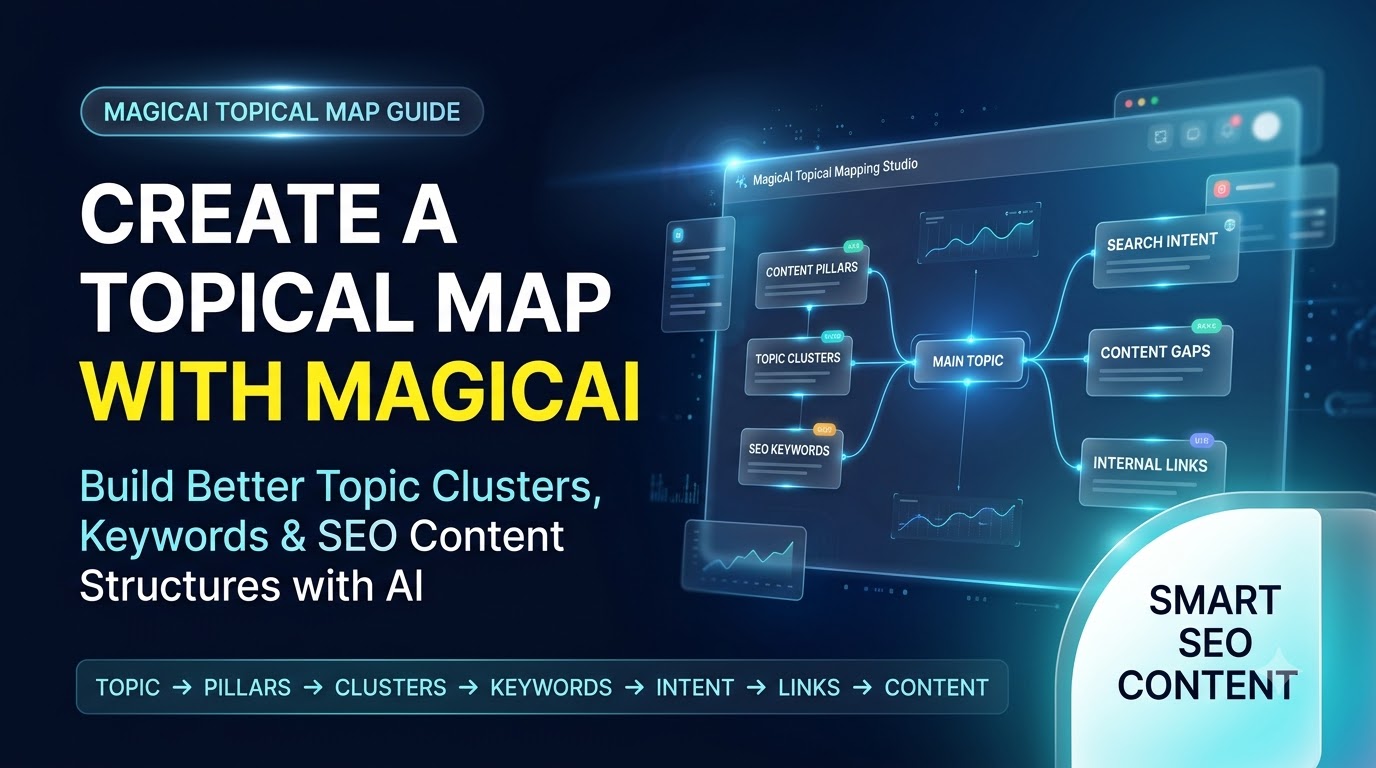
A topical map organizes a website’s main subject into related content pillars, subtopics, supporting articles, questions, keywords, and internal-linking opportunities. Instead of creating isolated blog posts, you create a connected content ecosystem.
MagicAI can help with many parts of this process. Its current platform includes AI writing, custom templates, article generation, blog post ideas, meta descriptions, FAQ generation, an AI Article Wizard, and other content-generation tools. It also allows users to provide topics or keywords, generate content, and then edit or export the results.
However, MagicAI should be used as a planning and ideation assistant, not as a replacement for SEO judgment, keyword validation, competitor research, or human review.
This guide explains how to use MagicAI to build a practical, organized, and SEO-focused topical map.
What Is a Topical Map?
A topical map is a structured representation of the subjects a website should cover within a specific niche.
For example, suppose your website focuses on SEO.
A simple topical map could look like this:
| Content Level | Example |
|---|---|
| Main Topic | SEO |
| Content Pillar | Keyword Research |
| Subtopic | Keyword Types |
| Supporting Topic | Long-Tail Keywords |
| Supporting Topic | Search Intent |
| Supporting Topic | Keyword Clustering |
| Supporting Topic | Keyword Mapping |
| Question | How do you find long-tail keywords? |
| Commercial Topic | Best Keyword Research Tools |
| Related Topic | Keyword Research for Ecommerce |
The purpose is to create relationships between these subjects instead of treating every article as a separate piece of content.
Why Create a Topical Map for SEO?
A topical map can help you plan content more strategically.
1. Cover a Subject More Completely
Instead of publishing five articles about similar keywords, you can identify the broader subject and its important subtopics.
2. Discover Content Gaps
A topical map can reveal areas that your existing content does not cover.
3. Improve Internal Linking
Related pages can be connected naturally through internal links.
4. Organize Content Clusters
Your website can have clear pillar pages supported by detailed articles.
5. Reduce Random Content Creation
Instead of asking, “What should we publish today?”, you can work from a predefined content structure.
6. Support Topical Authority
Consistently covering relevant aspects of a subject can help demonstrate depth and relevance, although topical coverage alone does not guarantee rankings.
Can MagicAI Help Create a Topical Map?
Yes. MagicAI can assist with brainstorming topics, generating related ideas, creating article structures, developing questions, producing content briefs, and turning structured inputs into drafts.
Its platform provides tools such as Blog Post Ideas, Article Generator, Blog Section, FAQ Generator, Meta Description, AI Article Wizard Generator, AI ReWriter, and custom templates.
For topical mapping, the most useful approach is to combine several capabilities rather than asking MagicAI for one giant list.
A better process is:
MAIN TOPIC → SUBTOPICS → KEYWORDS → SEARCH INTENT → CLUSTERS → QUESTIONS → CONTENT MAPPING → INTERNAL LINKS
Step 1: Choose Your Main Topic
Start with one clearly defined subject.
For example:
Main Topic: Digital Marketing
Do not begin by asking MagicAI to generate hundreds of unrelated keywords.
First define the scope.
Consider:
- What does the website sell?
- Who is the target audience?
- What products or services are offered?
- What problems does the audience have?
- Which topics are commercially important?
- Which subjects are informational?
- Which topics are closely related to the main niche?
A clearly defined main topic produces a more useful topical map.
Step 2: Give MagicAI Your Niche Context
MagicAI works better when you provide context instead of using a one-line prompt.
Example Prompt
I am building an SEO topical map for a website about digital marketing.

Target audience:
Small businesses, marketers, entrepreneurs, and beginners.

Business goals:
Generate organic traffic, build topical authority, attract qualified leads, and support service pages.

Create a broad list of important subtopics related to digital marketing. Group closely related topics together and separate beginner, intermediate, advanced, informational, commercial, and practical subjects.

Do not create duplicate or nearly identical topics.
This gives MagicAI enough information to understand the project.
Step 3: Generate Major Content Pillars
The next step is to identify your major content pillars.
For a digital marketing website, possible pillars could include:
- SEO
- Content Marketing
- Social Media Marketing
- Email Marketing
- PPC Advertising
- Conversion Optimization
- Analytics
- Local Marketing
- Ecommerce Marketing
These pillars form the top level of your topical map.
A useful structure is:
MAIN TOPIC
→ Content Pillar
→ Subtopics
→ Supporting Topics
→ Questions
→ Commercial Topics
→ Related Topics
Step 4: Expand Each Content Pillar
Do not stop after generating the main pillars.
Take each pillar separately and ask MagicAI to expand it.
Example
Pillar: SEO
Possible subtopics:
- Technical SEO
- On-Page SEO
- Off-Page SEO
- Keyword Research
- Content SEO
- Local SEO
- Ecommerce SEO
- Link Building
- SEO Audits
- SEO Reporting
Now take one of these subtopics and expand it again.
Example
Keyword Research
- Keyword Types
- Seed Keywords
- Long-Tail Keywords
- Search Intent
- Keyword Difficulty
- Keyword Clustering
- Keyword Mapping
- Competitor Keyword Research
- Question Keywords
- Commercial Keywords
This creates depth instead of a flat list.
Step 5: Ask MagicAI for Related Topics
Related topics are important because users rarely search for a subject in only one way.
For example, around long-tail keywords, related topics might include:
- Long-tail keyword examples
- Long-tail keywords for blogs
- Long-tail keywords for ecommerce
- How to find long-tail keywords
- Long-tail vs short-tail keywords
- Long-tail keyword research tools
- Long-tail keywords and search intent
Use MagicAI to expand these relationships.
Prompt
Expand the topic "Long-Tail Keywords" into closely related SEO topics.

Include:
1. Beginner topics
2. Advanced topics
3. Practical tutorials
4. Common questions
5. Comparison topics
6. Commercial topics
7. Related concepts

Avoid duplicate topics and avoid changing only a few words in the same topic.
Group the results logically.
Step 6: Generate Keyword Ideas
A topical map should not contain only article titles.
Keywords help connect topics with actual search behavior.
For every important subtopic, ask MagicAI for:
- Primary keyword
- Secondary keywords
- Long-tail keywords
- Question keywords
- Related terms
- Semantic concepts
- Commercial variations
Example
Topic: Keyword Clustering
Primary Keyword: keyword clustering
Secondary Keywords:
- keyword clustering SEO
- keyword grouping
- SEO keyword clusters
- keyword clustering strategy
Question Keywords:
- What is keyword clustering?
- How does keyword clustering work?
- How do you create keyword clusters?
MagicAI can help generate ideas, but keyword volume, difficulty, competition, SERP characteristics, and business relevance should be validated using appropriate SEO data before finalizing the map.
Step 7: Identify Search Intent
Search intent should be part of your topical map.
Common intent categories include:
| Intent | Purpose | Example |
|---|---|---|
| Informational | Learn something | What is keyword clustering? |
| Commercial Investigation | Compare options | Best keyword clustering tools |
| Transactional | Take action | Buy SEO software |
| Navigational | Find a specific resource | MagicAI SEO tools |
Ask MagicAI to classify your topics.
Prompt
Classify the following SEO topics by search intent.

Use:
- Informational
- Commercial investigation
- Transactional
- Navigational

Also explain the likely user goal behind each topic and recommend the most suitable content format.
Review the results manually because intent can vary depending on the actual search results.
Step 8: Build Topic Clusters
Now organize the topics into clusters.
For example:
Pillar: Keyword Research
Cluster 1: Keyword Fundamentals
- What Is Keyword Research?
- Types of SEO Keywords
- Seed Keywords
- Short-Tail vs Long-Tail Keywords
Cluster 2: Search Intent
- What Is Search Intent?
- Types of Search Intent
- How to Identify Search Intent
- Search Intent and Keyword Mapping
Cluster 3: Keyword Clustering
- What Is Keyword Clustering?
- How to Create Keyword Clusters
- Keyword Clustering Tools
- Keyword Clustering for Large Websites
Cluster 4: Keyword Strategy
- Keyword Mapping
- Keyword Prioritization
- Keyword Cannibalization
- Content-to-Keyword Mapping
This structure makes the website easier to organize.
Step 9: Create Pillar Pages and Supporting Pages
A good topical map should distinguish between broad pages and detailed supporting pages.
For example:
Pillar Page: Complete Guide to Keyword Research
Supporting pages:
- What Is Keyword Research?
- How to Find Long-Tail Keywords
- What Is Search Intent?
- How to Create Keyword Clusters
- How to Map Keywords to Content
- How to Avoid Keyword Cannibalization
- Keyword Research for Ecommerce
- Keyword Research for Local SEO
The pillar page provides the broad overview.
Supporting pages provide depth.
Step 10: Generate Questions With MagicAI
Questions are useful for identifying informational gaps and FAQ opportunities.
Ask MagicAI to generate questions from different stages of the user’s journey.
Prompt
For the topic "Keyword Research," generate questions users may ask.

Group them into:
- Beginner questions
- Practical questions
- Advanced questions
- Comparison questions
- Troubleshooting questions
- Commercial questions

Avoid duplicate questions.
You can then decide whether each question belongs in:
- A dedicated article
- An existing section
- An FAQ
- A product/service page
- A guide
- A comparison page
Step 11: Identify Content Gaps
A topical map becomes more useful when you compare it with your existing website.
Create three groups:
Existing Content
Pages that already exist and are useful.
Missing Content
Important topics that are not covered.
Weak Content
Existing pages that are too short, outdated, overlapping, or poorly structured.
You can ask MagicAI to analyze your topic inventory.
Example Prompt
I have the following existing articles:

[PASTE ARTICLE TITLES]

I am building a topical map around "Keyword Research."

Identify:
1. Covered topics
2. Missing important topics
3. Topics that need deeper supporting content
4. Potential keyword cannibalization
5. Topics that should be merged
6. New content opportunities

Organize the results into clear categories.
Always verify the recommendations against your actual website and SEO data.
Step 12: Map Keywords to Pages
One of the most important parts of a topical map is deciding which keyword belongs to which page.
For example:
| Page | Primary Keyword | Supporting Keywords |
|---|---|---|
| Keyword Research Guide | keyword research | SEO keyword research, keyword strategy |
| Long-Tail Keywords | long-tail keywords | long-tail keyword examples |
| Search Intent | search intent | SEO search intent, user intent |
| Keyword Clustering | keyword clustering | keyword grouping, keyword clusters |
| Keyword Mapping | keyword mapping | SEO keyword mapping |
Avoid assigning the same primary keyword to multiple pages unless there is a clear strategic reason.
Step 13: Find Internal Linking Opportunities
Once your topical map is complete, use it to plan internal links.
For example:
Keyword Research Guide
can link to:
- Long-Tail Keywords
- Search Intent
- Keyword Clustering
- Keyword Mapping
- Keyword Difficulty
Then supporting articles can link back to the main guide where appropriate.
This creates a connected content structure.
MagicAI Prompt
Using this topical map, identify logical internal-linking opportunities.

For every topic, recommend:
- Relevant pillar page
- Related supporting pages
- Pages that should link back
- Suggested anchor-text concepts

Do not force links between unrelated topics.
Step 14: Add Commercial Topics
Do not build a topical map using only informational articles.
If the website has commercial goals, include topics that can support conversions.
For example:
- Best SEO Tools
- SEO Software Comparison
- SEO Tool Features
- SEO Services
- SEO Pricing
- SEO Audit Services
- Keyword Research Software
- SEO Agency vs In-House SEO
This connects informational traffic with commercial opportunities.
Step 15: Create a Content Priority System
You may discover hundreds of potential topics.
Do not publish everything immediately.
Prioritize topics using factors such as:
- Business value
- Search relevance
- Search demand
- Competition
- Existing authority
- Content quality potential
- Conversion potential
- Internal-link importance
- Customer journey stage
A simple scoring system can help:
Priority Score = Business Value + Relevance + Opportunity + Content Importance
Use your own scoring scale and validate it with real SEO data.
Step 16: Create a Topical Map Table
A practical final map can use columns like these:
| Pillar | Cluster | Topic | Primary Keyword | Search Intent | Content Type | Priority | Internal Links |
|---|---|---|---|---|---|---|---|
| SEO | Keyword Research | Keyword Research Guide | keyword research | Informational | Pillar | High | 8 |
| SEO | Keyword Research | Long-Tail Keywords | long-tail keywords | Informational | Article | High | 4 |
| SEO | Search Intent | What Is Search Intent? | search intent | Informational | Article | High | 5 |
| SEO | Keyword Clustering | Keyword Clustering Guide | keyword clustering | Informational | Guide | Medium | 4 |
| SEO | SEO Tools | Best Keyword Research Tools | keyword research tools | Commercial | Comparison | High | 6 |
This table becomes your content-planning foundation.
Step 17: Use MagicAI to Turn the Map Into Content Briefs
Once the topical map is ready, you can create detailed briefs.
MagicAI Content Brief Prompt
Create an SEO content brief for the topic "[TOPIC]".

Primary keyword: [PRIMARY KEYWORD]
Secondary keywords: [SECONDARY KEYWORDS]
Search intent: [INTENT]
Target audience: [AUDIENCE]

Include:
- Recommended title
- Search intent
- User goal
- H1
- H2 sections
- H3 sections
- Important questions
- Key points to cover
- Examples to include
- Internal-link opportunities
- FAQ ideas
- Suggested CTA

Avoid keyword stuffing, duplicate sections, and unnecessary filler.
This lets you move from strategy → topic map → content brief → article.
Step 18: Create Multiple Topical Maps With MagicAI
For large websites, you may want separate maps for different business areas.
For example:
Ecommerce Website
- Product Category Content
- Product Education
- Buying Guides
- Comparisons
- How-To Content
- Industry Education
- Customer Questions
Instead of asking MagicAI to handle the entire website in one prompt, build the map section by section.
This usually produces a cleaner structure.
Master MagicAI Prompt for Topical Mapping
Use this reusable prompt when starting a new topical map:
Act as an experienced SEO content strategist.

Create a comprehensive topical map for:

Main Topic: [TOPIC]
Website Type: [WEBSITE TYPE]
Target Audience: [AUDIENCE]
Business Goal: [BUSINESS GOAL]
Location/Market: [LOCATION IF RELEVANT]

Structure the topical map into:

1. Main content pillars
2. Major subtopics
3. Topic clusters
4. Supporting articles
5. Long-tail topics
6. Question-based topics
7. Commercial topics
8. Comparison topics
9. Practical/how-to topics
10. Beginner topics
11. Advanced topics
12. Primary keywords
13. Secondary keywords
14. Search intent
15. Recommended content type
16. Content priority
17. Internal-linking relationships
18. Potential content gaps

Avoid duplicate topics, keyword variations that represent the same search intent, vague subjects, and unnecessary filler.

Organize everything into a logical hierarchy:

MAIN TOPIC
→ CONTENT PILLAR
→ TOPIC CLUSTER
→ SUPPORTING TOPIC
→ KEYWORD
→ SEARCH INTENT
→ CONTENT TYPE
→ INTERNAL LINKS

The final output should be practical enough to use as an SEO content plan.
Recommended Topical Mapping Workflow
A simple workflow for using MagicAI is:
MAIN TOPIC → AUDIENCE → BUSINESS GOAL → CONTENT PILLARS → SUBTOPICS → KEYWORDS → SEARCH INTENT → TOPIC CLUSTERS → QUESTIONS → CONTENT GAPS → PAGE MAPPING → INTERNAL LINKS → PRIORITIZATION → CONTENT BRIEFS → CONTENT CREATION → REVIEW
This prevents the topical map from becoming just a long list of AI-generated ideas.
Common Mistakes to Avoid
1. Generating Too Many Topics at Once
A huge list does not automatically create a good topical map.
Quality and relationships between topics matter more than quantity.
2. Treating Keyword Variations as Separate Topics
For example:
- best keyword research tools
- top keyword research tools
- keyword research tools list
These may represent the same search intent.
Do not automatically create three separate pages.
3. Ignoring Search Intent
Two keywords may look different but have the same intent.
Analyze the intended user goal before creating separate pages.
4. Ignoring Business Relevance
Traffic alone is not enough.
Your topical map should support the products, services, or goals of the website.
5. Publishing Every AI Suggestion
AI-generated ideas require human review.
Remove:
- Duplicate topics
- Weak topics
- Irrelevant topics
- Extremely similar pages
- Topics with little business value
- Unsupported claims
6. Forgetting Existing Content
A topical map should include your current content, not only future articles.
7. Ignoring Internal Links
A topical map should show relationships between pages.
8. Skipping Keyword Validation
MagicAI can generate keyword ideas, but SEO tools and actual search-result analysis should be used to validate important opportunities.
Benefits of Using MagicAI for Topical Mapping
| Benefit | How It Helps |
|---|---|
| Faster brainstorming | Generates large numbers of topic ideas |
| Better organization | Helps group related subjects |
| Content discovery | Finds supporting topics and questions |
| Content planning | Converts topics into structured briefs |
| Repurposing | Helps turn one subject into multiple formats |
| Internal-link planning | Identifies related content relationships |
| Consistency | Makes repeatable planning workflows possible |
| Scalability | Helps manage large content projects |
MagicAI vs Manual Topical Mapping
| Factor | Manual Research | MagicAI-Assisted Research |
|---|---|---|
| Initial brainstorming | Slower | Faster |
| Topic expansion | Time-consuming | Fast |
| Topic grouping | Manual | AI-assisted |
| Question generation | Manual | Fast |
| Content briefs | Manual | AI-assisted |
| SEO validation | Required | Still required |
| Search-result analysis | Required | Still required |
| Human judgment | Essential | Essential |
| Final topical map | Human-controlled | AI-assisted + human-reviewed |
The strongest approach is not AI instead of SEO research.
It is:
AI + SEO Data + Human Strategy
Topical Map Checklist
Before finalizing your topical map, check:
- Main topic is clearly defined
- Target audience is identified
- Business goals are considered
- Content pillars are established
- Subtopics are organized
- Topic clusters are created
- Primary keywords are assigned
- Secondary keywords are identified
- Search intent is reviewed
- Duplicate topics are removed
- Existing content is mapped
- Content gaps are identified
- Commercial topics are included
- Questions are covered
- Internal-link relationships are planned
- Topics are prioritized
- Important keywords are validated with SEO data
- Content briefs are prepared
- Human review is completed
Frequently Asked Questions
What is a topical map in SEO?
A topical map is a structured plan that organizes a website’s main subject into related pillars, subtopics, supporting pages, keywords, search intents, and content relationships.
Can MagicAI create a complete topical map?
MagicAI can help generate and organize topic ideas, keywords, questions, content structures, and related subjects. However, the final topical map should be reviewed using SEO data, business goals, search intent, and human judgment.
Can MagicAI help with topic clusters?
Yes. You can provide a main subject and ask MagicAI to group related subtopics into logical content clusters.
Should every keyword have a separate article?
No. Keywords with the same or very similar search intent may be better targeted by one comprehensive page.
How many topics should a topical map contain?
There is no universal number. A small website may need a focused map with dozens of carefully selected topics, while a large website may require hundreds or thousands of mapped topics.
Can a topical map help with internal linking?
Yes. Because a topical map shows relationships between pillar and supporting pages, it can be used to identify logical internal-linking opportunities.
Should AI-generated topics be published immediately?
No. Review and validate them first. Remove duplicates, irrelevant ideas, weak topics, and topics that do not match the website’s search intent or business goals.
Final Verdict
Creating a topical map using MagicAI can make SEO content planning significantly faster and more structured.
The most effective process is to start with a clear main topic, identify content pillars, expand them into subtopics, generate keyword and question ideas, classify search intent, build topic clusters, map topics to pages, identify internal links, and prioritize the opportunities that matter most.
MagicAI is particularly useful for brainstorming, topic expansion, content organization, question generation, and turning strategic ideas into content briefs. Its broad collection of writing and content-generation tools makes it suitable for supporting this workflow.
But the final topical map should not be accepted blindly from AI.
Use this approach:
STRATEGY → MAGICAI → SEO VALIDATION → HUMAN REVIEW → TOPICAL MAP → CONTENT PLAN → PUBLISH → UPDATE
That combination gives you a more practical and sustainable SEO content strategy.