
Introduction
A strong SEO article starts with a strong outline. Before writing paragraphs, marketers and content creators need to understand the topic, target audience, search intent, keywords, questions, headings, and information the article should cover.
Creating this structure manually can take significant time. MagicAI can help streamline the planning process by generating topic ideas, article structures, headings, FAQs, and other content elements that can be reviewed and refined before writing begins.
The goal should not be to generate a random list of headings. A useful SEO blog outline should create a logical path from the reader’s problem to the information or solution they need.
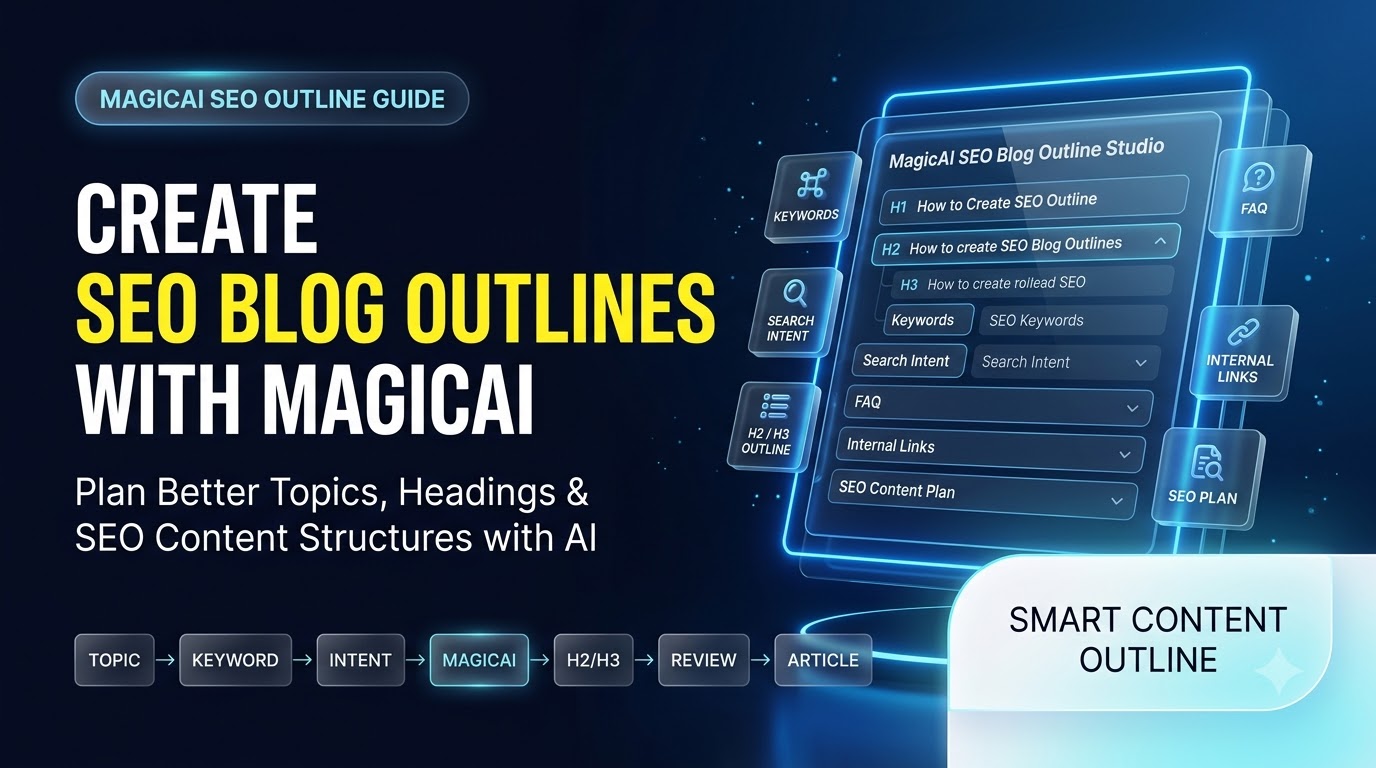
This guide explains how to create SEO blog outlines using MagicAI, including keyword planning, search intent, H2 and H3 structure, FAQs, internal-link opportunities, content clusters, prompts, editing, and final SEO checks.
What Is an SEO Blog Outline?
An SEO blog outline is a structured plan for an article before the full content is written.
A typical outline can include:
- H1 article title
- Introduction
- H2 main sections
- H3 supporting sections
- Primary keyword
- Secondary keywords
- Search intent
- Reader questions
- Examples
- FAQs
- Internal-link opportunities
- Conclusion
- Suggested call to action
The outline acts as a blueprint for the final article.
Instead of starting with a blank page, the writer already knows what information needs to be covered and how the sections should connect.
Why Create an SEO Blog Outline Before Writing?
A detailed outline can improve both writing efficiency and content organization.
1. Creates a Clear Structure
An outline establishes the order of information before writing starts.
2. Helps Cover Search Intent
Planning around search intent makes it easier to answer the questions readers are actually trying to solve.
3. Reduces Content Gaps
A structured outline makes missing subtopics easier to identify before the article is published.
4. Improves Keyword Organization
Primary and secondary keywords can be assigned to appropriate sections rather than inserted randomly.
5. Makes AI Writing More Controlled
Instead of asking MagicAI to write an entire article from a single sentence, you can first create a detailed structure and then generate content section by section.
6. Makes Content Easier to Update
A well-organized outline makes it easier to identify individual sections that need updating later.
Can MagicAI Create SEO Blog Outlines?
Yes. MagicAI can be used as an AI-assisted content planning tool for developing blog structures, topic ideas, headings, and supporting content elements.
The platform provides multiple content-generation tools that can support blog planning and writing workflows, including blog-related generators, article-generation features, FAQs, meta descriptions, and rewriting tools.
However, the quality of the final outline depends heavily on the information included in the prompt.
A generic prompt may produce a generic outline.
A detailed prompt containing the target audience, keyword, search intent, content goal, desired structure, and important subtopics usually gives you a much more useful starting point.
Step 1: Start With the Main Topic
The first step is to clearly define what the article will cover.
For example:
Topic: How to Create SEO Blog Outlines Using MagicAI
A vague topic gives the AI less direction.
A more specific topic could be:
Create a beginner-friendly SEO blog outline explaining how marketers can use MagicAI to plan keyword-focused blog articles.
This tells MagicAI:
- What the article is about
- Who it is for
- What the content should accomplish
- What type of structure is required
Step 2: Define Your Target Audience
Your outline should match the knowledge level of your readers.
For example, an article aimed at beginners may need sections such as:
- What is an SEO blog outline?
- Why are outlines important?
- How do keywords work?
- How do you use MagicAI?
- How should an AI-generated outline be edited?
An advanced SEO audience may need deeper sections covering:
- Keyword clustering
- Search-intent mapping
- Topic entities
- Content gaps
- Semantic relevance
- Internal-link architecture
- Content refresh strategies
Add the audience to your MagicAI prompt before generating the outline.
Step 3: Add the Primary Keyword
Choose one main keyword for the article.
For example:
Primary Keyword: how to create SEO blog outlines using MagicAI
The keyword should describe the main search query the article is targeting.
You can then ask MagicAI to build an outline around the topic without forcing the exact keyword into every heading.
A useful prompt is:
Create an SEO blog outline targeting the keyword “how to create SEO blog outlines using MagicAI.” The outline should be natural, informative, beginner-friendly, and organized with H1, H2, and H3 headings.
Step 4: Add Secondary Keywords
Secondary keywords help expand the article’s topical coverage.
For this topic, examples could include:
- MagicAI blog outline
- MagicAI SEO outline
- create blog outlines with MagicAI
- MagicAI content planning
- AI blog outline generator
- SEO content outline
- MagicAI article outline
- SEO blog planning
Ask MagicAI to map these keywords to relevant sections instead of simply repeating them.
Step 5: Understand Search Intent
Search intent is the reason behind a user’s search.
For an informational query such as how to create SEO blog outlines using MagicAI, the reader probably wants a practical tutorial.
The outline should therefore focus on:
- Explanation
- Step-by-step instructions
- Examples
- Prompts
- Best practices
- Common mistakes
- Workflow
- FAQs
A useful MagicAI instruction is:
Analyze the search intent behind this keyword and create an SEO blog outline that satisfies the reader’s main informational needs.
Common Types of Search Intent
| Search Intent | Typical Goal |
|---|---|
| Informational | Learn something |
| Navigational | Find a specific website or page |
| Commercial | Compare options |
| Transactional | Complete an action or purchase |
Understanding intent before generating the outline helps prevent irrelevant sections.
Step 6: Ask MagicAI for the First Outline
Once you have your topic, audience, keyword, and intent, generate the first outline.
Example MagicAI Prompt
Create a detailed SEO blog outline for the topic “How to Create SEO Blog Outlines Using MagicAI.”
Target audience: beginner content writers, bloggers, and SEO professionals.
Primary keyword: how to create SEO blog outlines using MagicAI.
Include relevant secondary keywords naturally.
Organize the article using H1, H2, and H3 headings.
Cover search intent, keyword planning, content structure, FAQs, internal links, AI prompts, common mistakes, and a practical workflow.
Make the outline logical, comprehensive, and useful for readers.
This gives MagicAI enough context to create a meaningful starting structure.
Step 7: Build a Strong H1
The H1 should clearly communicate the article topic.
A suitable H1 could be:
How to Create SEO Blog Outlines Using MagicAI
Keep the title readable and aligned with the search query.
Avoid creating an H1 that is stuffed with multiple keywords.
Step 8: Create Useful H2 Sections
H2 headings should represent the major questions or stages of the topic.
For example:
H2: What Is an SEO Blog Outline?
H2: Why Create an SEO Blog Outline?
H2: How Can MagicAI Help With Blog Planning?
H2: How to Create an SEO Blog Outline With MagicAI
H2: How to Add Keywords to the Outline
H2: How to Optimize the Outline for Search Intent
H2: Common Mistakes to Avoid
H2: Frequently Asked Questions
These sections create a logical progression through the topic.
Step 9: Add H3 Subtopics
H3 headings provide more detail under each major section.
For example:
How to Create an SEO Blog Outline With MagicAI
Define the Topic
Identify the Target Audience
Add the Primary Keyword
Add Secondary Keywords
Analyze Search Intent
Generate the Initial Outline
Review and Improve the Structure
This makes the final article easier to navigate.
Step 10: Map Keywords to the Outline
Do not treat keywords as a checklist.
Instead, assign relevant keywords to sections where they naturally belong.
| Section | Keyword Focus |
|---|---|
| Introduction | SEO blog outlines with MagicAI |
| What Is an SEO Blog Outline? | SEO blog outline |
| MagicAI Planning | MagicAI content planning |
| Keyword Section | MagicAI SEO keywords |
| Outline Creation | create blog outlines with MagicAI |
| Optimization | SEO content outline |
| FAQs | long-tail questions |
This approach creates better topical organization.
Step 11: Include Reader Questions
A good outline should answer the questions users are likely to ask.
For example:
- Can MagicAI create a complete blog outline?
- How do I prompt MagicAI for SEO content?
- Can MagicAI generate H2 and H3 headings?
- Should I edit an AI-generated outline?
- Can I use MagicAI for keyword planning?
- How do I optimize an AI-generated outline for search intent?
These questions can become H2/H3 sections or FAQ entries.
Step 12: Create Different Outline Options
Sometimes the first outline is not the best one.
Ask MagicAI for multiple versions.
Example Prompt
Create three different SEO blog outline structures for this topic.
Version 1 should be beginner-friendly.
Version 2 should be detailed and comprehensive.
Version 3 should focus on a practical step-by-step workflow.
Use the same primary keyword and search intent.
You can then combine the strongest sections from each version.
Step 13: Build Topic Clusters
An outline can also help identify related articles.
For example, a main article about MagicAI SEO blog outlines could connect to supporting topics such as:
- How to Generate SEO Keywords with MagicAI
- How to Write SEO-Friendly Articles with MagicAI
- How to Create Meta Titles with MagicAI
- How to Generate Blog Ideas with MagicAI
- How to Optimize Content With MagicAI
This creates opportunities for a broader content cluster.
Step 14: Add Internal-Link Opportunities
Plan internal links before writing the complete article.
For example:
Main article: SEO Blog Outlines With MagicAI
Supporting articles:
- MagicAI SEO Keyword Generation
- MagicAI SEO Content Writing
- MagicAI Blog Ideas
- MagicAI Meta Description Creation
- MagicAI Long-Form Article Writing
Adding these opportunities to the outline makes internal linking easier during the final writing stage.
Step 15: Add FAQ Sections
FAQs can help address specific reader questions that may not deserve full sections.
Ask MagicAI:
Generate 8 frequently asked questions related to creating SEO blog outlines with MagicAI. Make each question useful, specific, and relevant to beginner and intermediate SEO users.
Review the generated questions and keep only those that genuinely help the reader.
Step 16: Ask MagicAI to Improve the Outline
Your first AI-generated outline should be treated as a draft.
You can ask MagicAI to:
- Remove repetitive sections
- Combine overlapping headings
- Add missing subtopics
- Improve heading order
- Make the structure more logical
- Add examples
- Improve search-intent coverage
- Add FAQ ideas
- Identify content gaps
Example Prompt
Review this SEO blog outline and identify missing topics, duplicate sections, weak headings, and opportunities to improve search-intent coverage. Then provide an improved outline with a logical H1, H2, and H3 structure.
Step 17: Turn the Outline Into an Article
Once the outline is approved, use it as the foundation for the article.
Instead of generating everything blindly, you can generate each major section separately.
For example:
Write the H2 section “How to Create an SEO Blog Outline With MagicAI.” Use a professional but beginner-friendly tone. Explain each step with practical examples and keep the content focused on the reader’s search intent.
This gives you greater control over quality and structure.
Step 18: Optimize the Completed Article
After writing the article, review:
- Primary keyword placement
- Secondary keyword coverage
- Heading structure
- Search intent
- Internal links
- FAQs
- Meta title
- Meta description
- Readability
- Content depth
- Examples
- Calls to action
- Factual accuracy
The objective is not to maximize keyword repetition.
The objective is to create the most useful answer for the reader.
Master MagicAI Prompt for SEO Blog Outlines
You can reuse the following prompt for different topics:
Create a detailed SEO blog outline for the topic “[TOPIC].”
Target audience: [AUDIENCE].
Primary keyword: [PRIMARY KEYWORD].
Secondary keywords: [SECONDARY KEYWORDS].
Search intent: [SEARCH INTENT].Create a logical H1, H2, and H3 structure. Cover the main questions users may have about the topic. Include practical examples, important subtopics, FAQ opportunities, internal-link opportunities, and a conclusion section.
Avoid keyword stuffing, repetitive headings, generic sections, and unnecessary filler. Make the outline comprehensive, natural, search-intent focused, and easy to convert into a high-quality SEO article.
Recommended Workflow
A simple workflow for creating SEO blog outlines with MagicAI is:
TOPIC → TARGET AUDIENCE → PRIMARY KEYWORD → SECONDARY KEYWORDS → SEARCH INTENT → READER QUESTIONS → MAGICAI OUTLINE → H2/H3 REVIEW → KEYWORD MAPPING → CONTENT CLUSTERS → INTERNAL-LINK OPPORTUNITIES → FAQ IDEAS → HUMAN REVIEW → ARTICLE GENERATION → SEO OPTIMIZATION → FINAL REVIEW → PUBLISH
This workflow separates planning from writing and gives you more control over the final content.
Common Mistakes to Avoid
1. Using a One-Line Prompt
A vague prompt usually produces a generic outline.
2. Ignoring Search Intent
A keyword alone does not tell you everything the reader wants.
3. Adding Too Many Headings
More headings do not automatically mean better content.
4. Repeating the Same Keyword
Keyword stuffing can make headings unnatural.
5. Publishing the AI Outline Without Review
AI-generated structures should be checked for accuracy, relevance, duplication, and missing information.
6. Ignoring Internal Links
A good outline can identify related pages before the article is written.
7. Forgetting Reader Experience
SEO should support useful content, not replace it.
Benefits of Using MagicAI for SEO Blog Outlines
Using MagicAI during the planning stage can help you:
- Generate article structures faster
- Discover related subtopics
- Organize H2 and H3 sections
- Develop FAQ ideas
- Explore different content structures
- Plan keyword placement
- Identify internal-link opportunities
- Create repeatable content workflows
- Reduce time spent staring at a blank page
The most effective approach is to use AI for speed while keeping human control over strategy and quality.
MagicAI Outline vs Manual Outline
| Factor | Manual Planning | MagicAI-Assisted Planning |
|---|---|---|
| Initial idea generation | Manual | AI-assisted |
| Heading suggestions | Manual | Fast |
| Multiple outline versions | Time-consuming | Easy |
| Keyword mapping | Manual | AI-assisted |
| FAQ ideas | Manual research | Fast generation |
| Content structure | Human controlled | AI-assisted + human reviewed |
| Final quality control | Human | Human |
MagicAI can accelerate the planning process, but the final outline should still be reviewed by a person who understands the audience, topic, and SEO strategy.
SEO Blog Outline Checklist
Before moving from the outline to article writing, check:
- Is the main topic clearly defined?
- Is the target audience identified?
- Is the primary keyword included?
- Are secondary keywords relevant?
- Does the structure match search intent?
- Is the H1 clear?
- Are H2 headings logically organized?
- Are H3 headings useful?
- Are important questions covered?
- Are content gaps addressed?
- Are internal-link opportunities identified?
- Are FAQ opportunities included?
- Is keyword usage natural?
- Has the outline been manually reviewed?
Frequently Asked Questions
Can MagicAI create an SEO blog outline?
Yes. MagicAI can assist with generating structured blog ideas, headings, questions, and other content-planning elements. The generated structure should still be reviewed and refined before use.
What should I include in a MagicAI outline prompt?
Include the topic, target audience, primary keyword, secondary keywords, search intent, desired heading structure, important questions, and content goals.
Can MagicAI generate H2 and H3 headings?
Yes. You can specifically ask MagicAI to organize an outline using H1, H2, and H3 headings.
Should I use AI-generated headings exactly as they are?
Not necessarily. Review them for relevance, clarity, duplication, search intent, and reader usefulness before publishing.
Can MagicAI help with keyword mapping?
Yes. You can ask it to associate primary and secondary keywords with appropriate sections of an article outline.
Should FAQs be included in an SEO blog outline?
They can be useful when they answer genuine reader questions. Avoid adding FAQs simply to increase the number of headings.
Can I create multiple outlines with MagicAI?
Yes. Generating multiple outline variations can help you compare structures and select the strongest approach.
Is an AI-generated outline enough for SEO?
No. An outline is only the planning stage. You still need useful content, accurate information, good writing, appropriate internal linking, technical SEO, and human review.
Final Verdict
Learning how to create SEO blog outlines using MagicAI can make the content-planning process faster, more structured, and easier to repeat.
The strongest workflow combines AI assistance with human SEO judgment. Start with a clear topic, define the audience and search intent, provide relevant keywords, generate the outline, review the H2 and H3 structure, map keywords naturally, identify FAQs and internal links, and then use the approved outline to create the article.
MagicAI should be treated as a planning and productivity assistant rather than a replacement for SEO strategy.
A well-designed outline gives both the writer and the AI a clear direction—and that can lead to more organized, useful, and search-focused content.