
What Is an SEO Title?
An SEO title, commonly referred to as a title tag, is an HTML element that specifies the title of a webpage.
A typical title tag looks like this:
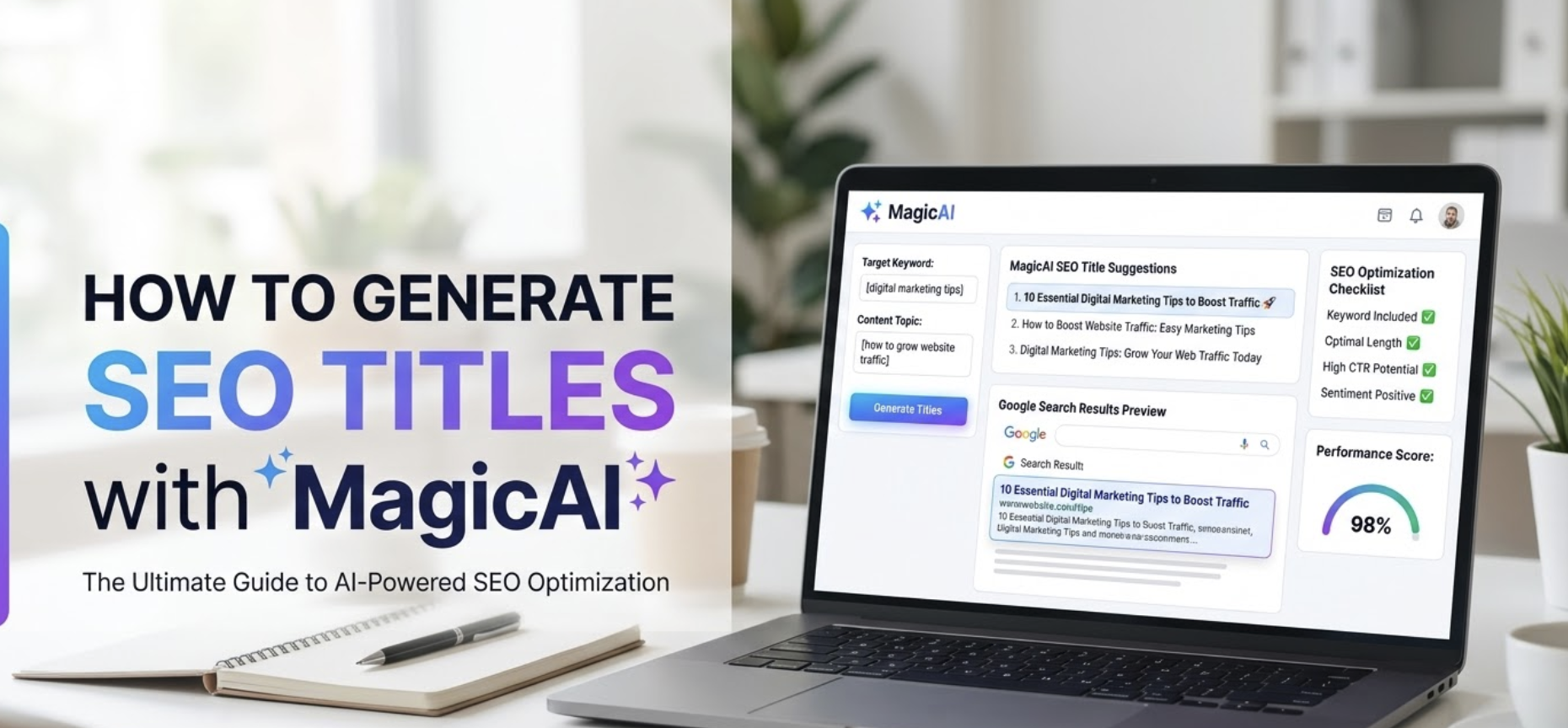
<title>How to Generate SEO Titles with MagicAI</title>The title can appear as the clickable headline in search engine results and is also used in browser tabs and other contexts.
A strong SEO title should clearly communicate what the page is about while making it easy for both search engines and users to understand its relevance.
Why SEO Titles Matter
SEO titles play an important role in both search visibility and user experience.
1. They Communicate Page Topic
A clear title tells search engines and users what information the webpage contains.
2. They Help Attract Clicks
A useful and compelling title can encourage searchers to choose your result from the search results page.
3. They Support Keyword Relevance
Including the primary keyword naturally can help communicate the subject of the page.
4. They Establish Content Expectations
A good title tells users what they are likely to find after clicking.
5. They Improve Page Organization
Consistent and descriptive titles make it easier to understand and manage large websites.
What Makes a Good SEO Title?
An effective SEO title should generally be:
- Relevant to the page content
- Clear and easy to understand
- Specific rather than generic
- Focused on the primary search intent
- Naturally optimized around the target keyword
- Useful and appealing to searchers
- Distinct from titles on other pages
- Accurate and not misleading
- Appropriate for the page type
- Written primarily for people rather than search engines
The objective is not simply to insert keywords. The title should communicate the page’s value in a natural way.
How to Generate SEO Titles Using MagicAI
MagicAI can be used to brainstorm, generate, compare, and refine SEO title ideas.
Step 1: Identify the Page Topic
Start with the subject of the webpage.
For example:
Topic: Creating AI images with MagicAI
A title should clearly communicate that topic instead of using a vague phrase such as “AI Tools Guide.”
Step 2: Choose the Primary Keyword
Identify the main keyword the page is targeting.
For example:
Primary Keyword: Generate AI Images with MagicAI
Potential secondary keywords could include:
- MagicAI image generator
- AI image generation
- create AI images
- MagicAI AI tools
Use these terms as supporting information rather than forcing multiple keywords into one title.
Step 3: Determine Search Intent
Before asking MagicAI to generate titles, identify what the searcher wants.
Common search intents include:
- Informational
- Commercial
- Transactional
- Navigational
For example, someone searching for “how to generate AI images with MagicAI” has informational intent.
A title such as:
How to Generate AI Images with MagicAI: Step-by-Step Guide
matches that intent better than:
MagicAI AI Image Tool
Step 4: Give MagicAI Detailed Instructions
Instead of using a vague prompt such as:
Write an SEO title.
Give MagicAI the information it needs.
For example:
Generate 10 SEO-friendly title options for an article titled “How to Generate SEO Titles with MagicAI.” The primary keyword is “Generate SEO Titles with MagicAI.” Match informational search intent, keep the titles concise and compelling, use the keyword naturally, and avoid keyword stuffing or misleading claims.
The additional context allows MagicAI to create more relevant variations.
Step 5: Generate Multiple Title Variations
One of the biggest advantages of using AI for SEO titles is the ability to generate multiple options quickly.
For example:
- How to Generate SEO Titles with MagicAI
- How to Create SEO Titles Using MagicAI
- Generate Better SEO Titles with MagicAI: A Complete Guide
- MagicAI SEO Titles: How to Create Search-Friendly Titles
- How to Use MagicAI for SEO Title Generation
- Create SEO-Friendly Titles with MagicAI
- MagicAI SEO Title Generator: A Practical Guide
- How to Write Better SEO Titles with MagicAI
Generating several options gives you more flexibility when selecting the strongest title.
A Reusable MagicAI Prompt for SEO Titles
Use the following prompt as a starting template:
Generate 10 SEO-friendly title options for a webpage about “[TOPIC]”. The primary keyword is “[PRIMARY KEYWORD]”. The target audience is “[TARGET AUDIENCE]” and the search intent is “[SEARCH INTENT]”. Create clear, compelling, natural-sounding titles that accurately represent the content. Include the primary keyword naturally where appropriate, avoid keyword stuffing and clickbait, and keep the titles concise enough to work well in search results.
This prompt can be adapted for articles, product pages, category pages, landing pages, tutorials, and service pages.
How to Optimize MagicAI-Generated SEO Titles
AI-generated titles should be reviewed before they are published.
1. Put the Main Keyword in a Natural Position
If appropriate, placing the primary keyword toward the beginning can make the topic immediately clear.
For example:
How to Generate SEO Titles with MagicAI
is direct and keyword-focused.
However, forcing a keyword into the beginning of every title is unnecessary if it makes the title awkward.
2. Match the Search Intent
The title should reflect what users are looking for.
For informational content:
How to Generate SEO Titles with MagicAI: Step-by-Step Guide
For commercial content:
Best AI SEO Tools for Creating Search-Friendly Titles
For a product page:
Automatic Pouch Packing Machine | Features & Specifications
The title format should change according to the page purpose.
3. Communicate a Benefit
Whenever appropriate, tell users what they will gain from visiting the page.
Compare:
SEO Titles with MagicAI
with:
How to Generate Better SEO Titles with MagicAI
The second version gives the user a clearer reason to click.
4. Avoid Keyword Stuffing
A title should not look like a list of repeated keywords.
Poor example:
SEO Titles, SEO Title Generator, SEO Titles with MagicAI, Best SEO Titles
Better:
How to Generate SEO Titles with MagicAI
Natural language is more useful for users and creates a cleaner search-result presentation.
5. Avoid Clickbait
Do not create titles that promise something the page does not deliver.
Avoid exaggerated claims such as:
- Guaranteed #1 Rankings
- Get Millions of Visitors Instantly
- The Only SEO Strategy You Need
- Guaranteed Google Traffic
A strong title should be compelling without being misleading.
SEO Title Formulas You Can Generate With MagicAI
MagicAI can help produce titles using different structures.
How-To Formula
How to [Action] with [Tool]: Step-by-Step Guide
Example:
How to Generate SEO Titles with MagicAI: Step-by-Step Guide
Beginner Formula
[Topic] for Beginners: Complete Guide
Example:
SEO Title Optimization for Beginners: Complete Guide
Benefit Formula
How to [Achieve Benefit] with [Tool]
Example:
How to Create Better SEO Titles with MagicAI
List Formula
[Number] [Topic] Tips for Better [Result]
Example:
10 SEO Title Tips for Better Search Visibility
Guide Formula
The Complete Guide to [Topic]
Example:
The Complete Guide to SEO Titles with MagicAI
Comparison Formula
[Tool A] vs [Tool B]: Which Is Better for [Task]?
This format can work well for comparison content when the page genuinely provides a comparison.
SEO Titles for Different Types of Pages
The title-generation strategy should change according to the type of page.
Blog Articles
Focus on the topic, user intent, and information promised by the article.
Example:
How to Create Meta Descriptions Using MagicAI
Product Pages
Focus on the product name, primary benefit, and relevant specifications.
Example:
Automatic Pouch Packing Machine | High-Speed Packaging
Category Pages
Clearly identify the products or services contained in the category.
Example:
Powder Packing Machines | Automatic Powder Packaging Equipment
Service Pages
Communicate the service and its primary benefit.
Example:
SEO Content Writing Services for Growing Businesses
Tutorials
Clearly communicate the task the reader will learn.
Example:
How to Create AI Images with MagicAI
SEO Title Length: What Should You Aim For?
Search engines may truncate titles depending on their displayed width, device, query, and other factors. Therefore, there is no universal character count that guarantees a title will always display completely.
Instead of focusing only on a strict character limit, prioritize:
- Clear wording
- Important information near the beginning
- Natural keyword placement
- Strong relevance
- Concise phrasing
- A clear user benefit
MagicAI can help create concise title variations, but the final title should still be reviewed manually.
SEO Title vs. Meta Description
The SEO title and meta description work together but have different purposes.
| Element | Primary Purpose |
|---|---|
| SEO Title | Identifies the page and attracts attention |
| Meta Description | Summarizes the page and supports click motivation |
| Primary Keyword | Communicates the main search topic |
| URL | Provides the webpage address |
For example:
SEO Title:
How to Generate SEO Titles with MagicAI
Meta Description:
Learn how to generate SEO-friendly titles with MagicAI using keyword research, search intent, practical prompts, and optimization techniques.
The title provides the initial context, while the meta description provides additional information.
How to Create Better SEO Titles With MagicAI
Provide the Existing Page Title
Tell MagicAI what the page currently covers.
Provide the Primary Keyword
This gives the AI a clear optimization target.
Explain the Search Intent
Specify whether the user wants information, a product, a service, or a solution.
Define the Audience
For example:
- Beginners
- SEO professionals
- Content writers
- Business owners
- E-commerce managers
- Marketing teams
Provide the Main Benefit
Tell MagicAI what users will gain from the page.
Specify the Tone
You can request:
- Professional
- Educational
- Conversational
- Technical
- Persuasive
- Simple
The more relevant information you provide, the more useful the generated titles are likely to be.
Advanced MagicAI Workflow for SEO Titles
For larger SEO projects, use a structured workflow.
Step 1: Research the Keyword
Identify the main keyword and related search terms.
Step 2: Analyze Search Intent
Understand what users expect from the query.
Step 3: Review Competing Results
Look at common title patterns in the search results.
Step 4: Generate Multiple Options
Ask MagicAI for several title variations.
Step 5: Remove Weak Titles
Discard titles that are:
- Too generic
- Too long
- Repetitive
- Misleading
- Keyword-stuffed
- Unrelated to the actual page
Step 6: Select the Strongest Option
Choose the title that best balances relevance, clarity, keyword usage, and user appeal.
Step 7: Review the Final Page
Make sure the title accurately represents the actual content.
Step 8: Monitor Performance
After publishing, review search impressions, clicks, click-through rate, and other relevant SEO metrics.
Example: Turning a Basic Title Into an SEO Title
Suppose the original title is:
MagicAI SEO
This is too vague because it does not tell users exactly what the page covers.
MagicAI could generate:
How to Use MagicAI for SEO
A more specific version could be:
How to Use MagicAI for SEO: Practical Tips and Workflows
If the page specifically focuses on title creation:
How to Generate SEO Titles with MagicAI
The best title depends on the actual content of the page.
Common SEO Title Mistakes When Using MagicAI
1. Accepting the First Result
The first AI-generated title may not be the strongest option. Generate multiple variations.
2. Using Too Many Keywords
Adding every related keyword can make the title unnatural.
3. Writing Titles That Do Not Match the Page
The title must accurately describe the content.
4. Making Every Title Formulaic
If every page uses exactly the same structure, titles can become repetitive.
5. Using Excessive Clickbait
Titles should attract attention without making unsupported promises.
6. Ignoring Search Intent
A title should reflect what the user actually wants.
7. Forgetting the User
SEO optimization should not come at the expense of readability.
How to Generate SEO Titles in Bulk With MagicAI
For websites with many pages, AI can make title creation significantly faster.
Create a spreadsheet containing:
| Page | Primary Keyword | Search Intent | Current Title |
|---|---|---|---|
| Page 1 | SEO Tools | Informational | SEO Tools |
| Page 2 | AI Writing Tools | Commercial | AI Writing |
| Page 3 | Meta Descriptions | Informational | Meta Descriptions |
| Page 4 | Pouch Packing Machine | Commercial | Packing Machine |
You can then provide the relevant information to MagicAI and request title variations for each page.
For bulk workflows, always review the output before publishing. AI-generated titles should not automatically replace existing titles without quality control.
How MagicAI Can Improve the SEO Title Creation Process
Using MagicAI can help SEO teams reduce repetitive work and brainstorm more efficiently.
A practical process is:
Keyword Research → Search Intent → MagicAI Title Generation → Human Review → SEO Optimization → Publishing → Performance Monitoring
MagicAI is particularly useful during the brainstorming and drafting stages.
The final decision should consider the actual content, keyword relevance, website structure, audience, and search-result context.
SEO Checklist for MagicAI-Generated Titles
Before publishing an SEO title, check:
- Does the title accurately describe the page?
- Is the primary keyword included naturally where appropriate?
- Does it match search intent?
- Is it clear and easy to understand?
- Does it communicate a useful benefit?
- Is it concise?
- Does it avoid keyword stuffing?
- Does it avoid misleading claims?
- Is it unique compared with similar pages?
- Does it match the actual page content?
- Has the AI-generated title been manually reviewed?
FAQs About Generating SEO Titles With MagicAI
1. Can MagicAI generate SEO-friendly titles?
Yes. MagicAI can help generate SEO title ideas based on keywords, topics, search intent, audience, and content requirements.
2. Should the primary keyword always be at the beginning?
No. Placing the keyword near the beginning can be useful when it reads naturally, but readability and relevance should remain the priority.
3. How many SEO title options should MagicAI generate?
Generating around 5–10 options can provide enough variety for most pages. For important pages, additional variations may be useful.
4. Can MagicAI create titles for product pages?
Yes. You can provide the product name, target keyword, product benefit, and relevant information to generate suitable title options.
5. Should every page use the same SEO title format?
No. Different page types and search intents often require different title structures.
6. Can AI-generated SEO titles improve rankings?
AI itself does not guarantee higher rankings. A title should be relevant, accurate, useful, and aligned with the overall quality of the webpage.
7. Can MagicAI generate titles for multiple pages?
Yes. AI can assist with large-scale title generation, but bulk-generated titles should be reviewed to prevent repetition, errors, and irrelevant optimization.
8. Can search engines change my SEO title?
Yes. Search engines may sometimes display a different title in search results when they determine that another version better matches the search query or page content.
Final Verdict
Creating effective SEO titles is an important part of building search-friendly webpages. MagicAI can make the process faster by generating multiple title ideas based on keywords, search intent, page topics, and audience requirements.
The best approach is to use MagicAI as a title-generation and brainstorming assistant rather than relying on AI output without review. Start with accurate page information, provide the primary keyword and search intent, generate multiple variations, and then select or refine the title that best represents the content.
A strong SEO title should be clear, relevant, concise, natural, and useful to searchers. When MagicAI’s generation capabilities are combined with proper keyword research and human editing, it can become an effective part of a scalable SEO content workflow.