
Introduction
Product images play an important role in e-commerce, online catalogs, advertisements, marketplaces, social media campaigns, and product landing pages.
A strong product image can communicate quality, style, usability, and positioning before a customer reads the product description. However, traditional product photography can require a physical setup, lighting equipment, backgrounds, props, editing software, and multiple rounds of photography.
AI image generation provides another way to develop product-visual concepts.
MagicAI includes an AI Image Generator designed to create images and graphics from user input. Its official website describes the workflow as Imagine, Generate, Publish and identifies Dall-E as the image-generation technology. MagicAI also provides Chat Image functionality and product-focused content-generation templates.
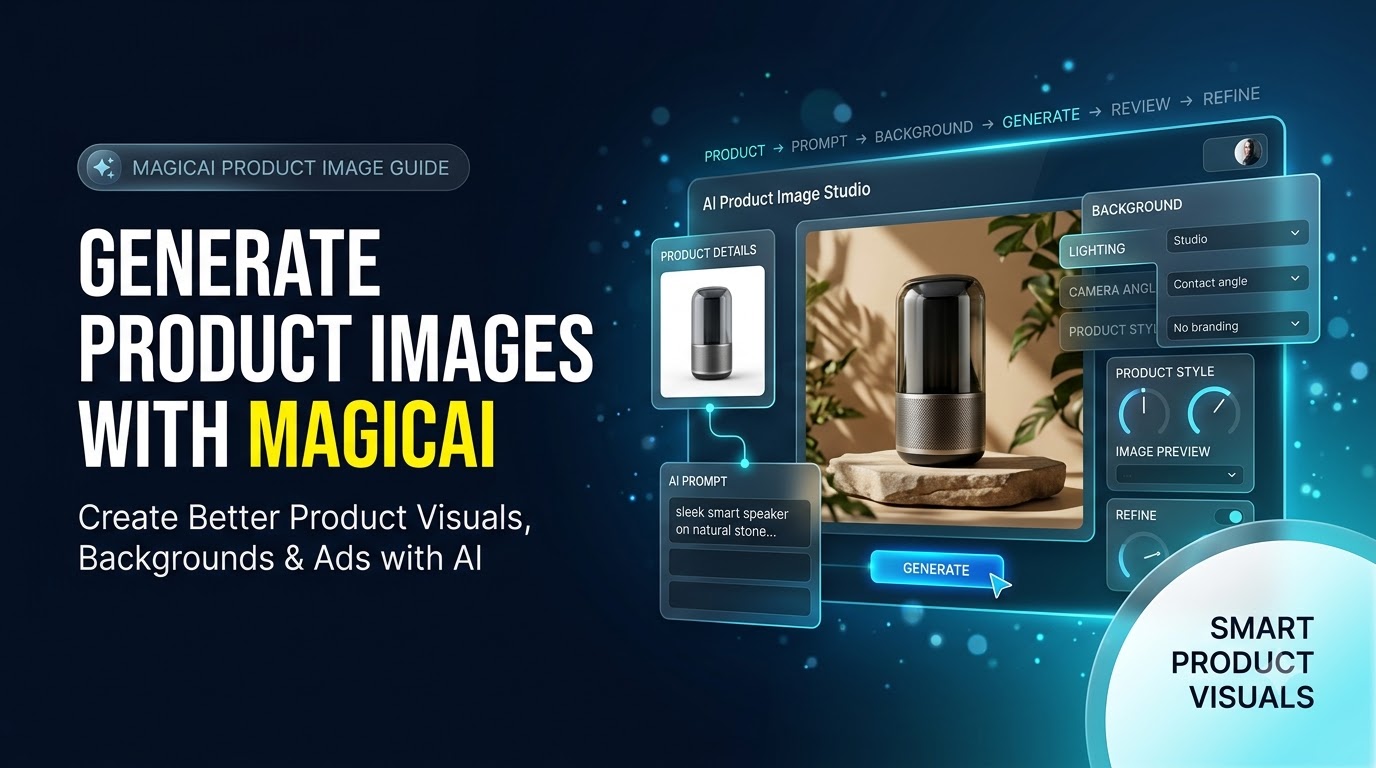
This guide explains how beginners and marketers can use MagicAI to create better product-image concepts through structured prompts, professional compositions, suitable backgrounds, lighting, and refinement.
Important: AI-generated product images should be reviewed carefully when they represent a real product. Packaging, labels, logos, dimensions, colors, controls, and other important product characteristics should be verified against the actual product before publication.
What Are AI Product Images?
AI product images are visuals created or enhanced using artificial intelligence based on text instructions, product information, or creative directions.
Instead of photographing a product in every possible environment, you can use AI to create concepts such as:
- Studio product scenes
- Lifestyle product scenes
- Promotional visuals
- Seasonal backgrounds
- E-commerce concepts
- Advertising compositions
- Social media product graphics
- Product hero images
- Premium catalog concepts
For example, instead of simply requesting:
Create a product image.
You could provide:
Create a premium commercial image of a stainless-steel water bottle standing on a clean stone surface in a modern studio, with soft natural lighting, subtle shadows, realistic reflections, and a minimalist background.
The second prompt provides significantly more visual direction.
Can MagicAI Generate Product Images?
MagicAI provides an AI Image Generator that can create images from user instructions. Its official platform describes the tool as being capable of generating high-quality images for a wide range of applications. It also provides a product description template within its custom-generation tools and supports image generation through its Chat Image feature.
For product marketing, the image generator can be used to develop visual concepts around:
- Product presentation
- Background environments
- Advertising scenes
- Lifestyle settings
- Promotional compositions
- E-commerce concepts
The quality of the result depends heavily on the quality and specificity of the prompt.
Why Use MagicAI for Product Images?
1. Faster Visual Concept Creation
AI can help you quickly explore different product-image concepts without manually building every scene.
2. Multiple Background Ideas
You can experiment with different environments around the same product concept.
For example:
- Minimal white studio
- Luxury black studio
- Modern kitchen
- Office desk
- Outdoor lifestyle scene
- Festive environment
3. Creative Experimentation
You can test different:
- Lighting styles
- Camera angles
- Backgrounds
- Props
- Colors
- Compositions
- Visual moods
4. Marketing Support
AI-generated visuals can help develop concepts for:
- Advertisements
- Social media
- Website banners
- Product campaigns
- Promotional content
5. Faster Content Workflows
MagicAI is designed as a broader AI platform with image generation, custom templates, writing tools, and other content capabilities, allowing product visuals to fit into a larger content workflow.
Before Generating a Product Image
Before writing your prompt, collect the important product information.
Product Information
Write down:
- Product name
- Product category
- Main color
- Material
- Shape
- Size or proportions
- Important features
- Intended audience
- Product use
- Preferred visual style
- Background preference
- Marketing purpose
For example:
Product: Stainless-steel water bottle
Color: Matte black
Material: Stainless steel
Style: Premium minimalist
Audience: Fitness and lifestyle customers
Purpose: E-commerce advertisement
This information can then be converted into a visual prompt.
Step 1: Define the Product Clearly
The first part of your prompt should clearly identify the product.
Weak:
Create a bottle.
Better:
Create a premium matte-black stainless-steel insulated water bottle.
The second version provides more information about the product.
If the product has important visual characteristics, include them.
For example:
A compact matte-black stainless-steel bottle with a cylindrical body, screw-top lid, and minimal design.
Step 2: Describe the Product’s Position
Tell MagicAI how the product should appear.
Possible positions include:
- Standing upright
- Lying horizontally
- Centered
- Slightly angled
- Floating
- Held in a hand
- Positioned on a table
- Close-up
- Three-quarter view
Example:
Place the bottle upright in the center of the composition with a slight three-quarter angle.
Step 3: Choose the Background
The background can completely change the visual character of a product image.
Minimal Studio
Clean white studio background with soft shadows.
Luxury
Dark black studio environment with subtle gold reflections.
Technology
Dark futuristic environment with controlled blue lighting.
Lifestyle
Modern kitchen countertop with natural daylight.
Outdoor
Clean outdoor environment with soft morning light.
Choose the background according to the product and intended use.
Step 4: Choose the Lighting
Lighting is one of the most important elements of product photography.
You can request:
- Soft studio lighting
- Natural daylight
- Dramatic lighting
- Rim lighting
- Softbox lighting
- High-key lighting
- Low-key lighting
- Cinematic lighting
- Warm ambient lighting
For a premium product:
Use controlled studio lighting with soft highlights, realistic shadows, and subtle reflections.
For a lifestyle product:
Use soft natural daylight with gentle shadows and realistic environmental illumination.
Step 5: Define the Camera Perspective
Camera direction helps establish how the product is presented.
Useful instructions include:
- Front view
- Side view
- Three-quarter view
- Close-up
- Macro view
- Top-down view
- Low-angle view
- Eye-level view
For example:
Use a professional three-quarter product-photography perspective with the front and side of the product visible.
Step 6: Specify Materials and Textures
Material details are especially important for product images.
You can describe:
- Stainless steel
- Glass
- Matte plastic
- Glossy plastic
- Leather
- Wood
- Ceramic
- Fabric
- Brushed metal
Example:
Show realistic brushed stainless-steel texture with subtle controlled reflections.
This helps establish the visual character of the product.
Step 7: Add Shadows and Reflections
Shadows help anchor a product within its environment.
Without appropriate shadows, an AI-generated product can appear to float unnaturally.
Try:
Add a soft realistic contact shadow beneath the product with subtle surface reflection.
For glossy products:
Include controlled studio reflections without excessive glare.
Step 8: Choose the Color Palette
Keep the image’s colors compatible with the product and brand.
For example:
Premium Technology
Dark navy, black, electric blue, and cyan.
Luxury Product
Black, gold, warm beige.
Natural Product
White, beige, green, and earth tones.
Minimal E-Commerce
White, light gray, and neutral tones.
Step 9: Define the Image’s Purpose
A product image for an online store is different from a product advertisement.
E-Commerce
Clean white background, accurate product presentation, minimal distractions.
Advertisement
Dramatic composition, premium lighting, strong visual impact.
Social Media
More creative environment, strong composition, visually engaging background.
Website Hero
Wide composition with negative space for headline and CTA.
Always tell MagicAI where the image will be used when the intended use affects the design.
Professional Product Image Prompt Formula
Use this formula:
PRODUCT → POSITION → ENVIRONMENT → BACKGROUND → LIGHTING → CAMERA → MATERIALS → COLORS → SHADOWS → PURPOSE
For example:
Create a professional product image of [PRODUCT]. Position it [POSITION] inside [ENVIRONMENT]. Use [BACKGROUND] with [LIGHTING]. Show the product from a [CAMERA ANGLE] perspective with realistic [MATERIAL DETAILS]. Use a [COLOR PALETTE] palette with natural shadows and reflections. The image is intended for [PURPOSE].
This gives you a repeatable process for creating product-image prompts.
Example: Water Bottle Product Image
Create a premium commercial product image of a matte-black stainless-steel insulated water bottle standing upright on a polished stone surface. Use a minimalist dark studio environment with soft cinematic lighting, subtle highlights, realistic brushed-metal texture, controlled reflections, and a soft contact shadow beneath the bottle. Use a three-quarter camera angle and a sophisticated black, charcoal, and muted blue color palette. Keep the bottle as the dominant subject with clean negative space around it. Create the image for a premium e-commerce product campaign.
Example: Skincare Product Image
Create a luxury commercial product image of a minimalist white skincare serum bottle with a clean premium design. Place the bottle on a light stone surface with soft beige and cream surroundings. Use natural diffused studio lighting, subtle shadows, realistic glass and packaging textures, gentle reflections, and a sophisticated beauty-advertising aesthetic. Keep the composition minimal and elegant with the product centered and clearly visible.
Example: Food Product Image
Create a professional commercial image of a premium packaged snack product placed on a clean modern kitchen surface. Use warm natural lighting, realistic packaging texture, subtle shadows, fresh food-related props, and an appetizing advertising composition. Keep the product package as the primary focal point and use a warm, clean background without unnecessary clutter.
Example: Electronics Product Image
Create a premium commercial product image of modern wireless earbuds displayed in a sleek charging case on a dark studio surface. Use dramatic but controlled lighting, realistic plastic and metallic textures, subtle blue reflections, soft contact shadows, shallow depth of field, and a sophisticated technology-advertising aesthetic. Use a three-quarter camera angle and maintain clean negative space around the product.
Example: Clothing Product Image
Create a professional fashion product image featuring a premium folded cotton shirt displayed on a minimalist neutral surface. Use soft studio lighting, realistic fabric texture, natural folds, subtle shadows, and a clean editorial fashion aesthetic. Use beige, white, and muted gray tones with a simple composition suitable for an online fashion store.
How to Generate E-Commerce Product Images
E-commerce images generally need clarity and consistency.
A basic product image should prioritize:
- Product visibility
- Accurate shape
- Clean background
- Good lighting
- Minimal distractions
- Consistent composition
- Suitable aspect ratio
For catalog-style images, avoid excessive decorative elements.
E-Commerce Prompt
Create a clean professional e-commerce product image of a [PRODUCT] on a pure white studio background. Center the product, use soft professional lighting, realistic materials, subtle natural shadows, accurate proportions, and a clean commercial photography aesthetic. Keep the composition minimal and product-focused.
How to Create Lifestyle Product Images
Lifestyle images place a product in a realistic context.
For example:
Coffee machine
Place the coffee machine on a modern kitchen counter during a bright morning.
Laptop
Place the laptop on a premium office desk in a modern workspace.
Sports bottle
Place the bottle beside fitness equipment in a modern gym.
Lifestyle images help communicate how a product might fit into a customer’s environment.
How to Create Product Advertisement Images
Advertisements can be more creative than standard catalog images.
Focus on:
- Strong lighting
- Dramatic composition
- Brand-compatible colors
- Clear product focus
- Visual storytelling
- Negative space for advertising copy
Advertisement Prompt
Create a premium advertising image of a modern wireless headphone floating slightly above a reflective studio surface. Use dramatic cinematic lighting, subtle electric-blue rim lighting, realistic material details, controlled reflections, and a dark luxury background. Keep the headphone as the dominant focal point with clean negative space for advertising copy.
How to Create Product Images for Social Media
Social media images can use more creative backgrounds and stronger visual contrast.
Prompt
Create a visually striking social media product graphic featuring a premium skincare bottle on a light marble surface surrounded by subtle botanical elements. Use soft natural lighting, elegant shadows, realistic glass reflections, a refined pastel color palette, and a clean luxury beauty aesthetic. Keep the product clearly visible and dominant.
How to Create Multiple Product Variations
One advantage of AI-assisted visual creation is the ability to experiment with different environments.
For the same product, create:
Version 1 — Studio
Clean white studio background.
Version 2 — Luxury
Dark premium studio with dramatic lighting.
Version 3 — Lifestyle
Product in a realistic home environment.
Version 4 — Seasonal
Elegant festive environment with subtle seasonal decorations.
Version 5 — Advertising
Dramatic commercial composition with strong visual contrast.
This allows you to explore different marketing directions.
How to Keep Product Images Consistent
If you need images for an entire product catalog, consistency is important.
Keep these elements stable:
- Background style
- Lighting
- Camera angle
- Product position
- Image ratio
- Shadow treatment
- Color palette
- Visual style
For example:
Catalog Style
White studio background + three-quarter angle + soft lighting + subtle contact shadow + centered product + minimal composition
Use the same visual direction across multiple products.
Product Image Prompt for a Consistent Catalog
Create a clean professional e-commerce product image using the same catalog style: pure white background, centered product, three-quarter camera angle, soft studio lighting, realistic material texture, subtle contact shadow, accurate proportions, minimal composition, and consistent commercial photography aesthetic. Show [PRODUCT] clearly as the primary subject.
How to Handle Product Packaging
Packaging requires additional care because labels and text are important.
If your product includes:
- Brand name
- Product name
- Ingredients
- Weight
- Instructions
- Certifications
- Regulatory information
do not assume generated text will be accurate.
For important packaging visuals, use AI primarily for the environment or concept and verify the actual packaging separately.
A practical workflow can be:
REAL PRODUCT ASSET → AI BACKGROUND/SCENE → COMPOSITING → FINAL REVIEW
This can provide better control over product accuracy.
How to Add Text to Product Images
AI-generated typography may not always be reliable.
If you need:
- Product price
- Discount
- CTA
- Product specifications
- Website URL
- Promotional message
consider adding the final text during the editing stage.
For example:
AI-generated layer
- Product
- Background
- Lighting
- Shadows
Final design layer
- Headline
- Price
- CTA
- Brand information
- Promotional copy
This gives you greater control over typography and brand consistency.
How to Improve an AI Product Image
After generating the first image, inspect it carefully.
Ask:
- Is the product recognizable?
- Is the shape correct?
- Are the colors correct?
- Are the materials realistic?
- Is the product positioned correctly?
- Is the lighting believable?
- Are shadows natural?
- Is the background distracting?
- Are labels or text accurate?
- Does the image match the brand?
- Is the product large enough?
- Is there enough negative space?
Then refine the prompt.
Example of Product Prompt Refinement
Basic Prompt
Create an image of a black watch.
Improved Prompt
Create a premium commercial product image of a black stainless-steel wristwatch on a dark studio surface with cinematic lighting.
Professional Prompt
Create a premium commercial product photograph of a modern black stainless-steel wristwatch positioned at a slight three-quarter angle on a dark matte studio surface. Use controlled cinematic lighting with subtle rim highlights, realistic metal texture, accurate reflections, a soft contact shadow, shallow depth of field, and a sophisticated luxury advertising aesthetic. Keep the watch as the single dominant subject and leave clean negative space around it for marketing copy.
The third version gives much stronger control over the final composition.
Master Prompt for Product Images With MagicAI
Use this reusable template:
Create a professional product image of [PRODUCT NAME]. Show the product with [KEY VISUAL CHARACTERISTICS] and position it [POSITION]. Place it in [ENVIRONMENT] with [BACKGROUND]. Use [LIGHTING STYLE], [CAMERA ANGLE], and [COLOR PALETTE]. Show realistic [MATERIAL/TEXTURE DETAILS], natural shadows, controlled reflections, and accurate proportions. Keep the product as the main focal point and avoid unnecessary visual clutter. The image is intended for [E-COMMERCE / ADVERTISEMENT / WEBSITE / SOCIAL MEDIA / CATALOG]. Maintain a premium, polished, professional commercial photography aesthetic.
10 Ready-to-Use MagicAI Product Image Prompts
1. Premium E-Commerce Product
Create a clean premium e-commerce product image of a modern [PRODUCT] on a pure white studio background. Center the product, use soft professional lighting, realistic materials, subtle contact shadows, accurate proportions, and a minimalist commercial photography style.
2. Luxury Product Advertisement
Create a luxury advertising image of [PRODUCT] on a dark premium studio surface. Use dramatic cinematic lighting, subtle highlights, realistic reflections, sophisticated materials, controlled shadows, and a high-end commercial photography aesthetic.
3. Lifestyle Product
Create a realistic lifestyle product image showing [PRODUCT] naturally placed in a modern [ENVIRONMENT]. Use soft natural lighting, realistic textures, subtle shadows, authentic environmental details, and a premium editorial photography style.
4. Technology Product
Create a premium technology advertisement featuring [PRODUCT] in a futuristic dark studio. Use electric-blue highlights, realistic materials, glass reflections, cinematic lighting, subtle depth, and a sophisticated technology-commercial aesthetic.
5. Skincare Product
Create a luxury beauty product image featuring [PRODUCT] on a light stone surface surrounded by subtle botanical elements. Use soft diffused lighting, realistic glass and packaging textures, elegant shadows, neutral colors, and a premium skincare advertising aesthetic.
6. Food Product
Create an appetizing commercial product image of [PRODUCT] placed on a modern dining surface. Use warm natural lighting, realistic textures, subtle food-related props, natural shadows, rich but controlled colors, and professional food advertising photography.
7. Fashion Product
Create a premium fashion product image featuring [PRODUCT] in a clean editorial studio environment. Use soft directional lighting, realistic fabric texture, natural folds, subtle shadows, neutral colors, and a sophisticated fashion photography aesthetic.
8. Seasonal Product Campaign
Create a premium seasonal advertising image featuring [PRODUCT] in an elegant seasonal environment. Use subtle decorative elements, professional studio lighting, realistic materials, balanced composition, controlled colors, and a sophisticated commercial campaign aesthetic.
9. Social Media Product Image
Create a visually engaging social media product image featuring [PRODUCT] as the dominant focal point. Use a modern creative background, strong but controlled lighting, realistic product materials, clean composition, brand-compatible colors, and enough negative space for promotional text.
10. Website Product Hero
Create a wide 16:9 website hero image featuring [PRODUCT] as the main focal point. Position the product toward the right side and leave generous clean negative space on the left for website headline and CTA. Use premium commercial lighting, realistic materials, subtle shadows, sophisticated colors, and a polished advertising aesthetic.
Common Mistakes to Avoid
1. Using Vague Product Descriptions
“Create a product image” does not provide enough visual direction.
2. Ignoring Product Accuracy
AI can introduce changes to shape, packaging, colors, labels, and other details.
3. Adding Too Many Props
Too many decorative objects can distract from the product.
4. Using Inconsistent Catalog Styles
If every product has a different background and camera angle, the catalog can look unprofessional.
5. Overusing Effects
Excessive glow, reflections, particles, or dramatic lighting can make products look unrealistic.
6. Forgetting Shadows
Without realistic contact shadows, a product can appear disconnected from the surface.
7. Trusting Generated Text
Always verify product labels, packaging text, prices, specifications, and other important information.
8. Publishing Without Human Review
AI-generated product visuals should be inspected before commercial use.
Benefits of Using MagicAI for Product Image Creation
| Benefit | Explanation |
|---|---|
| Faster concepts | Quickly explore product-visual ideas |
| Multiple environments | Test different backgrounds and settings |
| Creative flexibility | Experiment with lighting and composition |
| Marketing support | Develop advertisement and campaign concepts |
| Faster iteration | Refine visuals through prompt changes |
| Catalog concepts | Establish repeatable visual styles |
| Lifestyle concepts | Place products in different environments |
| Content workflow | Combine visual creation with other AI-generated content |
MagicAI’s platform also includes product-focused content templates, an AI Image Generator, Chat Image, custom templates, and easy export capabilities, making it possible to incorporate product visuals into a broader content workflow.
MagicAI Product Images vs Traditional Photography
| Factor | MagicAI AI Images | Traditional Product Photography |
|---|---|---|
| Concept creation | Very fast | Requires planning |
| Background experimentation | Easy | Requires physical setup or editing |
| Location changes | Fast | Can require new setup |
| Lighting experimentation | Prompt-based | Physical lighting setup |
| Product accuracy | Requires verification | Usually directly captured |
| Creative variations | Easy to explore | More time-consuming |
| Physical product required | Depends on workflow | Yes |
| Fine production control | Requires editing/refinement | High |
| Best use | Concepts, creative scenes, marketing exploration | Accurate final product photography |
For real products, AI can be particularly useful for creative concepts and environments, while actual product assets and human review remain important when accuracy matters.
Professional Product Image Workflow
Use this workflow for repeatable results:
PRODUCT INFORMATION → PURPOSE → SUBJECT → ENVIRONMENT → BACKGROUND → STYLE → COMPOSITION → LIGHTING → PROMPT → GENERATE → ACCURACY CHECK → REFINE → EDIT → FINAL REVIEW → PUBLISH
PRODUCT INFORMATION
Collect accurate product details.
PURPOSE
Decide whether the image is for e-commerce, advertising, social media, or a website.
SUBJECT
Define the product clearly.
ENVIRONMENT
Choose the appropriate setting.
BACKGROUND
Select a clean studio or lifestyle environment.
STYLE
Define the visual direction.
COMPOSITION
Control positioning and negative space.
LIGHTING
Choose a professional lighting setup.
PROMPT
Combine all requirements.
GENERATE
Create the visual.
ACCURACY CHECK
Compare the result with the real product.
REFINE
Correct visual problems through prompt changes.
EDIT
Add final text or design elements where required.
FINAL REVIEW
Check accuracy, branding, quality, and usability.
PUBLISH
Use the approved image in the intended channel.
Product Image Checklist
Before publishing a MagicAI-generated product image, check:
- Is the product clearly recognizable?
- Are the product colors correct?
- Is the shape reasonably accurate?
- Are materials represented correctly?
- Is the background appropriate?
- Is the lighting professional?
- Are shadows realistic?
- Are reflections controlled?
- Is the product the main focal point?
- Is there unnecessary clutter?
- Is packaging text accurate?
- Is the image consistent with other catalog images?
- Does it fit the intended platform?
- Has a human reviewed the final image?
Frequently Asked Questions
Can MagicAI generate product images?
MagicAI provides an AI Image Generator designed to create images from user instructions. Its platform also includes product-related content templates and Chat Image functionality.
Can I use MagicAI to create e-commerce product images?
Yes. You can create product-image concepts with clean backgrounds, studio lighting, lifestyle environments, and commercial compositions. However, real product accuracy should always be verified.
Can MagicAI create lifestyle product images?
Yes. You can describe the environment, product position, lighting, mood, and visual style to develop lifestyle-image concepts.
How should I prompt MagicAI for product images?
Start with the product, then describe its position, environment, background, style, lighting, camera perspective, materials, colors, shadows, and intended use.
Can AI accurately reproduce product packaging?
Not always. AI-generated packaging text and fine product details can contain errors. Important packaging information should be verified against the actual product.
Should I use a white background for e-commerce?
A clean white background can work well for catalog-style product presentation because it keeps attention on the product. The exact requirements depend on the marketplace or website.
How can I make product images look more realistic?
Describe realistic materials, professional lighting, natural shadows, controlled reflections, accurate proportions, and commercial photography aesthetics.
Can I create multiple backgrounds for one product?
Yes. You can generate different visual concepts by changing the environment, background, lighting, and composition while keeping the product description consistent.
Should AI-generated product images replace real product photography?
Not necessarily. AI can be valuable for concepts, creative environments, campaigns, and visual experimentation. For situations where exact product representation is critical, verified product photography or carefully controlled compositing may be more appropriate.
Final Verdict
Learning how to generate product images with MagicAI starts with understanding that a strong product image requires more than simply naming the product.
Define the product clearly, choose the right environment, control the background, describe the lighting, select a camera perspective, specify materials and colors, and explain where the image will be used.
The most reliable workflow is:
PRODUCT → PURPOSE → ENVIRONMENT → STYLE → COMPOSITION → LIGHTING → PROMPT → GENERATE → CHECK → REFINE → FINALIZE
For real products, always prioritize accuracy. Verify product shape, colors, packaging, labels, and important visual details before publishing.
Used thoughtfully, MagicAI can help businesses and creators explore product visuals faster and develop professional-looking concepts for e-commerce, websites, advertisements, social media, and marketing campaigns.